1
44.
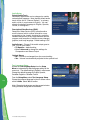
Q. Does the DVR automatically delete programs when the record space is full?
A. Only if you set it up that way. The DVR will automatically delete programs if you tell it to do so by setting the programs to be deleted when space is needed. When the record space is full, the oldest recordings that you have set to be deleted will be deleted first. If you do not want the DVR to automatically delete certain recordings,
you can set them so that they are only deleted by you.
45.
Q. How many recordings can I schedule for the future?
A. There is no limit to the number of recordings you can schedule as long as you do not schedule more than two programs to record at the same time and you have available recording space.
46. Q. What if the program I want to record runs over its scheduled air time, such as
when a football game goes into overtime? How can I make sure I record everything?
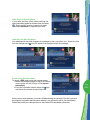
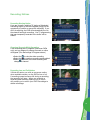
A. For live programs, you will be provided with the opportunity to extend the recording.
Follow the on-screen prompts to extend the program end time for your recording.
47. Q. Can I watch a show I am recording before the recording is completed?
A. Yes. You can either watch it live as it’s being recorded or you can rewind the program you are currently recording and watch it from the beginning while the recording continues.
48. Q. Can I make a VHS tape or DVD of a recorded program?
A. You can copy a recorded program to a VHS or DVD tape by playing a recording from the DVR in real time while simultaneously recording on your VCR or DVD.
49.
Q. Can I set up my DVR to record every episode of a specific program title?
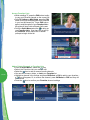
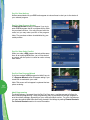
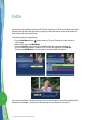
A. Yes! Your DVR lets you record multiple episodes of a program according to your preference by setting up a Series Recording. Select the episode type to record, such as first-run only or all episodes. Specify how many recordings to save and how long to save the recording - until you erase it or until space is needed. To access advanced series setup features like add minutes to the start and end times and specify which channels to record, select the Recording Options Icon to review all options.
Tip: Use Title Search to find all air times for a particular title. You can then set up
individual recordings for any or all episodes, no matter what time they’re on.
50. Q. Can I “bookmark”a program I have recorded?
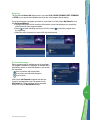
A. Yes. When you stop playback of a recorded program, it will stop where you left it.
To continue watching the program, select Resume or Restart from the Action Icons.
51.
Q. On occasion, a recording starts a minute or two after the program has begun. Why?
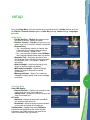
A. The DVR timer is synchronized with the program guide time. If a broadcaster starts the program minute earlier than the first minute. You can program your DVR to start early or end late by adjusting you’re Recording Options.
52.
Q. Only part of my program recorded. Why?
A. If the beginning of the program did not record, you might have tuned to the program after it started and then set it to record. If the end of the program did not record, the DVR may have reached its storage capacity before it was able to record the entire program.
frequently
asked
questions
45