1
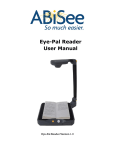
“Found New Hardware” dialog will appear on the screen. Select “No, not this time” and click Next. c. On the next screen select “Install the software automatically”, and click Next. Eye-Pal software is now installed. The next dialog will inform you that the installation is complete. You Are Ready to Start! Plug your Eye-Pal into your computer. Eye-Pal is ready to use. Find and double-click Eye-Pal icon on your computer screen. Put your favorite book under the camera and click E. Eye-Pal will start reading the text in a few seconds. Now, please, open The Training Guide and User Manual that you can find on your Eye-Pal CD. You are ready to start reading anything you want! Best luck. -5-