1
EVS Broadcast Equipment S.A.
Issue 2.6.A October 2013
2.1.4 Output File Selection – Atomic Operational
Patterns
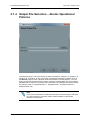
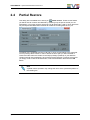
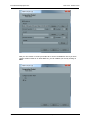
This page will open if you have chosen to create a Panasonic, OpAtom_1a, OpAtom_1b,
OpAtom_2a or OpAtom_2b file. In that case, several MXF files will be created. Click on
the Browse button to open a browser window and select the output directory. You can
then type the base name that will be used to name the resulting MXF files. The resulting
filenames will correspond to the base name followed by the package coordinates used in
the previous page (i.e. MyOpAtomFile-1-1, MyOpAtomFile-1-2, MyOpAtomFile-2-1,
MyOpAtomFile-2-2).
Note
In the case of Panasonic P2 files the base name must be exactly 6-character
long and a directory “Contents” will be created similarly to what would
produce the camcorder.
10
OpenCube MXFTk® Front-End in Practice