1
Appendix A: ViewMarq ASCII Command Specifications
ASCII String Commands
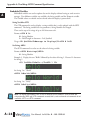
The ViewMarq LED message display utilizes ASCII Strings. The ASCII String contains text
to be displayed and commands and parameters that determine how the text will be formatted
such as the Character Set/Size, Color, Scrolling, Blinking, etc. The format of the text,
commands and parameters are described in this section.
The ViewMarq receives these ASCII strings from an external device such as a PC or a PLC
through one of the serial ports or the Ethernet port.
External Device
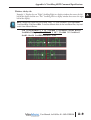
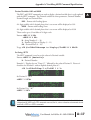
The ViewMarq is a slave device. It does not request data from other devices, it only receives
it. So when a properly formatted string is detected on one of the communication ports and
the <ID #> of the message matches the ID of the particular ViewMarq display, then the
message in the ASCII String that follows will be displayed as formatted by the ASCII String.
ASCII String format
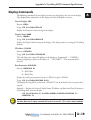
In order for the ViewMarq message display to understand the ASCII String, it must be
formatted as described below.
One line format:
The one line format is the way the string is sent to the ViewMarq. The order of the
formatting commands does not matter so long as they precede the text or variable (<T>, STR,
DEC)commands.
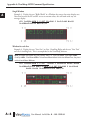
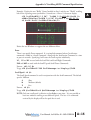
<ID #><CLR><WIN OX OY EX EY><POS X Y><LJ><BL #><CS
#><GRN><T>Message to Display</T>CRBreakdown
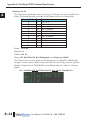
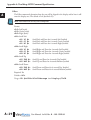
<ID #>
;Display ID
<CLR>
;Clear Display
<WIN OX OY EX EY>
;Display Window
<POS X Y>
;Position
<LJ>
;Effect
<BL #>
;Blink speed
<CS #>
;Character Set
<GRN>
;Color
<T>Message to Display</T>
;Text Block
CR
;0x0D Carriage Return
User Manual, 1st Ed. Rev. B – MD-USER-M
A–3
A
2
3
4
5
6
7
8
9
10
11
12
13
14
A
B
C
D