1
Siemens Industry, Inc.
INSTALLATION AND SERVICE INSTRUCTION
SD42H
Rev 9
October 2012
Supersedes Rev 8
Model 42H Nullmatic Pressure Regulator, High Capacity
INTRODUCTION
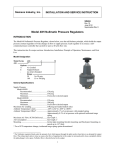
The Model Series 42H Nullmatic® Pressure Regulator (high capacity), shown below, is used typically to control air
pressure in pneumatic instrument circuits, test stands, production checking fixtures, etc. It uses a two-stage, pilot
operated, null-balance principle of operation which maintains the output pressure despite wide changes in output
flow or supply pressure.
This instruction has five major sections: Introduction, Installation, Principle of Operation, Maintenance, and Parts
List.
Model Designation
Model Series
42H
A
42H
Options
A
Air Loaded
E
Tapped Exhaust
(no letter) Standard
Range
30
1 to 30 psi
50
1 to 50 psi
100
1.5 to 100 psi
50
General Specifications
Supply Pressure ....................................................See Table below
Model No
42H-30
42H-50
42H-100
Recommended (psi)
120
120
150
Maximum (psi)
150
150
500
Minimum
10 psi above
desired output
Note: Performance
will be improved by
increasing the supply
pressure above the
minimum value.
Maximum Air Loading.......................... 100 psi (air loaded models only)
Ambient Temperature Limits ................ -40°C to 82°C (-40°F to 180°F)
Maximum Air Flow, scfm Delivered..... See Graph 1 on page 3
Air Consumption ................................... See Graph 2 on page 3
Mounting ............................................... In-line, bracket or flush panel on panels up to 1/4” thick
Ambient Temperature Effect* ............... Approximately 1% of set pressure with standard range spring
Approximately 0.1% of set pressure with optional isothermal range spring
*For a 50°F temperature change; isothermal range spring option discontinued
1
SD42H
INSTALLATION
The Regulator may be pipe-mounted, bracket-mounted, or flush panel-mounted. Refer to Figures 1, 2, and 3 for
installation dimensions and connections. The direction of air flow, from supply to output, is indicated by an arrow
on the bottom forging. The Regulator may be mounted in any position, in a reasonably vibration-free location.
CAUTION
Exceeding the ambient air temperature limits can adversely affect performance and may
cause damage.
Figure 1 Dimensions and Connections
Figure 2 Panel Mounted Regulator
Figure 3 Pipe or Bracket-Mounted Regulator
2
SD42H
Pneumatic Connections
Supply and output connections are 1/2" NPT, the optional air loading connection is 1/4" NPT, and the optional
tapped exhaust is 1/8" NPT.
Recommended piping to the regulator is 1/4" O.D. tubing, although any scale free piping may be used.
1. Blow out all piping before any connections are made to prevent dirt or chips from entering the regulator.
2. Use pipe sealant sparingly, and then only on the male threads. A non-hardening sealant is strongly recommended.
3. Connect the regulator to a source of clean, dry, oil-free instrument air. See Instrument Air Requirements.
CAUTION
Pressure to the supply or output connection in excess of the maximum value listed in
General Specifications may cause damage. Air loading pressure in excess of 100 psi may
cause damage in air loaded models.
See the inset on page 4 for a description of Nullmatic operation.
Graph 1 Maximum Air Flow, SCFM Delivered
Graph 2 Air Consumption
Instrument Air Requirements
Connect the regulator to a source of clean, dry, oil-free instrument air. Failure to do so will increase the possibility
of a malfunction or deviation from specified performance.
CAUTION
Use of process fluids other than instrument air is not recommended. No claim is made as to
the suitability of this product for use with other process fluids, such as hazardous gases,
except as listed on the appropriate certificate. Non-approved instruments are suitable for
use with instrument air only. Optional features and modifications such as tapped exhaust do
not imply suitability for use with hazardous gases except as listed on the approval
certificate.
CAUTION
Synthetic compressor lubricants in the air stream at the regulator may cause the regulator to
fail.
3
SD42H
There are many types of synthetic lubricants. Some may not be compatible with the materials used in construction of
the regulator. Wetting of these materials by such an oil mist or vapor, etc. may cause them to deteriorate. This may
ultimately result in failure of the regulator. The following materials are in contact with instrument air:
ALUMINUM, ANODIZED ALUMINUM, BRASS, BUNA-N, CADMIUM PLATED C.R.S, CHROMED NICKEL
PLATED BRASS, FAIRPRENE, MONEL, NEOPRENE, NITRILE COATED POLYESTER FABRIC, NICKEL
PLATED BRASS, NYLON, and STAINLESS STEEL.
The requirements for a quality instrument air supply can be found in the Instrument Society of America's "Quality
Standard for Instrument Air" (ISA-S7.3). Basically this standard calls for the following:
Particle Size - The maximum particle size in the air stream at the instrument should be no larger than 3 microns.
Dew Point - The dew point, at line pressure, should be at least 10° C (18° F) below the minimum temperature to
which any part of the instrument air system is exposed at any season of the year. Under no circumstances should the
dew point, at line pressure, exceed 2° C (35.6° F).
Oil Content - The maximum total oil or hydrocarbon content, exclusive of non-condensables, should not exceed 1
ppm under normal operating conditions.
PRINCIPLE OF OPERATION
The adjustment screw is used to load the range spring which sets the regulated pressure; see Figure 4. Clockwise
adjustment of the adjustment screw decreases the nozzle clearance and increases the pilot pressure. The source for
pilot pressure is supply air which flows through the restriction screw into the pilot pressure chamber. An increase in
pilot pressure forces the exhaust diaphragm assembly downward, closes the exhaust port, and moves the valve
plunger to open the supply port. This increases the output pressure which feeds back via the rebalance passage to the
top diaphragm assembly. When the upward force of the output pressure (acting on the bottom of the top diaphragm
assembly) equals the downward force of the range spring (acting on the top of the top diaphragm assembly) the
regulator will be in balance. All actions are reversed for counterclockwise adjustment of the adjustment screw.
A safety release valve is incorporated in the top diaphragm assembly of the 42H-30, and 42H-50 Models. It exhausts
air through the top casting if the output pressure becomes 3 to 15 psi above the adjusted output pressure. An
overpressure moves the top diaphragm upward to open the safety release valve. The diaphragm movement is limited
by the stripper plate.
The Nullmatic regulator bleeds
only the amount of air which
passes through the pilot nozzle
when there is no demand for
output flow. The exhaust port
starts to close as soon as the
flow of regulated air is
increased to the output and it
closes completely before the
pilot-plunger valve opens. Full
pilot flow is then delivered to
the output.
Figure 4 Schematic
4
SD42H
MAINTENANCE
Most problems associated with pneumatic instruments can be prevented by using clean, dry, oil-free instrument air
as described in the Instrument Air Requirements section. If these requirements are met, routine maintenance should
not be necessary. Cleaning of the restriction screw, valve plunger, and the supply and exhaust ports is the only
maintenance which may be needed on an occasional basis.
Refer to the Trouble Analysis table below when troubleshooting the regulator.
Trouble Analysis
Symptom
No output
Cause
No supply air
Clogged restriction screw
Supply air setting too low
Output cannot be
increased to full value
Sluggish output
response to increased
setting
Output at full value or
higher and cannot be
decreased
Valve plunger not seating in the exhaust
port due to a chip (e.g. pipe dope,
Teflon tape, thread shaving, pipe scale).
Usually detected by a heavy exhaust.
Partially obstructed restriction screw
Output flow exceeds specification
Partially obstructed restriction screw
Regulator piped backwards –
excessively heavy exhaust
Loose restriction screw
Exhaust external vent holes blocked
Exhaust port clogged
Supply pressure too high
Output cannot be
decreased to minimum
value
Exhaust from vent hole
in top casting (Models
42H-30, and 42H-50
only)
Loose restriction screw
Valve plunger not seating in the exhaust
port due to a chip (e.g. pipe dope,
Teflon tape, thread shaving, pipe scale).
Usually detected by a heavy exhaust.
Heavy buildup on nozzle seat
Safety release valve operating normally
– see Principle of Operation
5
Remedy
Turn on supply air.
Refer to the Cleaning section
and clean the restriction screw
Refer to the table on page 1 and
raise supply pressure
Refer to Cleaning section and
clean the valve plunger and
exhaust port
Refer to Cleaning section and
clean the restriction screw
See Graph 1 or raise supply
pressure
Refer to Cleaning section and
clean the restriction screw
Refer to Installation section and
re-pipe the regulator
Tighten the restriction screw
Remove obstruction
Refer to Cleaning section and
clean the exhaust port
Refer to the table on page 1 and
decrease supply pressure
Tighten the restriction screw
Refer to Cleaning section and
clean the valve plunger and
exhaust port
Refer to Cleaning and clean the
nozzle seat
None
SD42H
Cleaning
The items that will normally require cleaning are the restriction screw, valve plunger, and supply and exhaust
ports. Refer to Figure 5 during the following procedures.
Restriction Screw
1.
Turn off supply air.
2.
Remove restriction screw by turning it counterclockwise with a screwdriver.
3.
Remove filter screen from restriction screw by sliding it off.
4.
Inspect filter screen for rips, tears, etc.; replace as necessary.
5.
Inspect the O-ring for cuts, gouges, etc.; replace as necessary.
6.
Remove cleaning wire from bottom forging.
7.
Insert the cleaning wire into the orifice on the end of the restriction screw. Move the cleaning wire in and out
several times to clear the orifice. If the cleaning wire
cannot be inserted into the orifice, soak the restriction
screw in solvent first to dissolve the blockage.
8.
Wipe the restriction screw and O-ring clean or clean with
a non-abrasive solvent.
9.
Soak the filter screen in solvent and/or blow through with
compressed air to remove blockage.
10. Place filter screen on restriction screw.
11. Install restriction screw in bottom forging by turning it
clockwise with a screwdriver. Ensure restriction screw is
turned in tightly.
12. Replace cleaning wire in bottom forging.
13. Return regulator to service.
Valve Plunger and Supply and Exhaust Ports
1.
Turn off supply air.
2.
Remove the retaining nut from the bottom forging with a 3/4"
wrench. The valve plunger and plunger spring should fall out.
3.
Wipe the valve plunger clean, or, if necessary, clean with a non-abrasive solvent.
4.
Clean the supply and exhaust ports. The supply port is easily accessible; the exhaust port can be reached with a
tobacco pipe cleaner. Use a non-abrasive solvent to clean.
Figure 5 Cleaning
NOTE
If excessive dirt, buildup, etc., is encountered, the regulator should be disassembled for
thorough cleaning. Read the Disassembly and Assembly sections before disassembling the
regulator.
5.
Place plunger spring on valve plunger.
6.
Place valve plunger into bottom forging.
7.
Install and tighten retaining nut.
8.
Return regulator to service.
6
SD42H
Lubrication
The only lubrication that may be required is the lubrication of the adjustment screw threads with light grease.
Other lubrication is neither recommended nor required.
Disassembly
1.
Remove regulator from service.
2.
Turn the adjustment screw counterclockwise to relieve the range spring tension.
3.
Make a diagonal mark across all mating parts. This will provide for easier alignment during assembly.
4.
Refer to the Parts List, remove the body screws, and disassemble the regulator.
Assembly
1.
Refer to the Parts List and assemble regulator.
2.
Observe the following hints.
1) Position the exhaust diaphragm assembly on the bottom forging so that none of the holes in the periphery
of the bottom forging are blocked.
2) Position the exhaust ring on the exhaust diaphragm assembly to locate the 3 vent holes in the ring under the
gauge connection (see Figure 1).
3) Position the center casting on the exhaust ring as shown in Figure 1.
4) Install the nozzle seat assembly in the center casting before installing the stripper plate.
5) Position the top casting on the top diaphragm assembly. Typically, the nameplate will be located over the
gauge connection.
3.
Return regulator to service.
Range Change
The range of a regulator can be changed by simple substitution of parts. Change the range of a regulator by
doing the following.
1.
Obtain the model number of the regulator from the regulator nameplate located on the top casting.
2.
Determine from the Model Designation section the model number of the desired range.
3.
Refer to the Parts List.
4.
List all parts of the desired model that are different from the existing model.
5.
Order these parts from Siemens; see the Customer/Product Support section below.
6.
Refer to Disassembly and Assembly sections and substitute new parts.
7.
Document this change on drawings, records, etc.
Options and Modifications
The following are standard options and modifications available for all Model 42H regulators except where
noted.
Air-Loading
To provide for supplementary air loading (100 psig maximum) in addition to normal spring loading, include
"A" in the model number. Consult factory. See page 1.
7
SD42H
Tapped Exhaust
To provide for piping exhaust flow away from the regulator, include "E" in the model number. Consult factory.
See page 1.
Safety Release Valve
Increases exhaust flow capacity when the regulator must exhaust large flows - standard on Models 42H-30 and 42H50. Not available for other ranges. To delete the safety release valve, include "X" in the model number. Consult
factory.
Pressure Gauge
For direct reading of regulated pressure, specify fittings, if required (see Figure 2). Consult factory.
Customer/Product Support
This section provides the Siemens public Internet site address, e-mail address, telephone numbers, and related
information for customers to access Siemens product support.
When contacting Siemens for support:
•
•
Please have complete product information at hand:
•
For hardware, this information is provided on the product nameplate (part number or model number,
serial number, and/or version).
•
For most software, this information is given in the Help > About screen.
If there is a problem with product operation:
•
Is the problem intermittent or repeatable? What symptoms have been observed?
•
What steps, configuration changes, loop modifications, etc. were performed before the problem
occurred?
•
What status messages, error messages, or LED indications are displayed?
•
What troubleshooting steps have been performed?
•
Is the installation environment (e.g. temperature, humidity) within the product’s specified operating
parameters? For software, does the PC meet or exceed the minimum requirements (e.g. processor,
memory, operating system)?
•
A current copy of the product Service Instruction, User’s Manual, or other technical literature should be at hand.
The Siemens public Internet site (see the table) has current revisions of technical literature, in Portable
Document Format, for downloading.
•
To send an instrument to Siemens for repair, request a Return Material Authorization (RMA).
IMPORTANT
An instrument must be thoroughly cleaned (decontaminated) to remove any process materials,
hazardous materials, or blood born pathogens prior to return for repair. Read and complete the
Siemens RMA form(s).
For support and the location of your local Siemens representative, refer to the table below for the URL of the
Process Instrumentation (PI) portion of the Siemens public Internet site. Once at the site, click Support in the right
column and then Product Support. Next select the type of support desired: sales, technical (see the table below),
documentation, or software.
8
SD42H
Online Support Request
http://www.siemens.com/automation/support-request
Technical Support
1-800-333-7421; 8 a.m. to 4:45 p.m. eastern time, Monday through Friday (except
holidays)
Customer Service & Returns
1-800-365-8766 (warranty and non-warranty)
Public Internet Site
http://www.usa.siemens.com/pi
Technical Publications
in PDF
Click the above link to go to the Siemens Internet site and then click Process
Instrumentation. In the column to the right, click Support > Manuals. In the
column to the left, select the product line (e.g. Pressure or Temperature or
Controllers) to open navigation and search panes. Note: Navigation may change as
the site evolves.
Warranty
The sales contract contains the entire obligation of Siemens. The warranty contained in the
contract between the parties is the sole warranty of Siemens. Any statements continued herein do
not create new warranties or modify the existing warranty.
All product designations may be trademarks or product names of Siemens Industry, Inc. or other supplier companies whose use
by third parties for their own purposes could violate the rights of the owners.
Siemens Industry, Inc. assumes no liability for errors or omissions in this document or for the application and use of information
in this document. The information herein is subject to change without notice.
Procedures in this document have been reviewed for compliance with applicable approval agency requirements and are
considered sound practice. Neither Siemens Industry, Inc. nor these agencies are responsible for product uses not included in the
approval certification(s) or for repairs or modifications made by the user.
9
SD42H
10
SD42H
PARTS LIST
Siemens Nullmatic® Pressure Regulator
Drawing 7025PL
11/87 Supersedes 9/81
IMPORTANT
Service Parts Kits are available for servicing the instrument. Contact Siemens for currently available kits; refer to
the Customer/Product Support section of this instruction. Some parts in this Parts List may not be available for
separate purchase.
11
SD42H
12