Download Touch Screen Operation

Transcript
Touch Screen Operation
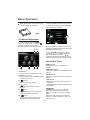
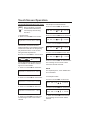
SYSTEM SETUP
TV SYSTEM
SCREEN SAVER
TV TYPE
PASSWORD
RATING
DEFAULT
SYSTEM SETUP
TV SYSTEM
SCREEN SAVER
TV TYPE
PASSWORD
RATING
DEFAULT
4:3PS
4:3LB
16:9
EXIT
16:9
-----
EXIT
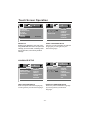
4:3 Letter Box
4:3 Pan Scan
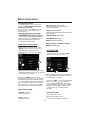
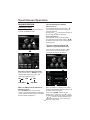
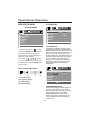
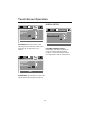
TV DISPLAY SETUP
This is to select the appropriate TV
aspect (4:3 or 16:9) according to the
connected TV set.
Normal/PS (For 4:3 TV)
Played back in the PAN & SCAN style.
(If connected to wide-screen TV, the
left and right edges are cut off.)
Normal/LB (For 4:3 TV)
Played back in LETTER BOX style.
(If connected to wide-screen TV, black
bands appear at top and bottom of the
screen.)
Wide (For 16:9 TV)
Select when a wide-screen TV set is
connected.
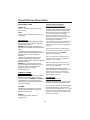
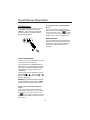
PASSWORD SELECTION
The password must be used to make
changes to the Parental Control menu
below . The factory default password is
0000. You will be asked for the current
password. Key in “0000” and then press
“ENTER” on remote control to confirm .
you have the opportunity to change it
and enter your new password . Then
when you enter the Parental Control
menu, you can make any changes.
SYSTEM SETUP
TV SYSTEM
SCREEN SAVER
TV TYPE
PASSWORD
RATING
DEFAULT
1
2
3
4
5
6
7
8
KID SAFE
G
PG
PG13
PG-R
R
NC-17
ADULT
EXIT
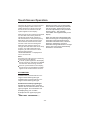
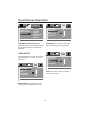
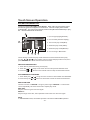
RATING
Select suitable parental guidance with
the cursor buttons and confirm it by
pressing the ENTER button.
-30-