1
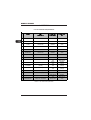
TABLE OF CONTENTS
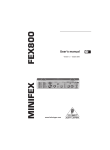
MINIFEX FEX800
1. INTRODUCTION ......................................................................................... 5
2. CONTROL ELEMENTS AND CONNECTIONS ........................................... 7
2.1 Front panel ............................................................................................................................ 7
2.2 Rear panel ............................................................................................................................ 8
3. THE EFFECTS ............................................................................................ 9
3.1
3.2
3.3
3.4
REVERB 1 ............................................................................................................................ 9
REVERB 2 ............................................................................................................................ 9
DLY/MOD ........................................................................................................................... 10
SFX/DUAL ......................................................................................................................... 10
4. APPLICATION EXAMPLES ....................................................................... 10
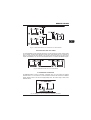
4.1 The MINIFEX in the aux(iliary) path .................................................................................. 10
4.2 The MINIFEX in the insert path .......................................................................................... 11
4.3 The MINIFEX as an effects unit for instruments ................................................................ 11
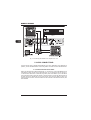
5. AUDIO CONNECTIONS ............................................................................ 12
5.1 Connection with insert cables ........................................................................................... 12
5.2 Connection with 1/4" cables .............................................................................................. 13
5.3 Footswitch connection ....................................................................................................... 13
6. APPENDIX ................................................................................................. 14
6.1 List of effects and parameters ........................................................................................... 14
7. SPECIFICATIONS ..................................................................................... 15
8. OTHER MINI PRODUCTS ......................................................................... 16
9. WARRANTY .............................................................................................. 17
1. INTRODUCTION
Thank you for showing your confidence in BEHRINGER products by purchasing the MINIFEX FEX800.
With the MINIFEX FEX800 you have purchased an extremely flexible yet easy-to-use multi-effects
device, which you will surely come to appreciate for its sound enhancement capabilities both on
stage and in the studio.
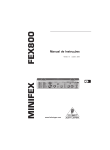
Our ultra-compact stereo multi-effect processor is a useful addition to any set-up: You get 16 fantastic
effects presets in 24-bit quality, including reverb, delay, chorus, flanger, phaser, rotary speaker,
pitch shifter and other multi-effects. Thanks to the intuitive FX preset control with its LEDs displaying
the currently selected program, nothing could be easier than operating the FEX800. What is more,
a variety of edit and tap/select functions allows you to modify the effect parameters extensively. A
high-precision, 6-digit LED display can be used to accurately set the stereo input level.
1. INTRODUCTION
5
DEUTSCH
1.1 Before you get started .......................................................................................................... 6
1.1.1 Shipment .................................................................................................................... 6
1.1.2 Initial operation ........................................................................................................... 6
1.1.3 Online registration ...................................................................................................... 6