1
TROUBLESHOOTING
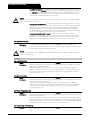
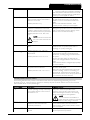
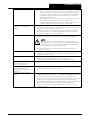
length of the restart delay is controlled by parameter 3-K Restart Delay.
The motor may be too hot to permit a start. If parameter 3-L Restart
Temperature Check is set to Check, the soft starter will only permit a
start when it calculates that the motor has sufficient thermal capacity to
complete the start successfully. Wait for the motor to cool before
attempting another start.
•
The emergency stop function may be active. If parameter 4-C or 4-D is
set to Emergency Stop and there is an open circuit on the
corresponding input, the MVS will not start. If the emergency stop
situation has been resolved, close the circuit on the input.
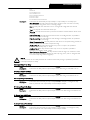
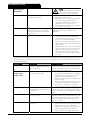
Start performance may be unstable when using a low Motor Full Load
Current setting parameter 1-A). This can affect use on a small test motor
with full load current between 5 A and 50 A.
Power factor correction (PFC) capacitors must be installed on the supply
side of the soft starter. To control a dedicated PFC capacitor contactor,
connect the contactor to run relay terminals.
If the start current is too low, the motor will not produce enough torque to
accelerate to full speed. The soft starter may trip on excess start time.
•
The soft starter does not control
the motor correctly during
starting.
•
•
Motor does not reach full speed.
•
NOTE
Make sure the motor starting parameters are appropriate for the
application and that you are using the intended motor starting profile.
If parameter 4-C or 4-D is set to Motor Set Select, check that the
corresponding input is in the expected state.
•
Erratic motor operation.
•
Soft stop ends too quickly.
•
A reset does not occur after an
Auto-Reset, when using a
remote 2-wire control.
Remote start/stop command is
overriding Auto Start/Stop
settings when using remote 2wire control.
Parameter settings cannot be
stored.
•
•
•
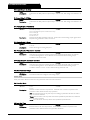
Auto Start/Stop function should only be used in LOCAL mode or in tandem
with REMOTE mode, 3 and 4-wire control.
•
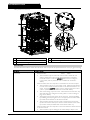
Make sure you are saving the new value by pressing the STORE button after
adjusting a parameter setting. If you press ◄, the change will not be saved.
Check that the adjustment lock (parameter 20-B) is turned off. If the
adjustment lock is on, settings can be viewed but not changed. You need to
know the security access code to change the adjustment lock setting.
The EEPROM may be faulty on the MVS Controller or the power interface
PCB. A faulty EEPROM will also trip the soft starter, and the MVS
Controller will display the message EEPROM Fail. Contact your local
supplier for advice.
•
•
710-03971-00C
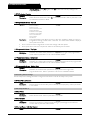
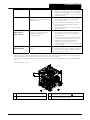
The load may be jammed. Check the load for severe overloading or a
locked rotor situation.
The SCRs in the MVS require at least 5 A of current to latch. If you are
testing the soft starter on a motor with full load current less than 5 A, the
SCRs may not latch correctly.
The soft stop settings may not be appropriate for the motor and load.
Review the settings of parameters 2-H, 2-I, 13-H and 13-I.
If the motor is very lightly loaded, soft stop will have limited effect.
The remote 2-wire start signal must be removed and reapplied for a re-start.
MVS
Page 75