1
Common Tasks
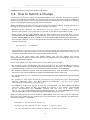
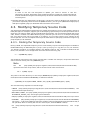
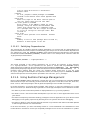
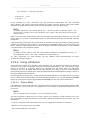
BBLAYERS ?= " \
$HOME/poky/meta \
$HOME/poky/meta-yocto \
$HOME/poky/meta-yocto-bsp \
$HOME/poky/meta-mylayer \
"
BBLAYERS_NON_REMOVABLE ?= " \
$HOME/poky/meta \
$HOME/poky/meta-yocto \
"
BitBake parses each conf/layer.conf file as specified in the BBLAYERS variable within the conf/
bblayers.conf file. During the processing of each conf/layer.conf file, BitBake adds the recipes,
classes and configurations contained within the particular layer to the source directory.
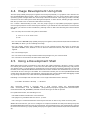
5.1.5. Using .bbappend Files
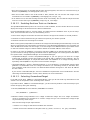
Recipes used to append Metadata to other recipes are called BitBake append files. BitBake append
files use the .bbappend file type suffix, while the corresponding recipes to which Metadata is being
appended use the .bb file type suffix.
A .bbappend file allows your layer to make additions or changes to the content of another layer's
recipe without having to copy the other recipe into your layer. Your .bbappend file resides in your
layer, while the main .bb recipe file to which you are appending Metadata resides in a different layer.
Append files must have the same root names as their corresponding recipes. For example,
the append file someapp_1.6.1.bbappend must apply to someapp_1.6.1.bb. This means the
original recipe and append file names are version number-specific. If the corresponding recipe
is renamed to update to a newer version, the corresponding .bbappend file must be renamed
(and possibly updated) as well. During the build process, BitBake displays an error on starting
if it detects a .bbappend file that does not have a corresponding recipe with a matching
name. See the BB_DANGLINGAPPENDS_WARNONLY [http://www.yoctoproject.org/docs/1.6.1/ref-manual/
ref-manual.html#var-BB_DANGLINGAPPENDS_WARNONLY] variable for information on how to handle
this error.
Being able to append information to an existing recipe not only avoids duplication, but also
automatically applies recipe changes in a different layer to your layer. If you were copying recipes,
you would have to manually merge changes as they occur.
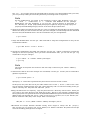
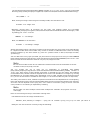
As an example, consider the main formfactor recipe and a corresponding formfactor append
file both from the Source Directory [16]. Here is the main formfactor recipe, which is named
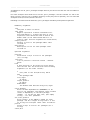
formfactor_0.0.bb and located in the "meta" layer at meta/recipes-bsp/formfactor:
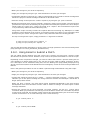
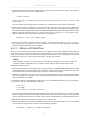
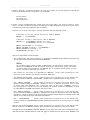
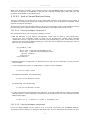
SUMMARY = "Device formfactor information"
SECTION = "base"
LICENSE = "MIT"
LIC_FILES_CHKSUM = "file://${COREBASE}/LICENSE;md5=4d92cd373abda3937c2bc47fbc49d690 \
file://${COREBASE}/meta/COPYING.MIT;md5=3da9cfbcb788c80a0384361b4de20420"
PR = "r44"
SRC_URI = "file://config file://machconfig"
S = "${WORKDIR}"
PACKAGE_ARCH = "${MACHINE_ARCH}"
INHIBIT_DEFAULT_DEPS = "1"
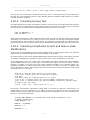
do_install() {
# Only install file if it has a contents
install -d ${D}${sysconfdir}/formfactor/
install -m 0644 ${S}/config ${D}${sysconfdir}/formfactor/
if [ -s "${S}/machconfig" ]; then
56