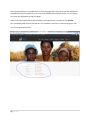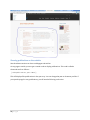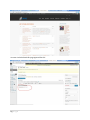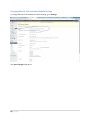
1
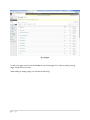
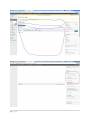
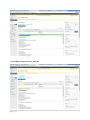
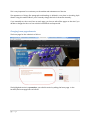
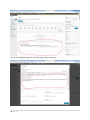
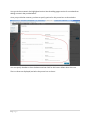
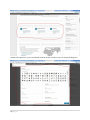
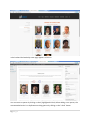
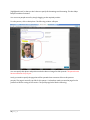
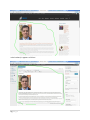
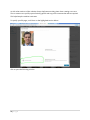
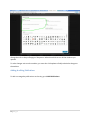
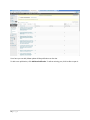
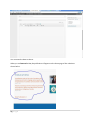
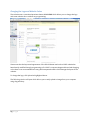
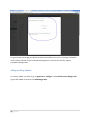
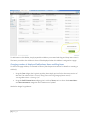
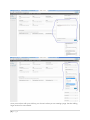
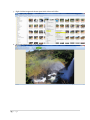
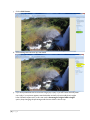
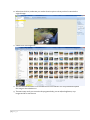
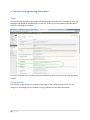
Page |0 2015 CIDRZ Website Manual http://cidrz.org/ Manual Contents 1. Overview ................................................................................................................................................... 2 Getting Started......................................................................................................................................... 2 The Frontend ............................................................................................................................................ 2 The Backend ............................................................................................................................................. 2 2.0 Managing the website ........................................................................................................................... 4 Adding & editing pages ........................................................................................................................... 4 Changing home page elements .............................................................................................................. 9 Adding & editing leadership and board members ............................................................................... 16 Adding & editing Publications ................................................................................................................ 21 Showing publications on the website................................................................................................... 26 Changing Website Title and other Website Settings ........................................................................... 28 Changing the Logo and Website Colors ............................................................................................... 29 Adding & editing sidebars ..................................................................................................................... 30 Changing number of displayed Publications, News and Blog items .................................................... 31 Changing footer address and contact information ............................................................................. 35 Adding & editing news .......................................................................................................................... 37 Changing home page slideshow pictures and text .............................................................................. 40 Changing your password and passwords of other users .................................................................... 45 Adding Contributors & Moderating Contributed Publications and Articles ....................................... 47 Adding Subscribers & Editors ................................................................................................................ 47 Resizing images for website use ........................................................................................................... 48 4. Technical and programming information ............................................................................................. 52 Plugins .................................................................................................................................................... 52 Google Analytics .................................................................................................................................... 52 Theme CSS customizations ................................................................................................................... 53 5. More help ............................................................................................................................................... 54 1|Page 1. Overview The CIDRZ website is developed using WordPress 3.7.1. Thus making changes and additions to the website is relatively easy and you don’t need to have any technical skills. Getting Started Browse to the site address (http://www.cidrz.org/) and you will see the following: Fig 1.1 Home page The Frontend The site displayed above is what all visitors to the site see and is called the front end. The Backend If you however need to change something on the site like adding a publication, an additional page or news article, you need to login to the backend, an area which only administrators can see. The backend is password protected to prevent illegal changes to the website. To access the backend for the website, go to http://www.cidrz.org/wp-admin, you will see the familiar WordPress login page: 2|Page Fig 1.2 Login Screen Please use the password and username provided to you by ICT. Once logged in, you will see the following, which is the WordPress backend. You will spend most of your time here when making changes and additions to the website. 3|Page Fig 1.3 Backend 2.0 Managing the website To manage the website, go to the backend of the site. You will need to provide your password and username. Adding & editing pages Pages are a very important part of the website. To add and edit pages, select the Pages tab in the Dash Board. 4|Page Fig 1.4 Pages To add a new page, simply click on Add New on top of the pages list. To edit an already existing page, simply click on its name. When editing or adding a page, you will see the following: 5|Page 6|Page Fig 1.5 Adding and Editing Pages You can type all your page content in the editor above. You can even format your text and add images to the content by clicking on Add Media. Formatting the content can sometimes be difficult thus you are advised to simply write your content in Word and then use the Paste From Word button to paste the contents. The contents will look just like the way it looks in Word. On LAYOUT, you can choose if the page will have left side bar, right side bar, both or no sidebar at all. If you choose a sidebar for the page, you must select a sidebar which will be displayed. Important Do not try to set font colors or styles manually, when editing a page or a post. Simply select some text and select what type of item it is like below: For a paragraph, select the text and choose paragraph 7|Page For headings, choose H1, H2, H3, H4 or H5 8|Page This is very important for consistency on the website and maintenance of the site. The appearance of things like paragraphs and headings is defined in one place in Cascading Style Sheets. Using this method allows you to instantly change the look of the entire site easily. If you manually set colors and fonts on each page, you have to edit all the pages on the site if you decide to change the colors or font which is both difficult and impractical. Changing home page elements The home page for the website is as follows: The highlighted section is a promo box, you edit this section by editing the home page. In the backend, the home page looks as follows: 9|Page Click in the highlighted region and the following window will popup 10 | P a g e You type in the contents in the highlighted section. See the adding pages section for more details on editing content in the provided editor. Once you provide the contents, you have to specify options for this promo box as shown below: You can specify whether to show the button and set a link for this button. When done click Save. The Icon Boxes are displayed just below the promo box as shown: 11 | P a g e Similar to the promo box, you can edit the contents in each of the icon box for simply clicking on it. 12 | P a g e Scroll down for more options: Make the required changes and when done click Save. 13 | P a g e You can also edit the sections highlighted above by simply clicking on them. For the YouTube video, the process is similar but a bit different Clicking the video will play it instead of allowing you to change it so click on the location shown below: 14 | P a g e When the small window opens, click on Text to view the code behind the video. From here you can change the URL of the video to something else. Please just edit the URL, do not change the other parts of that text. 15 | P a g e Adding & editing leadership and board members The leadership team and board members pages show the photo, position and name of all members in the leadership team and board respectively as shown below This page is very similar to the page for board members and they are created the same way. 16 | P a g e In the backend the leadership team page appears as follows You can remove a person by clicking on the X (highlighted in blue). When adding a new person, the recommended action is to duplicate an existing person by clicking on the “clone” button 17 | P a g e (highlighted in red) so that you don’t have to specify all the settings and formatting. This also helps keep the website consistent. You can move people around by simply dragging to the required position. To edit a person, click on their photo. The following window will open You can specify their photo and position and also select an image for their portrait. The portrait must have a resolution of 250 X 300. Lastly you need to specify the page that will be opened when someone clicks on this persons portrait. The page is normally a profile for this person. Yu therefore need to create the page for the profile first before coming to this section. The profile page looks like the following: 18 | P a g e In the backend, it appears as follows: 19 | P a g e As with other sections of the website, always duplicate an existing item when creating a new one. Thus to create a new profile, open an existing profile and copy all its contents then edit as required. This helps keep the website consistent. To specify a profile page, scroll down to the highlighted section below: Click to open the following window 20 | P a g e Change the URL to the profile page of the person. When done click save on all the windows you opened. To make changes active on the website, you must also click update to finally submit the changes to the website. Adding & editing Publications To add or manage the publications on the site, go to CIDRZ Publications 21 | P a g e From here you can add, delete update all the publications on the site. To add a new publication, click Add New Publication. To edit an existing one, click its title to open it. 22 | P a g e Provide all the details for the publication. 23 | P a g e You can enter the abstract above. When you set Featured to Yes, the publication will appear on the home page of the website as shown below: 24 | P a g e The website only shows two publications on the home page which have been recently published so the publication will eventually fall off as more are published and marked featured. You can change how many are displayed by going to widgets After you have provided all the required details for the publication, you have to click Publish. This will add the publication to the website. If it’s featured, it will show on the home page as well. You can see publications here: 25 | P a g e Showing publications on the website See the relevant sections on how to add pages and articles. On any page or article you can type a certain code to display publications. This code is called a shortcode and is as follows: [cidrzpublications year='2015'] This will display all the publications in the year 2015. You can change the year to whatever you like. If you open the page for 2015 publications, you will see the following on the site: 26 | P a g e However in the backend this page appears like this: 27 | P a g e Changing Website Title and other Website Settings To change the title of the website and other settings, go to Settings Click Save Changes when done. 28 | P a g e Changing the Logo and Website Colors The website uses a customized premium theme called Enfold which allows you to change the logo and some website colors without any programming. Please note that the layout and appearance of the Enfold theme used on the CIDRZ website has been heavily modified through porgramming to fit CIDRZ’s corpoarte image and brand and changing colors here is not recommended as it may yield unexpected results which damage the layout of the website. To change the logo, click Upload as highlighted above. The following window will open which allows you to easily upload an image from your computer using drag and drop. 29 | P a g e For good results, the image you upload must have a resolution of 200 X 100. The logo will blend in nicely with the website if it has a transparent background. Only PNG and GIF files support transparent backgrounds. Adding & editing sidebars To create a sidebar, you have to go to Appearance > Widgets. Under Enfold Custom Widget Area Type in the sidebar name, then click Add Widget Area. 30 | P a g e To add items to this sidebar, simply expand the sidebar you created and drag and drop items onto it. The items you add to the sidebar is what will be displayed when this sidebar is assigned to a page. Changing number of displayed Publications, News and Blog items For the home page sidebar, we created it follows (see the previous section for details on creating a side bar): 1. Drag the Text widget, don’t give it any title, then simply put in a link to the news section of the site. The code for this is <a href="http://www.cidrz.org/category/latest-news/"> <strong>More News ></strong></a> 2. Drag the Enfold Latest News widget, give it a title of News, set it to show the Latest News and Announcements categories and a maximum of 4 items See below image for guidance: 31 | P a g e Once you are done with your side bar, you choose it when you are creating a page. See the Adding Pages section for more details. 32 | P a g e Therefore to change how many news and announcement items are displayed, you have to come here again and simply change the entries to another number. For publications and blog, they are displayed as follows on the site 33 | P a g e You change how many are displayed for both items on the same widgets page. Expand the ShortCodes sidebar and change the numbers accordingly as shown below: 34 | P a g e Changing footer address and contact information The contact information is displayed in the footer of the website as shown below: 35 | P a g e You can edit this information by expanding the footer columns in the widget section. The footer sections are in the columns 1 to 4 as shown below: Simply expand them and you will have access to the text and you can edit them accordingly. Please note that the text may contain some programming codes such <strong>CIDRZ Head Office</strong>. Simply edit the text parts such as CIDRZ Head Office. Do not change the programming codes or remove them unless you are familiar with HTML/CSS. 36 | P a g e Adding & editing news Posts represent all the articles on the website. The News section on the site is simply a group of posts. To manage your news articles and blog, g to Posts 37 | P a g e From here you delete by simply resting your mouse over it and clicking Trash To add a post, click Add New and fill in your contents. To edit, simply click on the Post The editor is similar to what you see when adding a page. 38 | P a g e To set a preview picture for the article, simply select the featured image and that will be the thumbnail image for the post. This will open the Set Featured Image dialog shown below: 39 | P a g e From here you can select an image from your library or upload new ones. When done select the image and click Set featured image. Any images you upload will be available to you in future and you don’t need to upload them again. The category you select for a post is very important. This how the website knows whether the post you are adding is a blog, an announcement or a news item. You select categories by simply selecting the corresponding check box as shown below. You can select more than one category. Changing home page slideshow pictures and text The slideshow on the home page is simply a group of images that fade into one other. To add or edit the images or captions, Go to LayerSlider WP. 40 | P a g e If you want to add a new slideshow…. You can remove or add new slideshows here. Adding a new slideshow can be technical as there are many settings you need to understand and change. The easier option is to duplicate an existing slide and simply edit it. This way you don’t have to provide any of the settings. To show a slideshow on a page, simply type its shortcode on a page or post where you want the slideshow to appear. For example the shortcode for the Home Slider is [layerslider id="1"]. If you simply want to edit the existing slideshow on your site Click on Enfold - most beautiful theme ever (highlighted above), you see the following: 41 | P a g e You can select the background image for the image above. The image must have a resolution 1600 x 470 Slide delay means how much time in milliseconds this slide will be displayed. 1 second = 1000 milliseconds so if you wanted the slide to display for 9 seconds, put 9000. The slideshow has three components you would want to change. You access these under Layers for each slide. The heading 42 | P a g e The number 43 | P a g e The text The text has programming components (such as <h3>, <br/>, etc.) and these must not be removed. Just edit the text parts. The <br/> programming component is used to force text to go to a new line so that it doesn’t go outside the blue section on the slide. You can use it too simply write <br/>. The Learn More text 44 | P a g e If you are adding a new slide…. Adding a slide can also be technical in that on the website the slides look and behave the same when they are not connected in any way. This has been achieved by making items have the same locations, dimensions and animations. Therefore you should always duplicate an existing slide then change its background image and text components as shown above. Styling of the various components on the slides and their animations and timing is beyond the scope of this manual. Changing your password and passwords of other users To update your password or passwords of other users, go to Users 45 | P a g e From here you can select an account to update its password. You can also delete and create accounts and change their account role which limits what they can do on the site. To change the password, click on an account. 46 | P a g e From the above page, you can update the password and other details of the account. When done click Update Profile Adding Contributors & Moderating Contributed Publications and Articles To add a user who can submit publications and articles, create a user account for them. Make sure that their role is set to Contributor as shown below. The roles are as follows: 1. 2. 3. 4. 5. Administrator – This is only for admins. A person with this account can change anything on the site Editor – This person can create and approve publications or news submitted by contributors and authors. Author – This person can submit publications and articles but they can’t edit those of other users. Contributor - This person can submit publications and articles on the site but an Editor or Administrator needs to approve them before they show on the site. Subscriber – This person can only receive updates when you add publications and articles, they cannot create anything. Adding Subscribers & Editors Please see the previous section for more details on this. 47 | P a g e Resizing images for website use Most images you will be uploading to the website will probably come from a digital camera or the internet. You might be tempted to upload high resolution pictures to the website however you should note that these pictures not only make the website load very slowly but also make it incompatible with users who may be using phones and other smaller devices to access your website. Therefore uploading images to the website, do the following 1. Inspect the pictures properties on your computer 2. From the above you can see that this image is approximately 7MB and has a resolution of 4752 x 3168 pixels. This is not suitable for websites; images you upload should be at most 300KB. If possible less than120KB is even much better. For resolution, the recommended dimensions is 640 x 480 which provides good quality pictures at reasonable file sizes which won’t take ages to load. 3. How would you resize the resolution and file size? You just need to reduce the resolution and the file size will automatically reduce. If your image is already close to the recommended file size and resolution then you don’t need to edit it. You can upload it as is. 4. If you have Microsoft Office installed on your computer follow these steps 48 | P a g e 5. Right click the image and choose Open With > Microsoft Office 6. Microsoft Office Picture Tools will open 49 | P a g e 7. Click on Edit Pictures 8. Photo editing tools will show up, click Resize 9. If you have predefined sizes choose Web Large (640 x 480). If you don’t then manually enter 640 X 480. If your picture appears stretched either vertically or horizontally then it might have a different aspect ratio, in this case use the Percentage of original width x height option, keep changing the percentage until the new width is close to 640. 50 | P a g e 10. When done click OK, make sure you use the Save As option so that you don’t overwrite the original image. 11. Observe our new image now 12. This file size and resolution is now suitable for use on a website. You can proceed and upload this image to the website now. 13. There are many tools you can use in the program abobe, you can adjust brightness, crop images and do so much more 51 | P a g e 4. Technical and programming information Plugins The website only uses one custom plugin which is the plugin for publications. Disabling or removing the plugin will disable all the publications on the site. Should you have problems with publications make sure the plugin is activated The rest of the publications are third party and details about them can be found on their respective website. Google Analytics The code for Google Analytics is specified on the page for the website theme: Enfold. You can change it to something else if you intend on using a different account with the website. 52 | P a g e Theme CSS customizations The files which have been modified to customize the theme can be found in /wp-content/themes/enfold/css Please use the inspect element feature found in most recent browsers today such as Google Chrome when attempting to customize the CSS for the website as shown below: 53 | P a g e This will help you know which CSS file contains the CSS markup you want to update. Some files such as Enfold.css are dynamic CSS files which are created on the fly. To edit the CSS produced by such files, edit the PHP version of the file such as Enfold.css.php. Always make backups of CSS and PHP files before editing them as these can damage the website if not edited correctly. 5. More help If you have any problems with the site and need help, do not hesitate to contact ICT Help Desk ([email protected]). The site uses several third party components like Enfold theme, LayerSlider, etc. If you want more information about how to use third party components, please consult their respective websites. For more detailed information about how to upload images, change your password; change the website name, etc. Please visit the WordPress official site at: http://codex.wordpress.org/. The version of WordPress used on the website is 3.6.1. Please don’t hesitate to ask for help and clarification concerning the website, its features or this user manual. 54 | P a g e User Manual prepared by Nkole Evans ([email protected]) 55 | P a g e