1
HD MEMORY CAMERA
GZ-HM320 A
GZ-HM300 A
Detailed User Guide
LYT2211-002A
Contents
Beginner's Guide
Charging .................................................................................. 4
Recording ................................................................................ 4
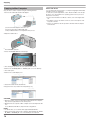
Playback .................................................................................. 4
Shooting Tips .......................................................................... 4
Useful Shooting Techniques
Holiday Season/Christmas ...................................................... 5
Wedding .................................................................................. 6
Travel ...................................................................................... 7
Amusement Park ..................................................................... 8
Getting Started
Verifying the Accessories ...................................................... 10
Charging the Battery Pack .................................................... 10
Grip Adjustment .................................................................... 12
Using the Hand Strap ........................................................ 12
Inserting an SD Card (NAND/SD Models) ............................ 12
Types of Usable SD Card .................................................. 13
Inserting an SD Card (SD/SD Models) .................................. 13
Types of Usable SD Card .................................................. 14
Clock Setting ......................................................................... 14
Resetting the Clock ........................................................... 15
Using the Operation Buttons ................................................. 15
Using the Slider ..................................................................... 15
Holding this Unit .................................................................... 15
Attaching the Lens Cap ......................................................... 16
Tripod Mounting .................................................................... 16
Using this Unit Overseas ....................................................... 17
Charging the Battery Pack Overseas ................................ 17
Setting the Clock to Local Time when Traveling ............... 17
Setting Daylight Saving Time ............................................ 18
Optional Accessories ............................................................ 18
Recording
Taking Videos in Auto Mode ................................................. 19
Zooming ............................................................................. 21
Capturing Still Images During Video Recording ................ 21
Reducing Camera Shake .................................................. 21
Checking the Captured Image Immediately ...................... 21
Taking Still Images in Auto Mode .......................................... 22
Zooming ............................................................................. 23
Checking the Captured Image Immediately ...................... 23
Manual Recording ................................................................. 24
Scene Selection ................................................................. 25
Adjusting Focus Manually .................................................. 26
Using Focus Assist ............................................................ 26
Adjusting Brightness .......................................................... 27
Setting White Balance ....................................................... 27
Setting Backlight Compensation ........................................ 28
Setting Metering Area ........................................................ 28
Recording with Effects ....................................................... 29
Taking Close-up Shots ...................................................... 29
Registering Files to Events Before Recording ...................... 30
Taking Videos in YouTube™ Format .................................... 30
Recording at Intervals (TIME-LAPSE RECORDING) ........... 31
Recording Automatically by Sensing Movements (AUTO REC)
............................................................................................ 33
Remaining Recording Time/Battery Power ........................... 34
Playback
Playing Back Videos ............................................................. 36
Checking the Content of Videos Quickly ........................... 37
Playing a Video with Defective Management Information
........................................................................................ 37
Playback with Special Effects ............................................ 38
2
Playing Back Still Images ...................................................... 39
Slideshow Playback ........................................................... 39
Searching for a Specific Video/Still Image ............................ 40
Group Search .................................................................... 40
Search Date ....................................................................... 40
Search Event ..................................................................... 41
Connecting to and Viewing on TV ......................................... 41
Connecting via the HDMI Mini Connector ......................... 42
Connecting via the Component Connector ........................ 43
Connecting via the AV Connector ..................................... 43
Playing Back Playlists ........................................................... 44
Editing
Deleting Unwanted Files ....................................................... 44
Deleting the Currently Displayed File ................................ 44
Deleting Selected Files ...................................................... 45
Deleting All Files ................................................................ 46
Protecting Files ..................................................................... 47
Protecting the Currently Displayed File ............................. 47
Protecting Selected Files ................................................... 48
Protecting All Files ............................................................. 49
Releasing Protection of All Files ........................................ 49
Changing Event Registration of Videos ................................ 50
Changing the Event of the Currently Displayed File .......... 50
Changing the Event of the Selected Files ......................... 51
Dividing Files ......................................................................... 52
Face Detection Zoom ............................................................ 53
Capturing a Still Image in the Video during Playback ........... 54
Capturing a Required Part in the Video ................................ 54
Capturing Videos for Uploading to YouTube™ ..................... 55
Creating a Playlist with Title (GZ-HM320) ............................. 56
Creating Playlists from the Recorded Videos ........................ 57
Creating Playlists with Selected Files ................................ 57
Creating Playlists by Group ............................................... 58
Creating Playlists by Date ................................................. 59
Creating Playlists by Event ................................................ 60
Editing Playlists ................................................................. 61
Deleting Playlists ............................................................... 62
Adding Title Screens to Playlists ....................................... 63
Combining Videos Recorded by Seamless Recording ......... 64
Copying
Copying Files to Card ............................................................ 65
Copying All Files ................................................................ 65
Copying Selected Files ...................................................... 66
Moving Files .......................................................................... 67
Moving All Files ................................................................. 67
Moving Selected Files ....................................................... 68
Dubbing Files to a DVD Recorder or VCR ............................ 69
Copying to Windows PC ....................................................... 70
Verifying System Requirements (Guideline) ...................... 70
Installing the Provided Software ........................................ 70
Backing Up All Files ........................................................... 70
Organizing Files ................................................................. 72
Recording Videos to Discs ................................................ 73
JVC Software Licence Agreement ..................................... 74
Backing Up Files Without Using Provided Software .......... 75
List of Files and Folders .................................................... 75
Copying to Mac Computer .................................................... 76
Menu Settings
Operating the Menu .............................................................. 77
Recording Menu (Video) ....................................................... 78
FACE PRIORITY AE/AF .................................................... 79
REGISTER EVENT ........................................................... 79
VIDEO QUALITY ............................................................... 79
ZOOM ................................................................................ 80
GAIN UP ............................................................................ 80
TIME-LAPSE RECORDING .............................................. 81
AUTO REC ........................................................................ 81
SEAMLESS RECORDING ................................................ 81
x.v.Color ............................................................................ 81
WIND CUT ......................................................................... 82
Recording Menu (Still Image) ................................................ 83
FACE PRIORITY AE/AF .................................................... 83
SELF-TIMER ..................................................................... 83
SHUTTER MODE .............................................................. 84
IMAGE SIZE ...................................................................... 85
IMAGE QUALITY ............................................................... 85
GAIN UP ............................................................................ 86
AUTO REC ........................................................................ 86
Manual Settings Menu .......................................................... 87
SCENE SELECT ............................................................... 87
FOCUS .............................................................................. 87
FOCUS ASSIST ................................................................ 87
BRIGHTNESS ADJUST .................................................... 87
WHITE BALANCE ............................................................. 87
BACKLIGHT COMP. ......................................................... 87
METERING AREA/TYPE .................................................. 87
EFFECT ............................................................................. 87
TELE MACRO ................................................................... 87
Playback Menu (Video) ......................................................... 88
DELETE ............................................................................. 89
PICTURE TITLE (GZ-HM320) ........................................... 89
SEARCH ............................................................................ 89
PLAYBACK PLAYLIST ...................................................... 89
EDIT PLAYLIST ................................................................. 89
PLAYBACK OTHER FILE ................................................. 89
EDIT .................................................................................. 90
SEAMLESS REC CTRL .................................................... 90
WIPE/FADER .................................................................... 90
ON-SCREEN DISPLAY ..................................................... 91
Playback Menu (Still Image) ................................................. 92
DELETE ............................................................................. 92
SEARCH DATE ................................................................. 92
EDIT .................................................................................. 92
SLIDE SHOW EFFECTS ................................................... 93
ON-SCREEN DISPLAY ..................................................... 93
Display Settings Menu .......................................................... 94
LANGUAGE ....................................................................... 94
DATE DISPLAY STYLE .................................................... 94
MONITOR BRIGHTNESS ................................................. 95
LCD BACKLIGHT .............................................................. 96
FOCUS ASSIST COLOR .................................................. 96
CLOCK ADJUST ................................................................... 97
Basic Settings Menu ............................................................. 98
DEMO MODE .................................................................... 99
AUTO POWER OFF .......................................................... 99
OPERATION SOUND ..................................................... 100
RECORD BUTTON ......................................................... 100
QUICK RESTART ........................................................... 101
UPDATE .......................................................................... 101
FACTORY PRESET ........................................................ 102
Connection Settings Menu .................................................. 103
DISPLAY ON TV ............................................................. 103
VIDEO OUTPUT .............................................................. 103
COMPONENT OUTPUT ................................................. 104
HDMI OUTPUT ................................................................ 104
HDMI CONTROL ............................................................. 105
Media Settings Menu .......................................................... 106
REC MEDIA FOR VIDEO (GZ-HM320) ........................... 106
VIDEO SLOT SELECTION (GZ-HM300) ........................ 106
REC MEDIA FOR IMAGE (GZ-HM320) .......................... 107
IMAGE SLOT SELECTION (GZ-HM300) ........................ 107
FORMAT BUILT-IN MEM. (GZ-HM320) .......................... 107
FORMAT SD CARD ........................................................ 108
ERASE ALL DATA (GZ-HM320) ..................................... 108
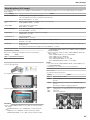
Bottom ................................................................................. 110
Interior ................................................................................. 110
LCD Monitor ........................................................................ 111
Indications on the LCD Monitor
Common Recording Indications .......................................... 112
Video Recording .................................................................. 112
Still Image Recording .......................................................... 113
Video Playback ................................................................... 113
Still Image Playback ............................................................ 114
Troubleshooting
Battery Pack ........................................................................ 115
Recording ............................................................................ 115
Card .................................................................................... 116
Playback .............................................................................. 116
Editing/Copying ................................................................... 117
PC ....................................................................................... 117
Screen/Image ...................................................................... 118
Other Problems ................................................................... 118
Error Message? ................................................................... 119
Maintenance
Specifications
Names of Parts
Front .................................................................................... 109
Rear .................................................................................... 109
3
Beginner's Guide
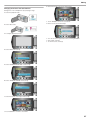
■ [Getting Ready]
Charging
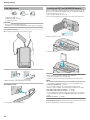
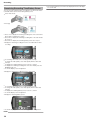
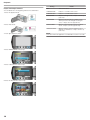
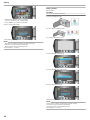
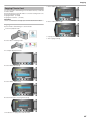
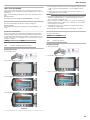
① Open your feet to the width of your shoulders.
② Extend your right hand and hold the camcorder over your head.
③ Hold the LCD monitor with your left hand and adjust the angle accordingly.
Refer to the operating instructions found in the animation on the Detailed User Guide.
●
Recording
Refer to the operating instructions found in the animation on the Detailed User Guide.
●
Playback
●
●
●
Refer to the operating instructions found in the animation on the Detailed User Guide.
●
CAUTION:
Use this way of shooting only as a last resort as it is difficult to achieve
stable images.
Set to the wide angle as much as possible as the image will be prone
to camera shake.
Be considerate. Do not inconvenience the people around you.
Squatting and Shooting at Eye Level
Shooting Tips
.
Basic Way to Hold a Camcorder
~ Recording Stable Images ~
Staying low is a common position to take when shooting small children.
By recording from the eye level of the child, you can capture all his cute
expressions clearly.
■ [Getting Ready]
.
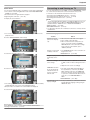
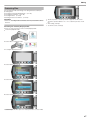
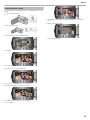
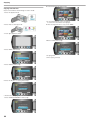
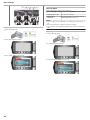
① Kneel down with your left knee while keeping your right foot on the
ground.
② Place the elbow of your right arm, which is holding the camcorder,
on your right knee.
③ Hold the LCD monitor with your left hand and adjust the angle accordingly.
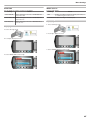
This is the standard way of shooting while standing up.
Be sure to master this basic technique in order to achieve stable images.
■ [Getting Ready]
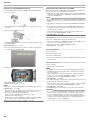
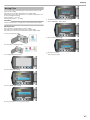
① Open your feet to the width of your shoulders.
② Keep the elbow of your right arm, which is holding the camcorder,
close to your side.
③ Hold the LCD monitor with your left hand and adjust the angle accordingly.
.
Extending Your Hands to Shoot
~ High-Angle Shooting ~
Extend your hand when your subject is being hidden behind a crowd of
people.
4
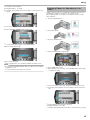
Panning
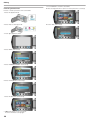
Refer to the operating instructions found in the animation on the Detailed User Guide.
Use this method to shoot a wide angle of view.
●
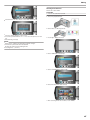
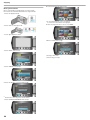
■ [Getting Ready]
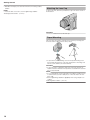
① Shoot by rotating your body instead of moving your arms while
keeping the basic way of holding a camcorder as stated above.
② Stand facing the direction where the rotation will stop.
③ Twist your upper body to the direction where recording will start.
④ Press the start button and record for 2 seconds, then slowly twist
back your body to face the front.
Record for another 2 seconds while facing the front, then press the
stop button.
(The 90 degrees rotation should take about 5 seconds, giving the
feeling of a slow motion.)
Useful Shooting Techniques
■ Introducing the Various Shooting Techniques!
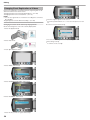
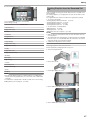
Holiday Season/Christmas
Decorating the Tree and Preparing the Dinner
The decoration of tree and preparation of dinner are part of the joy of
Christmas. Be sure to record these happy family times!
.
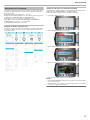
■ Decorating the tree
Record the happy Christmas celebration with your family!
.
Wedding
A tree is the most important thing to bring out the mood of Christmas.
Simply the scene of all family members engaging in the decorating of a fir
tree with various colorful ornaments is full of the feeling of happiness.
.
■ Preparing the Dinner
Create an awesome wedding video for the bride and groom!
.
Travel
.
Record the scenes as everyone helps to prepare the feast of the night.
You can film the mother who is cooking, the children who are helping,
and of course, the process of making a cake!
Capture all the good times of your domestic or overseas trips!
.
Amusement Park
Take more shots of the smiling faces of everyone in the family!
Holiday Season/Christmas
.
Record the happy Christmas celebration with your family!
5
Useful Shooting Techniques
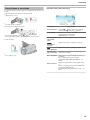
■ Composing the picture with the guests in front and the
bride and groom at the back
.
Recording the Christmas Party
guests only lacks fun, so be sure to pay attention to the shooting angle
and size.
.
Recording the Expressions and Comments of Guests
After all preparations, it is finally the Christmas party itself.
Not only should you record the candle-blowing scene, but also the smiles
of the family while being surrounded by good food, or even the father who
is slightly drunk from champagne!
You can record comments from the guest by going around asking,
"Please say a few words for the bride and groom".
This can be done at the guests' waiting room, when the bride and groom
are changing, or during the entertainment programs.
■ Setting the shot from eye level to chest level
.
.
Finding the Presents
For children, the greatest joy of Christmas is receiving presents the next
morning.
Their expression of delight when finding a present next to their pillow is a
recording opportunity not to be missed. Get ready to shoot before the
children wake up!
Wedding
.
Create an awesome wedding video for the bride and groom!
Discussing and Planning Before the Event
Before the day of the wedding reception, it is important to discuss with
the bride and groom about various details such as the order of the ceremony and whether there are any entertainment programs or change of
clothes.
By understanding the preferences of the bride and groom, you will be
able to shoot more appropriately.
Finding the Right Angle to Capture Both Bride and Groom
The main characters of a wedding are of course the bride and groom. Record their expressions clearly during the toast, speech, entertainment
programs, and other scenes.
Another recommendation is to capture the face shots of the guests, then
pan towards the groom. Picture composition containing the crowd of
6
Useful Shooting Techniques
■ Battery Pack
Closing Up on the Bride's Face During the Thank You
Speech
The climax of the event finally comes during the bride and groom's thank
you speech and presentation of flowers. The touching words of appreciation from the bride and tears of joy from the parents are scenes that must
not be missed.
Start by closing up on the bride's face using zoom. As the tears start to
form in the bride's eyes, continue shooting for a little longer. Then, slowly
zoom out to the wide angle to show the parents who are moved by the
speech.
Advanced Operation with Two Camcorders
If video-editing is to be done, record using two camcorders so that a video with varying scenes can be created. You can try asking a close friend
who has a camcorder at home.
Set the borrowed camcorder on a tripod to focus on taking close-up shots
of the bride and groom. In this way, the other camcorder can be moved
around to record other scenes, enabling an interesting video with changing scenes to be created through editing and compilation.
As most people own at least a digital camera nowadays, even if you are
really unable to find an extra camcorder, inserting still pictures to the video at various points is also a good way to add variety. Do give it a try!
Prepare a battery pack that is ready for double the expected recording
time in a day. For example, if you plan to record for 2 hours a day, prepare a battery pack that is ready for 4 hours (actual recording time).
For a day trip, you can prepare a battery with low capacity but for a long
trip, do prepare a few batteries with high capacities.
■ AC Adapter
The JVC AC adapter supports voltages from 100 V to 240 V, and hence
can be used anywhere in the world.
Bring along the adapter if you are traveling for a long time. Charge the
battery pack while sleeping so that you can record with full battery power
the next day.
■ Power Plug Adapter
A P.17)
The shape of the power plug varies according to countries. Be sure to
check the shape of the power plug beforehand, and bring the appropriate
power plug adapter.
.
■ <Camcorder 2>
Recording the congratulatory messages from friends at
the same time
.
■ <Camcorder 1>
Closing up on the bride and groom all the time
Travel
.
Capture all the good times of your domestic or overseas trips!
Bringing the Necessary Equipment
The necessary things to bring on a trip depends on your traveling purpose and the destination.
For overseas trips in particular, you have to think about what to bring in
accordance to the local conditions.
Here are some suggestions for your consideration.
■ Camcorder
Think about how many hours of shooting you will usually perform in a
day. Be sure to prepare enough recording medium especially for long
overseas trips.
If you are recording in SD cards, get ready the sufficient number of cards,
including some for backup.
7
Useful Shooting Techniques
■ Battery Charger
Using Pan at the Places of Interest
.
Tourists spots with beautiful scenery or historical sites are places that you
would certainly want to record.
To capture the magnificence of a scene which cannot be fitted into a single frame, try the panning technique.
Refer to the "Shooting Tips" found in this website on how to use panning
effectively.
In addition, you may also like to take a shot of the signs or monuments
that can often be found at the tourist spots.
Recording cannot be performed when an AC adapter is connected to the
camcorder for battery charging.
You can bring an additional battery charger to charge battery packs if you
plan to use the camcorder for recording at night. You can also charge
multiple battery packs by using both the battery charger and this camcorder at the same time.
A tripod is an essential item to take stable images. Select an appropriate
tripod in accordance to your purpose and style of traveling, such as a
compact one to be used on a table or one that is at least 1 m tall.
Recording the Excitement Before Departure
Showing Everyone Having a Good Time
When taking a video, it is rather dull to shoot only the scenery or historical sites.
Talk about your feelings while recording the breath-taking scenery of an
attraction so that it will be an interesting scene to view later.
Amusement Park
Take more shots of the smiling faces of everyone in the family!
.
It may be a little abrupt to start your travel video at the destination suddenly.
Record also the preparations prior to departure if it is a family trip, or the
time when everyone is gathered at the meeting place if you are traveling
with your friends.
For overseas trips, taking a shot of the signs and displays at the airport of
the flight you are taking may be useful for future reference.
.
.
.
■ Tripod
.
Taking Videos or Still Images According to the Attraction
You may choose to take videos all the time. However, you may want to
take some still images too.
The following section explains the scenarios suitable for taking videos or
still images.
.
■ Scenarios suitable for taking videos
8
Useful Shooting Techniques
.
.
Inducing Responses by Calling Out
Scenarios with changes in body movement are suitable for taking videos.
This includes situations where there are rapid changes in facial expressions or voices of surprise and delight.
*Some amusement parks do not allow passengers to perform any recording. Be sure to check beforehand.
[Examples]
● Merry-go-round, go kart, coffee cup, etc.
Videos with no waving of hands nor laughter are not only dull when you
view them later, but also put the capability of the audio-recording function
of the camcorder to a waste.
When recording, induce more reactions by enthusiastically waving your
hands or shouting out "Is it fun?" and the like.
Capturing the Best Moment in a Video as a Still Image
.
■ Scenarios suitable for taking still images (photos)
Shots with the eyes closed are often taken by accident. To reduce such
mistakes, make use of the function to capture still images from videos.
As videos are actually continuous recording of 60 still images within 1 minute, using this function allows you to select the best moment and save it
as a still image.
"Capturing a Still Image in the Video during Playback" (A P.54)
■ <Without backlight compensation>
.
Scenarios with little movement of the subject are suitable for taking still
images.
Try to take the still images from an angle such that the surroundings can
be seen clearly.
[Examples]
● Carousal, ferris wheel, fun bicycle rides, etc.
It is useful to make use of backlight compensation when the subject's
face is in backlight or when the expression cannot be seen clearly.
Increase the brightness of the whole image by setting “BACKLIGHT
COMP.” if the faces appear too dark. Even the expressions of faces under shadows can be captured brightly and clearly.
"Setting Backlight Compensation" (A P.28)
■ <With backlight compensation>
.
.
Advanced Operation with Backlight Compensation
9
Getting Started
Verifying the Accessories
If any of the items are missing or defective, consult your JVC dealer or the nearest JVC service center.
Illustration
Description
.
AC Adapter
AP-V30U
● Connects to this unit to charge the battery pack. It can also be used when recording indoors or during
playback.
.
Battery Pack
BN-VG114U
● Attaches to this unit to supply power.
.
AV Cable
● Connects this unit to a TV to play back recorded images on the TV.
.
USB Cable
(A Type - Mini B Type)
● Connects this unit to a PC.
.
CD-ROM
● For installing the provided software "Everio MediaBrowser" on a PC.
.
Basic User Guide
● Read well and keep in a safe place where it can be accessed easily when necessary.
.
Lens Cap
● Protects the lens.
NOTE:
SD cards are sold separately.
"Types of Usable SD Card" (A P.13)
● When using the AC adapter overseas, please prepare a commercially available converter plug for the country or region of visit.
"Charging the Battery Pack Overseas" (A P.17)
●
Charging the Battery Pack
Charge the battery pack immediately after purchase and when the remaining battery power is low.
The battery pack is not charged at the time of purchase.
1
Attach the battery pack.
10
.
Getting Started
2
Align the top of the battery with this unit, and slide in until the battery
clicks into place.
Connect the AC adapter to the DC terminal.
.
●
Slide the battery release lever to detach the battery from this unit.
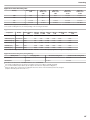
Approximate Battery Charging Time
Charging Time
Actual Recording Time*
Continuous Recording Time*
BN-VG114U
(Supplied)
2 h 30 m
45 m
1 h 20 m
BN-VG121U
3 h 30 m
1 h 10 m
2 h 05 m
.
Battery Pack
Plug in the power.
*The above are values when “LCD BACKLIGHT” is set to “STANDARD”.
● When the battery life is reached, the recording time becomes shorter
even if the battery pack is fully charged.
(Replace the battery pack with a new one.)
.
3
●
The charging lamp blinks when charging is in progress.
It goes out when charging is finished.
CAUTION:
●
●
If you use any other battery packs besides JVC battery packs, safety
and performance can not be guaranteed.
Charging time: Approx. 2 h 30 m (using supplied battery pack)
The charging time is when the unit is used at 25°C.
If the battery pack is charged outside the room temperature range of
10°C - 35°C, charging may take a longer time or it may not start. The
recordable and playable time may also be shortened under some usage conditions such as at low temperature.
Rechargeable Batteries:
● When using the battery in a low temperature environment (10°C (50°F)
or below), the operating time may be shortened, or it may not function
properly. When using this unit outdoors in the winter weather, warm the
battery, such as by placing it in the pocket, before attaching it.
(Keep away from direct contact with a warm pack.)
● Do not expose the battery to excessive heat, such as direct sunlight or
fire.
● If the battery pack is not to be used for a long time, use up the charge
completely and detach it from this unit to prevent deterioration.
● After removing the battery, store it in a dry place between 15°C to 25°C
(59°F to 77°F).
● Battery deterioration occurs when a battery pack is charged repeatedly.
Replace the battery pack with a new one.
NOTE:
●
●
You can connect this unit to the AC adapter to record for long hours indoors.
(Battery charging begins when the LCD monitor is closed.)
Please do not pull or bend the AC adapter plug and cable. This may
damage the AC adapter.
Detaching the Battery Pack
11
Getting Started
Inserting an SD Card (NAND/SD Models)
Grip Adjustment
.
When a commercially available SD card is inserted, recordings can still
be made to the card without stopping when the remaining recording time
on the internal memory runs out.
"Types of Usable SD Card" (A P.13)
① Flip the grip belt over.
② Adjust the length of the belt.
③ Fasten the grip belt.
1
Press the power button for more than 2 seconds to turn off this unit.
2
Open the card slot cover.
3
Insert an SD card.
CAUTION:
●
Be sure to fasten the grip belt properly.
If the belt is loose, this unit may drop and result in injuries or damages.
Using the Hand Strap
.
.
.
When using the hand strap, loop it around your wrist.
.
Removing the Strap
CAUTION:
●
.
●
Make sure not to insert the card in the wrong direction.
It may cause damage to the unit and card.
Turn off the power of this unit before inserting or removing a card.
●
While pressing [1], pull [2] and remove the strap.
NOTE:
Recording switches automatically from one media to another and vice
versa after the card or memory space in the selected media is full.
"SEAMLESS RECORDING" (A P.81)
● To record to the card, it is necessary to adjust media settings.
When no card is available, set media settings to “HDD” for recording.
"REC MEDIA FOR VIDEO (GZ-HM320)" (A P.106)
"REC MEDIA FOR IMAGE (GZ-HM320)" (A P.107)
● To use cards that have been used on other devices, it is necessary to
format (initialize) the card using “FORMAT SD CARD” from media settings.
"FORMAT SD CARD" (A P.108)
●
.
Attaching the Strap
●
Push in firmly until it clicks into place.
12
Removing the Card
Push the card inward once, then pull it out straight.
Getting Started
Inserting an SD Card (SD/SD Models)
Insert a commercially available SD card before recording.
This unit comes with two SD card slots. When two SD cards are inserted,
recordings can be continued on the other card even if one card is full.
"Types of Usable SD Card" (A P.13)
Press the power button for more than 2 seconds to turn off this unit.
2
Open the card slot cover.
3
Insert an SD card into slot A.
.
1
Types of Usable SD Card
The following SD cards can be used on this unit.
●
Use a Class 4 or higher compatible SDHC card (4 GB to 32 GB) for
video recording.
.
.
.
SDHC Card
.
.
SD Card
This unit supports 256 MB to 2 GB SD cards.
Operations are confirmed on the SD cards from the following manufacturers.
● Panasonic
● TOSHIBA
● SanDisk
● ATP
NOTE:
●
●
Using SD cards (including SDHC cards) other than those specified
above may result in recording failure or data loss.
Class 4 and Class 6 are guaranteed to have a minimum transfer rate of
4 MB/s and 6 MB/s respectively during reading or writing of data.
.
●
CAUTION:
●
●
Make sure not to insert the card in the wrong direction.
It may cause damage to the unit and card.
Turn off the power of this unit before inserting or removing a card.
NOTE:
Recording switches automatically from one media to another and vice
versa after the card or memory space in the selected media is full.
"SEAMLESS RECORDING" (A P.81)
● To record to the card, it is necessary to adjust media settings.
When no card is available, set media settings to “HDD” for recording.
"REC MEDIA FOR VIDEO (GZ-HM320)" (A P.106)
"REC MEDIA FOR IMAGE (GZ-HM320)" (A P.107)
● To use cards that have been used on other devices, it is necessary to
format (initialize) the card using “FORMAT SD CARD” from media settings.
"FORMAT SD CARD" (A P.108)
●
13
Getting Started
Clock Setting
Removing the Card
Push the card inward once, then pull it out straight.
The “SET DATE/TIME!” screen appears when you turn on this unit for the
first time after purchase, when it has not been used for a long time, or
when the clock is not set yet.
Set the clock before recording.
Open the LCD monitor.
.
1
The following SD cards can be used on this unit.
.
Types of Usable SD Card
●
●
2
Select “YES” and touch C.
3
Set the date and time.
.
.
SDHC Card
This unit turns on.
When the LCD monitor is closed, this unit turns off.
●
Use a Class 4 or higher compatible SDHC card (4 GB to 32 GB) for
video recording.
.
SD Card
●
●
●
Select the region where you live and touch C.
.
4
Use the slider to adjust the year, month, day, hour, and minute in order.
Touch the operation buttons "E" / "F" to move the cursor.
After setting the date and time, touch C.
This unit supports 256 MB to 2 GB SD cards.
Operations are confirmed on the SD cards from the following manufacturers.
● Panasonic
● TOSHIBA
● SanDisk
● ATP
NOTE:
●
●
Using SD cards (including SDHC cards) other than those specified
above may result in recording failure or data loss.
Class 4 and Class 6 are guaranteed to have a minimum transfer rate of
4 MB/s and 6 MB/s respectively during reading or writing of data.
14
.
●
●
●
The city name and time difference are displayed.
Touch C after the color of the selected region changes.
NOTE:
The clock can be reset again later.
"Resetting the Clock" (A P.15)
● When using this unit overseas, you can set it to the local time for recording.
"Setting the Clock to Local Time when Traveling" (A P.17)
● You can turn on or off the clock display during playback mode.
"ON-SCREEN DISPLAY" (A P.91)
● The clock set style of this unit varies with the models.
"Clock Set Style" (A P.95)
● Touch the slider and buttons around the screen with your fingers.
● The slider and buttons do not function if you touch them with your fingernails or with gloves on.
● The displays on the screen do not work even if you touch them.
●
Getting Started
Using the Operation Buttons
Resetting the Clock
Set the clock with “CLOCK ADJUST” from the menu.
Touch D to display the menu.
2
Select “CLOCK ADJUST” and touch C.
.
.
1
Functions of the operation buttons may be displayed on the screen according to the feature in use.
To operate, touch the slider and buttons around the screen lightly with
your fingers.
●
NOTE:
"Touch" denotes the touching of the operation buttons lightly.
The slider and buttons do not function if you touch them with your fingernails or with gloves on.
The displays on the screen do not work even if you touch them.
●
●
.
●
3
Select “CLOCK SETTING” and touch C.
Using the Slider
Slide the ball of your finger along the slider for smooth operations.
While the slider is being pressed, the cursor moves automatically.
Fine operations such as moving the cursor one by one can be performed
by touching the slider.
● Refer to the operating instructions found in the animation on the Detailed User Guide.
.
NOTE:
4
The slider and buttons do not function if you touch them with your fingernails or with gloves on.
The displays on the screen do not work even if you touch them.
●
Set the date and time.
●
Holding this Unit
.
When holding this unit, keep your elbows close to your sides to prevent
camera shake.
●
●
●
Select the region where you live and touch C.
.
5
Use the slider to adjust the year, month, day, hour, and minute in order.
Touch the operation buttons "E" / "F" to move the cursor.
After setting the date and time, touch C.
●
The city name and time difference are displayed.
Touch C after the color of the selected region changes.
.
●
CAUTION:
●
Be careful not to drop this unit during transportation.
15
Getting Started
●
Guardians should pay close attention when this unit is being used by
children.
NOTE:
If camera shake is excessive, use the digital image stabilizer.
"Reducing Camera Shake" (A P.21)
To protect the lens, attach the provided lens cap to this unit as shown in
the illustration.
.
●
Attaching the Lens Cap
CAUTION:
Please be careful not to lose the lens cap.
●
Tripod Mounting
.
This unit can be mounted on a tripod. This is useful for preventing camera shake and recording from the same position.
●
To prevent this unit from falling off, check the tripod mounting screw
holes and positioning holes on the unit carefully before mounting, and
turn the screws until they are fastened firmly.
CAUTION:
●
To prevent injuries or damages which may result if this unit falls off,
read the instruction manual of the tripod to be used and make sure that
it is securely attached.
NOTE:
It is recommended to use the tripod when recording in conditions prone
to camera shake (such as in dark places or when zoomed to the telephoto end).
● Set the digital image stabilizer to Z (OFF) when using a tripod for recording.
"Reducing Camera Shake" (A P.21)
●
16
Getting Started
Using this Unit Overseas
The shape of the power outlet varies according to countries and regions.
To charge the battery pack, you need a converter plug that matches the
shape of the outlet.
"Charging the Battery Pack Overseas" (A P.17)
Change the date and time display to the local time by selecting your travel destination in “AREA SETTING” of “CLOCK ADJUST”.
"Setting the Clock to Local Time when Traveling" (A P.17)
When “ON” is selected in “SET FOR DAYLIGHT SAVING TIME” of
“CLOCK ADJUST”, the time is set 1 hour ahead.
"Setting Daylight Saving Time" (A P.18)
Setting the Clock to Local Time when Traveling
Change the date and time display to the local time by selecting your travel destination in “AREA SETTING” of “CLOCK ADJUST”.
Restore the region settings after you returned from the trip.
1
Touch D to display the menu.
2
Select “CLOCK ADJUST” and touch C.
3
Select “AREA SETTING” and touch C.
4
Select the area you are traveling to and touch C.
.
.
.
.
The shape of the power outlet varies according to countries and regions.
To charge the battery pack, you need a converter plug that matches the
shape of the outlet.
.
Charging the Battery Pack Overseas
●
The city name and time difference are displayed.
NOTE:
●
Setting “AREA SETTING” changes the clock time such that time difference is accounted for.
After returning to your country, re-select the region that was set initially
to restore the original clock settings.
17
Getting Started
Optional Accessories
Setting Daylight Saving Time
When “ON” is selected in “SET FOR DAYLIGHT SAVING TIME” of
“CLOCK ADJUST”, the time is set 1 hour ahead.
1
Product Name
Description
Battery Pack
● BN-VG114U
● BN-VG121U
Touch D to display the menu.
Battery Charger
● AA-VG1U
DVD Writer
● CU-VD3U
.
DVD Writer
● CU-VD50U
2
Select “CLOCK ADJUST” and touch C.
Component Cable
● QAM1266-001
Provides a longer recording time than the battery pack that comes with this unit. It can also
be used as a spare battery pack.
●
Enables the battery pack to be charged without using this unit.
●
Enables the images recorded on this unit to be
copied to a DVD without using a PC.
●
Creates DVDs and functions as an external
DVD drive when connected to a PC. In addition, created DVDs can be played back by
connecting the CU-VD50U to a TV.
●
For viewing in high picture quality.
●
Connects this unit to a BD writer or a recommended USB external hard disk drive (see table below).
.
USB Cable
● QAM0852-001
●
3
Select “SET FOR DAYLIGHT SAVING TIME” and touch C.
NOTE:
●
●
For more information, refer to the catalog.
BN-VG114U is the same battery pack that comes with this unit.
Approximate Recording Time (Using Battery)
.
Battery Pack
4
Set daylight saving time and touch C.
Actual Recording
Time
Continuous Recording
Time
BN-VG114U
(Supplied)
45 m
1 h 20 m
BN-VG121U
1 h 10 m
2 h 05 m
.
*The above are values when “LCD BACKLIGHT” is set to “STANDARD”.
● The actual recording time may be shorter if zooming is used or if recording is stopped repeatedly.
(It is recommended to prepare battery packs ready for three times the
expected recording time.)
● When the battery life is reached, the recording time becomes shorter
even if the battery pack is fully charged.
(Replace the battery pack with a new one.)
NOTE:
●
●
What is daylight saving time?
Daylight saving time is the system of setting the clock 1 hour ahead for
a fixed period in summer.
It is used mainly in the Western countries.
Restore the daylight saving time settings after you returned from the
trip.
18
Recording
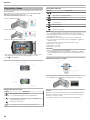
Taking Videos in Auto Mode
Indications During Video Recording
You can record without worrying about the setting details by using the auto mode.
Open the LCD monitor and select the video mode.
(Open the lens cover.)
.
1
The video mode icon appears.
.
●
Check if the recording mode is Auto.
Display Icon
●
Press the G/H button to switch the recording
mode between G (Auto) and H (Manual).
Video Quality
Displays the icon of the “VIDEO QUALITY” setting
selected in the recording menu.
"VIDEO QUALITY" (A P.79)
Start recording.
Remaining Time
(Recordable
Time)
Displays the remaining time for video recording.
b
Recording in
Progress
Appears when video recording is in progress.
a
Record-Standby
Appears when video recording is paused.
Scene Counter
(Recorded Time)
Displays the elapsed time of the video that is currently being recorded.
Recording Media
Displays the icon of the media where videos are
recorded to.
The recording media can be changed.
"REC MEDIA FOR VIDEO (GZ-HM320)" (A
P.106)
Battery Indicator
Displays the approximate remaining battery power.
Details of the battery power can be displayed by
pressing the INFO button M.
"Remaining Recording Time/Battery Power" (A
P.34)
.
3
If the mode is Manual, touch the G/H button.
The mode changes between Auto and Manual with every touch.
Description
Recording Mode
.
2
●
Press again to stop.
19
Recording
Operation Buttons for Video Recording
Useful Settings for Recording
Videos can be found easily during playback by categorizing them when
recording.
"Registering Files to Events" (A P.79)
● When “QUICK RESTART” is set to “ON”, this unit turns on immediately
if you open the LCD monitor within 5 minutes after the power is turned
off by closing the monitor.
"QUICK RESTART" (A P.101)
● When “AUTO POWER OFF” is set to “ON”, this unit turns itself off automatically to conserve power when it is not operated for 5 minutes.
(only when using the battery pack)
"AUTO POWER OFF" (A P.99)
● When “FACE PRIORITY AE/AF” is set to “ON” (default setting), this
unit detects faces and automatically adjusts its brightness and focus to
record the faces more clearly.
"FACE PRIORITY AE/AF" (A P.79)
● If the remaining space on the recording media runs out while “SEAMLESS RECORDING” is set to “ON”, recording continues after switching
to another recording media.
"SEAMLESS RECORDING" (A P.81)
.
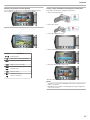
●
Operation Button
T/W Zoom
Description
Allows the same functions as the zoom lever to be
performed.
Camera shake that often occurs when using the
zoom lever can be minimized.
"Zooming" (A P.21)
Image Stabilizer
Sets whether to reduce camera shake.
"Reducing Camera Shake" (A P.21)
Recording
Start/Stop
Functions as the START/STOP button.
Quick Review
Enables the most recently captured video to be
viewed.
"Checking the Captured Image Immediately (Quick
Review)" (A P.21)
Auto/Manual
●
●
Switches the recording mode between Auto and
Manual.
The slider operation button cannot be used when the LCD monitor is
flipped.
The zoom appears when the slider is touched.
20
●
●
NOTE:
●
CAUTION:
●
●
Do not expose the lens to direct sunlight.
Do not use this unit in the rain, snow, or places with high humidity like
the bathroom.
Do not use this unit in places subject to excessive humidity or dust, as
well as places exposed to steam or smoke directly.
The access lamp lights up when video recording is in progress. Do not
remove the battery pack, AC adapter, or SD card when the lamp is
lighted.
Make a backup of important recorded data.
It is recommended to copy your important recorded data to a DVD or
other recording media for storage. JVC will not be responsible for any
lost data.
NOTE:
Before recording an important scene, it is recommended to conduct a
trial recording.
● Check the remaining recording time in the media before you start
shooting. If there is not enough space, move (copy) the data to a PC or
disc.
● Do not forget to make copies after recording!
● Recording stops automatically as it cannot be performed for 12 or more
consecutive hours according to specifications. To ensure continuous
recording, set “SEAMLESS RECORDING” to “ON” before you start recording.
"SEAMLESS RECORDING" (A P.81)
● For long recordings, the file is split into two or more files if the size exceeds 4 GB.
● You can connect this unit to the AC adapter to record for long hours indoors.
●
Recording
Reducing Camera Shake
The angle of view can be adjusted using zoom.
When the digital image stabilizer is turned on, camera shake during recording can be effectively reduced.
●
●
Use the W end (wide angle end) to shoot a wider field of view.
Use the T end (telephoto end) to magnify the subject for shooting.
.
.
Zooming
●
NOTE:
The setting of the image stabilizer switches with every touch.
Display
When digital zoom is used, the image becomes grainy as it is digitally
enlarged.
● The zoom ratio range can be changed.
"Changing the Zoom Ratio Range" (A P.80)
●
Capturing Still Images During Video Recording
Still images can be captured by pressing the SNAPSHOT button while in
the video mode (standby or recording).
Setting
X (Image stabilizer 1)
Reduces camera shake under normal shooting
conditions.
Y (Image stabilizer 2)
Reduces camera shake more effectively when
shooting bright scenes on the wide angle end.
*Only on the wide angle end (approx. 5x)
Z (OFF)
Deactivates image stabilizer.
NOTE:
●
●
●
It is recommended to switch off this mode when using a tripod and recording a subject with little movement.
Complete stabilization may not be possible if camera shake is excessive.
This setting is effective for video recording only.
.
Checking the Captured Image Immediately
"PHOTO" lights up on the screen when a still image is being captured.
You can check the most recently captured images while in the recording
mode. (Quick Review)
.
●
The still images captured during video recording are saved to the destination set in media settings.
"REC MEDIA FOR IMAGE (GZ-HM320)" (A P.107)
NOTE:
The picture quality varies with the “IMAGE QUALITY” setting.
"Changing Still Image Picture Quality" (A P.85)
●
.
●
NOTE:
●
●
You can also delete A the image after checking.
Quick Review can no longer recall the most recently captured image
once the power is turned off.
Use the playback mode to check the image in this case.
21
Recording
Taking Still Images in Auto Mode
Indications During Still Image Recording
You can record without worrying about the setting details by using the auto mode.
Open the LCD monitor and select the still image mode.
(Open the lens cover.)
.
1
Check if the recording mode is Auto.
Display Icon
Description
Recording
Mode
Press the G/H button to switch the recording
mode between G (Auto) and H (Manual).
Image Size
Displays the icon of the image size.
"IMAGE SIZE" (A P.85)
Image Quality
Displays the icon of the “IMAGE QUALITY” setting
selected in the recording menu.
"IMAGE QUALITY" (A P.85)
Number of
Shots
(Recordable
Number of
Shots)
Displays the remaining number of shots for still image recording.
Shutter Speed
Displays the shutter speed.
Focus
Lights up in green when focused.
Recording in
Progress
Appears when a still image is being captured.
Recording Media
Displays the icon of the media where still images
are recorded to.
The recording media can be changed.
"REC MEDIA FOR IMAGE (GZ-HM320)" (A
P.107)
Battery Indicator
Displays the approximate remaining battery power.
Details of the battery power can be displayed by
pressing the INFO button M.
"Remaining Recording Time/Battery Power" (A
P.34)
.
2
The still image mode icon appears.
.
●
●
Set the focus on the subject.
.
3
If the mode is Manual, touch the G/H button.
The mode changes between Auto and Manual with every touch.
●
Take a still image.
.
4
When focused, the focus icon lights up in green.
●
PHOTO lights up when a still image is being captured.
22
Recording
Operation Buttons for Still Image Recording
Zooming
.
The angle of view can be adjusted using zoom.
●
●
Use the W end (wide angle end) to shoot a wider field of view.
Use the T end (telephoto end) to magnify the subject for shooting.
NOTE:
.
●
Operation Button
Digital zoom is not available in the still image recording mode.
Description
T/W Zoom
Functions as the zoom lever.
"Zooming" (A P.23)
Quick Review
Enables the most recently captured still image to
be viewed.
"Checking the Captured Image Immediately" (A
P.23)
Auto/Manual
Switches the recording mode between Auto and
Manual.
Checking the Captured Image Immediately
You can check the most recently captured images while in the recording
mode. (Quick Review)
●
●
The slider operation button cannot be used when the LCD monitor is
flipped.
The zoom appears when the slider is touched.
.
NOTE:
NOTE:
●
●
Useful Settings for Recording
You can also delete A the image after checking.
Quick Review can no longer recall the most recently captured image
once the power is turned off.
Use the playback mode to check the image in this case.
When “QUICK RESTART” is set to “ON”, this unit turns on immediately
if you open the LCD monitor within 5 minutes after the power is turned
off by closing the monitor.
"QUICK RESTART" (A P.101)
● When “AUTO POWER OFF” is set to “ON”, this unit turns itself off automatically to conserve power when it is not operated for 5 minutes.
(only when using the battery pack)
"AUTO POWER OFF" (A P.99)
● When “FACE PRIORITY AE/AF” is set to “ON” (default setting), this
unit detects faces and automatically adjusts its brightness and focus to
record the faces more clearly.
"FACE PRIORITY AE/AF" (A P.83)
● The image resolution can be changed.
"IMAGE SIZE" (A P.85)
●
CAUTION:
●
●
●
●
Do not expose the lens to direct sunlight.
Do not use this unit in the rain, snow, or places with high humidity like
the bathroom.
Do not use this unit in places subject to excessive humidity or dust, as
well as places exposed to steam or smoke directly.
The access lamp lights up when video recording is in progress. Do not
remove the battery pack, AC adapter, or SD card when the lamp is
lighted.
NOTE:
●
●
Before recording an important scene, it is recommended to conduct a
trial recording.
The digital image stabilizer does not work when recording still images.
23
Recording
Manual Recording
You can adjust settings, such as brightness, by using the manual mode.
Manual recording can be set for both video and still image modes.
1
Select video or still image mode.
Manual Recording Menu
The following items can be set.
Name
a SCENE SELECT
.
h FOCUS
●
2
The video or still image mode icon appears.
Select the Manual recording mode.
o FOCUS ASSIST
.
i BRIGHTNESS ADJUST
●
3
The mode changes between Auto and Manual with every touch.
Start recording.
k WHITE BALANCE
.
l BACKLIGHT
COMP.
●
Press again to stop.
NOTE:
●
m METERING
AREA/ TYPE
The manual settings are displayed only in the manual mode.
n EFFECT
o TELE MACRO
24
Description
Recordings that suit the shooting conditions can
be performed easily.
"Scene Selection" (A P.25)
●
Use manual focus if the subject is not focused
automatically.
"Adjusting Focus Manually" (A P.26)
●
Use this for adjusting the focus more precisely.
"Using Focus Assist" (A P.26)
●
Overall brightness on the screen can be adjusted.
● Use this when recording in a dark or bright location.
"Adjusting Brightness" (A P.27)
●
Overall color on the screen can be adjusted.
Use this when the color on the screen appears
differently from the actual color.
"Setting White Balance" (A P.27)
●
●
Corrects the image when the subject appears
dark due to backlight.
● Use this when shooting against the light.
"Setting Backlight Compensation" (A P.28)
●
Brightness of a specified area can be set as the
standard.
"Setting Metering Area" (A P.28)
●
Images that look like old photographs or blackand-white movies can be taken.
"Recording with Effects" (A P.29)
●
Use this to take close-up (macro) shots of the
subject.
"Taking Close-up Shots" (A P.29)
●
Recording
Setting
Scene Selection
Common scenes that are often encountered can be recorded with the
most suitable settings.
b NIGHT
EYE
Increases gain and brightens the scene automatically
when the surrounding is dark.
To prevent camera shake, use a tripod.
g SPOTLIGHT
Prevents the human subject from appearing too bright under light.
Touch D to display the menu.
.
.
1
Effect
Select “MANUAL SETTING” and touch C.
.
2
.
*The image is only an impression.
Select “SCENE SELECT” and touch C.
4
Select the scene and touch C.
.
.
3
25
Recording
Adjusting Focus Manually
Using Focus Assist
Set this when the focus is not clear in “AUTO” or when manual focusing
is desired.
Focused subject is outlined in color for more precise focus.
Touch D to display the menu.
2
Select “MANUAL SETTING” and touch C.
3
Select “FOCUS” and touch C.
4
Select “MANUAL” and touch C.
5
Adjust the focus with the slider.
1
Touch D to display the menu.
2
Select “MANUAL SETTING” and touch C.
3
Select “FOCUS ASSIST” and touch C.
4
Adjust the focus with the slider.
5
Touch C to confirm.
●
●
Touch C to confirm.
.
6
Slide upward to focus on a distant subject.
Slide downward to focus on a near subject.
NOTE:
●
A subject that is focused at the telephoto (T) end remains in focus
when it is zoomed out to the wide angle (W) end.
26
.
.
.
.
.
.
.
.
.
.
1
NOTE:
The image becomes black and white while the outline of the focused
object is displayed in the selected color. Change outline color if it becomes difficult to see.
"FOCUS ASSIST COLOR" (A P.96)
●
Recording
Adjusting Brightness
Setting White Balance
You can adjust the brightness to your preferred level.
1 Touch D to display the menu.
You can set the color tone to suit the light source.
Touch D to display the menu.
2
Select “MANUAL SETTING” and touch C.
3
Select “WHITE BALANCE” and touch C.
4
Select the desired setting and touch C.
.
1
.
Select “MANUAL SETTING” and touch C.
.
2
Select “BRIGHTNESS ADJUST” and touch C.
.
.
3
Select “MANUAL” and touch C.
.
.
4
Select the brightness value with the slider.
.
5
.
Setting
●
●
●
6
Compensation range during video recording: -6 to +6
Compensation range during still image recording: -2.0 to +2.0
Slide upward to increase the brightness.
Slide downward to decrease the brightness.
AUTO
Adjusts automatically to the natural colors.
MWB
Use this when the problem of unnatural colors is not resolved.
FINE
Set this when shooting outdoors on a sunny day.
CLOUD
Set this when shooting on a cloudy day or inside a shade.
HALOGEN
Set this when shooting under illumination such as a video
light.
Touch C to confirm.
Using MWB
1
2
●
3
Hold a sheet of plain white paper in front of the lens so that the white
paper fills the screen.
Select “MWB” and keep touching C.
The cursor blinks.
Release C after the menu disappears.
.
●
Details
27
Recording
Setting Backlight Compensation
Setting Metering Area
You can correct the image when the subject appears too dark due to
backlight.
You can set the brightness of a specified area as the standard.
Touch D to display the menu.
2
Select “MANUAL SETTING” and touch C.
3
Select “BACKLIGHT COMP.” and touch C.
4
Select “ON” and touch C.
1
Touch D to display the menu.
2
Select “MANUAL SETTING” and touch C.
3
Select “METERING AREA/ TYPE” and touch C.
4
Select “SPOT” and touch C.
.
.
.
.
.
.
.
.
.
.
1
●
28
When “SPOT” is selected, select the position of the spot frame by
touching the operation buttons "E"/"F".
After selecting, touch C to confirm.
Recording
Taking Close-up Shots
You can add various effects to videos and still images to create a different atmosphere from the usual recording.
You can take close-up shots of an object using the tele macro function.
.
Recording with Effects
.
*The image is only an impression.
Touch D to display the menu.
*The image is only an impression.
1
Touch D to display the menu.
2
Select “MANUAL SETTING” and touch C.
3
Select “TELE MACRO” and touch C.
4
Select “ON” and touch C.
.
1
Select “MANUAL SETTING” and touch C.
.
.
2
Select “EFFECT” and touch C.
.
.
3
Select the effect and touch C.
.
.
4
Details
Setting
No effect.
SEPIA
Gives images a brownish tint like old photographs.
Setting
BLACK &
WHITE
Records in black and white like old TV images.
OFF
CLASSIC FILM
Skips frames to give images of the effect of an old
movie.
● This can only be set in the video mode.
Enables close-up shots up to 1 m at the telephoto (T) end.
Enables close-up shots up to 5 cm at the wide angle (W)
end.
ON
Enables close-up shots up to 50 cm at the telephoto (T) end.
Enables close-up shots up to 5 cm at the wide angle (W)
end.
STROBE
Enables the image to look like a series of consecutive snapshots by skipping frames.
● This can only be set in the video mode.
.
OFF
NOTE:
●
Details
Warning
●
When you are not taking close-up shots, set TELE MACRO to OFF.
Otherwise, the image may be blur.
Settings can be adjusted separately for videos and still images.
Video
SEPIA / BLACK & WHITE / CLASSIC FILM / STROBE
Still Image
SEPIA / BLACK & WHITE
29
Recording
Registering Files to Events Before Recording
Videos can be found easily during playback by categorizing them when
recording.
1
Select video mode.
Taking Videos in YouTube™ Format
You can share your enjoyable memories with family and friends easily by
posting your videos on the video sharing website YouTube™.
Through upload shooting, videos that are suitable for uploading to YouTube™ (within 10 minutes) may be taken directly.
NOTE:
For more information on YouTube™, please visit the following website.
http://www.youtube.com/
Select video mode.
2
Press the UPLOAD button and switch on the function.
.
1
Touch D to display the menu.
.
.
2
Select “REGISTER EVENT” and touch C.
.
3
●
Start recording.
.
3
The mode switches between ON and OFF with every press.
Select the event type and touch C.
.
4
●
●
Press again to stop.
The maximum recording length of a video in upload mode is 10 minutes.
Recording stops automatically after 10 minutes.
NOTE:
.
●
Event Type
BABY & KIDS
●
ATHLETIC EVENT
RECREATION
EVENT
SPORTS
TRAVEL
PARTY
WEDDING
PET
BUSINESS
●
An icon appears on the screen and the video is recorded under the selected event.
(Videos will continue to be recorded to the same event until a change is
made.)
NOTE:
To cancel event registration, touch “CANCEL” in step 4.
.
●
The registered event can be changed again later.
"Changing the Event of the Currently Displayed File" (A P.50)
"Changing the Event of the Selected Files" (A P.51)
●
30
●
Upload recording can only be performed for up to 10 minutes, the time
limit of YouTube™.
Changing videos to the file format for uploading cannot be performed
on this unit.
To upload video files, refer to "Uploading Videos" below.
The upload recording icon disappears when recording stops.
To record another video in upload mode, perform the settings again.
Recording
Recording at Intervals (TIME-LAPSE RECORDING)
Uploading Videos
Touch D to display the menu.
3
Select “TIME-LAPSE RECORDING” and touch C.
4
Select a recording interval (1 to 80 seconds) and touch C.
.
2
.
●
Check if you have created an account with YouTube™.
(You need a YouTube™ account to upload files to YouTube™.)
Refer to "Q&A", "Latest Information", "Download Information", etc. in
"Click for Latest Product Info" in the help file of the provided software
"Everio MediaBrowser".
Select video mode.
.
●
1
.
Trouble with Uploading Videos
This function enables the changes of a scene that occur slowly over a
long period to be shown within a short time by taking frames of it at a certain interval.
This is useful for making observations such as the opening of a flower
bud.
●
5
The greater the number of seconds, the longer the recording interval.
Start recording.
.
You can upload your videos to YouTube™ using the provided software
"Everio MediaBrowser".
Install the software on your PC and connect this unit to the PC.
● For details on how to use the software, refer to the help file.
"Installing the Provided Software" (A P.70)
"Connecting this Unit to PC" (A P.70)
●
●
●
A frame is taken at intervals of the selected period.
When the recording interval is set to “20SEC INTERVAL” or higher, this
unit switches to the power-saving mode between recordings.
At the next point to record, the power-saving mode will be turned off
and recording will start automatically.
Press the START/STOP button again to stop recording.
Indications During Time-Lapse Recording
31
Recording
Time-Lapse Setting
.
The greater the number of seconds, the longer the recording interval.
Setting
Details
Display
Description
Speed Indicator
Displays the recording interval that is set.
Video Quality
Displays the icon of the video quality that is set.
Remaining Recording Time
Remaining time left to record with the currently
selected video quality.
Recording in Progress
Appears when video recording is in progress.
When in the power-saving mode, it blinks.
Record-Standby
Appears when video recording is paused.
Actual Elapsed
Time
Displays the actual elapsed time after recording
starts.
Recorded Time
Displays the actual recorded time of the video.
Recorded time increases in units of frames.
OFF
Deactivates the function.
1SEC INTERVAL
Takes a frame at 1-second intervals.
Recorded videos will be played back at 30 times
speed.
2SEC INTERVAL
Takes a frame at 2-second intervals.
Recorded videos will be played back at 60 times
speed.
5SEC INTERVAL
Takes a frame at 5-second intervals.
Recorded videos will be played back at 150 times
speed.
10SEC INTERVAL
Takes a frame at 10-second intervals.
Recorded videos will be played back at 300 times
speed.
20SEC INTERVAL
Takes a frame at 20-second intervals.
Recorded videos will be played back at 600 times
speed.
40SEC INTERVAL
Takes a frame at 40-second intervals.
Recorded videos will be played back at 1 200 times
speed.
80SEC INTERVAL
Takes a frame at 80-second intervals.
Recorded videos will be played back at 2 400 times
speed.
CAUTION:
●
●
●
●
Audio cannot be recorded during time-lapse recording.
Zooming, simultaneous still image recording, and image stabilizer are
not available in time-lapse recording.
When recording is stopped with the recorded time less than
"0:00:00:17", the video will not be saved.
Image quality cannot be changed after time-lapse shooting is selected.
Set it before selecting time-lapse shooting.
NOTE:
Settings of time-lapse recording are saved even when the power is
turned off.
When the power is turned on, "TIME LAPSE" appears on the screen.
● Recording stops automatically 99 hours after it is started.
● Make use of a tripod and AC adapter for time-lapse recordings with
long intervals.
It is also recommended to fix the focus and white balance manually.
"Tripod Mounting" (A P.16)
"Adjusting Focus Manually" (A P.26)
"Setting White Balance" (A P.27)
●
32
Recording
Recording Automatically by Sensing Movements (AUTO REC)
This function enables the unit to record automatically by sensing the
changes in subject's movement (brightness) within the red frame displayed on the LCD monitor. (AUTO REC)
It can be set for both video and still image modes.
1
Select video or still image mode.
●
●
●
●
NOTE:
●
.
●
2
●
3
●
Compose the picture according to the subject.
Adjust the angle of view with the zoom, etc.
Zoom operation will not be available once AUTO REC starts.
The only manual recording setting available is “TELE MACRO”.
The rest are all set to “AUTO”.
Digital zoom, image stabilizer, self-timer, and continuous shooting are
not available after AUTO REC is set.
AUTO REC cannot be used together with TIME-LAPSE RECORDING.
When both are set, priority is given to TIME-LAPSE RECORDING.
The auto power off and power-saving modes are not available after
AUTO REC is set.
●
●
Touch D to display the menu.
.
●
Recording stops when there are no changes for 5 seconds during video recording.
Recording may not start when the movements of the subject within the
red frame are too fast or the changes in brightness are too small.
Recording may not start when the change in brightness is too small.
Recording may start due to changes in brightness even if there is no
movement of the subject within the red frame.
The performance of AUTO REC is affected by its sensitivity to the surrounding brightness. The function may not work with certain environments.
While zooming, recording cannot be started.
Select “AUTO REC” and touch C.
5
Select “ON” and touch C.
6
Recording starts automatically when the subject within the red frame
moves.
.
.
.
4
●
●
●
A red frame appears 2 seconds after the menu display disappears.
For video recording, recording continues while there are still movements of the subject (changes in brightness) within the red frame.
When there are no more movements of the subject (changes in brightness) within the red frame, recording will stop in 5 seconds.
To stop video recording manually, press the START/STOP button.
However, as the AUTO REC setting remains at ON even after the video recording is stopped, recording starts again when movements of the
subject (changes in brightness) are detected within the red frame. To
cancel AUTO REC, set it to “OFF”.
CAUTION:
33
Recording
●
Remaining Recording Time/Battery Power
You can check the remaining video recording time on the internal memory and SD card as well as the remaining battery power.
Select video mode.
2
Press M.
.
.
1
●
●
●
Press once to display the remaining recording time of the selected media for video recording. Go to step 3.
Press twice to display the remaining recording time of the other media.
Go to step 4.
Press thrice to display the remaining battery power. Go to step 5.
Display the remaining recording time of the selected media for video
recording.
●
To set/change this media as the recording media, touch C.
To change the video quality, select video quality with the slider and
touch C.
To display the remaining battery power, touch the ";" button.
To display the remaining recording time of the other media, press the
INFO button M once.
To exit the display, touch the D button.
.
3
●
●
●
●
Display the remaining recording time of the other media.
.
4
●
●
●
●
Display the remaining battery power.
.
5
To set/change this media as the recording media, touch C.
To change the video quality, select video quality with the slider and
touch C.
To display the remaining battery power, touch the ";" button.
To exit the display, touch the D button.
●
To exit the display, press the INFO button M or touch the D button.
NOTE:
34
The remaining battery power will not be displayed when the AC adapter is connected.
Recording
Approximate Video Recording Time
●
●
Quality
Built-in Memory
8 GB
SD Card/
SDHC Card
4 GB
SD Card/
SDHC Card
8 GB
SD Card/
SDHC Card
16 GB
SD Card/
SDHC Card
32 GB
UXP
40 m
20 m
40 m
1 h 20 m
2 h 40 m
XP
1h
30 m
1h
2h
4h
SP
1 h 25 m
44 m
1 h 28 m
2 h 56 m
5 h 52 m
EP
3 h 35 m
1 h 50 m
3 h 40 m
7 h 20 m
14 h 40 m
Built-in memory applies to GZ-HM320 only.
The actual recording time may shorten depending on the shooting environment.
Approximate Number of Still Images (Unit: Number of Shots)
Image Size
●
Quality
Built-in Memory
8 GB
SD Card
256 MB
SD Card
512 MB
SD Card
1 GB
SD Card
2 GB
SD/SDHC Card
4 GB
SD/SDHC Card
8 GB
1920x1080 (16:9)
FINE
8260
260
510
1030
2100
4140
8330
1920x1080 (16:9)
STANDARD
9999
410
810
1620
3210
6310
9999
1440x1080 (4:3)
FINE
9999
340
680
1360
2770
5450
9999
1440x1080 (4:3)
STANDARD
9999
540
1070
2140
4360
8570
9999
640x480 (4:3)
FINE
9999
1690
3330
6670
9999
9999
9999
640x480 (4:3)
STANDARD
9999
3050
5990
9999
9999
9999
9999
Up to 9999 still images may be recorded on the SD cards with at least 16 GB capacity (regardless of image size and quality).
Approximate Recording Time (Using Battery)
Battery Pack
●
●
●
Charging Time
Actual Recording Time
Continuous Recording Time
BN-VG114U
2 h 30 m
1h
1 h 45 m
BN-VG121U
3 h 30 m
1 h 30 m
2 h 40 m
The above are values when “LCD BACKLIGHT” is set to “STANDARD”.
The actual recording time may be shorter if zooming is used or if recording is stopped repeatedly.
(It is recommended to prepare battery packs ready for three times the expected recording time.)
When the battery life is reached, the recording time becomes shorter even if the battery pack is fully charged.
(Replace the battery pack with a new one.)
35
Playback
Playing Back Videos
During Video Playback
You can select and play back the recorded videos from an index screen
(thumbnail display).
The contents of the saving destination selected in “REC MEDIA FOR
VIDEO” are displayed on the index screen.
"REC MEDIA FOR VIDEO (GZ-HM320)" (A P.106)
d/e
f
Select the playback mode.
Description
Playback/pause
Stop (returns to thumbnail display)
g
Advances to the next video
h
Returns to the beginning of the scene
i
Forward search
j
Reverse search
k
Forward slow-motion
l
Reverse slow-motion
.
1
Display
2
Select video mode.
NOTE:
Touch the slider and buttons around the screen with your fingers.
The slider and buttons do not function if you touch them with your fingernails or with gloves on.
● The displays on the screen do not work even if you touch them.
● You can search for a specific file by the recording date or registered
category (event).
This is useful when searching from a large number of files.
"Group Search" (A P.40)
"Search Date" (A P.40)
"Search Event" (A P.41)
●
.
●
3
Select the desired video and touch C.
CAUTION:
.
●
●
●
If the cursor stops at a thumbnail display of a video in which faces are
detected, the faces are panned in and played back for a while.
Touch f to stop playback.
Make a backup of important recorded data.
It is recommended to copy your important recorded data to a DVD or
other recording media for storage. JVC will not be responsible for any
lost data.
Adjusting the Volume of Videos
.
Operation Buttons for Video Playback
Checking the Recording Date and Other Information
.
.
You can display the recording date and duration of the selected file.
During Index Screen Display
Display
d
DIGEST
Starts playback of the selected file.
You can play back a digest of the recorded videos.
B
You can search for a specific file by the recording date or
registered category (event).
A
Deletes the selected file.
J/K
36
Description
Press and hold to move the pages of the index screen.
Increasing/Decreasing the Number to Display on the Index
Screen.
Operate the zoom lever when the index screen is displayed (thumbnail
display) to change the number of files on the screen in the following order: 6 files → 12 files → 3 files.
● Information of the files also appear when 3 files are displayed.
Playback
Checking the Content of Videos Quickly
Playing a Video with Defective Management Information
You can play back a digest of the recorded videos (Digest Playback).
This is useful for checking the content of the videos quickly.
Plays videos with defective management information.
Select the playback mode.
2
Select video mode.
3
Touch D to display the menu.
4
Select “PLAYBACK OTHER FILE” and touch C.
5
Select the desired video and touch C.
.
.
1
.
.
.
Operation Buttons for Digest Playback
Display
d/e
f
Description
Playback/pause
Stop (returns to thumbnail display)
Returns to normal playback.
g
Advances to the next video
h
Returns to the beginning of the scene
i
Forward search
j
Reverse search
k
Forward slow-motion
l
Reverse slow-motion
.
d
NORM
.
"Operation Buttons for Video Playback" (A P.36)
NOTE:
●
●
An MTS file is created in the EXTMOV folder when management information is corrupted.
Depending on the condition of the damaged file, playback might fail or
may not run smoothly.
37
Playback
Details
Setting
Playback with Special Effects
You can add effects to the beginning and end of recorded videos.
Select the playback mode.
Turns off the effect.
FADER-WHITE
Fades in or out with a white screen.
FADER-BLACK
Fades in or out with a black screen.
WIPE-SLIDE
Wipes in from right to left, or wipes out in the opposite way.
WIPE-DOOR
Wipes in as the two halves of a black screen
which open to the left and right revealing the
scene, or wipes out in the opposite way.
WIPE-SCROLL
Wipes in from the bottom to the top of a black
screen, or wipes out in the opposite way.
WIPE-SHUTTER
Wipes in from the center of a black screen toward the top and bottom, or wipes out in the opposite way.
.
1
OFF
Select video mode.
.
2
3
Touch D to display the menu.
NOTE:
.
●
Select “WIPE/FADER” and touch C.
5
Select a desired effect and touch C.
6
Select the desired video and touch C.
.
.
.
4
38
The effect will not be applied to a recorded video less than 7 seconds.
Playback
Playing Back Still Images
During Still Image Playback
You can select and play back the recorded still images from an index
screen (thumbnail display).
The contents of the saving destination selected in “REC MEDIA FOR IMAGE” are displayed on the index screen.
"REC MEDIA FOR IMAGE (GZ-HM320)" (A P.107)
1
Display
d/e
f
Select the playback mode.
Description
Start/pause slideshow
Stop (returns to thumbnail display)
g
Advances to the next still image
h
Returns to the previous still image
H
Plays back in reverse order during a slideshow.
I
Plays back in normal ascending order during a slideshow.
NOTE:
Touch the slider and buttons around the screen with your fingers.
The slider and buttons do not function if you touch them with your fingernails or with gloves on.
● The displays on the screen do not work even if you touch them.
● You can search for a specific file by the recording date.
This is useful when searching from a large number of files.
"Search Date" (A P.40)
.
●
2
Select still image mode.
3
Select a still image and touch C to start playback.
.
●
Checking the Recording Date and Other Information
.
.
You can display the recording date and duration of the selected file.
●
Touch f to stop playback.
Operation Buttons for Still Image Playback
Increasing/Decreasing the Number to Display on the Index
Screen.
Operate the zoom lever when the index screen is displayed (thumbnail
display) to change the number of files on the screen in the following order: 6 files → 12 files → 3 files.
● Information of the files also appear when 3 files are displayed.
Slideshow Playback
.
Still images can be played back in a slideshow.
Start the slideshow by pressing the play button during still image playback.
During Index Screen Display
Description
d
Starts playback of the selected file.
B
You can search for a specific file by the recording date.
A
Deletes the selected file.
J/K
Press and hold to move the pages of the index screen.
"Operation Buttons for Still Image Playback" (A P.39)
.
Display
NOTE:
Effects can be added to the transitions in slideshow playback.
"SLIDE SHOW EFFECTS" (A P.93)
●
39
Playback
Searching for a Specific Video/Still Image
When there is a large number of recorded videos and still images, it is difficult to look for the desired file from the index screen.
Use the search function to find the file you want.
● For videos, you can search by “GROUP”, “SEARCH DATE”, or
“SEARCH EVENT”.
● For still images, you can search by “SEARCH DATE”.
"To search by groups with similar recording dates" (A P.40)
"To search by recording dates" (A P.40)
"To search by events and recording dates" (A P.41)
Search Date
You can search and play videos or still images according to recording
dates.
● The contents of the saving destination selected in “REC MEDIA FOR
VIDEO” or “REC MEDIA FOR IMAGE” are searched.
● Still images can only be searched by “SEARCH DATE”.
1
Display the search function.
Group Search
1
Display the search function.
.
You can search and play videos which are automatically grouped according to similar recording dates.
● The contents of the saving destination selected in “REC MEDIA FOR
VIDEO” are searched.
●
●
You can also display the search menu by selecting “SEARCH” on the
playback menu. For still images, select “SEARCH DATE” on the menu.
Searching can be performed in both the video and still image modes.
*The image shows the video mode.
Select “SEARCH DATE” and touch C.
3
Select a recording date and touch C.
.
2
●
Select “GROUP” and touch C.
3
Select from the index screen (thumbnails) and touch C to start playback.
.
.
.
2
You can also display the search menu by selecting “SEARCH” on the
playback menu.
●
Select the desired video or still image and touch C to start playback.
.
4
The starting day of the week on the calendar switches between Sunday
and Monday with every touch of the [SwithTime] button.
●
The video starts playing.
Touch f to stop playback.
NOTE:
Touch “DIGEST” to play back a few seconds from each video, allowing
you to check the contents of many videos in a short time.
● Groups are created automatically according to recording dates.
● The group may change when the recording is continued.
● Select “DELETE” from the playback menu to delete unwanted files.
"Deleting Unwanted Files" (A P.44)
●
40
.
●
You can select videos in the video mode and still images in the still image mode.
● Only the videos recorded on the selected date are displayed.
Deleting Files of a Selected Date:
Select “DELETE” from the playback menu to delete unwanted files.
"Deleting Unwanted Files" (A P.44)
●
Playback
Connecting to and Viewing on TV
Search Event
You can search and play videos according to events and recording dates.
● The contents of the saving destination selected in “REC MEDIA FOR
VIDEO” are searched.
● Events that are not registered will not appear.
"Registering Files to Events" (A P.79)
1
Display the search function.
You can output images from the HDMI connector, COMPONENT connector, or AV connector. Select the connector that best suits your TV.
● Refer also to the instruction manual of the TV in use.
"Connecting via the HDMI Mini Connector" (A P.42)
"Connecting via the Component Connector" (A P.43)
"Connecting via the AV Connector" (A P.43)
NOTE:
To play back with date/time display, set “DISPLAY ON TV” in the connection settings menu to “ON”. Set “ON-SCREEN DISPLAY” in the
playback menu to “DISPLAY ALL” or “DISPLAY DATE ONLY”.
"DISPLAY ON TV" (A P.103)
"ON-SCREEN DISPLAY" (A P.91)
● For questions about the TV or method of connection, contact your TV's
manufacturer.
.
●
●
Select “SEARCH EVENT” and touch C.
.
2
You can also display the search menu by selecting “SEARCH” on the
playback menu.
3
Unnatural Displays on TV
Trouble
Images do not appear on the TV properly.
Images are projected
vertically on the TV.
Select the event type and touch C.
Images are projected
horizontally on the
TV.
The color of images
looks strange.
Action
●
●
●
Disconnect the cable and connect again.
Turn off and on this unit again.
When connected via the component connector, check if the setting of “COMPONENT OUTPUT” in the connection settings
menu suits the connected TV. (Set to
“1080i” by default)
Set “VIDEO OUTPUT” in the connection settings menu to “4:3”.
"VIDEO OUTPUT" (A P.103)
●
●
Adjust the TV's screen accordingly.
●
If the video was recorded with “x.v.Color” set
to “ON”, set the x.v.Color setting of the TV to
on.
Adjust the TV's screen accordingly.
.
●
4
Select a recording date and touch C.
HDMI-CEC functions
do not work properly,
and the TV does not
work in conjunction
with this unit.
.
The language on the
display changed.
●
●
●
It may occur when you connect this unit to a
TV with different language setting using an
HDMI mini cable.
Select the desired file and touch C to start playback.
.
5
The starting day of the week on the calendar switches between Sunday
and Monday with every touch of the [SwithTime] button.
Only the videos recorded on the selected date are displayed.
TVs may operate differently depending on
the specifications, even if they are HDMICEC compliant. Therefore, the HDMI-CEC
functions of this unit cannot be guaranteed
to operate in combination with all the TVs. In
such cases, set “HDMI CONTROL” to
“OFF”.
"HDMI CONTROL" (A P.105)
●
Deleting Files of a Selected Date:
Select “DELETE” from the playback menu to delete unwanted files.
"Deleting Unwanted Files" (A P.44)
41
Playback
Connecting via the HDMI Mini Connector
Operating in Conjunction with TV via HDMI
We recommend using the Category 2 HDMI cable (High Speed cable).
Connecting this unit to an HDMI-CEC-enabled TV using the HDMI cable
allows you to utilize the following convenient functions.
● HDMI-CEC (Consumer Electronics Control) is an industry standard that
enables interoperability between HDMI-CEC compliant devices that are
connected via HDMI cables.
1
Connect to the TV.
NOTE:
Not all HDMI-control devices comply with the HDMI-CEC standard. The
HDMI control function of this unit will not work when connected to these
devices.
● This unit is not guaranteed to operate with all HDMI-CEC-enabled devices.
● Depending on the specifications of each HDMI-CEC-enabled device,
some functions may not work with this unit. (For details, refer to the instruction manual of your TV.)
● Unintended operations may occur with some connected devices. In
these cases, set “HDMI CONTROL” to “OFF”.
"HDMI CONTROL" (A P.105)
.
●
●
2
Press and hold the power button M for 2 seconds or more to turn off
the power.
Connect the AC adapter to this unit.
Preparations
Connect an HDMI cable between this unit and the TV.
Turn on the TV and set the HDMI-CEC related setting to “ON”. (For details, refer to the instruction manual of the TV.)
● Turn on this unit and set “HDMI CONTROL” to “ON”.
"HDMI CONTROL" (A P.105)
.
●
Set “ON-SCREEN DISPLAY” in the menu to “DISPLAY ALL” or “DISPLAY DATE ONLY”.
"ON-SCREEN DISPLAY" (A P.91)
●
3
Press the external input button on the TV to switch to the input from
this unit via the connected terminal.
●
Operation Method 1
1
Turn on this unit.
2
Select the playback mode.
3
Connect the HDMI cable.
●
TV turns on automatically and switches to HDMI input mode when this
unit is turned on.
.
Operation Method 2
4
Play back a file.
1
●
Turn off the TV.
This unit turns off automatically.
NOTE:
Depending on the TV connected, the display language of this unit will
automatically switch to the language that is selected for the TV when
this unit is turned on.
(This is applicable only if this unit supports the language selected for
the TV.) To use this unit with a language that differs from the display
language of the TV, set “HDMI CONTROL” to “OFF”.
"HDMI CONTROL" (A P.105)
● The display language of the TV will not switch automatically, even if the
display language of this unit is changed.
● These functions may not work correctly when devices such as amplifier
and selector are connected. Set “HDMI CONTROL” to “OFF”.
"HDMI CONTROL" (A P.105)
● If HDMI-CEC does not work properly, turn off and on this unit again.
●
.
"Playing Back Videos" (A P.36)
"Playing Back Still Images" (A P.39)
NOTE:
Change the settings in “HDMI OUTPUT” according to the connection.
"HDMI OUTPUT" (A P.104)
● When connecting to the HDMI mini cable, the image or sound may not
appear on the TV properly depending on the TV connected. In
such cases, perform the following operations.
1) Disconnect the HDMI mini cable and connect it again.
2) Turn off and on this unit again.
● Connecting this unit to an HDMI-CEC-enabled TV using the HDMI cable allows you to utilize the following convenient functions.
"Operating in Conjunction with TV via HDMI" (A P.42)
●
42
CAUTION:
●
Do not remove the recording medium or perform any other operation
(such as turning off the power) while accessing files. Also, be sure to
use the provided AC adapter, as the data on the recording medium
may be corrupted if the battery becomes exhausted during operation. If
the data on the recording medium becomes corrupted, format the recording medium to use the medium again.
Playback
Connecting via the Component Connector
Connecting via the AV Connector
1
1
Connect to the TV.
.
Connect to the TV.
.
●
●
2
Connect the AC adapter to this unit.
3
Press the external input button on the TV to switch to the input from
this unit via the connected terminal.
4
Play back a file.
Press and hold the power button M for 2 seconds or more to turn off
the power.
Connect the AC adapter to this unit.
.
.
2
Press and hold the power button M for 2 seconds or more to turn off
the power.
Press the external input button on the TV to switch to the input from
this unit via the connected terminal.
.
.
3
4
Play back a file.
.
"Playing Back Videos" (A P.36)
"Playing Back Still Images" (A P.39)
NOTE:
.
"Playing Back Videos" (A P.36)
"Playing Back Still Images" (A P.39)
NOTE:
Change the settings in “VIDEO OUTPUT” to suit the screen size of
your TV.
"VIDEO OUTPUT" (A P.103)
●
Change the settings in “COMPONENT OUTPUT” according to the connection.
"COMPONENT OUTPUT" (A P.104)
●
43
Playback
Deleting Unwanted Files
Playing Back Playlists
Play back the playlists that you have created.
1
Select the playback mode.
Delete unwanted videos and still images when the space in the recording
media is running out.
The capacity of the recording media can be restored after deleting the
files.
"Deleting the Currently Displayed File" (A P.44)
"Deleting Selected Files" (A P.45)
"Deleting All Files" (A P.46)
NOTE:
Deleted files cannot be restored.
When files in a playlist are deleted, the playlist changes.
● Files that are protected cannot be deleted.
Release protection before deleting the file.
"Protecting Files" (A P.47)
● Back up all wanted files to your PC.
"Backing Up All Files" (A P.70)
.
●
Select video mode.
3
Touch D to display the menu.
.
2
●
CAUTION:
Do not remove the recording medium or turn off the power while accessing files.
● Use the provided AC adapter.
● If the data on the recording medium becomes corrupted, reformat the
medium again.
"FORMAT BUILT-IN MEM. (GZ-HM320)" (A P.107)
"FORMAT SD CARD" (A P.108)
.
●
4
Select “PLAYBACK PLAYLIST” and touch C.
Deleting the Currently Displayed File
Deletes the currently displayed file.
CAUTION:
●
Deleted files cannot be restored.
Select the playback mode.
2
Select video or still image mode.
3
Touch D to display the menu.
4
Select “DELETE” and touch C.
5
Select “CURRENT” and touch C.
.
1
Select the desired playlist and touch C to start playback.
.
.
5
.
"Operation Buttons for Playback" (A P.36)
Touch “CHECK” to check the content of the selected playlist.
● To exit the playback, touch D.
Creating Playlists:
"Creating Playlists from the Recorded Videos" (A P.57)
"Adding Title Screens to Playlists" (A P.63)
.
.
●
44
Editing
Deleting Selected Files
Deletes the selected files.
CAUTION:
●
Deleted files cannot be restored.
Select the playback mode.
2
Select video or still image mode.
3
Touch D to display the menu.
4
Select “DELETE” and touch C.
5
Select “FILE SELECT” and touch C.
6
Select the desired file and touch C.
7
After selecting all the files to delete, touch “EXEC”.
.
1
Check that it is the file to delete, select “YES” and touch C.
●
●
●
The file to delete appears on this screen.
Touch the operation buttons "E" / "F" to select the previous or next
file.
After deleting, touch D.
.
.
.
6
NOTE:
When files in a playlist are deleted, the playlist changes.
Files that are protected cannot be deleted.
Release protection before deleting the file.
"Protecting Files" (A P.47)
●
.
.
.
.
●
45
Editing
Deleting All Files
Deletes all files.
CAUTION:
●
Deleted files cannot be restored.
Select the playback mode.
2
Select video or still image mode.
3
Touch D to display the menu.
4
Select “DELETE” and touch C.
5
Select “DELETE ALL” and touch C.
6
Select “YES” and touch C.
.
1
●
●
Select “YES” and touch C.
.
.
.
8
A delete mark appears on the selected file.
To remove the delete mark, touch C again.
Touch “CHECK” to check the selected file.
●
After deleting, touch C.
NOTE:
When files in a playlist are deleted, the playlist changes.
Files that are protected cannot be deleted.
Release protection before deleting the file.
"Protecting Files" (A P.47)
●
.
.
.
.
●
●
After deleting, touch C.
NOTE:
When files in a playlist are deleted, the playlist changes.
Files that are protected cannot be deleted.
Release protection before deleting the file.
"Protecting Files" (A P.47)
●
●
46
Editing
Protecting Files
.
Prevent important videos/still images from being deleted accidently by
protecting them.
"Protecting the Currently Displayed File" (A P.47)
"Protecting Selected Files" (A P.48)
"Protecting All Files" (A P.49)
"Releasing Protection of All Files" (A P.49)
CAUTION:
●
●
When the recording media is formatted, even the protected files will be
deleted.
●
●
Protecting the Currently Displayed File
●
The file to protect or release protection of appears on this screen.
Touch the operation buttons "E" / "F" to select the previous or next
file.
After setting, touch C.
To exit the screen, touch D.
Protects or releases protection of the currently displayed file.
Select the playback mode.
2
Select video or still image mode.
3
Touch D to display the menu.
4
Select “EDIT” and touch C.
5
Select “PROTECT/CANCEL” and touch C.
6
Select “CURRENT” and touch C.
7
Check that it is the file to protect or release protection of, select “YES”
and touch C.
.
.
.
.
.
.
1
47
Editing
●
Protecting Selected Files
Touch “CHECK” to check the selected file.
8
After selecting all the files to protect or release protection of, touch D.
9
Select “YES” and touch C.
Protects or releases protection of the selected files.
Select the playback mode.
2
Select video or still image mode.
3
Touch D to display the menu.
4
Select “EDIT” and touch C.
5
Select “PROTECT/CANCEL” and touch C.
6
Select “FILE SELECT” and touch C.
7
Select the desired file and touch C.
.
.
.
.
.
.
.
.
.
1
●
A I mark appears on the selected file.
To remove the mark, touch C again.
48
Editing
Releasing Protection of All Files
Protects all files.
Releases protection of all files.
1
Select the playback mode.
1
Select the playback mode.
2
Select video or still image mode.
2
Select video or still image mode.
3
Touch D to display the menu.
3
Touch D to display the menu.
4
Select “EDIT” and touch C.
4
Select “EDIT” and touch C.
5
Select “PROTECT/CANCEL” and touch C.
5
Select “PROTECT/CANCEL” and touch C.
6
Select “PROTECT ALL” and touch C.
6
Select “CANCEL ALL” and touch C.
7
Select “YES” and touch C.
7
Select “YES” and touch C.
●
After setting, touch C.
.
.
.
.
.
.
.
.
.
.
.
.
.
.
Protecting All Files
●
After setting, touch C.
49
Editing
Changing Event Registration of Videos
Find your recorded videos for playback easily by registering them to suitable items from the list of various events.
"Changing the Event of the Currently Displayed File" (A P.50)
"Changing the Event of the Selected Files" (A P.51)
NOTE:
You can also register files to events before recording if the content has
been decided.
"Registering Files to Events Before Recording" (A P.30)
Changing the Event of the Currently Displayed File
.
●
●
●
8
The file to register appears on this screen.
Touch the operation buttons "E" / "F" to select the previous or next
file.
Select a new event and touch C.
Checks and changes the event of the currently displayed file.
Select the playback mode.
2
Select video mode.
.
.
1
●
●
.
●
Touch D to display the menu.
4
Select “EDIT” and touch C.
5
Select “CHANGE EVENT REG.” and touch C.
6
Select “CURRENT” and touch C.
7
Select the file you want to register and touch C.
.
.
.
.
3
50
You can cancel the registered event by touching “CANCEL”.
After setting, touch C.
To exit the screen, touch D.
Editing
8
Select the last file of the range and touch C.
Changing the Event of the Selected Files
Changes the event of multiple files by specifying a range.
Select the playback mode.
.
1
Touch “CHECK” to check the selected file.
.
●
Select video mode.
3
Touch D to display the menu.
9
Select a new event and touch C.
.
.
2
●
●
.
●
You can cancel the registered event by touching “CANCEL”.
After setting, touch C.
To exit the screen, touch D.
Select “EDIT” and touch C.
5
Select “CHANGE EVENT REG.” and touch C.
6
Select “TO RESET RANGE” and touch C.
7
Select the first file of the range and touch C.
.
.
.
.
4
●
Touch “CHECK” to check the selected file.
51
Editing
Dividing Files
7
Touch C to pause playback, then touch “SET” at the point you want to
divide the file.
You can divide a selected video into two.
Select the playback mode.
2
Select video mode.
3
Touch D to display the menu.
●
8
The actual division point may differ slightly from the point that is set.
Select “DIVIDE HERE” and touch C.
.
.
.
.
1
●
●
To select the division point again, select “CANCEL”.
After dividing, touch C.
NOTE:
.
●
Select “EDIT” and touch C.
5
Select “DIVIDE” and touch C.
6
Select the desired file and touch C.
.
.
.
4
●
Playback of the selected video starts.
52
●
When playing back the divided file, the recording date of the division
point is displayed.
You cannot divide the files with the upload or export setting turned on.
Editing
Face Detection Zoom
You can enlarge the part including a face in a still image and save it as a
new file.
Select the playback mode.
.
1
●
Select “YES” and touch C.
.
8
Zoom images are saved in 16:9 aspect regardless of the original aspect.
Select still image mode.
3
Select the desired still image and touch C.
.
.
2
After saving, touch C.
.
●
Touch P.
.
4
●
Select the face to zoom and touch C.
.
5
Faces are detected.
The face that is highlighted in red is zoomed in.
6
Touch C repeatedly to change the zoom ratio.
.
●
●
7
To adjust/change zoom area, touch the slider.
Touch “SAVE”.
53
Editing
Capturing a Still Image in the Video during
Playback
You can capture still images of the scenes you like in the recorded videos.
Select the required part of a video and save it as a new video file.
1
Select the playback mode.
2
Select video mode.
3
Touch D to display the menu.
4
Select “EDIT” and touch C.
5
Select “TRIMMING” and touch C.
6
Select the desired video and touch C.
Select the playback mode.
.
.
1
Capturing a Required Part in the Video
Select video mode.
.
.
2
Select the desired video and touch C.
.
.
3
Touch pause at the desired scene during playback.
.
.
4
●
Capture a still image.
.
.
5
After pausing the video, you can fine-tune the point to capture by using
the forward slow-motion k and reverse slow-motion l operation
buttons.
NOTE:
The picture quality varies with the “IMAGE QUALITY” setting.
"IMAGE QUALITY" (A P.85)
● Captured still images are stored in the media specified in “REC MEDIA
FOR IMAGE”.
"REC MEDIA FOR IMAGE (GZ-HM320)" (A P.107)
.
●
●
Touch C to pause playback, then touch “SET” to set the start point.
.
7
Playback of the selected video starts.
54
Editing
Touch C to resume playback.
"Playing Back Videos" (A P.36)
●
Touch C to pause playback, then touch “SET” to set the point to stop
copying.
Capture and copy a part of a recorded video (maximum 10 minutes) for
uploading to YouTube™, and save it as a YouTube™ video.
When capturing videos for YouTube™, the duration cannot be longer
than 10 minutes.
1
Select the playback mode.
2
Select video mode.
3
Press the UPLOAD button.
4
Select the desired video and touch C.
.
8
Capturing Videos for Uploading to YouTube™
Select “CAPTURE TRIMMED FILE” and touch C.
.
.
9
To reset the start point, touch CANCEL.
.
●
●
To set the start/end point again, select “RESET AREA”.
Select “YES” and touch C.
.
.
10
●
●
After copying, touch C.
When copying finishes, the copied file is added to the index screen.
5
Select “TRIM” and touch C.
●
When trimming is not necessary, select “DO NOT TRIM” and touch C
to complete the setting.
●
If the selected video is more than 10 minutes, trimming is necessary.
.
According to the AVCHD standard, videos are split into units of approximately 0.5 second.
As such, the division point may not be accurate.
6
Touch C to pause playback, then touch “SET” to set the start point to
copy.
.
●
.
NOTE:
Resume playback after setting the start point.
"Playing Back Videos" (A P.36)
●
7
Touch C to pause playback, then touch “SET” to set the point to stop copying.
55
Editing
Creating a Playlist with Title (GZ-HM320)
Create a playlist simply by selecting a recording date and a title screen
from the list.
Select the playback mode.
2
Select video mode.
3
Touch D to display the menu.
4
Select “PICTURE TITLE” and touch C.
5
Select a title and touch C.
.
1
●
Select “CAPTURE TRIMMED FILE” and touch C.
.
.
.
8
To reset the start point, touch “CANCEL”.
●
Select “YES” and touch C.
.
.
9
To set the start/end point again, select “RESET AREA”.
●
●
●
When copying finishes, the copied file is added to the index screen.
After copying, touch C.
To exit the screen, touch D, select “YES” and touch C.
NOTE:
According to the AVCHD standard, videos are split into units of approximately 0.5 second.
As such, the division point may not be accurate.
● You can take videos in YouTube™ format by setting upload shooting
before recording.
"Taking Videos in YouTube™ Format" (A P.30)
.
●
You can upload your videos to YouTube™ using the provided software
"Everio MediaBrowser". Install the software on your PC and connect this
unit to the PC.
● For details on how to use the software, refer to the help file.
"Installing the Provided Software" (A P.70)
"Copying to Windows PC" (A P.70)
Trouble with Uploading Videos:
● Check if you have created an account with YouTube™. (You need a
YouTube™ account to upload files to YouTube™.)
● Refer to "Q&A", "Latest Information", "Download Information", etc. in
"Click for Latest Product Info" in the help file of the provided software
"Everio MediaBrowser".
56
.
Uploading Videos to YouTube™
●
Touch “CHECK” to check the title.
Editing
Select the desired recording date and touch C.
Creating Playlists from the Recorded Videos
.
6
●
●
Touch “CHECK” to check the selected video.
After setting, touch C.
Picture Title
A Great Memory
Happy Anniversary
Business
Celebration
Congratulations
A list created by selecting your favorite videos from the recorded ones is
called a playlist.
By creating a playlist, you can play back only your favorite videos in the
order you like.
The original video file remains even when it is registered to a playlist.
● To create a new playlist
"Creating Playlists with Selected Files" (A P.57)
"Creating Playlists by Group" (A P.58)
"Creating Playlists by Date" (A P.59)
"Creating Playlists by Event" (A P.60)
● To edit or delete a created playlist
"Editing Playlists" (A P.61)
"Deleting Playlists" (A P.62)
"Adding Title Screens to Playlists" (A P.63)
NOTE:
●
●
Graduation
Happy Birthday
●
When a video file is deleted or moved, the same file will be removed
from the playlist.
The playlist will not be affected when a registered video file is divided.
However, if any one of the divided video files is deleted or moved, the
original file will be removed from the playlist.
A maximum of 99 playlists can be created.
Happy Father's Day
Happy Mother's Day
Holiday
Happy New Year!
Creating Playlists with Selected Files
Create a playlist by arranging the files one by one.
1
Select the playback mode.
2
Select video mode.
3
Touch D to display the menu.
4
Select “EDIT PLAYLIST” and touch C.
5
Select “NEW LIST” and touch C.
Happy Valentine's Day
Our Baby
Our Family
Vacation
.
Sight Seeing
School Memories
Season's Greetings
Wedding
.
Sports
NOTE:
Play back the DVD created from a playlist with title on a DVD player.
The title will not be played back if you connect this unit to a DVD writer
(optional).
● To add a title to a playlist that is already created, refer to the following.
"Adding Title Screens to Playlists" (A P.63)
.
.
●
57
Editing
Creating Playlists by Group
Create a playlist by arranging multiple files according to group.
Select the playback mode.
2
Select video mode.
3
Touch D to display the menu.
4
Select “EDIT PLAYLIST” and touch C.
5
Select “NEW LIST” and touch C.
6
Select “CREATE BY GROUP” and touch C.
7
Select the group to add to playlist and touch C.
.
1
Select “CREATE FROM SCENE” and touch C.
.
.
.
6
Select the file to add to playlist and touch C.
.
.
7
●
Select the insertion point and touch C.
.
.
8
Touch “CHECK” to check the selected video.
●
●
●
After arranging, touch D.
.
.
9
The selected videos are added to the playlist on the right.
To delete a video from the playlist, touch "F" to select the video and
touch C.
Repeat steps 7-8 and arrange the videos in the playlist.
Select “SAVE AND THEN QUIT” and touch C.
.
.
.
10
●
58
Touch “CHECK” to check the selected video.
Editing
8
Select the insertion point and touch C.
Creating Playlists by Date
Create a playlist by arranging multiple files according to recording date.
Select the playback mode.
2
Select video mode.
3
Touch D to display the menu.
4
Select “EDIT PLAYLIST” and touch C.
5
Select “NEW LIST” and touch C.
6
Select “CREATE BY DATE” and touch C.
7
Select the recording date to add to playlist and touch C.
●
●
●
After arranging, touch D.
.
.
9
The selected videos are added to the playlist on the right.
To delete a video from the playlist, touch "F" to select the video and
touch C.
Repeat steps 7-8 and arrange the videos in the playlist.
.
.
1
.
Select “SAVE AND THEN QUIT” and touch C.
.
.
.
.
.
10
●
Touch “CHECK” to check the selected video.
59
Editing
8
Select the insertion point and touch C.
Creating Playlists by Event
Create a playlist by arranging multiple files according to events and recording dates.
Select the playback mode.
2
Select video mode.
3
Touch D to display the menu.
4
Select “EDIT PLAYLIST” and touch C.
5
Select “NEW LIST” and touch C.
6
Select “CREATE BY EVENT” and touch C.
7
Select an event and touch C.
●
●
●
After arranging, touch D.
.
.
9
The selected videos are added to the playlist on the right.
To delete a video from the playlist, touch "F" to select the video and
touch C.
Repeat steps 7-8 and arrange the videos in the playlist.
.
.
1
Select “SAVE AND THEN QUIT” and touch C.
.
.
.
.
.
.
10
60
Editing
8
Select the recording date to add to playlist and touch C.
Editing Playlists
You can change the content of a created playlist.
Select the playback mode.
2
Select video mode.
3
Touch D to display the menu.
4
Select “EDIT PLAYLIST” and touch C.
5
Select “EDIT” and touch C.
6
Select the playlist you want to edit and touch C.
7
Select the file to add to playlist and touch C.
●
Touch “CHECK” to check the selected video.
.
1
Select the insertion point and touch C.
.
.
9
Touch “CHECK” to check the selected video.
.
●
●
●
The selected videos are added to the playlist on the right.
To delete a video from the playlist, touch "F" to select the video and
touch C.
Repeat steps 8-9 and arrange the videos in the playlist.
After arranging, touch D.
.
10
.
●
.
Select “SAVE AND THEN QUIT” and touch C.
.
.
.
.
11
61
Editing
8
Select the insertion point and touch C.
Deleting Playlists
Delete the playlists that you have created.
Select the playback mode.
2
Select video mode.
3
Touch D to display the menu.
4
Select “EDIT PLAYLIST” and touch C.
5
Select “DELETE” and touch C.
6
Select the playlist you want to delete and touch C.
●
●
●
After arranging, touch D.
.
.
9
The selected videos are added to the playlist on the right.
To delete a video from the playlist, touch "F" to select the video and
touch C.
Repeat steps 7-8 and arrange the videos in the playlist.
.
.
1
Select “SAVE AND THEN QUIT” and touch C.
.
.
.
.
.
10
●
All created playlists will be deleted when “DELETE ALL” is selected.
Select “YES” and touch C.
●
After deleting, touch C.
To exit the screen, touch D.
.
7
●
62
Editing
●
To exit the screen, touch D.
Adding Title Screens to Playlists
Add a title screen to a created playlist.
Select the playback mode.
2
Select video mode.
3
Touch D to display the menu.
4
Select “EDIT PLAYLIST” and touch C.
5
Select “SET TITLE” and touch C.
6
Select the desired playlist and touch C.
.
.
.
.
.
.
1
●
Select a title and touch C.
.
7
Touch “CHECK” to check the content of the selected playlist.
●
●
●
Touch “CHECK” to check the title.
To delete the title, select "NO TITLE".
After setting, touch C.
63
Editing
Combining Videos Recorded by Seamless
Recording
Videos that are recorded on two separate media and with “SEAMLESS
RECORDING” in the video recording menu enabled can be combined into a single video.
Select the playback mode.
.
1
Select “YES” and touch C.
.
8
Select video mode.
.
2
.
●
3
●
Combining of the videos starts.
After videos are combined, touch C.
Touch D to display the menu.
How to Enable Seamless Video Recording Again
To start seamless recording again after the previous session is complete,
it is necessary to combine seamless videos, or delete the combination information of the seamless videos.
To delete the combination information of seamless videos, select “DEL
SCENE COMBI INFO” in step 5.
NOTE:
.
●
4
Select “SEAMLESS REC CTRL” and touch C.
.
●
Select “COMBINE SCENES” and touch C.
.
5
●
●
This unit starts a search to detect seamless videos.
Combining cannot be performed if no seamless videos are found.
When “DEL SCENE COMBI INFO” is selected, the recorded seamless
videos can no longer be combined. marks are removed from the files.
Select “YES” and touch C.
7
Select the media to store the combined video and touch C.
.
6
64
The scene and scene combination information from the media that is
not selected as the media in which the combined file is saved may be
deleted.
Scenes from seamless recording can no longer be combined if the files
are divided, deleted, trimmed, or moved.
Copying
Copying Files to Card
7
Select “COPY ALL” and touch C.
8
Select “YES” and touch C.
You can copy videos and still images from the built-in memory or SD card
to another media.
Copying still images to SD cards makes it convenient to bring them to the
shop for printing (developing).
"Copying All Files" (A P.65)
"Copying Selected Files" (A P.66)
●
.
CAUTION:
Make sure that there is enough space left in the destination medium.
Copying All Files
Copies all videos and still images to another media.
Select the playback mode.
.
1
●
.
●
Select video or still image mode.
3
Touch D to display the menu.
4
Select “EDIT” and touch C.
5
Select “COPY” and touch C.
6
Select the direction of copying and touch C.
.
.
.
.
.
2
Copying starts.
After copying, touch C.
●
The direction of copying varies with the model.
65
Copying
8
Select the desired file and touch C.
Copying Selected Files
Copies selected videos and still images to another media.
Select the playback mode.
.
1
.
●
Select video or still image mode.
3
Touch D to display the menu.
9
After selecting all the files to copy, touch “EXEC”.
.
.
2
A check mark appears on the selected file.
To remove the check mark, touch C again.
Select “YES” and touch C.
.
10
Select “EDIT” and touch C.
.
4
●
.
●
Select “COPY” and touch C.
6
Select the direction of copying and touch C.
.
.
5
●
Select “SELECT AND COPY” and touch C.
.
7
The direction of copying varies with the model.
66
Copying starts.
After copying, touch C.
Copying
You can move videos and still images from the built-in memory or SD
card to another media.
Files that are moved will be deleted from the original media.
Moving still images to SD cards makes it convenient to bring them to the
shop for printing (developing).
"Moving All Files" (A P.67)
"Moving Selected Files" (A P.68)
CAUTION:
●
Make sure that there is enough space left in the destination medium.
.
Moving Files
●
The direction of moving varies with the model.
7
Select “MOVE ALL” and touch C.
8
Select “YES” and touch C.
Moving All Files
Moves all videos and still images to another media.
Files that are moved will be deleted from the original media.
Files with a protect mark will not be deleted from the original media.
Select the playback mode.
.
.
1
Select video or still image mode.
3
Touch D to display the menu.
4
Select “EDIT” and touch C.
5
Select “MOVE” and touch C.
6
Select the direction of moving and touch C.
●
●
Moving of files starts.
After moving, touch C.
.
.
.
.
.
2
67
Copying
8
Select the desired file and touch C.
Moving Selected Files
Moves selected videos and still images to another media.
Files that are moved will be deleted from the original media.
Select the playback mode.
.
1
A check mark appears on the selected file.
To remove the check mark, touch C again.
.
●
Select video or still image mode.
3
Touch D to display the menu.
9
After selecting all the files to move, touch EXEC.
.
.
2
Select “YES” and touch C.
.
10
Select “EDIT” and touch C.
.
4
●
.
●
Select “MOVE” and touch C.
6
Select the direction of moving and touch C.
.
.
5
●
Select “SELECT AND MOVE” and touch C.
.
7
The direction of moving varies with the model.
68
Moving of files starts.
After moving, touch C.
Copying
Dubbing Files to a DVD Recorder or VCR
You can dub videos by connecting to a DVD recorder or VCR.
● Refer also to the instruction manuals of the TV, DVD recorder, VCR,
etc.
Connect to a VCR/DVD recorder.
.
1
●
Select the playback mode.
.
2
Press and hold the power M button for 2 seconds or more to turn off
the power.
●
3
●
●
4
Press and hold the power M button for 2 seconds or more to turn on
the unit.
Prepare the TV/VCR for recording.
Switch to a compatible external input.
Insert a DVD-R or video tape.
Prepare this unit for playback.
Set “VIDEO OUTPUT” in the connection settings menu to the aspect
ratio (4:3 or 16:9) of the connecting TV.
"VIDEO OUTPUT" (A P.103)
● To include the date during dubbing, set “DISPLAY ON TV” in the connection settings menu to “ON”.
Set “ON-SCREEN DISPLAY” in the playback menu to “DISPLAY DATE
ONLY”.
"DISPLAY ON TV" (A P.103)
"ON-SCREEN DISPLAY" (A P.91)
●
5
Start recording.
Start playback on this unit and press the record button on the VCR/
DVD recorder.
"Playing Back Videos" (A P.36)
"Playing Back Playlists" (A P.44)
● After playback is complete, stop the recording.
●
NOTE:
When there are many videos to dub, you can create a playlist in advance and play it back so that all your favorite videos can be dubbed at
once.
"Creating Playlists with Selected Files" (A P.57)
"Playing Back Playlists" (A P.44)
●
CAUTION:
●
Dubbing cannot be performed by connecting this unit to a Blu-ray recorder with a USB cable.
Connect and dub using the supplied AV cable.
69
Copying
Copying to Windows PC
You can copy files to a PC using the provided software.
DVDs can also be created using the PC's DVD drive.
If the provided software is not installed, this unit will be recognized as an external storage when connected.
NOTE:
●
●
To record to discs, a recordable DVD drive is required for the PC in use.
Still images cannot be recorded to discs using the provided software.
Trouble with Using the Provided Software Everio MediaBrowser
Consult the customer service center below.
● Pixela User Support Center
USA and Canada (English): +1-800-458-4029 (toll-free)
Europe (UK, Germany, France, and Spain)
(English/German/French/Spanish): +800-1532-4865 (toll-free)
Other Countries in Europe
(English/German/French/Spanish): +44-1489-564-764
Asia (Philippines) (English): +63-2-438-0090
China (Chinese): 10800-163-0014 (toll-free)
Homepage
http://www.pixela.co.jp/oem/jvc/e/index.html
For details on how to upload to Youtube™, refer to “MediaBrowser Help” in the “Help” menu of Everio MediaBrowser.
.
●
Telephone
Verifying System Requirements (Guideline)
Right-click on “Computer” (or “My Computer”) in the “Start” menu and select “Properties” to check the following items.
Windows Vista / Windows 7
●
Refer to the operating instructions found in the animation on the Detailed User Guide.
Windows XP
●
Refer to the operating instructions found in the animation on the Detailed User Guide.
Windows Vista / Windows 7
Windows XP
OS
Windows Vista 32/64-bit
Home Basic or Home Premium
(Pre-installed versions only)Service Pack 2
Windows 7 32/64-bit
Home Premium
(Pre-installed versions only)
Windows XP
Home Edition or Professional
(Pre-installed versions only)Service Pack 3
CPU
Intel Core Duo CPU 1.66 GHz or higher
Intel Core 2 Duo CPU 2.13 GHz or higher recommended
Intel Core Duo CPU 1.66 GHz or higher
Intel Core 2 Duo CPU 2.13 GHz or higher recommended
RAM
At least 2 GB
At least 1 GB
NOTE:
If your PC does not meet the above system requirements, operations of the provided software cannot be guaranteed.
"Backing Up Files Without Using Provided Software" (A P.75)
● For more information, contact your PC's manufacturer.
●
Installing the Provided Software
Backing Up All Files
You can display the recorded images in calendar format and perform simple editing using the provided software.
Before making backup, make sure that enough free space is left in the
PC's hard disk (HDD).
Windows Vista / Windows 7
●
Refer to the operating instructions found in the animation on the Detailed User Guide.
Windows XP
●
Refer to the operating instructions found in the animation on the Detailed User Guide.
70
1
Connect the USB cable and AC adapter.
.
Copying
① Connect the AC adapter to this unit.
② Connect using the provided USB cable.
Open the LCD monitor.
.
2
NOTE:
Before making backup, load the SD card in which the videos and still
images are stored on this unit.
● If you encounter any problems with the provided software Everio MediaBrowser, please consult the "Pixela User Support Center".
"Trouble with Using the Provided Software Everio MediaBrowser" (A
P.70)
● Delete unwanted videos before making backup.
It takes time to back up many videos.
"Deleting Unwanted Files" (A P.44)
.
●
●
3
The USB MENU appears.
Select “BACK UP” and touch C.
Disconnecting this Unit from PC
Click “Safely Remove Hardware”.
2
Click “Safely Remove USB Mass Storage Device”.
3
(For Windows Vista/Windows 7) Click “OK”.
4
Disconnect the USB cable and close the LCD monitor.
.
1
●
Select the volume.
.
.
4
The provided software Everio MediaBrowser starts up on the PC.
The subsequent operations are to be performed on the PC.
Start backup.
●
Backup starts.
.
5
6
After backup is complete, click “OK”.
71
Copying
Organizing Files
After backing up your files, organize them by adding labels such as "Family Trip" or "Athletic Meet".
This is useful not only for creating discs, but for viewing the files too.
1
Double-click on the Everio MediaBrowser icon.
The provided software starts up.
.
●
Identifying Video or Still Image:
● You can select files using the "SELECT" menu on the top right of the
screen.
● Check the video/still image icon on the top right corner of the thumbnail.
NOTE:
If you encounter any problems with the provided software Everio MediaBrowser, please consult the "Pixela User Support Center".
"Trouble with Using the Provided Software Everio MediaBrowser" (A
P.70)
.
●
Display the month of the files to organize.
3
Create a user list.
.
.
.
2
●
4
●
Click on the recording day.
The thumbnails of the files recorded on the day are displayed.
Register files to the created user list.
.
5
A new user list is added to the user list library.
72
Copying
NOTE:
Recording Videos to Discs
●
Copy the files that are arranged using the user list to DVDs.
1
Insert a new disc into the PC's recordable DVD drive.
2
Select the desired user list.
●
.
●
3
Select the disc type.
4
Select the method of file selection.
●
.
.
●
The following types of discs can be used on the provided software Everio MediaBrowser.
DVD-R
DVD-R DL
DVD-RW
DVD+R
DVD+R DL
DVD+RW
BD
Everio MediaBrowser supports 3 disc formats: DVD-Video, AVCHD,
and BD.
When copying videos recorded in UXP recording mode to create an
AVCHD disc, the videos need to be converted to XP recording mode
before copying. Therefore, it may take a longer time than copying videos recorded in other modes.
Use Everio MediaBrowser Player to play back the disc. Refer to the
help file of the provided Everio MediaBrowser software to operate.
To view the help file of Everio MediaBrowser, select “Help” from the
Everio MediaBrowser's menu bar or press F1 on the keyboard.
If you encounter any problems with the provided software Everio MediaBrowser, please consult the "Pixela User Support Center".
"Trouble with Using the Provided Software Everio MediaBrowser" (A
P.70)
.
●
●
●
If you select “Select all files displayed”, only the displayed videos are
copied to the disc.
Proceed to step 6.
If you select “Select files individually”, proceed to step 5.
(When “Select files individually” is selected) Select the files to copy to
disc in order.
6
Set the top menu of the disc.
.
.
5
●
Copying to disc starts.
.
7
Set the title and menu background.
●
After copying, click “OK”.
73
Copying
7
JVC Software Licence Agreement
IMPORTANT
TO CUSTOMERS: PLEASE MAKE SURE TO READ THIS CAREFULLY
BEFORE INSTALLING OR USING THE SOFTWARE PROGRAM
NAMED "DIGITAL PHOTO NAVIGATOR" ("Program") ON YOUR PC.
The right to use the Program is granted by Victor Company of Japan,
Limited ("JVC") to You only on the condition that You agree to the following.
Should You not agree to the terms hereof, You may not install or use the
Program. HOWEVER, INSTALLING OR USING THE PROGRAM INDICATES YOUR ACCEPTANCE OF THESE TERMS AND CONDITIONS.
1
COPYRIGHT; OWNERSHIP
You acknowledge that all copyrights and other intellectual property rights
in the Program are owned by JVC and its licensor, and remain vested in
JVC and such licensor. The Program is protected under the copyright law
of Japan and other countries, and related Conventions.
2
GRANT OF LICENCE
① Subject to the conditions of this Agreement, JVC grants to You a
non-exclusive right to use the Program. You may install and use the
Program on a HDD or other storage devices incorporated in Your
PC.
② You may make one (1) copy of the Program solely for your personal
backup or archival purposes.
3
4
LIMITED WARRANTY
JVC warrants that any media in which the Program is embodied are free
from any defects in materials and workmanship for a period of thirty (30)
days from the date of Your purchasing any our products accompanying
the Program. JVC’s entire liability and your exclusive remedy in connection with the Program shall be replacement of such defective media. EXCEPT FOR THE EXPRESS WARRANTIES STATED HEREIN AND TO
THE EXTENT PERMITTED BY APPLICABLE LAW, JVC AND ITS LICENSORS DISCLAIM ANY OTHER WARRANTIES, EITHER EXPRESS
OR IMPLIED, INCLUDING BUT NOT LIMITED TO IMPLIED WARRANTIES OF MERCHANTABILITY AND FITNESS FOR A PARTICULAR
PURPOSE IN REGARD TO THE PROGRAM AND THE ACCOMPANYING PRINTED MATERIALS. SHOULD THERE BE ANY PROBLEM
ARISING FROM OR CAUSED BY THE PROGRAM, YOU SHOULD
SETTLE ALL SUCH PROBLEM AT YOUR OWN COST AND EXPENSE.
5
LIMITED LIABILITY
TO THE EXTENT PERMITTED BY APPLICABLE LAW, IN NO EVENT
SHALL JVC AND ITS LICENSORS BE LIABLE FOR ANY INDIRECT,
SPECIAL, INCIDENTAL OR CONSEQUENTIAL DAMAGES WHATSOEVER, REGARDLESS OF THE FORM OF ACTION WHETHER IN CONTRACT, TORT OR OTHERWISE ARISING OUT OF OR IN CONNECTION WITH THE USE OF OR INABILITY TO USE THE PROGRAM,
EVEN IF JVC HAS BEEN ADVISED OF THE POSSIBILITY OF SUCH
DAMAGES. YOU WILL INDEMNIFY AND HOLD HARMLESS JVC
FROM ANY LOSS, LIABILITY OR COST ARISING OUT OF OR IN ANY
WAY CONNECTED TO CLAIMS FROM ANY THIRD PARTY RELATING
TO THE USE OF THE PROGRAM.
6
8
TERM
This Agreement will become effective on the date when You install and
use the Program on Your machine, and continue to be in effect until the
termination under the following provision.
Should You breach any provision of this Agreement, JVC may terminate
this Agreement without giving any notice to You. In this event, JVC may
claim against You for any damages caused by Your breach. Should this
Agreement be terminated, You must immediately destroy the Program
stored in Your machine (including the erasing from any memory in Your
PC), and no longer own such Program.
74
U.S. GOVERNMENT USER
If You are an agency of the United States of America (the "Government"),
You acknowledge JVC's representation that the Program is a "Commercial Item" as defined in Federal Acquisition Regulation (FAR) part 2.101
(g) consisting unpublished "Commercial Computer Software" as those
items are used at FAR part 12.212 and is only licenced to You with the
same use rights JVC grants all commercial end users pursuant to the
terms of this Agreement.
9
GENERAL
① No modification, change, addition, deletion or other alternation of or
to this Agreement will be valid unless reduced to writing and signed
by an authorized representative of JVC.
② If any part of this Agreement is held invalid by or in conflict with any
law having jurisdiction over this Agreement, the remaining provisions will remain in full force and effect.
③ This Agreement shall be governed by and interpreted under the
laws of Japan. The Tokyo District Court has jurisdiction over all disputes which may arise with respect to the execution, interpretation
and performance of this Agreement.
Victor Company of Japan, Limited
NOTE:
●
RESTRICTION ON THE PROGRAM
① You may not reverse engineer, decompile, disassemble, revise or
modify the Program, except to the extent that expressly permitted
by applicable law.
② You may not copy or use the Program, in whole or in part, other
than as expressly specified in this Agreement.
③ You have no right to grant a licence to use the Program, and may
not distribute, rent, lease or transfer the Program to any third party
or otherwise let them use the Program.
EXPORT CONTROL
You agree that You will not ship, transfer or export the Program or underlying information and technology to any countries to which Japan and other relevant countries have initiated an embargo on such goods.
If You acquired the Program in Germany, the provisions of Sections 4
(Limited Warranty) and 5 (Limited Liability) provided above will be replaced with those of the German version of this Agreement.
CAUTION:
●
●
●
●
Operate this equipment according to the operating procedures described in this manual.
Use only the provided CD-ROM. Never use any other CD-ROM to run
this software.
Do not attempt to modify this software.
Changes or modifications not approved by JVC could void user's authority to operate the equipment.
How to handle a CD-ROM:
● Take care not to soil or scratch the mirror surface (opposite to the printed surface). Do not write anything or put a sticker on either the front or
back surface. If the CD-ROM gets dirty, gently wipe it with a soft cloth
outward from the center hole.
● Do not use conventional disc cleaners or cleaning spray.
● Do not bend the CD-ROM or touch its mirror surface.
● Do not store your CD-ROM in a dusty, hot or humid environment. Keep
it away from direct sunlight.
You can find the latest information (in English) on the provided software
program at our world wide web server at
http://www.jvc-victor.co.jp/english/global-e.html
Copying
Backing Up Files Without Using Provided Software
3
(For Windows Vista/Windows 7) Click “OK”.
4
Disconnect the USB cable and close the LCD monitor.
Copy the files to a PC using the following method.
Connect the USB cable and AC adapter.
List of Files and Folders
Folders and files are created in the built-in memory and SD card as
shown below.
They are created only when necessary.
① Connect the AC adapter to this unit.
② Connect using the provided USB cable.
Open the LCD monitor.
CAUTION:
●
When the folders or files are deleted/moved/renamed in the computer,
they cannot be played back on this unit anymore.
.
2
.
.
1
●
Select “PLAYBACK ON PC” and touch C.
.
3
The USB MENU appears.
●
●
4
●
5
Close the Everio MediaBrowser program, if it starts.
The subsequent operations are to be performed on the PC.
Select "Computer" (Windows Vista) / "My Computer" (Windows XP)
from the start menu, then click on the EVERIO_MEM or EVERIO_SD
icon.
The folder opens.
Copy the files to any folder in the PC (desktop, etc).
CAUTION:
●
When the folders or files are deleted/moved/renamed in the computer,
they cannot be played back on this unit anymore.
NOTE:
●
●
●
To edit the files, use a software that supports MTS/JPEG files.
When removing this unit from the PC, drag and drop the "EVERIO_MEM" or "EVERIO_SD" icon on the desktop to the trash bin.
The above operations on PC may vary with the system used.
Disconnecting this Unit from PC
Click “Safely Remove Hardware”.
2
Click “Safely Remove USB Mass Storage Device”.
.
1
75
Copying
Copying to Mac Computer
Copy the files to a Mac computer using the following method.
Connect the USB cable and the AC adapter.
.
1
① Connect the AC adapter to this unit.
② Connect using the provided USB cable.
● The provided software is not required for this process.
Open the LCD monitor.
.
2
●
Select “PLAYBACK ON PC” and touch C.
.
3
The USB MENU appears.
●
4
●
Click on the "EVERIO_MEM" or "EVERIO_SD" icon on the desktop.
The folder opens.
Click on the column display icon.
.
5
The subsequent operations are to be performed on the PC.
●
Copy the files to any folder in the PC (desktop, etc).
.
6
Search the folder with the desired files.
CAUTION:
●
●
When the folders or files are deleted/moved/renamed in the computer,
they cannot be played back on this unit anymore.
MTS files that are copied to a Mac computer cannot be imported to iMovie.
To use MTS files with iMovie, import the files using iMovie.
NOTE:
●
●
To edit the files, use a software that supports MTS/JPEG files.
When removing this unit from the computer, drag and drop the "EVERIO_MEM" or "EVERIO_SD" icon on the desktop to the trash bin.
76
iMovie and iPhoto
You can import files from this unit to a computer using Apple's iMovie'08,
'09 (video) or iPhoto (still image).
To verify the system requirements, select "About This Mac" from the Apple menu. You can determine the operating system version, processor
and amount of memory.
● For the latest information on iMovie or iPhoto, refer to the Apple website.
● For details on how to use iMovie or iPhoto, refer to the help file of the
respective software.
● There is no guarantee that the operations will work with all computer
environments.
Menu Settings
Operating the Menu
Use the slider and operation buttons to set the menu.
● The menu differs according to the mode in use.
Touch D to display the menu.
2
Select the desired menu and touch C.
3
Select the desired setting and touch C.
.
.
.
1
NOTE:
●
To close the menu, touch D.
To return to the previous screen, touch J.
.
●
To display the help file, touch K.
.
●
Returning All Settings to Default:
● Set using “FACTORY PRESET” in the camera settings menu.
"FACTORY PRESET" (A P.102)
77
Menu Settings
Recording Menu (Video)
You can adjust various settings, such as brightness and white balance, to suit the subject or purpose. You can also change settings such as picture
quality and gain.
Setting
Details
MANUAL SETTING
Recording settings can be adjusted manually.
● They are displayed only when recording in the manual mode.
"Manual Settings Menu" (A P.87)
FACE PRIORITY AE/AF
Detects faces and adjusts the brightness and focus automatically.
"FACE PRIORITY AE/AF" (A P.79)
REGISTER EVENT
Categorizes your videos according to events (such as "Travel", "Athletic Event") by registering the file before recording.
"Registering Files to Events Before Recording" (A P.30)
VIDEO QUALITY
Sets the video quality.
"VIDEO QUALITY" (A P.79)
ZOOM
Sets the maximum zoom ratio.
"ZOOM" (A P.80)
GAIN UP
Makes the subject appear bright automatically when recording in dark places.
"GAIN UP" (A P.80)
TIME-LAPSE RECORDING
Enables the changes of a scene that occur slowly over a long period to be shown within a short time by taking frames of
it at a certain interval.
"Recording at Intervals (TIME-LAPSE RECORDING)" (A P.31)
AUTO REC
Enables the unit to start or stop recording automatically by sensing the changes in brightness within the red frame displayed on the LCD monitor.
"Recording Automatically by Sensing Movements (AUTO REC)" (A P.33)
SEAMLESS RECORDING
Automatically switches to a different media and continues recording when the remaining space on the current recording
media runs out.
For example, when the remaining space on the SD card runs out during recording, the recording continues on the builtin memory without stopping.
"SEAMLESS RECORDING" (A P.81)
x.v.Color
Records with "x.v.Color".
"x.v.Color" (A P.81)
WIND CUT
Reduces the noise caused by wind.
"WIND CUT" (A P.82)
78
Menu Settings
FACE PRIORITY AE/AF
REGISTER EVENT
Detects faces and adjusts the brightness and focus automatically.
Setting
Details
Categorizes your videos according to events (such as "Travel", "Athletic
Event") by registering the file before recording.
Operating Details
"Registering Files to Events Before Recording" (A P.30)
OFF
Deactivates the function.
ON
Activates the function.
Displaying the Item
Sets the video quality.
Setting
Select video mode.
Details
UXP
Enables recording in the best picture quality.
● Applies to BDs only. Videos taken in high-definition quality
cannot be saved to DVDs.
XP
Enables recording in high picture quality.
SP
Enables recording in standard quality.
EP
Enables long recordings.
.
1
VIDEO QUALITY
2
Touch D to display the menu.
NOTE:
●
Set to UXP or XP mode when recording fast-moving scenes or scenes
with extreme change of brightness to avoid noise.
.
Displaying the Item
Select video mode.
2
Touch D to display the menu.
3
Select “VIDEO QUALITY” and touch C.
Select “FACE PRIORITY AE/AF” and touch C.
.
.
3
1
●
When “FACE PRIORITY AE/AF” is set to “ON”, the following settings
will change.
・ If “SCENE SELECT” is set to “SPOTLIGHT”, it will be switched to
“OFF”.
・ If “FOCUS” is set to “MANUAL”, it will be switched to “AUTO”.
・ If “BACKLIGHT COMP.” is set to “ON”, it will be switched to “OFF”.
・ If “METERING AREA/ TYPE” is set to “SPOT”, it will be switched to
“ENTIRE SCREEN”.
When the following settings are made, “FACE PRIORITY AE/AF” will
switch to “OFF”.
・ When “SCENE SELECT” is set to “SPOTLIGHT”
・ When “FOCUS” is set to “MANUAL”
・ When “FOCUS ASSIST” is selected
・ When “BACKLIGHT COMP.” is set to “ON”
・ When “METERING AREA/ TYPE” is set to “SPOT”
.
●
.
CAUTION:
NOTE:
●
Depending on the condition, faces may not be detected.
79
Menu Settings
ZOOM
GAIN UP
Sets the maximum zoom ratio.
Setting
Details
Makes the subject appear bright automatically when recording in dark
places.
Setting
Details
20x/OPTICAL
Enables zooming up to 20x.
80x/DIGITAL
Enables zooming up to 80x.
200x/DIGITAL
Enables zooming up to 200x.
NOTE:
●
When digital zoom is used, the image becomes grainy as it is digitally
enlarged.
Displaying the Item
Select video mode.
Deactivates the function.
AGC
Electrically brightens the scene when it is dark.
AUTO
Automatically brightens the scene when it is dark.
NOTE:
●
●
Although “AUTO” brightens the scene more than “AGC”, movements of
the subject may become unnatural.
Setting can be adjusted separately for still images.
Displaying the Item
1
Select video mode.
2
Touch D to display the menu.
3
Select “GAIN UP” and touch C.
.
1
OFF
Touch D to display the menu.
.
.
2
Select “ZOOM” and touch C.
.
.
.
3
80
Menu Settings
●
TIME-LAPSE RECORDING
This function enables the changes of a scene that occur slowly over a
long period to be shown within a short time by taking frames of it at a certain interval.
This is useful for making observations such as the opening of a flower
bud.
Operating Details
"Recording at Intervals (TIME-LAPSE RECORDING)" (A P.31)
●
Auto switching of media cannot be performed when a write protected
memory card, an unformatted media, or an incompatible media is
used.
The function does not work when there is less than 1 minute of recording time left in the other media.
NOTE:
Records automatically by sensing the changes in brightness.
Operating Details
"Recording Automatically by Sensing Movements (AUTO REC)" (A
P.33)
Seamless recording allows the unit to automatically switch to another
media if the targeted media for recording is unavailable or has less
than 1 second of recording time left.
● Once a seamless recording is complete, the function is automatically
disabled. Combine the recorded scenes or delete the scene combination information to reactivate it.
● Seamless videos that are recorded on two separate media can be
combined into a single video.
"Combining Videos Recorded by Seamless Recording" (A P.64)
SEAMLESS RECORDING
x.v.Color
This function enables an ongoing video recording that has reached its
media's maximum capacity to be recorded continuously without frame
loss by automatically switching the recording to another media. It is also
possible for the scenes to be merged into one of the media once the recording is complete.
Setting
Details
Records with "x.v.Color".
Setting
Details
AUTO REC
OFF
Does not switch recording media automatically.
ON
Switches recording media automatically.
●
OFF
Deactivates the function.
ON
Activates the function.
Displaying the Item
1
Select video mode.
2
Touch D to display the menu.
3
Select “x.v.Color” and touch C.
Displaying the Item
Select video mode.
.
.
1
Touch D to display the menu.
.
.
2
Select “SEAMLESS RECORDING” and touch C.
4
Select “ON” and touch C.
.
.
.
3
Warning
81
Menu Settings
WIND CUT
Reduces the noise caused by wind.
Setting
Details
OFF
Deactivates the function.
ON
Activates the function.
Displaying the Item
Select video mode.
2
Touch D to display the menu.
3
Select “WIND CUT” and touch C.
.
.
.
1
82
Menu Settings
Recording Menu (Still Image)
You can adjust various settings, such as brightness and white balance, to suit the subject or purpose. You can also change settings such as picture
quality and gain.
Setting
Details
MANUAL SETTING
Recording settings can be adjusted manually.
● They are displayed only when recording in the manual mode.
"Manual Settings Menu" (A P.87)
FACE PRIORITY AE/
AF
Detects faces and adjusts the brightness and focus automatically.
"FACE PRIORITY AE/AF" (A P.83)
SELF-TIMER
Use this when taking a group photo.
"SELF-TIMER" (A P.83)
SHUTTER MODE
Continuous shooting settings can be adjusted.
"SHUTTER MODE" (A P.84)
IMAGE SIZE
Sets the image size (number of pixels) for still images.
"IMAGE SIZE" (A P.85)
IMAGE QUALITY
Sets the image quality.
"IMAGE QUALITY" (A P.85)
GAIN UP
Makes the subject appear bright automatically when recording in dark places.
"GAIN UP" (A P.86)
AUTO REC
Enables the unit to record still images automatically by sensing the changes in brightness within the red frame displayed on
the LCD monitor.
"Recording Automatically by Sensing Movements (AUTO REC)" (A P.33)
FACE PRIORITY AE/AF
Detects faces and adjusts the brightness and focus automatically.
Setting
Details
OFF
Deactivates the function.
ON
Activates the function.
Displaying the Item
1
Select still image mode.
●
・ If “METERING AREA/ TYPE” is set to “SPOT”, it will be switched to
“ENTIRE SCREEN”.
When the following settings are made, “FACE PRIORITY AE/AF” will
switch to “OFF”.
・ When “SCENE SELECT” is set to “SPOTLIGHT”
・ When “FOCUS” is set to “MANUAL”
・ When “FOCUS ASSIST” is selected
・ When “BACKLIGHT COMP.” is set to “ON”
・ When “METERING AREA/ TYPE” is set to “SPOT”
NOTE:
●
●
You cannot activate “FACE PRIORITY AE/AF” if “SELF-TIMER” is set
to “FACE DETECTION”.
Depending on the condition, faces may not be detected.
.
SELF-TIMER
Touch D to display the menu.
.
2
Select “FACE PRIORITY AE/AF” and touch C.
Details
OFF
Deactivates the self-timer.
2SEC
Starts recording 2 seconds after the SNAPSHOT button is
pressed.
10SEC
Starts recording 10 seconds after the SNAPSHOT button is
pressed.
This setting is suitable for taking group photos.
FACE
DETECTION
Detects faces when the SNAPSHOT button is pressed. Recording starts 3 seconds after the face of the photographer
is detected.
(1) Faces are detected
.
3
Use this when taking a group photo.
Setting
●
When “FACE PRIORITY AE/AF” is set to “ON”, the following settings
will change.
・ If “SCENE SELECT” is set to “SPOTLIGHT”, it will be switched to
“OFF”.
・ If “FOCUS” is set to “MANUAL”, it will be switched to “AUTO”.
・ If “BACKLIGHT COMP.” is set to “ON”, it will be switched to “OFF”.
.
CAUTION:
(2) Face of photographer is detected
83
Menu Settings
SHUTTER MODE
Continuous shooting settings can be adjusted.
Setting
Details
RECORD ONE SHOT
Records one still image.
CONTINUOUS
SHOOTING
Records still images continuously while the
SNAPSHOT button is pressed.
NOTE:
.
●
●
●
Displaying the Item
1
Up to 3 images can be captured in 1 second during continuous shooting.
Some SD cards may not support continuous shooting.
The continuous shooting speed will drop if this function is used repeatedly.
Select still image mode.
Displaying the Item
Select still image mode.
2
Touch D to display the menu.
3
Select “SHUTTER MODE” and touch C.
.
1
Touch D to display the menu.
.
.
2
Select “SELF-TIMER” and touch C.
.
.
.
3
84
Menu Settings
IMAGE SIZE
IMAGE QUALITY
Sets the image size (number of pixels) for still images.
Setting
Details
Sets the image quality.
Setting
Details
1920X1080(2M)
Takes still images in the size of 1920X1080 with
aspect ratio 16:9.
FINE
Enables recording in high picture quality, but number of
recordable images becomes lesser.
1440X1080(1.5M)
Takes still images in the size of 1440X1080 with
aspect ratio 4:3.
STANDARD
Enables recording in standard quality.
640X480(0.3M)
Takes still images in the size of 640X480 with aspect ratio 4:3.
Displaying the Item
1
Select still image mode.
2
Touch D to display the menu.
3
Select “IMAGE QUALITY” and touch C.
Displaying the Item
Select still image mode.
.
.
1
Touch D to display the menu.
.
.
2
.
Select “IMAGE SIZE” and touch C.
.
3
85
Menu Settings
GAIN UP
Makes the subject appear bright automatically when recording in dark
places.
Setting
Details
OFF
Deactivates the function.
AGC
Electrically brightens the scene when it is dark.
NOTE:
●
Setting can be adjusted separately for videos.
Displaying the Item
Select still image mode.
2
Touch D to display the menu.
3
Select “GAIN UP” and touch C.
.
.
.
1
AUTO REC
Records automatically by sensing the changes in brightness.
Operating Details
"Recording Automatically by Sensing Movements (AUTO REC)" (A
P.33)
86
Menu Settings
Manual Settings Menu
Recording settings can be adjusted manually.
NOTE:
●
They are displayed only when recording in the manual mode.
Setting
Details
SCENE SELECT
Settings to suit the shooting condition can be selected.
"Scene Selection" (A P.25)
FOCUS
Focus can be adjusted manually.
"Adjusting Focus Manually" (A P.26)
FOCUS ASSIST
Focused subject is outlined in color for more precise focus.
"Using Focus Assist" (A P.26)
BRIGHTNESS ADJUST
Adjusts the overall brightness of the screen.
"Adjusting Brightness" (A P.27)
WHITE BALANCE
Adjusts the color according to the light source.
"Setting White Balance" (A P.27)
BACKLIGHT COMP.
Corrects the image when the subject appears dark due to backlight.
"Setting Backlight Compensation" (A P.28)
METERING AREA/ TYPE
Enables you to adjust the brightness in the desired area.
"Setting Metering Area" (A P.28)
EFFECT
Records videos or still images with special effects such as sepia or black and white.
"Recording with Effects" (A P.29)
TELE MACRO
Enables close-up shots when using the telephoto (T) end of the zoom.
"Taking Close-up Shots" (A P.29)
SCENE SELECT
EFFECT
Settings to suit the shooting condition can be selected.
Operating Details
"Scene Selection" (A P.25)
Records videos or still images with special effects such as sepia or black
and white.
Operating Details
"Recording with Effects" (A P.29)
FOCUS
Focus can be adjusted automatically or manually.
Operating Details
"Adjusting Focus Manually" (A P.26)
TELE MACRO
Enables close-up shots when using the telephoto (T) end of the zoom.
Operating Details
"Taking Close-up Shots" (A P.29)
FOCUS ASSIST
Focused subject is outlined in color for more precise focus.
Operating Details
"Using Focus Assist" (A P.26)
BRIGHTNESS ADJUST
Adjusts the overall brightness of the screen.
Operating Details
"Adjusting Brightness" (A P.27)
WHITE BALANCE
Adjusts the color according to the light source.
Operating Details
"Setting White Balance" (A P.27)
BACKLIGHT COMP.
Corrects the image when the subject appears dark due to backlight.
Operating Details
"Setting Backlight Compensation" (A P.28)
METERING AREA/TYPE
Enables you to adjust the brightness in the desired area.
Operating Details
"Setting Metering Area" (A P.28)
87
Menu Settings
Playback Menu (Video)
You can delete or look for specific videos.
Setting
Details
DELETE
Deletes unwanted videos.
"Deleting the Currently Displayed File" (A P.44)
"Deleting Selected Files" (A P.45)
"Deleting All Files" (A P.46)
PICTURE TITLE (GZHM320)
Create a playlist simply by selecting a recording date and a title screen from the list.
"Creating a Playlist with Title (GZ-HM320)" (A P.56)
SEARCH
Refines the index screen of videos according to group, recording date, or event.
"Group Search" (A P.40)
"Search Date" (A P.40)
"Search Event" (A P.41)
PLAYBACK PLAYLIST
Play back the playlists that you have created.
"Playing Back Playlists" (A P.44)
EDIT PLAYLIST
Creates or edits a playlist.
"Creating Playlists from the Recorded Videos" (A P.57)
PLAYBACK OTHER FILE
Plays videos with defective management information.
"Playing a Video with Defective Management Information" (A P.37)
EDIT
COPY
Copies files to another media.
"Copying All Files" (A P.65)
"Copying Selected Files" (A P.66)
● MOVE
Moves files to another media.
"Moving All Files" (A P.67)
"Moving Selected Files" (A P.68)
● PROTECT/CANCEL
Protects files from being deleted accidently.
"Protecting the Currently Displayed File" (A P.47)
"Protecting Selected Files" (A P.48)
"Protecting All Files" (A P.49)
"Releasing Protection of All Files" (A P.49)
● DIVIDE
Divides a selected video into two.
"Dividing Files" (A P.52)
● TRIMMING
Select the required part of a video and save it as a new video file.
"Capturing a Required Part in the Video" (A P.54)
● CHANGE EVENT REG.
Changes the event that is registered.
"Changing the Event of the Currently Displayed File" (A P.50)
"Changing the Event of the Selected Files" (A P.51)
SEAMLESS REC CTRL
Videos that are recorded on two separate media and with “SEAMLESS RECORDING” in the video recording menu enabled can be combined into a single video.
"Combining Videos Recorded by Seamless Recording" (A P.64)
WIPE/FADER
Adds effects at the beginning and end of recorded videos.
"Playback with Special Effects" (A P.38)
ON-SCREEN DISPLAY
Sets whether to show on-screen displays such as icons during playback.
"ON-SCREEN DISPLAY" (A P.91)
88
●
Menu Settings
DELETE
Deletes unwanted videos.
Operating Details
"Deleting the Currently Displayed File" (A P.44)
"Deleting Selected Files" (A P.45)
"Deleting All Files" (A P.46)
PICTURE TITLE (GZ-HM320)
Create a playlist simply by selecting a recording date and a title screen
from the list.
Operating Details
"Creating a Playlist with Title (GZ-HM320)" (A P.56)
SEARCH
Refines the index screen of videos according to group, recording date, or
event.
Operating Details
"Group Search" (A P.40)
"Search Date" (A P.40)
"Search Event" (A P.41)
PLAYBACK PLAYLIST
Play back the playlists that you have created.
Operating Details
"Playing Back Playlists" (A P.44)
EDIT PLAYLIST
A list in which your favorite videos are arranged is called a playlist.
By creating a playlist, you can play back only your favorite videos in the
order you like.
The original video file remains even when it is registered to a playlist.
Operating Details
"Creating Playlists from the Recorded Videos" (A P.57)
PLAYBACK OTHER FILE
Plays videos with defective management information.
Operating Details
"Playing a Video with Defective Management Information" (A P.37)
89
Menu Settings
EDIT
You can perform operations such as copying or protecting videos.
Setting
Details
COPY
Copies files to another media.
"Copying All Files" (A P.65)
"Copying Selected Files" (A P.66)
MOVE
Moves files to another media.
"Moving All Files" (A P.67)
"Moving Selected Files" (A P.68)
PROTECT/CANCEL
Protects files from being deleted accidently.
"Protecting the Currently Displayed File" (A P.47)
"Protecting Selected Files" (A P.48)
"Protecting All Files" (A P.49)
"Releasing Protection of All Files" (A P.49)
DIVIDE
Divides a selected video into two.
"Dividing Files" (A P.52)
TRIMMING
Select the required part of a video and save it as a new video file.
"Capturing a Required Part in the Video" (A P.54)
CHANGE EVENT REG.
Changes the event that is registered.
"Changing the Event of the Currently Displayed File" (A P.50)
"Changing the Event of the Selected Files" (A P.51)
COPY
WIPE/FADER
Copies files to another media.
Operating Details
"Copying All Files" (A P.65)
"Copying Selected Files" (A P.66)
Adds effects at the beginning and end of recorded videos.
Operating Details
"Playback with Special Effects" (A P.38)
MOVE
Moves files to another media.
Operating Details
"Moving All Files" (A P.67)
"Moving Selected Files" (A P.68)
PROTECT/CANCEL
Protects files from being deleted accidently.
Operating Details
"Protecting the Currently Displayed File" (A P.47)
"Protecting Selected Files" (A P.48)
"Protecting All Files" (A P.49)
"Releasing Protection of All Files" (A P.49)
DIVIDE
Divides a selected video into two.
Operating Details
"Dividing Files" (A P.52)
TRIMMING
Select the required part of a video and save it as a new video file.
Operating Details
"Capturing a Required Part in the Video" (A P.54)
CHANGE EVENT REG.
Changes the event that is registered.
Operating Details
"Changing the Event of the Currently Displayed File" (A P.50)
"Changing the Event of the Selected Files" (A P.51)
SEAMLESS REC CTRL
Videos that are recorded on two separate media and with “SEAMLESS
RECORDING” in the video recording menu enabled can be combined into a single video.
Operating Details
"Combining Videos Recorded by Seamless Recording" (A P.64)
90
Menu Settings
ON-SCREEN DISPLAY
Sets whether to show on-screen displays such as icons during playback.
Setting
Details
OFF
No display at all.
DISPLAY ALL
Displays everything.
DISPLAY DATE ONLY
Displays the date only.
Displaying the Item
Select the playback mode.
2
Select video mode.
3
Touch D to display the menu.
4
Select “ON-SCREEN DISPLAY” and touch C.
.
.
.
.
1
91
Menu Settings
Playback Menu (Still Image)
You can delete or look for specific still images.
Setting
Details
DELETE
Deletes unwanted still images.
"Deleting the Currently Displayed File" (A P.44)
"Deleting Selected Files" (A P.45)
"Deleting All Files" (A P.46)
SEARCH DATE
You can search and play still images according to recording dates.
"Search Date" (A P.40)
EDIT
COPY
Copies files to another media.
"Copying All Files" (A P.65)
"Copying Selected Files" (A P.66)
● MOVE
Moves files to another media.
"Moving All Files" (A P.67)
"Moving Selected Files" (A P.68)
● PROTECT/CANCEL
Protects files from being deleted accidently.
"Protecting the Currently Displayed File" (A P.47)
"Protecting Selected Files" (A P.48)
"Protecting All Files" (A P.49)
"Releasing Protection of All Files" (A P.49)
SLIDE SHOW EFFECTS
Effects can be added to the transitions in slideshow playback.
"SLIDE SHOW EFFECTS" (A P.93)
ON-SCREEN DISPLAY
Sets whether to show on-screen displays such as icons during playback.
"ON-SCREEN DISPLAY" (A P.93)
●
DELETE
SEARCH DATE
Deletes unwanted still images.
Operating Details
"Deleting the Currently Displayed File" (A P.44)
"Deleting Selected Files" (A P.45)
"Deleting All Files" (A P.46)
You can search and play still images according to recording dates.
Operating Details
"Search Date" (A P.40)
EDIT
You can perform operations such as copying or protecting still images.
Setting
Details
COPY
Copies files to another media.
"Copying All Files" (A P.65)
"Copying Selected Files" (A P.66)
MOVE
Moves files to another media.
"Moving All Files" (A P.67)
"Moving Selected Files" (A P.68)
PROTECT/CANCEL
Protects files from being deleted accidently.
"Protecting the Currently Displayed File" (A P.47)
"Protecting Selected Files" (A P.48)
"Protecting All Files" (A P.49)
"Releasing Protection of All Files" (A P.49)
COPY
PROTECT/CANCEL
Copies files to another media.
Operating Details
"Copying All Files" (A P.65)
"Copying Selected Files" (A P.66)
Protects files from being deleted accidently.
Operating Details
"Protecting the Currently Displayed File" (A P.47)
"Protecting Selected Files" (A P.48)
"Protecting All Files" (A P.49)
"Releasing Protection of All Files" (A P.49)
MOVE
Moves files to another media.
Operating Details
"Moving All Files" (A P.67)
"Moving Selected Files" (A P.68)
92
Menu Settings
SLIDE SHOW EFFECTS
ON-SCREEN DISPLAY
Effects can be added to the transitions in slideshow playback.
Setting
Details
Sets whether to show on-screen displays such as icons during playback.
Setting
Details
SLIDE
Switches the screen by sliding in from right to left.
OFF
No display at all.
BLINDS
Switches the screen by dividing into vertical strips.
DISPLAY ALL
Displays everything.
CHECKERBOARD
Switches the screen by changing through a checkered pattern.
DISPLAY DATE ONLY
Displays the date only.
RANDOM
Switches the screen with a random effect from
“SLIDE”, “BLINDS”, and “CHECKERBOARD”.
Displaying the Item
1
Select the playback mode.
2
Select still image mode.
3
Touch D to display the menu.
4
Select “ON-SCREEN DISPLAY” and touch C.
Displaying the Item
Select the playback mode.
.
.
1
Select still image mode.
.
.
2
Touch D to display the menu.
.
.
3
.
Select “SLIDE SHOW EFFECTS” and touch C.
.
4
93
Menu Settings
Display Settings Menu
You can adjust various display settings such as the LCD monitor's brightness, etc.
Setting
Details
LANGUAGE
The language on the display can be changed.
"LANGUAGE" (A P.94)
DATE DISPLAY STYLE
Sets the order of year, month, day and the time display format (24H/12H).
"DATE DISPLAY STYLE" (A P.94)
MONITOR BRIGHTNESS
Sets the brightness of the LCD monitor.
"MONITOR BRIGHTNESS" (A P.95)
LCD BACKLIGHT
Sets the brightness of the backlight of the monitor.
"LCD BACKLIGHT" (A P.96)
FOCUS ASSIST COLOR
Sets the color of the outline of a focused object when Focus Assist is used.
"FOCUS ASSIST COLOR" (A P.96)
DATE DISPLAY STYLE
The language on the display can be changed.
Sets the order of year, month, day and the time display format (24H/12H).
1
Touch D to display the menu.
1
Touch D to display the menu.
2
Select “DISPLAY SETTINGS” and touch C.
2
Select “DISPLAY SETTINGS” and touch C.
3
Select “LANGUAGE” and touch C.
3
Select “DATE DISPLAY STYLE” and touch C.
4
Select the desired language and touch C.
4
Set the style of date and time display.
.
.
.
.
.
.
.
.
LANGUAGE
●
●
●
●
94
For date display, set to any format from “month.day.year”,
“year.month.day”, and “day.month.year”.
For time display, set to any format from “12h” and “24h”.
Touch the operation buttons "E" / "F" to move the cursor.
After setting, touch C.
Menu Settings
Clock Set Style
MONITOR BRIGHTNESS
The clock set style of this unit varies with the models.
Sets the brightness of the LCD monitor.
Touch D to display the menu.
2
Select “DISPLAY SETTINGS” and touch C.
3
Select “MONITOR BRIGHTNESS” and touch C.
4
Adjust the brightness of the monitor.
.
.
.
.
1
.
.
The order of "Year, Month, Day, Time" changes according to the date
display style.
.
●
●
●
●
Slide upward to increase the brightness.
Slide downward to decrease the brightness.
After setting, touch C.
95
Menu Settings
LCD BACKLIGHT
FOCUS ASSIST COLOR
Sets the brightness of the backlight of the monitor.
Setting
Details
Sets the color of the outline of a focused object when Focus Assist is
used.
Setting
Details
BRIGHTER
Brightens the backlight of the monitor regardless of the
surrounding conditions.
RED
Outlines the focused object in red.
STANDARD
Helps to save battery life when selected.
GREEN
Outlines the focused object in green.
AUTO
Sets the brightness automatically to “BRIGHTER” when
using outdoors and to “STANDARD” when using indoors.
BLUE
Outlines the focused object in blue.
Displaying the Item
1
Touch D to display the menu.
2
Select “DISPLAY SETTINGS” and touch C.
3
Select “FOCUS ASSIST COLOR” and touch C.
Touch D to display the menu.
.
.
1
Displaying the Item
Select “DISPLAY SETTINGS” and touch C.
.
.
2
Select “LCD BACKLIGHT” and touch C.
.
.
3
96
Menu Settings
CLOCK ADJUST
Resets the current time or sets to the local time when using this unit overseas.
Setting
Details
CLOCK SETTING
Resets the current time or changes the settings.
"Resetting the Clock" (A P.15)
AREA SETTING
Sets to the local time when using this unit overseas
simply by selecting the destination.
"Setting the Clock to Local Time when Traveling" (
A P.17)
SET FOR
DAYLIGHT
SAVING TIME
Sets whether daylight saving time is observed at the
travel destination.
"Setting Daylight Saving Time" (A P.18)
NOTE:
●
Daylight saving time is the system of setting the clock 1 hour ahead for
a fixed period in summer.
It is used mainly in the Western countries.
Changing the Setting
Touch D to display the menu.
2
Select “CLOCK ADJUST” and touch C.
.
.
1
97
Menu Settings
Basic Settings Menu
You can adjust various camera settings such as operation sound, etc.
Setting
Details
DEMO MODE
Introduces the special features of this unit in digest form.
"DEMO MODE" (A P.99)
AUTO POWER OFF
Prevents the situation of forgetting to turn off the power when this is set.
"AUTO POWER OFF" (A P.99)
OPERATION SOUND
Turns on or off the operation sound.
"OPERATION SOUND" (A P.100)
RECORD BUTTON
Displays the REC button on the LCD monitor and enables it to be used as the START/STOP button.
"RECORD BUTTON" (A P.100)
QUICK RESTART
Reduces the power consumption within 5 minutes after the LCD monitor is closed to 1/3 of that used during recording.
"QUICK RESTART" (A P.101)
UPDATE
Updates the functions of this unit to the latest version.
"UPDATE" (A P.101)
FACTORY PRESET
Returns all the settings to their default values.
"FACTORY PRESET" (A P.102)
98
Menu Settings
DEMO MODE
AUTO POWER OFF
Starts playback of the demo mode which introduces the features of this
unit.
Setting
Details
Prevents the situation of forgetting to turn off the power when this is set.
Setting
Details
OFF
Deactivates the function.
ON
Plays a demonstration of the special features of this unit.
Displaying Demo Mode
① Remove the battery pack and SD card.
② Connect the AC adapter.
③ Open the LCD monitor and turn on the power.
● Demonstration starts playing after 3 minutes.
● To stop playback, touch C.
NOTE:
●
This mode is not available in the playback mode.
OFF
Power is not turned off even if this unit is not operated for 5
minutes.
ON
Turns off the power automatically if this unit is not operated
for 5 minutes.
NOTE:
●
●
When using battery, power is turned off automatically if this unit is not
operated for 5 minutes.
When using the AC adapter, this unit goes into standby mode.
Displaying the Item
1
Touch D to display the menu.
2
Select “BASIC SETTINGS” and touch C.
3
Select “AUTO POWER OFF” and touch C.
Displaying the Item
Touch D to display the menu.
.
.
1
Select “BASIC SETTINGS” and touch C.
.
.
2
.
Select “DEMO MODE” and touch C.
.
3
99
Menu Settings
OPERATION SOUND
RECORD BUTTON
Turns on or off the operation sound.
Setting
Details
Displays the "REC" button on the LCD monitor and enables it to be used
as the START/STOP button.
Setting
Details
OFF
Turns off the operation sound.
ON
Turns on the operation sound.
Displaying the Item
Touch D to display the menu.
2
Select “BASIC SETTINGS” and touch C.
3
Select “OPERATION SOUND” and touch C.
No display.
ON
Displays the REC button on the LCD monitor.
Displaying the Item
1
Touch D to display the menu.
2
Select “BASIC SETTINGS” and touch C.
3
Select “RECORD BUTTON” and touch C.
.
.
.
.
.
.
1
OFF
100
Menu Settings
QUICK RESTART
UPDATE
Enables recording to be performed immediately when the LCD monitor is
opened.
Setting
Details
Updates the functions of this unit to the latest version.
For details, refer to the JVC homepage.
(When no program to update the software of this unit is available, nothing
will be provided on the homepage.)
OFF
Deactivates the function.
ON
Enables the power to turn on quickly when the LCD monitor
is opened again within 5 minutes.
Displaying the Item
Touch D to display the menu.
2
Select “BASIC SETTINGS” and touch C.
3
Select “QUICK RESTART” and touch C.
.
.
.
1
●
The power consumption within 5 minutes after the LCD monitor is
closed is reduced to 1/3 of that used during recording.
101
Menu Settings
FACTORY PRESET
Returns all the settings to their default values.
Touch D to display the menu.
2
Select “BASIC SETTINGS” and touch C.
3
Select “FACTORY PRESET” and touch C.
4
Select “YES” and touch C.
.
.
.
.
1
●
All settings return to their default values.
102
Menu Settings
Connection Settings Menu
You can adjust various settings for connecting to a TV or DVD recorder.
Setting
Details
DISPLAY ON TV
Displays icons and date/time on a TV screen.
"DISPLAY ON TV" (A P.103)
VIDEO OUTPUT
Sets the aspect ratio (16:9 or 4:3) according to the connecting TV.
"VIDEO OUTPUT" (A P.103)
COMPONENT OUTPUT
Sets the definition of the video output from the COMPONENT connector.
"COMPONENT OUTPUT" (A P.104)
HDMI OUTPUT
Sets the definition of the video output from the HDMI mini connector.
"HDMI OUTPUT" (A P.104)
HDMI CONTROL
Sets the linked operations ON/OFF when the TV and this unit are connected using the HDMI mini connector.
"HDMI CONTROL" (A P.105)
DISPLAY ON TV
VIDEO OUTPUT
Displays icons and date/time on a TV screen.
Setting
Details
Sets the aspect ratio (16:9 or 4:3) according to the connecting TV.
Setting
Details
OFF
Does not display icons and date/time on TV.
16:9
Select this when connecting to a widescreen TV (16:9).
ON
Displays icons and date/time on TV.
4:3
Select this when connecting to a conventional TV (4:3).
1
Touch D to display the menu.
1
Touch D to display the menu.
2
Select “CONNECTION SETTINGS” and touch C.
2
Select “CONNECTION SETTINGS” and touch C.
3
Select “DISPLAY ON TV” and touch C.
3
Select “VIDEO OUTPUT” and touch C.
.
.
.
.
.
Displaying the Item
.
Displaying the Item
103
Menu Settings
COMPONENT OUTPUT
HDMI OUTPUT
Sets the definition of the video output from the COMPONENT connector.
Setting
Details
Sets the definition of the video output from the HDMI mini connector.
Setting
Details
480i
Outputs at 480i or 480p.
AUTO 1
It is recommended to select “AUTO 1” usually.
1080i
Outputs at 1080i or 720p.
AUTO 2
Select this when the video is not output in “AUTO 1” correctly.
480p
Select this when the video is not output in “AUTO 2” correctly.
Displaying the Item
1
Touch D to display the menu.
NOTE:
●
"1080P" will be displayed on the LCD monitor if a 1080p compatible TV
is connected to this unit in playback mode.
Displaying the Item
Touch D to display the menu.
2
Select “CONNECTION SETTINGS” and touch C.
3
Select “HDMI OUTPUT” and touch C.
.
1
Select “CONNECTION SETTINGS” and touch C.
.
.
2
Select “COMPONENT OUTPUT” and touch C.
.
.
.
3
104
Menu Settings
HDMI CONTROL
Sets the linked operations ON/OFF when the TV and this unit are connected using the HDMI mini connector.
Setting
Details
OFF
Turns off linked operations.
ON
Turns on linked operations.
Displaying the Item
Touch D to display the menu.
2
Select “CONNECTION SETTINGS” and touch C.
3
Select “HDMI CONTROL” and touch C.
.
.
.
1
105
Menu Settings
Media Settings Menu
You can perform various settings for the recording media.
Setting
Details
REC MEDIA FOR VIDEO
Sets the recording/playback media of videos.
"REC MEDIA FOR VIDEO (GZ-HM320)" (A P.106)
VIDEO SLOT SELECTION
Sets the recording/playback SD slot of videos.
"VIDEO SLOT SELECTION (GZ-HM300)" (A P.106)
REC MEDIA FOR IMAGE
Sets the recording/playback media of still images.
"REC MEDIA FOR IMAGE (GZ-HM320)" (A P.107)
IMAGE SLOT SELECTION
Sets the recording/playback SD slot of still images.
"IMAGE SLOT SELECTION (GZ-HM300)" (A P.107)
FORMAT BUILT-IN MEM.
Deletes all files on the built-in memory.
"FORMAT BUILT-IN MEM. (GZ-HM320)" (A P.107)
FORMAT SD CARD
Deletes all files on the SD card.
"FORMAT SD CARD" (A P.108)
ERASE ALL DATA
Execute this process when disposing of this unit or passing it to another person.
"ERASE ALL DATA (GZ-HM320)" (A P.108)
SLOT B
Records videos to the SD card in slot B.
REC MEDIA FOR VIDEO (GZ-HM320)
Sets the recording/playback media of videos.
Setting
Details
HDD
Records videos to this unit's HDD.
SD
Records videos to the SD card.
Displaying the Item
1
Touch D to display the menu.
2
Select “MEDIA SETTINGS” and touch C.
3
Select “VIDEO SLOT SELECTION” and touch C.
Displaying the Item
Touch D to display the menu.
.
.
1
Select “MEDIA SETTINGS” and touch C.
.
.
2
Select “REC MEDIA FOR VIDEO”, and touch C.
.
.
3
VIDEO SLOT SELECTION (GZ-HM300)
Sets the recording/playback media of videos.
Setting
Details
SLOT A
106
Records videos to the SD card in slot A.
Menu Settings
REC MEDIA FOR IMAGE (GZ-HM320)
Sets the recording/playback media of still images.
Setting
Details
Records still images to this unit's HDD.
SD
Records still images to the SD card.
.
HDD
Displaying the Item
Touch D to display the menu.
2
Select “MEDIA SETTINGS” and touch C.
Select “IMAGE SLOT SELECTION” and touch C.
.
.
1
3
FORMAT BUILT-IN MEM. (GZ-HM320)
Deletes all files on the built-in memory.
Setting
Details
FILE
Deletes all files on the built-in memory.
FILE + MANAGEMENT NO
Deletes all files on the internal memory and resets
the folder and file numbers to "1".
CAUTION:
.
●
3
Select “REC MEDIA FOR IMAGE” and touch C.
●
All data on the built-in memory will be deleted when it is formatted.
Copy all files on the built-in memory to a PC before formatting.
Make sure that the battery pack is fully charged or connect the AC
adapter as the formatting process may take some time.
Displaying the Item
Touch D to display the menu.
2
Select “MEDIA SETTINGS” and touch C.
3
Select “FORMAT BUILT-IN MEM.” and touch C.
.
1
IMAGE SLOT SELECTION (GZ-HM300)
SLOT A
Records still images to the SD card in slot A.
SLOT B
Records still images to the SD card in slot B.
.
Sets the recording/playback media of still images.
Setting
Details
Displaying the Item
Touch D to display the menu.
.
.
1
Select “MEDIA SETTINGS” and touch C.
.
2
107
Menu Settings
FORMAT SD CARD
ERASE ALL DATA (GZ-HM320)
Deletes all files on the SD card.
Setting
Details
FILE
Deletes all files on the SD card.
FILE + MANAGEMENT NO
Deletes all files on the SD card and resets the
folder and file numbers to "1".
Execute this process when disposing of this unit or passing it to another
person.
1
Touch D to display the menu.
2
Select “MEDIA SETTINGS” and touch C.
3
Select “ERASE ALL DATA” and touch C.
4
Select “YES” and touch C.
●
●
●
●
Not available for selection when no SD card is inserted.
All data on the card will be deleted when it is formatted.
Copy all files on the card to a PC before formatting.
Make sure that the battery pack is fully charged or connect the AC
adapter as the formatting process may take some time.
Format a newly purchased SD card with this unit before use.
.
CAUTION:
Displaying the Item
Touch D to display the menu.
.
.
1
Select “MEDIA SETTINGS” and touch C.
.
.
2
Select “FORMAT SD CARD” and touch C.
.
3
●
After deleting the data, touch C.
.
CAUTION:
4
Select the setting and touch C.
●
.
●
Select “YES” and touch C.
.
5
●
After formatting, touch C.
108
Connect the AC adapter as it may take some time to delete data.
NOTE:
Repeat the process to make data restoration even more difficult.
Names of Parts
.
.
1
Lens
Do not touch the lens and lens cover.
Do not cover the lens with your fingers during video recording.
"Attaching the Lens Cap" (A P.16)
●
●
2
●
3
●
4
●
●
●
5
●
●
Stereo Microphone
Do not cover the microphone with your fingers during video recording.
Camera Sensor
Do not cover the sensor with your fingers during video recording.
POWER/CHARGE Lamp
Lights up: Power "ON"
Blinks: Charging in progress
Goes out: Charging finished
ACCESS Lamp
Recording or playback is in progress when the lamp lights up or blinks.
Do not remove the battery pack, AC adapter, or SD card.
1
●
●
●
2
●
3
●
4
●
5
●
6
●
7
Zoom/Volume Lever
During shooting: Adjusts the shooting range.
During playback (index screen): Changes the number of images to display.
During video playback: Adjusts the volume.
SNAPSHOT (Still image recording) Button
Takes a still image.
USB Terminal
Connects to PC using a USB cable.
DC Terminal
Connects to an AC adapter to charge the battery.
START/STOP (Video recording) Button
Starts/stops video recording.
Grip Belt Release Lever
Allows the grip belt to be removed and used as a hand strap.
Grip Belt
Pass your hand through the grip belt to hold this unit firmly.
"Holding this Unit" (A P.15)
●
109
.
Names of Parts
Tripod Mounting Hole
"Tripod Mounting" (A P.16)
2
SD Card Slot
Insert an optional SD card.
"Inserting an SD Card (NAND/SD Models)" (A P.12)
"Inserting an SD Card (SD/SD Models)" (A P.13)
●
3
Battery Release Lever
"Charging the Battery Pack" (A P.11)
4
Battery Mount
"Charging the Battery Pack" (A P.10)
.
1
1
●
2
●
3
●
4
●
●
5
●
●
●
6
●
7
●
8
●
110
Speaker
Outputs audio sound during video playback.
L (Play) Button
Switches between the recording and playback modes.
A / B (Video/Still Image) Button
Switches between video and still image.
UPLOAD Button
Recording: Takes videos in YouTube™ format.
Playback: Changes the video to YouTube™ format.
M (Power/Info) Button
Recording: Displays the remaining time (for video only) and battery
power.
Playback: Displays file information such as recording date.
Press and hold to turn the power on/off while the LCD monitor is
opened.
AV Terminal
Connects to a TV.
COMPONENT Terminal
Connects to a TV.
HDMI Terminal
Connects to an HDMI TV.
.
Names of Parts
1
Slider
LASER TOUCH OPERATION
Selects items or images from the menu or index screen.
"Using the Operation Buttons" (A P.15)
●
2
●
.
●
LCD Monitor
Turns the power on/off by opening and closing.
Enables self-portraits to be taken by rotating the monitor.
3
●
4
●
5
●
OK Button
Confirms the selected item or image.
Operation Buttons
Functions of the operation buttons may be displayed.
MENU Button
Displays the settings menu.
CAUTION:
●
Do not press against the surface with force or subject it to strong impact.
Doing so may damage or break the screen.
111
Indications on the LCD Monitor
.
.
1
Recording Mode
1
Video Mode
"Taking Videos in Auto Mode" (A P.19)
"Manual Recording" (A P.24)
"A / B (Video/Still Image) Button" (A P.110)
2
"x.v.Color" (A P.81)
Effect
"EFFECT" (A P.87)
3
Scene Select
"SCENE SELECT" (A P.87)
4
Auto REC
"Recording Automatically by Sensing Movements (AUTO REC)" (A
P.33)
5
White Balance
"WHITE BALANCE" (A P.87)
6
Quick Review
"Taking Videos in Auto Mode" (A P.19)
"Taking Still Images in Auto Mode" (A P.22)
7
Zoom
"ZOOM" (A P.80)
8
Media
"REC MEDIA FOR VIDEO (GZ-HM320)" (A P.106)
"REC MEDIA FOR IMAGE (GZ-HM320)" (A P.107)
9
Monitor Backlight
"LCD BACKLIGHT" (A P.96)
10
Metering Area “SPOT”m
"METERING AREA/TYPE" (A P.87)
11
Focus Assist
"FOCUS ASSIST" (A P.87)
12
Battery Indicator
"Remaining Recording Time/Battery Power" (A P.34)
13
Date/Time
"Clock Setting" (A P.14)
14
Focus
"FOCUS" (A P.87)
15
Tele Macro
"TELE MACRO" (A P.87)
16
Backlight Compensation
"BACKLIGHT COMP." (A P.87)
● P: Face Priority AE/AF
"FACE PRIORITY AE/AF" (A P.79)
17
Brightness
"BRIGHTNESS ADJUST" (A P.87)
18
Shutter Speed
112
2
3
x.v.Color
Time-Lapse Recording
"Recording at Intervals (TIME-LAPSE RECORDING)" (A P.31)
4
Video Quality
"VIDEO QUALITY" (A P.79)
5
Scene Counter
6
Remaining Recording Time
"Taking Videos in Auto Mode" (A P.19)
7
Recording in Progress
"Taking Videos in Auto Mode" (A P.19)
8
Time-Lapse Recording Counter
9
Seamless Recording
"SEAMLESS RECORDING" (A P.81)
10
Still Image Recording
"Capturing Still Images During Video Recording" (A P.21)
11
Wind Cut
"WIND CUT" (A P.82)
12
Event Recording
"Registering Files to Events Before Recording" (A P.30)
13
Digital Image Stabilizer
"Reducing Camera Shake" (A P.21)
14
UPLOAD Recording
"Taking Videos in YouTube™ Format" (A P.30)
.
.
Indications on the LCD Monitor
1
Still Image Mode
"A / B (Video/Still Image) Button" (A P.110)
2
Focus
"Taking Still Images in Auto Mode" (A P.22)
3
Image Size
"IMAGE SIZE" (A P.85)
4
Image Quality
"IMAGE QUALITY" (A P.85)
5
Remaining Number of Shots
"Taking Still Images in Auto Mode" (A P.22)
6
Recording in Progress
7
Continuous Shooting
1
Video Mode
"A / B (Video/Still Image) Button" (A P.110)
2
Time-Lapse Recording
"TIME-LAPSE RECORDING" (A P.81)
3
Playlist Playback
"PLAYBACK PLAYLIST" (A P.89)
4
Digest Playback
"Checking the Content of Videos Quickly" (A P.37)
5
Video Quality
"VIDEO QUALITY" (A P.79)
6
Scene Counter
7
Operation Indicator
"SHUTTER MODE" (A P.84)
The number on the left shows the speed of forward/reverse search.
"Playing Back Videos" (A P.36)
8
8
Self-Timer
"SELF-TIMER" (A P.83)
●
Media
"REC MEDIA FOR VIDEO (GZ-HM320)" (A P.106)
9
Battery Indicator
"Remaining Recording Time/Battery Power" (A P.34)
10
Date/Time
11
Speaker Volume Adjustment
12
Output with 1080p
"HDMI OUTPUT" (A P.104)
13
Wipe/Fader
"Playback with Special Effects" (A P.38)
14
x.v.Color
"x.v.Color" (A P.81)
113
.
Indications on the LCD Monitor
1
Still Image Mode
"A / B (Video/Still Image) Button" (A P.110)
2
Folder Number
3
File Number
4
Operation Indicator
"Playing Back Still Images" (A P.39)
5
Media
"REC MEDIA FOR IMAGE (GZ-HM320)" (A P.107)
6
Battery Indicator
"Remaining Recording Time/Battery Power" (A P.34)
7
Date/Time
"Clock Setting" (A P.14)
8
Output with 1080p
"HDMI OUTPUT" (A P.104)
114
Troubleshooting
Recharge the battery pack.
"Charging the Battery Pack" (A P.10)
If the terminal of this unit or the battery pack is dirty, wipe it with a cotton
swab or something similar.
If you use any other battery packs besides JVC battery packs, safety and
performance can not be guaranteed. Be sure to use JVC battery packs.
Battery deterioration occurs when a battery pack is charged repeatedly.
Replace the battery pack with a new one.
"Optional Accessories" (A P.18)
When the battery pack is fully charged, the lamp does not flash.
If the terminal of this unit or the battery pack is dirty, wipe it with a cotton
swab or something similar.
Using a non-original battery pack may result in damage to this unit. Be
sure to use an original battery pack.
Remaining battery power is not displayed when the AC adapter is connected.
If this unit is used for long periods of time in high or low temperatures, or
if the battery pack is repeatedly charged, the amount of remaining battery
may not be displayed correctly.
Check the START/STOP switch.
"Rear" (A P.109)
Set to the recording mode with the L button.
"Interior" (A P.110)
Check the A/B mode.
Recording stops automatically as it cannot be performed for 12 or more
consecutive hours according to specifications. (It may take some time to
resume recording.) To ensure continuous recording, set “SEAMLESS
RECORDING” to “ON” before you start recording.
"SEAMLESS RECORDING" (A P.81)
Turn off the power, wait for a while, and start recording again. (This unit
stops automatically to protect the circuit when the temperature rises.)
Insert a commercially available SD card, and set “REC MEDIA FOR VIDEO” and “REC MEDIA FOR IMAGE” in the media settings menu to “SD”.
(There may be a malfunction with the HDD.)
The image stabilizer does not work when recording still images.
The continuous shooting speed will drop if this function is used repeatedly.
Continuous shooting speed may drop depending on the SD card or under
certain recording conditions.
If you are recording in a dark place or a subject that has no contrast between dark and light, adjust the focus manually.
"Adjusting Focus Manually" (A P.26)
Wipe the lens with a lens cleaning cloth.
Cancel manual focus on the manual recording menu.
"Adjusting Focus Manually" (A P.26)
Use the Focus Assist function to adjust focus more precisely.
"FOCUS ASSIST" (A P.87)
Digital zoom is not available in the still image recording mode.
Zoom operation is not available in time-lapse shooting. (Simultaneous still
image recording and image stabilizer are also not available.)
To use digital zoom, set “ZOOM” in the menu to "80x" or "200x".
"ZOOM" (A P.80)
Such a phenomenon occurs when shooting a subject illuminated by
bright light. This is not a malfunction.
Set the “VIDEO QUALITY” to “UXP” or “XP” for recording.
115
Troubleshooting
Make sure not to insert the card in the wrong direction.
"Inserting an SD Card (NAND/SD Models)" (A P.12)
Sometimes playback is interrupted at the connecting section between two
scenes. This is not a malfunction.
To record to the card, it is necessary to perform media settings.
"REC MEDIA FOR VIDEO (GZ-HM320)" (A P.106)
To use cards that have been used on other devices, it is necessary to format (initialize) the card using “FORMAT SD CARD” from media settings.
"FORMAT SD CARD" (A P.108)
Cancel group display and date search functions.
"Searching for a Specific Video/Still Image" (A P.40)
Change the setting in “REC MEDIA FOR VIDEO” or “REC MEDIA FOR
IMAGE”. (Files on other media are not displayed.)
"REC MEDIA FOR VIDEO (GZ-HM320)" (A P.106)
Select “PLAYBACK OTHER FILE” then search the videos on the index
screen. (Video files that have damaged management information can be
played back.)
"Playing a Video with Defective Management Information" (A P.37)
Set “ON-SCREEN DISPLAY” in the menu accordingly.
"ON-SCREEN DISPLAY" (A P.91)
Set “DISPLAY ON TV” in the menu to “ON”.
"DISPLAY ON TV" (A P.103)
Disconnect the cable and connect again.
Turn off and on this unit again.
Set “VIDEO OUTPUT” in the connection settings menu to “4:3”.
"VIDEO OUTPUT" (A P.103)
Adjust the TV's screen accordingly.
Files that are protected cannot be deleted. Release protection before deleting the file.
"Protecting Files" (A P.47)
The title will not be played back if you connect this unit to a DVD writer
(optional).
The following functions cannot be used for a backup BD/DVD.
When playing back video
- Search index by date
- Wipe/fader effects
When playing back still image
- Slideshow effects
116
Troubleshooting
Dubbing cannot be performed by connecting this unit to a Blu-ray recorder with a USB cable. Connect and dub using the supplied AV cable.
"Dubbing Files to a DVD Recorder or VCR" (A P.69)
While the USB cable is connected, the “CREATE DVD” menu is displayed.
Turn off the power of this unit and the DVD writer, or remove the AC
adapter.
Connect the USB cable correctly.
"Backing Up All Files" (A P.70)
If the provided software Everio MediaBrowser is not installed, some functions may not work properly.
"Installing the Provided Software" (A P.70)
Before making backup, make sure that enough free space is left in the
PC's hard disk (HDD).
Still images cannot be recorded to disk using the provided software.
To record to discs, a recordable DVD drive is required for the PC in use.
Copy the files to a Mac computer using the following method.
"Copying to Mac Computer" (A P.76)
Check if you have created an account with YouTube™. (You need a YouTube™ account to upload files to YouTube™.)
Upload recording can only be performed for up to 10 minutes, the time
limit of YouTube™.
Changing videos to the file format for uploading cannot be performed on
this unit.
Refer to "Q&A", "Latest Information", "Download Information", etc. in
"Click for Latest Product Info" in the help file of the provided Everio MediaBrowser software.
117
Troubleshooting
The LCD monitor may be difficult to see if used in bright areas such as
under direct sunlight.
Change the direction of this unit to prevent the light source from coming
into view. (A band or a ball of bright light may appear when there is a
bright light source near this unit, but this is not a malfunction.)
Use backlight compensation when the background is bright and the subject is dark.
"Setting Backlight Compensation" (A P.28)
Use “GAIN UP” in the menu.
"GAIN UP" (A P.80)
Use “NIGHT EYE” in “SCENE SELECT” of the manual settings menu.
"Scene Selection" (A P.25)
Set “BRIGHTNESS ADJUST” in the manual settings menu to the "+"
side.
"Adjusting Brightness" (A P.27)
Set the backlight compensation to off if it is being used.
"Setting Backlight Compensation" (A P.28)
Use “SPOTLIGHT” in “SCENE SELECT” of the manual settings menu.
"Scene Selection" (A P.25)
Set “BRIGHTNESS ADJUST” in the manual settings menu to the "-" side.
"Adjusting Brightness" (A P.27)
Set “WHITE BALANCE” in the manual settings menu to “MANUAL”. Select from “FINE”/“CLOUD”/“HALOGEN” according to the light source. Select “MWB” and adjust accordingly.
"Setting White Balance" (A P.27)
If the video was recorded with “x.v.Color” set to “ON”, set the x.v.Color
setting of the TV to on.
"x.v.Color" (A P.81)
Set “EFFECT” to “OFF”.
"EFFECT" (A P.87)
118
Touch the slider and buttons around the screen with your fingers.
The slider and buttons do not function if you touch them with your fingernails or with gloves on.
The displays on the screen do not work even if you touch them.
It is recommended that you copy all videos and still images onto your
computer, and erase the files from this unit. (If there are many recorded
files on this unit, it takes time for the unit to respond.)
When digital zoom is used, the image becomes grainy as it is digitally enlarged.
This is not a malfunction. (This unit may become warm when used for a
long time.)
The image or sound may not appear on the TV properly depending on
the TV connected. In such cases, perform the following operations. (1)
Disconnect the HDMI mini cable and connect it again. (2) Turn off and on
this unit again.
"Connecting via the HDMI Mini Connector" (A P.42)
It may occur when you connect this unit to a TV with different language
setting using an HDMI mini cable.
"Operating in Conjunction with TV via HDMI" (A P.42)
TVs may operate differently depending on the specifications, even if they
are HDMI-CEC compliant. Therefore, the HDMI-CEC functions of this unit
cannot be guaranteed to operate in combination with all the TVs. In such
cases, set “HDMI CONTROL” to “OFF”.
"HDMI CONTROL" (A P.105)
It is recommended to copy your important recorded data to a DVD or other recording media for storage. JVC will not be responsible for any lost
data.
Troubleshooting
Connect the AC adapter, charge the battery pack for more than 24 hours,
then set the clock. (If the message still appears, the clock battery is exhausted. Consult your nearest JVC dealer.)
"Clock Setting" (A P.14)
Reconnect the USB cable.
Turn off this unit and the devices connected to it, and turn them on again.
Reattach the battery pack.
Check the operating procedure, and perform once again.
"FORMAT BUILT-IN MEM. (GZ-HM320)" (A P.107)
Turn off this unit, and turn it on again.
Check the operating procedure, and perform once again.
"ERASE ALL DATA (GZ-HM320)" (A P.108)
Turn off this unit, and turn it on again.
Turn off this unit, and turn it on again.
Remove and re-insert the SD card after detaching the AC adapter and
battery pack.
Remove any dirt from the SD card terminals.
If the above does not solve the problem, back up your files and execute
“FORMAT SD CARD” in the media settings menu. (All data will be deleted.)
"FORMAT SD CARD" (A P.108)
Select “OK”, then select “YES” on the "DO YOU WANT TO FORMAT?"
screen.
Remove and re-insert the SD card.
"Inserting an SD Card (NAND/SD Models)" (A P.12)
Remove any dirt from the SD card terminals.
Insert the SD card before turning on the power.
Do not subject this unit to strong impact/vibrations.
Stop video recording before taking still images. (If the SD card is removed and inserted during video recording, still images cannot be recorded.)
Remove and re-insert the SD card.
"Inserting an SD Card (NAND/SD Models)" (A P.12)
Remove any dirt from the SD card terminals.
Insert the SD card before turning on the power.
Do not subject this unit to strong impact/vibrations.
Delete files, or move files to a PC or other devices.
Replace the SD card with a new one.
(1) Move the files or folders to a PC or other device. (Back up your files.)
(2) Select “FILE + MANAGEMENT NO” in “FORMAT HDD” or “FORMAT
SD CARD” of the media settings menu. (All data on the HDD or SD card
will be deleted.)
(1) Move the files or folders to a PC or other device. (Back up your files.)
(2) Select “FILE + MANAGEMENT NO” in “FORMAT HDD” or “FORMAT
SD CARD” of the media settings menu. (All data on the HDD or SD card
will be deleted.)
(1) Move the files or folders to a PC or other device. (Back up your files.)
(2) Select “FILE + MANAGEMENT NO” in “FORMAT HDD” or “FORMAT
SD CARD” of the media settings menu. (All data on the HDD or SD card
will be deleted.)
(1) Move the files or folders to a PC or other device. (Back up your files.)
(2) Select “FILE + MANAGEMENT NO” in “FORMAT HDD” or “FORMAT
SD CARD” of the media settings menu. (All data on the HDD or SD card
will be deleted.)
Reduce the number of the playlist to 99 files or less. (Up to 99 playlists
can be created.)
When creating a DVD, reduce the number of playlists to be saved.
Reduce the number of videos to add to the playlist to 999 files.
"Creating Playlists from the Recorded Videos" (A P.57)
Reduce the number of videos to add to the playlist to 999 files.
"Creating Playlists from the Recorded Videos" (A P.57)
Change the setting in “REC MEDIA FOR VIDEO” or “REC MEDIA FOR
IMAGE”, and check that files are not recorded to the other media.
"REC MEDIA FOR VIDEO (GZ-HM320)" (A P.106)
Set “REC MEDIA FOR VIDEO” to “SD”, then record to a SD card.
"REC MEDIA FOR VIDEO (GZ-HM320)" (A P.106)
Turn off the unit, and turn it on again.
Protect the unit from vibration and shock.
Appears for 5 seconds after power is turned on, if the lens cap is attached or when it is dark.
Select “OK” to restore. (Videos that cannot be restored will not be displayed on the index screen, but you may be able to play them back using
“PLAYBACK OTHER FILE” in the menu.)
"Playing a Video with Defective Management Information" (A P.37)
Use files recorded with this unit. (Files recorded with other devices may
not be playable.)
Use files recorded with this unit. (Files recorded with other devices may
not be playable.)
Switch off the “PROTECT/CANCEL” function in the “EDIT” menu.
"Protecting Files" (A P.47)
Turn on the power of the connected USB device.
Connect the AC adapter to the BD/DVD writer.
119
Maintenance
Perform regular maintenance of this unit to enable it to be used for a long time.
CAUTION:
Be sure to detach the battery pack, AC adapter, and power plug before performing any maintenance.
●
Camcorder
Wipe this unit with a dry, soft cloth to remove any dirt.
When it is extremely dirty, soak the cloth in a solution of neutral detergent, wipe the body with it, and then use a clean cloth to remove the detergent.
●
●
CAUTION:
Do not use benzene or thinner. Doing so may cause damage to the unit.
When using a chemical cloth or cleaner, be sure to observe the warning labels and instructions of the product.
Do not leave the device in contact with rubber or plastic products for a long time.
●
●
●
Lens/LCD Monitor
●
Use a lens blower (commercially available) to remove any dust, and a cleaning cloth (commercially available) to wipe off any dirt.
Mold may form if the lens is left dirty.
120
Specifications
Video
Camera
Item
Details
Item
Details
Power supply
Using AC adapter: DC 5.2 V
Using battery pack: DC 3.6 V
Recording/Playback format
AVCHD standard, Video: AVC/H.264, Audio:
Dolby Digital (2ch)
Power consumption
2.6 W (when “LCD BACKLIGHT” is set to
“STANDARD”)
2.8 W (when “LCD BACKLIGHT” is set to
“BRIGHTER”)
Rated Current Consumption: 1A
Extension
.MTS
Signal system
NTSC standard
Image quality (Video)
UXP
1920 x 1080 pixels
Average Approximate 24 Mbps
XP
1920 x 1080 pixels
Average Approximate 17 Mbps
SP
1920 x 1080 pixels
Average Approximate 12 Mbps
EP
1920 x 1080 pixels
Average Approximate 5 Mbps
Sound quality (Audio)
48 kHz, 256 kbps
Dimensions (mm)
52 x 62 x 110 (2-1/16" x 2-2/5" x 4-3/8") (W x H x
D: excluding grip belt)
Mass
Approx. 215 g (0.47 lbs) (camera only)
Approx. 255 g (0.56 lbs) (including supplied battery pack)
Operating environment
Allowable operating temperature: 0°C to 40°C
(32°F to 104°F)
Allowable storage temperature: -20°C to 50°C (–
4°F to 122°F)
Allowable operating humidity: 35 % to 80 %
Image pickup device
1/5.8" 1,370,000 pixels (progressive CMOS)
Recording area
(Video)
(16:9) 750,000 to 1,090,000 pixels (optical zoom)
Recording area
(Still Image)
(4:3) 560,000 to 820,000 pixels
(16:9) 750,000 to 1,090,000 pixels
Lens
F1.8-3.5, f= 3.0mm to 60.0mm
(35mm conversion: 46.4mm to 928mm)
Zoom (during video recording)
Still Image
Item
Optical zoom: Up to 20x
Digital zoom: Up to 80x
Digital zoom: Up to 200x
Zoom (during still
image recording)
Optical zoom: Up to 20x
LCD monitor
2.7" wide, 12.3 megapixels, polysilicon color LCD
Recording media
GZ-HM320: Internal memory (8 GB)
SD/SDHC card (commercially available)
Clock battery
Rechargeable battery
Format
JPEG standard
Extension
.JPG
Image size
1920 x 1080
1440 x 1080
640 x 480
Quality
FINE / STANDARD
AC Adapter (AP-V30U)
Item
Connectors
Item
Details
Details
Details
Power supply
AC 110 V to 240 V, 50 Hz/60 Hz
Output
DC 5.2 V, 1.8 A
Allowable operating temperature
0°C to 40°C (32°F to 104°F)
(10°C to 35°C (50°F to 95°F) during charging)
Dimensions (mm)
78 x 34 x 46 (3-1/8" x 1-3/8" x 1-13/16") (W x H x
D: excluding cord and AC plug)
Approx. 107 g (0.24 lbs)
HDMI
HDMI™ mini connector (V1.3 with x.v.Color™)
Mass
Component output
Y, Pb, Pr component output
Y: 1.0 V (p-p), 75 Ω
Pb/Pr: 0.7 V (p-p), 75 Ω
Battery Pack (BN-VG114U)
AV output
Video output: 1.0 V (p-p), 75 Ω
Audio output: 300 mV (rms), 1 K Ω
Power voltage
3.6 V
USB
Mini USB type B, USB 2.0 compliant
Capacity
1400 mAh
Dimensions (mm)
31 x 21.5 x 43 (1-1/4" x 7/8" x 1-3/4") (W x H x D)
Mass
Approx. 40 g (0.09 lbs)
Item
Details
NOTE:
●
●
Some features explained in this manual only apply to the specific model identified.
The specifications and appearance of this product are subject to
changes for further improvement without prior notice.
121
© 2010 Victor Company of Japan, Limited
US 0210MZR- SW-OT