1
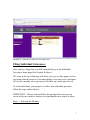
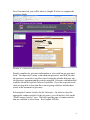
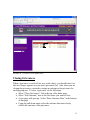
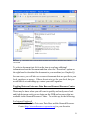
GRAPHIC B – INDIVIDUAL GRIEVANCES HOME PAGE
Filing Individual Grievances
Once you have logged on, you will automatically go to the Individual
Grievances home page (See Graphic B Above).
The icons at the top of this page will allow you to go to other pages, such as
accessing steward resources or creating/editing a case that is not a grievance.
All of your currently active grievances will show up on this page as well.
If, on the other hand, your purpose is to file a new individual grievance,
follow the steps outlined below:
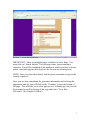
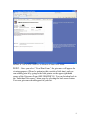
IMPORTANT: Always read and follow the prompts that come on your
screen as they are meant to instruct you regarding the next step to be taken.
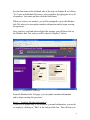
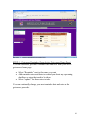
Step 1 -- Selecting the Member:
3