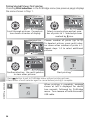
1
Image Mode
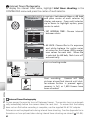
Image mode
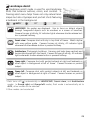
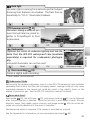
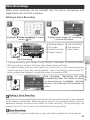
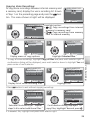
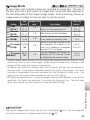
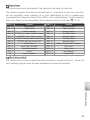
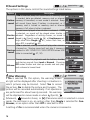
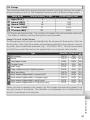
Pictures taken with a digital camera are recorded as image files. The size of
the files, and with it the number of images that can be recorded, depends on
the size and quality of the images (image mode). Before shooting, choose an
image mode according to how you plan to use the picture.
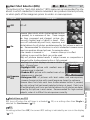
Size Compression
(pixels) *
ratio †
Description
2,816 ×
High quality, suitable for enlarge1:4
2112
ments or high-quality prints.
2,816 ×
1:8
Best choice in most situations.
2112
2,048 ×
Smaller size allows more pictures
1:8
1,536
to be stored on memory card.
Suited to printing at smaller sizes
PC screen 1,024 ×
(for example, in a letter or re1:8
(1024)
768
port) or to display on computer
monitors 17 in. or larger.
Can be displayed full screen on
TV screen 640 ×
television or 13 in. monitor. Suited
1:8
(640)
480
to distribution by e-mail or web.
Option
High
(2816★)
Normal
(2816)
Normal
(2048)
Print size
(cm/in.) ‡
24 × 18/
9½ × 7
24 × 18/
9½ × 7
17 × 13/
7×5
9 × 7/
3½ × 2½
5 × 4/
2 × 1½
* Smaller images create smaller files that require less memory and are suited to transmission by e-mail or use in web pages. When printed at larger sizes, however, small
images will be rough and uneven in appearance.
† To reduce the amount of memory each shot occupies, pictures are compressed as
they are saved. Compression selectively reduces the quality of the image. The more
a picture is compressed, the more noticeable this loss of quality is likely to be. The
figures show the approximate compression ratio for each setting.
‡ All figures are approximate. The size of images when printed depends on the printer
resolution: the higher the resolution, the smaller the final print size. The print sizes
given here assume a printer resolution of approximately 300 dpi.
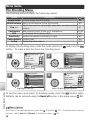
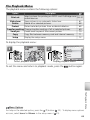
The Shooting Menu
Image Mode
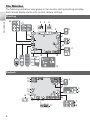
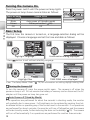
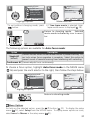
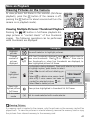
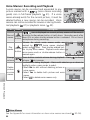
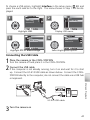
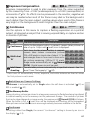
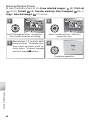
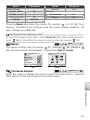
The current image mode is shown by an icon in the display (
for more information on image mode and file size ( 93).
4–5). See the Appendix
59