1
Feeders’ menu
T UM 3,4
The Feeders menu has four submenus for querying or checking the status
of all feeder modules:
Displaying empty tracks and setting them full
Omit components. (This menu can only be accessed from the ‘Line engineer' operator control level or higher).
Displaying magazines and changing inventory levels
Displaying and vibrating linear feeders
With the 80F placement machine there is an additional submenu, Functions with the wafflepack changer.
’Display and refill empty tracks’ menu
T UM 3.4.1
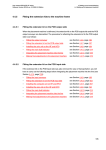
The empty tracks of feeder modules are displayed in this menu. After filling, you can set the tracks to full.
Depending on the option which has been activated, the following submenus will be called:
’Display empty tracks without component verification‘
'»~:.:>’,~:>’#/»-':
~~..
5
‘‘*7;“,"'~Fw:W“~\:*f<~yf—-1*‘
,i1
l
l-I %
**=~
1
"we
- "':~%='“'./~
5
i in‘
;
-- 1 _
».-:.,~;s;<::—;§;~;_-:;-:;_,;5;;~,;,;V
T .
i
h
N M--1
,
§§
-‘~ =
F
:
awwmaa g
"~§‘~'i§>‘I'Y'l":"~»
' “_3f_7:i_
i”“T““ ~
"’¥""”'
'
1
*4‘
unit
*
When you click on the button for location 1, 2, 3 or 4, the entire location
which you selected will be set to full.
When you select a particular feeder module in the list section and then
click on the Selected track button, the individual track will be set to full.
23