1
4. Installation and Operation
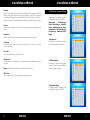
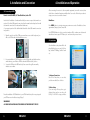
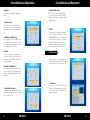
Move
Press Yellow button to select the channel you want to move, and move to the position
you like, or just input the numeric key, the channel you selected will move to that position
Lock
Here you can lock one channel, then you will need to have password to open it for viewing.
Edit
Press BLUE button to make editing of channel, you can rename and delete a channel in
this menu.
4. Installation and Operation
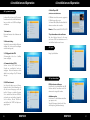
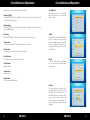
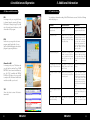
4.3 System Setup
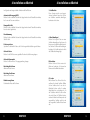
Here you can setup variety settings of
your set top box, TV output and Video
output according to the standard of your
country.
1. Language
User can set different languages in this
menu.
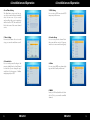
Skip
You can select the channel that you want to skip from the channel list
Sort
Here are some sorting option, and you can choose from, for example, from A to Z, and
from Z to A, and from Free to Scrambled order, or Lock channel order.
Delete
You can choose any channel you wish to delete in this menu.
NOTE: Radio Channels operation similar to the above
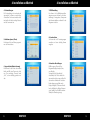
2. TV System
User can set Video Resolution; Aspect
Mode; Video output; Digital Audio Out
3. Display Setting
User can adjust the Brightness; Contrast;
Saturation in this menu
16
ENGLISH
ENGLISH
17