1
File Name
:
Project::
METRACKCO
manage.track.protect.relax
Sub Project
Revision:
:
RFIDUser Guide
Creator
SVT600/T1
Creation Date:
Update Date :
Accessories User Manual
V1.4
Page :
Confidential:
Humphrey NGUNDUE
2012-07-25
2013-07-4
1 of 13
External Documentation
7.3 OTA Online Upgrade
1. Ensure that the device is plugged in the external power supply, GPRS connection in normal, and connected to
the MS02
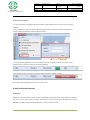
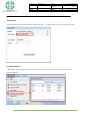
2. Log in the platform, select “Management” “Online Upgrade”menu , the system will pop up the login screen,
enter the platform password to login OTA upgrade interface
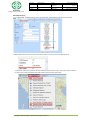
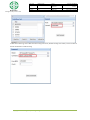
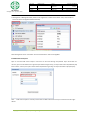
3. Entering the OTA upgrade interface, select the device you want to upgrade, the model, the current version,
upgrade version, next picture shows the device being upgraded
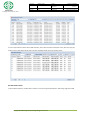
4. The upgrade has been completed, the platform will be prompted to upgrade, as shown:
Note: Support OTA upgrade software version, see OTA manual
8. RFID Card Reader Function
8.1RFID Use
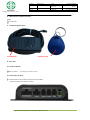
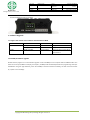
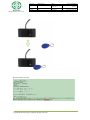
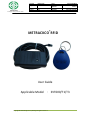
SVT600 has been connected to an external power supply, after booting, RFID reader indicator light (red) when the
card into the card reader range, the reader will flash green, and record the data. MYCOM software figure
00D19DD7 card RFID number (hexadecimal display), converted to decimal for 137
Copyright © 2013 Moango Group Holdings All rights reserved..6