1
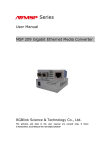
Gigabit Ethernet Multiplexerr User’s manual
www.kyopto.com
Gigabit Ethernet Multiplexer
(2×1.25G to 2.5G)3 x SFP
User’s Manual
Gigabit Ethernet Multiplexer User’s manua
3. LED Description
The Gigabit Ethernet Multiplexer aggregates
2 port Gigabit Ethernet into 1 port 2.5G uplink,
reducing the conversion CAPEX and increasing
the fiber utilization effectively. The multiplexer
can be used either in point-to-point topology
fuctioning as a media converter for transporting
two Gigabit Ethernet services over one fiber or
in CWDM system working as a wavelength
converter for extending the system’s transmitssion capacity doubly. The multiplexer is
equipped with three SFP-based ports: SFP1 is
2.5G uplink port, SFP2 and SFP3 are Gigabit
Ethernet service ports.The multiplexer must be
used in couples.
Before you installing the Multiplexer, verify
that the package contains the following:
1. The Gigabit Ethernet Multiplexer.
2. AC/DC Power Adapter.
3. This User’s Manual.
Piease notify your sales representative
immediately if any of the aforementioned items
is missing or damaged.
1000Base-SX/LX/LH
z Fiber Cable:
2.5G
P2
P3
PWR
Lit when SFP1 speed is 2.5Gbps
Lit when SFP1 connection is good.
Blinks when SFP1 data is transmitting.
Lit when SFP2 connection is good.
Blinks when SFP1 data is transmitting.
Lit when SFP3 connection is good.
Blinks when SFP3 data is transmitting.
Lit when +5V power is coming up.
Molti-mode: 50/125,62.5/125µm
Single-mode: 9/125µm.
z Data Transfer Rate:
2.5Gbps for SFP1, 1Gbps for SFP2 and SFP3.
z LED Indicators:
Power, P1 2.5G, P1 Link/Act, P2 Link/Act,
P3 Link/Act,
4. Installing Gigabit Ethernet Multiplexer
The multiplexer must be used in couples.
1. Attach one 2.5G SFP module to SFP1 Cage on the
Multiplexer. Attach two 1.25G SFP modules to
z Power Requirement: 220V(110-245V)AC,50Hz
z Ambient Temperature: 0 ~ 50℃
z Humidity: 5% ~ 90%
z Dimensions: 26×70×93mm(H×W×D)
SFP2 and SFP3 Cage on the Multiplexer.
2. Link fiber from the SFP1 on one Multiplexer with
6.Typical Application
1. Application 1
SFP1 on another Multiplexer. It can link through
CWDM system.
Mult iplex er
3. Link fiber from the SFP2 and SFP3 on the
Mult iple x er
F ib er
P1
P1
2 . 5G
Multiplexer to Gigabit Ethernet Service.
Note: SFP2 on one Multiplexer link pass only
2. Checklist
z Standerds: IEEE 802.3AB 1000Base-T
There are five LED At Front of Multiplexer:
P1
1.Overview
www.kyopto.com
2. 5G
P3
P2
1G
P2
P3
1G
1G
1G
with SFP2 on another Multiplexer. SFP3 on one
Multiplexer link pass only with SFP3 on another
Multiplexer.
Gig ab it
E th er net
S er vice
Gigab it
Eth er net
Ser vice
Gigab it
Eth er net
Ser vice
Gigab it
Eth er net
Ser vice
4. Connect the power cord to the Multiplexer and
check that the Power LED lights up. The Px
LEDs will light when all the cable connections
2. Application 2
Gigabi t E t hernet
S er vi c e 1
satisfactory.
P2
The Multiplexer conforms to the following standards:
P1
Fibe r
2. 5G
1G
5. Technical Specifications
Mult iplex er 2
Muk ti ple x er1
1G
G igabit E t her net
S ervi ce 2
P1
P2
2. 5G
P3
P3
Fiber
CWD M
M ux/ De -mux
G igabit E t her net
S ervi ce 3
1G
CWDM
Mux/ De-mux
1G
G igabi t E th er net
S er vi ce 4
Gigabit Ethernet Multiplexerr User’s manual
www.kyopto.com
Gigabit Ethernet Multiplexer User’s manua
www.kyopto.com
Gigabit Ethernet Multiplexer
(2×1.25G to 2.5G)
User’s Manual




![1 Drücken Sie den [MEAS/ENTER]](http://vs1.manualzilla.com/store/data/006738652_1-b310a9229ce00e9c097e8c2e8ac6def9-150x150.png)