1
Pinnacle MediaCenter
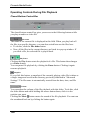
Shuffle playlist
In this field, you can activate or deactivate shuffle mode.
When shuffle mode is on, all of the titles you selected in the category (for
example, in the playlist or genre) are played in random order.
You can activate or deactivate shuffle mode for the current playback at any time
in the Music menu.
Photo slide show
Slide duration
In this field, you can enter how long a photo should be shown during a
slideshow.
Show photo captions
Activate this option to display the name of the current photo during photo
playback.
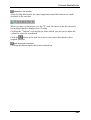
Pan scan
To make the presentation of your photos more exciting, activate this option to
place a Pan and scan filter over your photos. During a slideshow, an image is
then lightly zoomed in on so that only a cutout of the image is visible as the
image moves back and forth during the photo presentation.
Transition type
At this point, you can select the type of transition between the individual photos
during photo playback.
Background music playlist
If you would like to enhance your slideshow with a bit of background music,
select the music you want via this menu option.
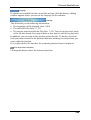
Repeat playlist
In this field, you can activate or deactivate repeat mode.
When repeat mode is on, all the photos you have selected in the category (for
example, the playlist or album) are played back repeatedly.
You can activate or deactivate repeat mode at any time in the Photo menu.
Shuffle playback
In this field, you can activate or deactivate shuffle mode.
When shuffle mode is on, all the photos you selected in the category (for
example, in the playlist or genre) are displayed in random order.
You can activate or deactivate shuffle mode at any time in the Photo menu.
20