1
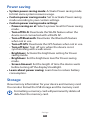
Power saving
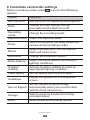
System power saving mode: Activate Power saving mode
to limit some system resource usage.
●● Custom power saving mode: Set to activate Power saving
mode according to your custom settings.
●● Custom power saving mode settings:
-- Power saving on at: Select a power level for Power saving
mode.
-- Turn off Wi-Fi: Deactivate the WLAN feature when the
device is not connected with a WLAN AP.
-- Turn off Bluetooth: Deactivate the Bluetooth feature
when not in use.
-- Turn off GPS: Deactivate the GPS feature when not in use.
-- Turn off Sync: Turn off sync when the device is not
synchronising with a web server.
-- Brightness: Activate the brightness setting for Power
saving mode.
-- Brightness: Set the brightness level for Power saving
mode.
-- Screen timeout: Set the length of time the device waits
before turning off the display’s backlight.
●● Learn about power saving: Learn how to reduce battery
consumption.
●●
Storage
View memory information for your device and memory card.
You can also format the USB storage and the memory card.
Formatting a memory card will permanently delete all
data from the memory card.
Settings
127