1
Nikon D810 Experience
or at least narrow down where the camera focuses using the autofocus Focus Points, or
Group-Area AF, or one of the Dynamic-Area groups of points. By doing so you are
telling the camera exactly where to autofocus or where to look to find a moving subject
to track. For example, you often want to focus on a subject’s eyes, but if you allow the
camera to choose the autofocus point by itself, it may select another part of the face, or
somewhere else on the body, or even a raised hand that is nearer to the camera than
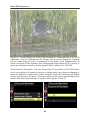
the face to focus most sharply on. If you are capturing an image of a bird in a tree the
camera has no idea you want the autofocus system to zero in on the bird so that it is in
sharp focus, and not on the branches or leaves near it or perhaps even the leaves
closer to you.
Be sure to read the Menus and Custom Settings section first to make sure your
camera is properly set up to make use of all the autofocus points, to always illuminate
your active Focus Point if desired, and various other recommended autofocus settings.
Most of these settings are in the Custom Setting a: Autofocus menu.
Autofocus works in part by looking for contrast so try to focus (locate your Focus Point
as you view it in the Viewfinder) on a texture or a detail with a pronounced line or some
amount of contrast between light and dark. It may not be able to focus on a large area
of consistent color - such as a white wall or clear blue sky, or even a uniformly colored
and illuminated shirt - or on a subject or scene that is too dark. It can be disrupted by
regular patterns and fine detail, or confused when looking through close objects to
objects farther away, such as looking through a screen or fence. And it sometimes fails
to work well in highly contrasting or dim light, though the Built-in AF-Assist Illuminator of
Custom Setting a10 can assist in this situation.
176