1
2
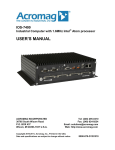
I/O SERVER User’s Manual
Industrial PC
__________________________________________________________________
TABLE OF
CONTENTS
IMPORTANT SAFETY CONSIDERATIONS
You must consider the possible negative effects of power, wiring,
component, sensor, or software failure in the design of any type of control
or monitoring system. This is very important where property loss or human
life is involved. It is important that you perform satisfactory overall system
design and it is agreed between you and Acromag, that this is your
responsibility.
1.0 General Information
The information in this manual
may change without notice.
Acromag makes no warranty
of any kind with regard to this
material, including, but not
limited to, the implied
warranties of merchantability
and fitness for a particular
purpose. Further, Acromag
assumes no responsibility for
any errors that may appear in
this manual and makes no
commitment to update, or
keep current, the information
contained in this manual. No
part of this manual may be
copied or reproduced in any
form without the prior written
consent of Acromag, Inc.
KEY FEATURES………………………………………...
BOARD CONTROL SOFTWARE……………………..
SIGNAL INTERFACE PRODUCTS……………………
4
5
5
2.0 PREPARATION FOR USE
UNPACKING AND INSPECTION……………………..
BOARD CONFIGURATION…………………………….
Default Hardware Configuration……………….
IOS MODULE INSTALLATION………………………..
FRONT PANEL FIELD I/O CONNECTOR……………
10/100 Ethernet Connection…………………….
VGA Video Connection…………………………..
Serial Connections……………………………….
USB Ports…………………………………………..
Audio Jacks………………………………………..
IOS Modules Field I/O……………………………
REAR PANEL FIELD CONNECTORS………………..
®
CompactFlash ……………………………………
Power & LEDs……………………………………..
OPTIONAL 2.5” DRIVE…………………………………
2.5” IDE Drive Installation……………………….
NON-ISOLATION CONSIDERATIONS……………….
6
6
6
7
8
8
9
9
10
10
11
11
11
12
12
12
13
3.0 BIOS
MAIN MENU……………………………………………...
Passwords…………………………………………
STANDARD CMOS FEATURES………………………
ADVANCED BIOS FEATURES………………………..
ADVANCED CHIPSET FEATURES…………………..
INTEGRATED PERIPHERALS………………………..
POWER MANAGEMENT SETUP……………………..
PnP/PCI CONFIGURATIONS………………………….
PC HEALTH STATUS…………………………………..
BIOS RECOVERY PROCEDURE……………………..
14
15
16
17
19
20
21
22
22
23
________________________________________________________________________
Acromag, Inc. Tel:248-295-0310 Fax:248-624-9234 Email:[email protected] http://www.acromag.com