1
PRT_ROUTE
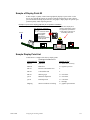
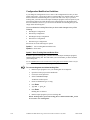
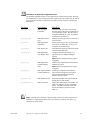
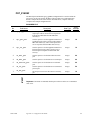
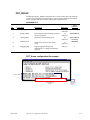
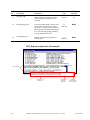
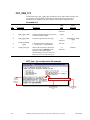
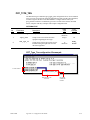
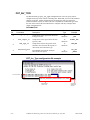
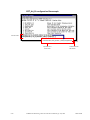
The PRT Route (prt_route) configuration file is used to define all of the routes that
exist between regions. This enables automatic transition of items based on changes in
CIMPLICITY Point values. Each of the fields is described below, complete with entry
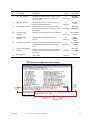
examples and a sample configuration file.
REQUIRED FILE
No.
Field Name
Description
Data
Type
Entry
Example
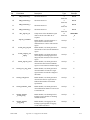
0
orig_region_id
Name of the source region (where the item
will exit).
16
characters
ASMBLY
LNE2_NOR
1
dest_region_id
Name of the destination region (where the
item will enter).
16
characters
ROBOT1
_COM
2
item_type_id
Unique name for the item type that may travel
between the two regions. Use the wildcard
character (*) to validate all item types through
this route.
16
characters
*
3
transition_ptid
Point ID that represents the transition between
the two regions.
55
characters
AL2_RB1
_TRANS
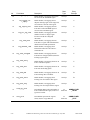
4
set_ptid
Point ID that will display when the item is
transitioned. Must be of class, Text and should
be no more than 36 characters. Data is
displayed as follows:
55
characters
PRT_
OUTPUT
16
characters
Blank
16 characters – Item Type ID.
20 characters – Item ID when item type is
serialized; otherwise, associated or parent item
ID.
5
GFK-1694B
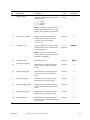
translation_id
Depending on Field 6 (translation_
type_code), configure as follows:
translation_type_code = 2: translation to
use to interpret this transition indicator.
translation_type_code = 3, 4 or 5: Up to
3 characters that will be attached as a
prefix to the Point value prior to
processing. This allows items with the
same ID to be identified in different parts
of the factory.
translation_type_code = 1, 6 or 7: NOT
USED.
Appendix A – Configuration File Guide
A-21