1
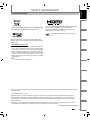
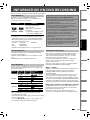
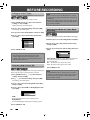
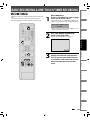
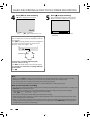
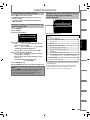
This unit uses the following on-screen displays and menus to guide you to the easy operations.
The on-screen displays give you the information on the loaded disc or the disc/file in playback or the HDMI status, etc.
The menus allow you to change the various kinds of settings for playing back, recording or editing to suit your preference.
Introduction
BEFORE YOU START
Guide to On-Screen Display / Menu
OFF
Disc Information / Menu
7
DVD mode
1/ 5
Disc Information/Menu (only in DVD mode)
or
VCR Information (only in VCR mode)
0:01:00 / 1:23:45
-RW
VR
ORG
L1 (Rear)
5
6
1
3
2
SP
5
1:53
4
Recording
HDMI Information
(only for the images output through the HDMI output)
2
1/ 5
Basic Setup
Title Name Information (only in DVD mode)
(only when DVD-RW/DVD-R is in playback)
or
File Name Information (only in CD mode)
(only when a CD with JPEG / KODAK picture CD files
is in playback)
Connections
The on-screen display changes in the following order
as you press [DISPLAY].
* This is an example screen only for explanation.
Displayed items vary depending on the disc you
inserted.
Playback
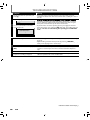
1. Indicates a disc type and format mode.
2. Indicates a type of titles for VR mode DVD-RW .
3. Indicates the selected external input channel.
4. Indicates a recording mode and possible recording
time left.
5. Indicates an operation status.
6. Each icon means:
: Search
Editing
: Audio
: Subtitle
: Angle
: Marker
: Noise Reduction
: Zoom
VCR Functions
7. Indicates the current title number/total number of
titles, the current chapter number/total number of
chapters, and time lapse of the current title playback/
total duration of the title.
Function Setup
: Repeat
Others
Español
EN
21