1
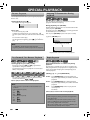
Step by Step Playback
Introduction
SPECIAL PLAYBACK
Zoom
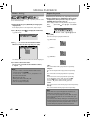
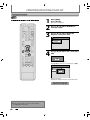
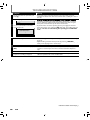
1) During playback, press [DISPLAY] to bring up the
display menu.
Connections
2) Use [{
{ / B] to select
menu.
e.g.) DVD-video
1/ 5
1/ 5
0:01:00 / 1:23:45
Basic Setup
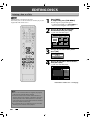
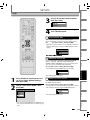
1) During playback, press [F].
Playback will be paused and sound will be muted.
2) Press [G] repeatedly.
Playback will advance one frame (or step) at a time
when you press [G] with the sound muted.
To play back step by step backward:
Press [H] repeatedly.
Every time you press the button, the playback will go
backward by one frame.
• Press and hold [H] / [G] to reverse/ advance
continuously.
3) Press [ B] to return to the normal playback.
DVD Video
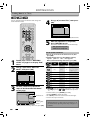
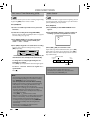
3) Use [K / L] to select a desired zoom factor to zoom,
then press [OK].
1/ 5
1/ 5
Recording
Slow Forward / Slow Reverse Playback
0:01:00 / 1:23:45
DVD Video
× 1.2
× 1.5
× 2.0
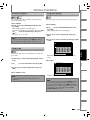
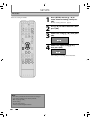
1) During playback, press [F]. Then press
[ D] or [E ].
Every time you press [ D] or [E ], approximate
speed will be changed as follows. (The sound will
remain muted.)
1/8x
1/16x
pause
1/16x
1/8x
Zoom area will be displayed.
4) Use [K / L / { / B] to select a desired zoom
position, then press [OK].
Editing
2) Press [ B] to return to the normal playback.
1/3x
Playback
1/4x
Zoom menu will appear.
There are four options
(x1.0, x1.2, x1.5 and x2.0), these are displayed
excluding the current zoom rate.
Note
Function Setup
Zoom playback will start.
Note
Others
• When selecting a smaller factor than the current one,
the zoom area will not be displayed.
• To exit the zoom menu, press [RETURN] repeatedly
at step 3.
• To cancel the zoom function, select “x1.0” using
[K / L], then press [OK].
• You cannot slide the zoomed picture on some JPEG
files.
VCR Functions
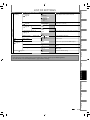
• Forward/reverse speed will be indicated with icons
as follows.
forward (approx. speed)
1/16x:
1/8x:
1/3x:
reverse (approx. speed)
1/16x:
1/8x:
1/4x:
Español
EN
51