1
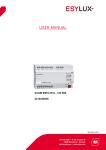
USER MANUAL CU-DIN LC KNX EC10430534 MA00653601 USER MANUAL Table of contents 1 Description ................................................................................................2 2 Safety instructions ......................................................................................3 3 Product Funtions ........................................................................................3 3.1 3.2 3.3 3.4 3.5 3.6 Coupler .......................................................................................... 3 Repeater ........................................................................................ 4 Function description ........................................................................ 4 Normal mode .................................................................................. 4 Function button .............................................................................. 6 Addressing mode............................................................................. 6 4 Technical Data ...........................................................................................7 5 Technical drawing ......................................................................................8 6 Application Description Coupler ...................................................................8 7 ETS-Parameters Coupler..............................................................................9 7.1 7.2 7.3 7.4 Settings ......................................................................................... 9 GENERAL ...................................................................................... 9 Main line...................................................................................... 10 Sub line ....................................................................................... 12 8 Application Description Repeater ...............................................................14 9 ETS-Parameters Repeater ..........................................................................15 9.1 9.2 9.3 9.4 Settings ....................................................................................... 15 General ........................................................................................ 15 Main Line ..................................................................................... 16 Sub line ....................................................................................... 18 10 Product disposal ......................................................................................19 11 ESYLUX manufacturer´s guarantee .............................................................19 CU-DIN LC KNX 1 / 20 USER MANUAL 1 Description The Esylux CU-DIN LC KNX can be used as a line/backbone coupler or as a line repeater. Note: Please note that commissioning straight at delivery status means: The line coupler does block all telegrams because the filter table is not defined, The fallback time after manual operation is 120 min and The physical address is 15.15.0. Note: Use this product only as intended (as described in the user instructions). Do not make any changes or alterations as this will render any warrantees null and void. You should check the device for damage immediately after unpacking it. If there is any damage, you should not install the device under any circumstances. CU-DIN LC KNX 2 / 20 USER MANUAL If you suspect that safe operation of the device cannot be guaranteed, you should turn the device off immediately and make sure that it cannot be operated unintentionally. 2 Safety instructions 3 Work on the 230 V power system must be carried out by authorized personnel only, with due regard to the applicable installation regulations. Switch off the power supply before installing the system. The 21–30 V KNX bus voltage cannot be used as 24 V operating or auxiliary voltage. Please observe the installation instructions for the SELV protective measure. Product Funtions 3.1 Coupler The basic functionality of CU-DIN LC KNX is coupling a KNX-TP-main line with a KNX-TP-sub line. CU-DIN LC KNX provides galvanic isolation between the two connected lines. Due to the flexibility of CU-DIN LC KNX, the coupler can be used as a line coupler to connect a line to a main line or as a backbone coupler to connect a main line to a backbone line. The main task of CU-DIN LC KNX is filtering the traffic according the installation place in the hierarchy or according to the built in filter tables for group oriented communication. The CU-DIN LC KNX provides outstanding features compared to other similar products, for example support for long messages (up to 250 byte length) and a configurable one button activation of special functions (e.g. transmit all group telegrams).These are helpful during installation, during run time and for trouble shooting. The high informative 6 duo LED display shows accurate the bus status on each line. This helps identifying common communication problems due to bus load or retransmissions on both lines. CU-DIN LC KNX 3 / 20 USER MANUAL 3.2 Repeater The function of CU-DIN LC KNX as repeater has the target to link two lines for data transfer. CU-DIN LC KNX as repeater still provides galvanic isolation between the connected lines. Up to three line repeaters can be used behind a line coupler. As a result, up to four lines can form a complete line. Each line must be supplied by a dedicated KNX power supply. 3.3 Function description LEDs Bus Stat, Traffic and GA are green or red. LED PA is green or yellow. 3.4 Normal mode LED Bus Stat Main green Off: main line error On: main line ok LED Bus Stat Main red On: manual overwrite active CU-DIN LC KNX 4 / 20 USER MANUAL LED Bus Stat Sub green Off: sub line error or not connected On: sub line ok LED Traffic Main green Blinking: bus traffic on main line Off: no traffic on main line LED Traffic Sub green Blinking: bus traffic on sub line Off: no traffic on sub line LED Traffic Main red Blinking: transmission error on main line LED Traffic Sub red Blinking: transmission error on sub line LED Group Address Routing of group telegrams Off: main and sub different Green: filter table active Green and red: route all Red: block LED Physical Address Routing of physical addressed telegrams Off: main and sub different Green: filter table active Green and yellow: route all Yellow: block CU-DIN LC KNX 5 / 20 USER MANUAL 3.5 Function button Long press (3 sec) Switch to manual override. Default function is set with main line and (sub) line parameter. Manual override functionality is configured in “General parameters”. LED Bus Stat Main red On: manual override active Off: default configuration active Note: The latest downloaded settings (parameters) and filter table are still available after switching back from “Manual operation” to “Normal operation”. Very long press (15s) LEDs: Bus Stat Main, Bus Stat Sub, Group Addr, Physical Addr are on red release button and press again for some sec: resets all the parameter to factory default (incl. physical address). 3.6 Addressing mode LED addressing mode Off: normal operating mode On: addressing mode After receiving the physical address the line coupler automatically returns from addressing mode to the normal operating mode. Button addressing mode Button for switching between normal operating mode and addressing mode for assigning the physical address. CU-DIN LC KNX 6 / 20 USER MANUAL 4 Technical Data Supply Bus main line Current consumption from Bus approx. 30 mA Bus connector: main and KNX Wago bus connecting terminal (red/black) screw less for single-core cable Ø 0,6 to 0,8 mm sub line Display elements LED Bus Stat Main LED Traffic Main LED GA (Group Address)LED for programming mode Control elements Function button, Programming button Installation on 35 mm DIN rail mount Type of protection IP 20 according to EN 60529 Bus Safety extra low voltage 21…30V SELV Certification KNX Housing colour Plastic PA66 housing grey Dimensions DIN-rail mounted deviceH= 90mm, W= 36mm (2 SU), D= 70mmMounting depth 64 mm Weight 66 g Temperature range Operation: 0°C… +45°C non-condensingStorage: 20°C… +60°C Relative humidity 5% to 93% non-condensing LED Bus Stat Sub LED Traffic SubLED PA (Physical Address) CE Mark in accordance with EMC Standard 2004/1008/EC RoHS 2011/65/EU CU-DIN LC KNX 7 / 20 USER MANUAL 5 Technical drawing Note: Please note that all dimensions are in mm. Device width is 2 SU. 6 Application Description Coupler If the coupler receives telegrams (for example during commissioning) which use a physical address as destination address, it compares the physical addresses of the receiver with its own physical address and then decides whether it must route the telegrams or not. The coupler reacts to telegrams with group addresses in accordance with its parameter settings. During normal operation (default setting), the coupler only routes those telegrams whose group addresses have been entered in its filter table. If the coupler routes a telegram and does not receive an acknowledgement, or if a bus device finds a transmission error, the coupler repeats the telegram three times. With the parameters „Repetitions if errors...“, this behaviour can be set separately for both lines. These parameters should be left in the default setting. CU-DIN LC KNX 8 / 20 USER MANUAL 7 ETS-Parameters Coupler 7.1 Settings If not already configured as “coupler”, the corresponding application program for “coupler” should be downloaded. Change can occur under “Change Application Program…” and could be checked under “Properties”: 7.2 GENERAL Fig. 1: General CU-DIN LC KNX 9 / 20 USER MANUAL ETS-Text Range [Default value] Comment Fallback time for manual operation 10 min, 1 hour, 4 hours, 8 hours [1 hour] Time duration required to exit from “manual operation” Manual function Disabled Pass all telegrams Pass physical telegrams Pass group telegrams [pass all telegrams] Telegram routing configuration for the manual function. Table 1: Parameter General Note: Please note that the parameter “transmit all” for Group or Physical telegrams is intended only for testing purposes and it should not be set for normal operation. 7.3 Main line Fig. 2: Main Line ETS-Text Range[Default value] Comment Configuration groups: filter, physical: block groups, physical: filter groups: route, physical: filter Block: no telegram is routed. Filter: Only telegrams are routed which are entered in the filter table. Route: the telegrams are routed. CU-DIN LC KNX 10 / 20 USER MANUAL groups, physical: route configure [groups, physical: filter] Configure: the following parameters can be set individually. This parameter is to be set depending on the planed configuration. Group telegrams 1. transmit all (for testing only) 2. block 3. filter [filter] 1. All group telegrams are transmitted. 2. No group telegram is transmitted. 3. Only group telegrams are routed which are entered in the filter table. The ETS 3/4 produces the filter table automatically. Main group telegrams 14/15 1. transmit all 2. block [transmit all] 1. Group telegrams with the main group 14 or 15 (e.g. 14/1) are routed. 2. Group telegrams with the main group 14 or 15 (e.g. 14/1) are not routed. Physical telegrams 1. transmit all (for testing only) 2. block 3. filter [filter] 1. All physical telegrams are transmitted. 2. No physical telegram is transmitted. 3. Only physical telegrams are routed based on physical address. Physical: Repetition if errors on main line 1. no 2. normal 3. reduced [normal] If a transmission error (e.g. due to missing receiver) is found when sending a physical telegram on the main line: 1. The physical telegram is not repeated. 2. The physical telegram is repeated up to 3 times. 3. The physical telegram will be repeated only one time. Group: Repetition if errors on main line 1. no 2. normal 3. reduced [normal] If a transmission error (e.g. due to missing receiver) is found when sending a group telegram on the main line: 1. The group telegram is not repeated. CU-DIN LC KNX 11 / 20 USER MANUAL 2. The group telegram is repeated up to 3 times. 3. The group telegram will be repeated only one time. Telegram confirmations on line 1. if routed 2. always [if routed] 1. Only telegrams which are to be routed are confirmed on the main line (ACK). 2. Each telegram on the main line is confirmed (ACK). Send confirmation on own telegrams 1. yes 2. no [no] 1. Every telegram on the main line is confirmed with its own ACK (from the Line coupler). 2. No confirmation with own ACK See note below Table 2: Main Line Note: If the parameter “Send confirmation on own telegrams” is set yes, the line coupler will send an ACK systematically when sending any own routed telegram. 7.4 Sub line Fig. 3: Sub line ETS-Text Range [Default value] Configuration groups: filter, physical: block groups, physical: filter CU-DIN LC KNX Comment Block: no telegram is routed. 12 / 20 USER MANUAL groups: route, physical: filter groups, physical: route configure [groups, physical: filter] Filter: Only telegrams are routed which are entered in the filter table. Route: the telegrams are routed. Configure: the following parameters can be set individually. This parameter is to be set depending on the planed configuration. Group telegrams 1. transmit all (for testing only) 2. block 3. filter [filter] 1. All group telegrams are transmitted. 2. No group telegram is transmitted. 3. Only group telegrams are routed which are entered in the filter table. The ETS 3/4 produces the filter table automatically. Sub group telegrams 14/15 1. transmit all 2. block [transmit all] 1. Group telegrams with the sub group 14 or 15 (e.g. 14/1) are routed. 2. Group telegrams with the sub group 14 or 15 (e.g. 14/1) are not routed. Physical telegrams 1. transmit all (for testing only) 2. block 3. filter [filter] 1. All physical telegrams are transmitted. 2. No physical telegram is transmitted. 3. Only physical telegrams are routed based on physical address. Physical: Repetition if errors on sub line 1. no 2. normal 3. reduced [normal] If a transmission error (e.g. due to missing receiver) is found when sending a physical telegram on the sub line: 1. The physical telegram is not repeated. 2. The physical telegram is repeated up to 3 times. 3. The physical telegram will be repeated only one time. CU-DIN LC KNX 13 / 20 USER MANUAL Group: Repetition if errors on sub line 1. no 2. normal 3. reduced [normal] If a transmission error (e.g. due to missing receiver) is found when sending a group telegram on the sub line: 1. The group telegram is not repeated. 2. The group telegram is repeated up to 3 times. 3. The group telegram will be repeated only one time. Telegram confirmations on line 1. if routed 2. always [if routed] 1. Only telegrams which are to be routed are confirmed on the sub line (ACK). 2. Each telegram on the sub line is confirmed (ACK). Send confirmation on own telegrams 1. yes 2. no [no] 1. Every telegram on the sub line is confirmed with its own ACK (from the Line coupler). 2. No confirmation with own ACK Table 3: Sub Line 8 Application Description Repeater Line repeaters do not have any filter tables. This means that a telegram is sent to all lines irrespective of whether it is processed in the corresponding line. It is therefore not important whether the telegram has been triggered within the lines or whether it has been sent from the main line to the lines via the line coupler. If an error occurs during the transmission of a telegram with the physical address of a receiver, the line repeater can repeat the telegram. This behaviour can be set separately for both line segments with the parameters „ Physical: Repetition if errors on main line/on sub line“. If the line repeater routes a group telegram and does not receive an acknowledgement, or if a bus device finds a transmission error, the line repeater repeats the telegram three times. With the parameters „Group: Repetition if errors on main line/on sub line“, this behaviour can be set separately for main line and sub line. CU-DIN LC KNX 14 / 20 USER MANUAL 9 ETS-Parameters Repeater 9.1 Settings If not already configured as “repeater”, the corresponding application program for “repeater” should be downloaded. Change can occur under “Change Application Program…” and could be checked under “Properties”: 9.2 General Fig. 4: General CU-DIN LC KNX 15 / 20 USER MANUAL ETS-Text Range [Default value] Comment Fallback time for manual operation 10 min, 1 hour, 4 hours, 8 hours [1 hour] Time duration required to exit from “manual operation” Manual function Disabled Pass all telegrams Pass physical telegrams Pass group telegrams [pass all telegrams] Telegram routing configuration for the manual function. Table 4: Parameter General 9.3 Main Line Picture 5: Main Line ETS-Text Range [Default value] Configuration groups, physical: route configure [groups, physical: route] CU-DIN LC KNX Comment Route: the telegrams are routed. Configure: the following parameters can be set individually. This parameter is to be set depending on the planed configuration. 16 / 20 USER MANUAL Physical telegrams 1. transmit all 2. block [transmit all] 1. All physical telegrams are transmitted. 2. No physical telegram is transmitted. Physical: Repetition if errors on main line 1. no 2. normal 3. reduced [reduced] If a transmission error (e.g. due to missing receiver) is found when sending a physical telegram on the main line: 1. The physical telegram is not repeated. 2. The physical telegram is repeated up to 3 times. 3. The physical telegram will be repeated only one time. Group: Repetition if errors on main line 1. no 2. normal 3. reduced [reduced] If a transmission error (e.g. due to missing receiver) is found when sending a group telegram on the main line: 1. The group telegram is not repeated. 2. The group telegram is repeated up to 3 times. 3. The group telegram will be repeated only one time. Telegram confirmations on line 1. if routed 2. always [always] 1. Only telegrams which are to be routed are confirmed on the main line (ACK). 2. Each telegram on the main line is confirmed (ACK). Send confirmation on own telegrams 1. yes 2. no [yes] 1. Every telegram on the main line is confirmed with its own ACK (from the Line coupler). 2. No confirmation with own ACK See note below Table 5: Main Line Note: If the parameter “Send confirmation on own telegrams” is set yes, the repeater will send an ACK systematically when sending any own routed telegram. CU-DIN LC KNX 17 / 20 USER MANUAL 9.4 Sub line Fig. 6: Sub line ETS-Text Range [Default value] Configuration groups, physical: route configure [groups, physical: route] Route: the telegrams are routed. Configure: the following parameters can be set individually. This parameter is to be set depending on the planed configuration. Physical telegrams 1. transmit all 2. block [transmit all] 1. All physical telegrams are transmitted. 2. No physical telegram is transmitted. Physical: Repetition if errors on sub line 1. no 2. normal 3. reduced [reduced] If a transmission error (e.g. due to missing receiver) is found when sending a physical telegram on the sub line: 1. The physical telegram is not repeated. 2. The physical telegram is repeated up to 3 times. CU-DIN LC KNX Comment 18 / 20 USER MANUAL 3. The physical telegram will be repeated only one time. Group: Repetition if errors on sub line 1. no 2. normal 3. reduced [reduced] If a transmission error (e.g. due to missing receiver) is found when sending a group telegram on the sub line: 1. The group telegram is not repeated. 2. The group telegram is repeated up to 3 times. 3. The group telegram will be repeated only one time. Telegram confirmations on line 1. if routed 2. always [always] 1. Only telegrams which are to be routed are confirmed on the sub line (ACK). 2. Each telegram on the sub line is confirmed (ACK). Send confirmation on own telegrams 1. yes 2. no [yes] 1. Every telegram on the sub line is confirmed with its own ACK (from the Line coupler). 2. No confirmation with own ACK Table 6: Sub Line 10 Product disposal This device must not be disposed of as unsorted household waste. Used devices must be disposed of correctly. Contact your local town council for more information. 11 ESYLUX manufacturer´s guarantee ESYLUX products are tested in accordance with applicable regulations and manufactured with the utmost care. The guarantor, ESYLUX Deutschland GmbH, Postfach 1840, D-22908 Ahrensburg, Germany (for Germany) or the relevant ESYLUX distributor in your country (visit www.esylux.com for a complete overview) provides a guarantee against manufacturing/material defects in ESYLUX devices for a period of three years from the date of manufacture. This CU-DIN LC KNX 19 / 20 USER MANUAL guarantee is independent of your legal rights with respect to the seller of the device. The guarantee does not apply to natural wear and tear, changes/interference caused by environmental factors or damage in transit, nor to damage caused as a result of failure to follow the user or maintenance instructions and/or as a result of improper installation. Any illuminants or batteries supplied with the device are not covered by the guarantee. The guarantee can only be honoured if the device is sent back with the invoice/receipt, unchanged, packed and with sufficient postage to the guarantor, along with a brief description of the fault, as soon as a defect has been identified. If the guarantee claim proves justified, the guarantor will, within a reasonable period, either repair the device or replace it. The guarantee does not cover further claims; in particular, the guarantor will not be liable for damages resulting from the device’s defectiveness. If the claim is unfounded (e.g. because the guarantee has expired or the fault is not covered by the guarantee), then the guarantor may attempt to repair the device for you for a fee, keeping costs to a minimum. CU-DIN LC KNX 20 / 20