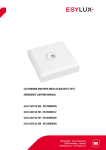
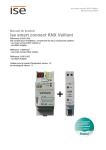
1
USER MANUAL CU-DIN HVAC KNX EC10430503 MA00653000 USER MANUAL TABLE OF CONTENTS 1 2 3 4 DESCRIPTION ....................................................................................... 3 SAFETY INSTRUCTIONS ........................................................................... 4 PRODUCT FUNCTION .............................................................................. 4 HARDWARE .......................................................................................... 6 4.1 TECHNICAL DATA ................................................................................ 6 4.2 PRODUCT AND FUNCTIONAL DESCRIPTION .................................................. 8 CA-DIN TP FOR HVAC 2.5M ......................................................................... 8 5 4.2.1 SENSOR SERIAL NUMBER ................................................................... 9 4.2.2 WIRING DIAGRAM CA-DIN TP FOR HVAC 2.5M ...................................... 9 4.3 DIMENSIONAL DRAWINGS ................................................................... 10 4.4 WIRING DIAGRAM ............................................................................. 10 4.5 MAINTENANCE AND CAUTIONS ............................................................. 12 SOFTWARE......................................................................................... 13 5.1 DATABASE FUNCTIONS - OVERVIEW ....................................................... 13 5.2 "GENERAL" FUNCTION PARAMETER ........................................................ 15 5.3 "HEATING AND COOLING" PARAMETER FUNCTION ....................................... 17 5.3.1 ACTUAL TEMPERATURE .................................................................... 21 5.3.2 SETPOINT ..................................................................................... 25 5.3.3 FAN ............................................................................................. 29 5.3.4 VALVE .......................................................................................... 36 5.3.5 5.4 5.3.4.1 HEATING/COOLING VALVE (RELAY) ........................................ 37 5.3.4.2 HEATING/COOLING VALVE (0-10V) ....................................... 43 FUNCTION STATUS .......................................................................... 47 "FLOOR HEATING" FUNCTION PARAMETER ................................................ 52 5.4.1 CHANNEL A (FLOOR HEATING) ........................................................... 53 5.4.1.1 OPERATION MODE ........................................................................ 57 5.4.1.2 VALVE ........................................................................................ 60 5.5 "SWITCH ACTUATOR" FUNCTION PARAMETER ............................................ 65 CU-DIN HVAC KNX 1 von 91 USER MANUAL 6 COMMUNICATION OBJECTS DESCRIPTIONS ................................................. 71 6.1 "GENERAL" OBJECTS ......................................................................... 71 6.2 FAN/FAN COIL CONTROLLER ................................................................ 71 6.3 6.4 6.2.1 "ACTUAL TEMPERATURE" OBJECTS ...................................................... 71 6.2.2 "SETPOINT" OBJECTS ....................................................................... 73 6.2.3 "HVAC CONTROL MODE" OBJECTS ....................................................... 73 6.2.4 "HVAC MODE" OBJECTS.................................................................... 74 6.2.5 "FAN" OBJECTS ............................................................................... 75 6.2.6 "FAN STATUS" OBJECTS .................................................................... 77 6.2.7 "FAN LIMIT" OBJECTS ....................................................................... 79 6.2.8 "VALVE HEATING" OBJECTS ................................................................ 80 6.2.9 "VALVE COOLING" OBJECTS ................................................................ 81 FLOOR HEATING ............................................................................... 82 6.3.1 "SLAVE CLOCK" OBJECTS................................................................... 82 6.3.2 "PIPE PRESSURE PROTECTION" OBJECTS .............................................. 82 6.3.3 "FLOOR HEATING N" OBJECTS ............................................................ 83 SWITCH ACTUATOR ........................................................................... 88 6.4.1 7 APPLICATION...................................................................................... 90 7.1 8 9 "OUTPUT N" OBJECTS ...................................................................... 88 PROGRAM FUNCTIONS DIAGRAM ........................................................... 90 PRODUCT DISPOSAL ............................................................................. 91 ESYLUX MANUFACTURER´S GUARANTEE .................................................. 91 CU-DIN HVAC KNX 2 von 91 USER MANUAL 1 DESCRIPTION The ESYLUX KNX/EIB series Fan Coil Unit Controller is developed by ESYLUX. The KNX/EIB BUS is used to communicate with other KNX devices. The database must be downloaded from ESYLUX webpage to the Fan Coil Unit Controller using ETS 3.0E/ETS4/ETS5. This document describes how to use the product. Our products are manufactured according to EMC, electrical safety and environmental conditions. The Fan Coil Unit Controller is used to control fan coil units (heating and cooling terminal units), floor heating or switch actuators. It is installed in the electric switch cabinet and supplied via a central heating and cooling system. The room temperature can be very quickly adapted to individual requirements using this system. The applications described in the following enable control of Fans Blowers Fan coil units Valves for heating or cooling Electrical loads The outputs which are not required for the fans, blowers and fan coil functions can be used as switch actuators for switching electrical loads or as heating actuators for controlling valves. The rights and the copyright to this manual are the exclusive property of ESYLUX. Note: Use this product only as intended (as described in the user instructions). Do not make any changes or alterations as this will render any warrantees null and void. You should check the device for damage immediately after unpacking it. If there is any damage, you should not install the device under any circumstances. If you suspect that safe operation of the device cannot be guaranteed, you should turn the device off immediately and make sure that it cannot be operated unintentionally. CU-DIN HVAC KNX 3 von 91 USER MANUAL 2 SAFETY INSTRUCTIONS Work on the 230 V power system must be carried out by authorized personnel only, with due regard to the applicable installation regulations. Switch off the power supply before installing the system. The 21 – 30 V KNX bus voltage cannot be used as 24 V operating or auxiliary voltage. Max. Relay output 10 A 3 PRODUCT FUNCTION The Fan Coil Unit Controller is used to control fan coil units, floor heating or switch actuators. Depending on the design of the device, fan coil units are used in 2-pipe systems (heating only, cooling only, or heating and cooling via a common piping system) or alternatively in 4-pipe systems (heating and cooling via separate pipes). They can control up to three fan speeds (relay or 0-10V outputs) as well as heating or cooling valves (proportional or electrothermal valve) respectively. The mode of control is based on two-step control or a timediscrete PI controller with setpoint/actual value comparison. The valves and the fan can be regulated directly by devices via the closed loop of this controller. When the Fan Coil Unit Controller is used for floor heating, the maximum which can be controlled are seven channel outputs. All floor heating channel control use a time-discrete PI controller with setpoint/actual value comparison. CU-DIN HVAC KNX 4 von 91 USER MANUAL The following functions can be set: CU-DIN HVAC KNX Five channel 10A relay outputs Two channel 0-10V DC outputs Fan speed: High, Medium, Low HVAC work mode: Heating, Cooling HVAC operating mode: Standby mode, Comfort mode, Night mode, Frost protection Fan speed and Valve status report Seven local temperature samples BUS temperature sampling Local temperature report Seven channel floor heating outputs Five control modes for each floor heating channel Seven independent channel outputs Channel statistics total ON time Channel state response Channel state following bus voltage failure and recovery Staircase light Delay PWM control output 5 von 91 USER MANUAL 4 HARDWARE Technical properties of the ESYLUX KNX/EIB. The fan coil controller is described in the following sections. 4.1 TECHNICAL DATA Power supply Operating voltage (supply by the bus) 21–30 V Current consumption EIB/KNX (operate) <15 mA Current consumption EIB/KNX(standby) <5 mA Nominal output values Number of contacts 5 relay and 2 channel 010V In rated current Relay 10 A and 0-10V 5mA Power loss per device at max. load 2W In rated voltage 230 V~ EIB/KNX Bus connection terminal 0.8 mm Ø, single core Load circuits Screw terminal combination type Cable cross-section 0.2 … 6 mm² Stripping length 6 – 7 mm Tightening torque Max. 0.85 Nm Connections CU-DIN HVAC KNX 6 von 91 USER MANUAL Operation and display Red LED and EIB/KNX program button for assignment of the physical address. The green LED flashing on the EIB/KNX program button indicates the measurement of the local temperature. The green LED flashing on the top shell indicates that the device is working. NOTE: Press the EIB/KNX program button for 3 seconds to refresh the local temperature sensor (CA-DIN TP for HVAC 2.5m). Temperature input Local temperature sensor CU-DIN TP for HVAC 2.5m (max. 7sensor) Temperature range Operation 0°C to +45° C Storage -40°C to +55° C Transport -25°C to +70° C Environmental conditions Humidity max. 93% Noncondensing Appearance design Modular DIN rail modular installation Dimensions (H x W x D) 90 x 72 x 65 Weight (kg) 0.26 Installation use 35-mm mounting rail Mounting position Electric switch cabinet CE Mark in accordance with EMC Standard 2004/1008/EC LVD Standard 2006/95/EC RoHS 2011/65/EU CU-DIN HVAC KNX 7 von 91 USER MANUAL Note: Programming requires the EIB software tools ETS 3.0E/ETS4/ETS5 Max. number of communication objects 230 Max. number of group addresses 254 Max. number of associations 254 4.2 PRODUCT AND FUNCTIONAL DESCRIPTION CA-DIN TP FOR HVAC 2.5M The temperature sensor measures the ambient temperature. It is connected to the Fan Coil Unit Controller via screw terminals. NOTE: The temperature sensor can only be used in combination with the Fan Coil Unit Controller CU-DIN HVAC KNX. Technical data Cable type 3-core cable Cable length 2,5 m Cable colour black Weight (kg) 0.05 Connections Note: The temperature sensor cable shield has not to be connected to the KNX HVAC actuator. Yellow cable Screw terminal "DIGIT TEMP" Red cable Screw terminal "COM" White cable Screw terminal "COM" CU-DIN HVAC KNX 8 von 91 USER MANUAL Ambient temperature range Operation –55 °C ~ +130 °C Storage –55 °C ~ +130 °C Transport –55 °C ~ +130 °C Relative humidity Max. 93%, no condensation 4.2.1 SENSOR SERIAL NUMBER The local temperature sensor max. 7 sensors serial number (e.g. 188) is used for floor heating. Set it using the Temperature sensor serial number (1255) parameters in the "Floor heating – Channel A (B, C, D, E, F, G)" parameter window. There is one local temperature sensor per floor heating room temperature, so the same serial number sensor cannot be connected to a CU-DIN TP for HVAC 2.5m. 4.2.2 WIRING DIAGRAM CA-DIN TP FOR HVAC 2.5M CU-DIN HVAC KNX 9 von 91 USER MANUAL 4.3 DIMENSIONAL DRAWINGS 4.4 WIRING DIAGRAM 1 Label area 2 Channel F, G, output DC010 voltage 3 Local temperature, can connect seven temperature sensors 4 KNX/EIB Bus Connector 5 Programming button&red programming LED&green local temperature LED 6 Green working LED 7 Channel D, E (relay output) 8 Channel A, B, C (relay output) CU-DIN HVAC KNX 10 von 91 USER MANUAL Usage examples Different configurations corresponding to different wiring diagrams. 1 Fan coil units: CU-DIN HVAC KNX 11 von 91 USER MANUAL 2 Floor heating and switch actuators: NOTE: a) Dimensions of the space to be provided for each switch. b) Dimensions and position of the means for supporting and fixing the HVAC actuator within this space. c) Minimum clearance between the various parts of the HVAC actuator and the surrounding parts where fitted. d) Minimum dimensions of ventilation opening, if needed, and their correct arrangement. 4.5 MAINTENANCE AND CAUTIONS Please read this user manual carefully before any operation. Do not operate close to interfering devices. The site should be well ventilated with a good cooling environment. Pay attention to damp proofing, quakeproofing and dustproofing. Avoid contact with rain, other liquids or caustic gas. CU-DIN HVAC KNX 12 von 91 USER MANUAL 5 Please contact professional maintenance staff or the ESYLUX service centre for repairs. Remove dust regularly and do not wipe the unit with volatile liquids such as alcohol, petrol, etc. In case of contact with damp or liquid, turn off immediately. Check the circuitry and other related circuits or cables regularly, and replace inadequate circuitry promptly. For security, each circuit must be protected by an MCB or fuse. The installation location should be well-ventilated, with no moisture, movement or dust. SOFTWARE The ESYLUX HVAX Actuator database uses ETS 3.0E/ETS4/ETS5 perform the configuration. All parameters and interfaces are described in the following paragraph. 5.1 DATABASE FUNCTIONS - OVERVIEW The following table provides an overview of the functions and certain parameters of the Fan Coil Unit Controller: Function Description General Supported functions, operation, channel selection Fan/Fan coil controller Fan, Heating, Cooling, Heating and Cooling System type 2-pipe system: The system consists of a single water circuit which is filled with a cooling or heating medium according to the season. 4-pipe system: The system consists of two separate water circuits for heating and cooling. Actual temperature Monitors the actual temperature via the KNX/EIB or local sensor, responding to the change of temperatures and monitoring them. Setpoint Base setpoint temperature, different operating modes (comfort mode, standby mode, night mode, frost/heat protection mode) CU-DIN HVAC KNX 13 von 91 USER MANUAL corresponding to different setpoint temperatures. Fan (relay or 010V) 3-speed fan, automatic or manual fan control Heating valve (relay or 0-10V) Base settings for heating valve (electrothermal valve or proportional valve) Cooling valve (relay or 0-10V) Base settings for cooling valve (electrothermal valve or proportional valve) Base valve settings for 2-pipe systems (electrothermal valve or proportional valve) Heating/cooling valve (relay or 0-10V) Function status Response fan status and valve position status Floor heating Slave clock Used for synchronizing floor heating times. Actual temperature Monitors the actual temperature via the KNX/EIB or local sensor, responding to the change of temperatures and monitoring them. Operation mode Base setting for the operating mode setpoint temperature (normal mode, day mode, night mode, timer mode) Valve Base settings for the floor heating valve Switch controller Time function Use of auxiliary relay Staircase lighting and ON/OFF delay Statistics total ON time Voltage recovery state and Voltage failure state CU-DIN HVAC KNX 14 von 91 USER MANUAL 5.2 "GENERAL" FUNCTION PARAMETER Fig. 1: "General" parameter window The control mode and other parameters can be set using the parameters in the general window. Sending and switching delay following bus voltage recovery [3-100 s] Options: 3-100 s Telegrams are only received during the sending and switching delay. The telegrams are not processed, however, and the outputs remain unchanged; no telegrams are sent via the bus. After the sending and switching delay, telegrams are sent and the state of the outputs are set to correspond to the defined parameters or the communication object values. Cycle send general telegram (1-65535 s, 0 - invalid) The range of the parameter is 0 to 65535 s. A zero parameter disables the function, other parameters enable this function Options: 0-65535 s When the parameter is set to non-zero, the device will send telegram data cyclically on timeout. It sends the value alternately between 0 and 1. CU-DIN HVAC KNX 15 von 91 USER MANUAL Control mode Supported functions In the General parameter window, the basic settings for the Fan Coil Unit Controller which affect the device and all its outputs can be defined. The Fan Coil Unit Controller has five control modes. You can select one of them. After selecting a function and downloading the database to the device, the device will work in accordance with the selected function. Options: Fan Heating Cooling Heating and cooling Floor heating Fan: The fan function of the Fan Coil Unit Controller operates only. The free channels are available as independent switch outputs. Heating: The fan and heating functions of the Fan Coil Unit Controller operate. The free channels are available as independent switch outputs. Cooling: The fan and cooling functions of the Fan Coil Unit Controller operate. The free channels are available as independent switch outputs. Heating and cooling: The fan, heating and cooling functions of the Fan Coil Unit Controller operate. The free channels are available as independent switch outputs. Floor heating: The Fan Coil Unit Controller has a maximum of seven channels for floor heating. The free channels are available as independent switch outputs. The Fan, Heating and Cooling functions are the same as the Heating and cooling function. Therefore, the following paragraph describes the Heating and cooling and Floor heating functions in detail. CU-DIN HVAC KNX 16 von 91 USER MANUAL 5.3 "HEATING AND COOLING" PARAMETER FUNCTION Fig. 2: "Heating and cooling" 2-pipe system parameter window Fig. 3: "Heating and cooling" 4-pipe system parameter window CU-DIN HVAC KNX 17 von 91 USER MANUAL HVAC-System Options: 2-pipe system 4-pipe system 2-pipe system: The system consists of a single water circuit which is filled with a cooling or heating medium according to the season. The following points must be observed for use in a 2-pipe heating/cooling system: In the 2-way valve system, heating and cooling mediums (depending on the season) are fed through the same channels and controlled by the same valve. The switch-over between heating and cooling mediums is performed by the system and must therefore be passed on to the controller. Fig. 4: 2-pipe system 4-pipe system: The system consists of two separate water circuits for heating and cooling. Fig. 5: 4-pipe system CU-DIN HVAC KNX 18 von 91 USER MANUAL Fan channel selection The Fan Coil Unit Controller has two options for fan channel output. Choose the corresponding channel according to the fan characteristics. Options: Channel A-C (relay) Channel F (0-10V) Channel A-C (relay): Channels A, B and C with three-speed fan relay output. The free channels are available as independent switch outputs. Channel F (0-10V): This channel is an analogue signal (0-10V) used to control the fan's speed. Heating/cooling valve channel selection Only warm or cold water is supplied centrally to the pipe system (2-pipe system). Depending on this setting one control value acts on one valve. Choose the corresponding channel according to the valve characteristics. Options: Channel E (relay) Channel G (0-10V) Channel E (relay): This channel is the relay output, suitable for electrothermal valve drives. Channel G (0-10V): This channel is an analogue signal (0-10V) output, suitable for proportional valve drivers. Heating valve channel selection Only warm water is supplied centrally to the pipe system (4-pipe system or heating-only system). Choose the corresponding channel according to the valve characteristics. Options: Channel E (relay) Channel G (0-10V) Channel E (relay): This channel is the relay output, suitable for electrothermal valve drives. Channel G (0-10V): This channel is an analogue signal (0-10V) output, suitable for proportional valve drivers. Cooling valve channel selection Only cold water is supplied centrally to the pipe system (4-pipe system or cooling-only system). Choose the corresponding channel according to the valve characteristics. Options: Channel D (relay) Channel F (0-10V) CU-DIN HVAC KNX 19 von 91 USER MANUAL Channel D (relay): This channel is the relay output, suitable for electrothermal valve drives. Channel F (0-10V): This channel is an analogue signal (0-10V) output, suitable for proportional valve drives. Controller setting for heating/cooling (PI control) Heating speed (for PI) Please only operate if you have sufficient knowledge of heating technology, as authorized personnel, so that the appropriate settings are carried out correctly. The options are suitable for standard applications. Heating speed is only effective for valves that are for "PWM control" or "Continuous-action control" Options: Lower Low Medium Fast Faster Lower: Sets the PI controller response to lower for heating. Low: Sets the PI controller response to low for heating. Medium: Sets the PI controller response to medium for heating. Fast: Sets the PI controller response to fast for heating. Faster: Sets the PI controller response to faster for heating. Cooling speed (for PI) Please only operate if you have sufficient knowledge of cooling technology, as authorized personnel, so that the appropriate settings are carried out correctly. The options are suitable for standard applications. Heating speed is only effective for valves that are for "PWM control" or "Continuous-action control" Options: Lower Low Medium Fast Faster Lower: Sets the PI controller response to lower for cooling. Low: Sets the PI controller response to low for cooling. Medium: Sets the PI controller response to medium for cooling. Fast: Sets the PI controller response to fast for cooling. Faster: Sets the PI controller response to faster for cooling. CU-DIN HVAC KNX 20 von 91 USER MANUAL 5.3.1 ACTUAL TEMPERATURE Fig. 6: "Actual temperature" parameter window Sensor for measuring the actual temperature (average value = sum/count ) Sets the temperature sensor. Options: Local sensor (0 < count ≤ 7) One sensor via EIB (count = 1) Two sensors via EIB (count = 2) Local sensor (0 < count ≤ 7): the temperature sensor CU-DIN TP for HVAC 2.5m must be connected to the Fan Coil Unit Controller. A maximum of seven temperature sensors can be connected. The results take the average (average value = sum/count). In this case, the three parameters for Sending the actual temperature become available. CU-DIN HVAC KNX 21 von 91 USER MANUAL Fig. 7: "Local sensor (0 < count ≤ 7)" One sensor via EIB (count = 1): The temperature is received via the KNX/EIB. Object 10 is the information input for the KNX/EIB sensors. Fig. 8: "One sensor via EIB (count = 1)" Two sensors via EIB (count = 2): The temperature is received via the KNX/EIB. Objects 10 and 11 are the information input for the KNX/EIB sensors. The results take the average (average value = sum/count). CU-DIN HVAC KNX 22 von 91 USER MANUAL Fig. 9: "Two sensors via EIB (count = 2)" Temperature 1 correction value (-5-5°C) Options [°C]: -5.0-5.0 (0.0) Correction of the value measured by the temperature sensor CU-DIN TP for HVAC 2.5m or the actual value received via the KNX/EIB. Temperature 2 correction value (-5-5°C) Options [°C]: -5.0-5.0 (0.0) Correction of the actual measured value received via the KNX/EIB. This parameter is only available if the "Two sensor via EIB (count = 2)" option has been selected for the Sensor for measuring the actual temperature (average value = sum/count ) parameter. Sending of the actual temperature Cyclic sending Options: NO YES Activation of the cyclic transmission function for the actual temperature. This parameter is only available if the "Local sensor (0 < count ≤ 7)" option has been selected for the Sensor for measuring the actual temperature (average value = sum/count ) parameter. Period for cyclic sending (1-255 s) Options: 1-255 s (2) Sets the cyclic transmission period for the actual temperature. This parameter is only available if the "YES" option is selected for the Cyclic sending parameter. CU-DIN HVAC KNX 23 von 91 USER MANUAL Differential value for sending (°C) Options: 0.5-3 (1) Sets the temperature change at which the actual temperature is sent, in addition to being sent following a change in value. This parameter is only available if the "Local sensor (0 < count ≤ 7)" option has been set for the Sensor for measuring the actual temperature (average value = sum/count) parameter. Monitor temperature cyclically via EIB Options: NO YES Activation of the cyclic monitoring function for the actual temperature via the KNX/EIB. This parameter is only available if the "One sensor via EIB (count = 1)" or "Two sensors via EIB (count = 2)" option is set for the Sensor for measuring the actual temperature (average value = sum/count) parameter. Period for cyclic monitoring (1-255 s) Options: 1-255 s (2) Sets the cyclic monitoring period for the actual temperature via the KNX/EIB. This parameter is only available if the "YES" option is selected for the Monitor temperature cyclically via EIB parameter. Monitoring of actual temperature Monitoring period of actual temperature (2-255 mins) Options: 2-255 mins (2) Sets the monitoring period for the actual temperature (local temperature sensor or via the KNX/EIB). Sending of error signal cycles (1-255, 0 - Unlimited) Options: 0-255 (0) Sets the send repetition in the event of an error message. If the option "1-255" is selected, the error signal is only sent 1-255 counts if there is a change in the object value. If the option "0 - Unlimited" is set, the object value is sent according to the parameters defined for Monitoring period of actual temperature (2-255 mins). CU-DIN HVAC KNX 24 von 91 USER MANUAL 5.3.2 SETPOINT Fig. 10: "Setpoint" parameter window Base setpoint temperature (10-35°C) Options: 10-35°C (25) Sets the base setpoint temperature. This is stored in non-volatile memory. It can be modified with a telegram to the "Setpoint – Base setpoint temperature" communication object. Insensitive zone between heating and cooling (1-10°C) Options: 1-10°C (5) Sets the insensitive zone in degrees centigrade. The insensitive zone is a buffer area between the heating and cooling operations. Neither heating nor cooling takes place within this insensitive zone. Without this buffer zone, the system would switch continuously between heating and cooling. As soon as the set point value has been under-run, the heating is activated and the set point value cannot be achieved. If cooling were then to be started immediately, the CU-DIN HVAC KNX 25 von 91 USER MANUAL temperature would fall below the set point value and switch the heating on again. This parameter is only available if the "4-pipe system" option is selected for the HVAC-System parameter. Controller status at power on Options: Unchanged Comfort mode Standby mode Night mode Frost/heat protection When the installation is switched on, the device is set to the required HVAC mode. During operation, selections can be made via the KNX/EIB. The ON commands are entered via the following objects: Comfort mode 31 Standby mode: 32 Night mode: 33 Frost protection: 34 Extended comfort mode time (2-255 mins) Options: 2-255 mins (2) Sets the duration of the comfort extension mode. If the device has been switched from comfort mode to night mode, the comfort extension is activated for the configured time by a telegram to the "HVAC mode – ON command for comfort mode" communication object and then switched back automatically to night mode. Heating Reduced heating in standby mode (0-10°C) Options: 0-10°C (2) Sets the temperature reduction when heating in standby mode. The reduction in temperature is calculated starting with the base setpoint temperature. Reduced heating during the night mode (0-10°C) Options: 0-10°C (4) Sets the temperature reduction when heating during night mode. The reduction in the temperature is calculated starting with the base setpoint temperature. CU-DIN HVAC KNX 26 von 91 USER MANUAL Actual temperature threshold in frost protection mode (2-10°C) Options: 2-10°C (7) Sets the minimum frost protection temperature. When this temperature is reached, the heating is automatically turned up to prevent the temperature falling below the threshold value. Limit value for maximum setpoint heating (5-45°C) Options: 5-45°C (35) Sets the maximum setpoint temperature for heating. The room is not heated above this temperature. Cooling Increased cooling in standby mode (0-10°C) Options: 0-10°C (2) Sets the temperature increase when cooling in standby mode. The increase in temperature is calculated starting with the base setpoint temperature. Increased cooling during night mode (0-10°C) Options: 0-10°C (4) Sets the temperature increase when cooling during night mode. The increase in the temperature is calculated starting with the base setpoint temperature. Actual temperature threshold in heat protection mode (35-40°C) Options: 35-40°C (40) Sets the maximum heat protection temperature. When this temperature is reached, cooling is automatically switched on to prevent the threshold value from being exceeded. Limit value for minimum setpoint cooling (5-45°C) Options: 5-45°C (15) Sets the minimum setpoint temperature for cooling. The room is not cooled below this temperature. CU-DIN HVAC KNX 27 von 91 USER MANUAL Toggling between the HVAC modes is carried out via communication objects: Fig. 11: HVAC mode selection via communication objects Object 31: HVAC mode – ON CMD for comfort mode Object 32: HVAC mode – ON CMD for standby mode Object 33: HVAC mode – ON CMD for night mode Object 34: HVAC mode – ON CMD for building protection (Frost/Heat protection) mode Time out: Configured Extended comfort mode time has elapsed The difference between comfort mode and comfort extension is that toggling between comfort mode and another mode is triggered via a communication object, while switching between comfort extension mode and another mode takes place automatically once the configured Extended comfort mode time has elapsed. Calculation of the setpoints for the various HVAC modes: Comfort mode: Heating setpoint temperature = Base setpoint temperature Cooling setpoint temperature = Base setpoint temperature In 4-pipe system automatic heating/cooling mode: Cooling setpoint temperature = Base setpoint temperature + Insensitive zone CU-DIN HVAC KNX 28 von 91 USER MANUAL Standby mode: Heating setpoint temperature = Base setpoint temperature - Reduced heating in standby mode Cooling setpoint temperature = Base setpoint temperature + Increased cooling in standby mode In 4-pipe system automatic heating/cooling mode: Cooling setpoint temperature = Base setpoint temperature + Insensitive zone + Increased cooling in standby mode Night mode: Heating setpoint temperature = Base setpoint temperature - Reduced heating during night mode Cooling setpoint temperature = Base setpoint temperature + Increased cooling during night mode In 4-pipe system automatic heating/cooling mode: Cooling setpoint temperature = Base setpoint temperature + Insensitive zone + Increased cooling during night mode Frost/heat protection: Heating setpoint temperature = Threshold value for frost protection Cooling setpoint temperature = Threshold value for heat protection The setpoint temperature is restricted by the setpoint limit value. The setpoint limit for heating defines the maximum temperature for heating the room. The setpoint limit for cooling defines the minimum temperature for cooling the room. 5.3.3 FAN The fan coil actuator can be adapted very flexibly to the specific fan coil application required by means of parameter configurations. Therefore the number of fan levels required for the connected devices can be defined. The fan coil actuator has two channels to select from: one channel is a relay output, the CU-DIN HVAC KNX 29 von 91 USER MANUAL other is an analogue signal (0-10 V) output. Choose the corresponding channel according to the fan characteristics. Fig. 12: "Fan (relay)" parameter window Fan speed relay output Sets the number of fan speeds. This parameter is only available if the "Channel A-C (relay)" option has been selected for the Fan channel selection parameter. The maximum number of usable fan levels depends on this parameter. In the configuration, Channels A-C (relay) have a maximum of three fan levels that can be used. Fan level outputs of a fan coil channel which are not used can optionally be used as switching outputs with a simple switching function. Options: 1-speed fan 2-speed fan 3-speed fan 1-speed fan: The fan has only one speed connection to channel A (channel A -> speed 1). 2-speed fan: The fan has two speed connections to channel A and channel B (channel A -> speed 1, channel B -> speed 2). 3-speed fan: The fan has three speed connections to channel A, channel B and channel C (channel A -> speed 1, channel B -> speed 2, channel C -> speed 3). CU-DIN HVAC KNX 30 von 91 USER MANUAL Fig. 13: "Fan (0-10V)" parameter window Fan speed 1 voltage (0-10V) Fan speed 2 voltage (0-10V) Fan speed 3 voltage (0-10V) Options: 0V-10V Sets the voltage of the fan speeds. This parameter is only available if the "Channel F (0-10V)" option has been selected for the Fan channel selection parameter. The fan is connected to channel F. Fan speed on bus voltage failure Options: Unchanged OFF The behaviour of the fan in the event of bus voltage failure is defined here. Unchanged: The fan speeds remain unchanged. OFF: The fan is switched off. CU-DIN HVAC KNX 31 von 91 USER MANUAL Fan speed on bus voltage recovery Options: Recovery OFF 1 2 3 Sets the speed of the fan following voltage recovery. Recovery: Following bus voltage recovery, the fan speed reverts to its state at the previous power-down. Off: The fan switches OFF following bus voltage recovery. 1, 2 or 3: The fan switches to fan speed 1, 2 or 3. Fan switch-on delay (0-255 s) Options: 0-255 Sets the delay for switching on. The range is 0-255. Fan switch-off delay (0-255 s) Options: 0-255 Sets the delay for switching off. The range is 0-255. Start-up characteristics of fan Options: Switch on at speed 1 Switch on at speed 2 Switch on at speed 3 Sets the speed at which the fan switches on. To ensure that the fan motor starts reliably, it is advisable to start at a higher speed initially, depending on the type, in order to maintain a higher torque at start-up. Once the Minimum delay at start-up speed has elapsed, the fan switches to the speed that corresponds to the control value. Fig. 7 shows an example of the response for the "switch on at speed 3" option. CU-DIN HVAC KNX 32 von 91 USER MANUAL Fig. 14: Switch fan on at speed 3 Minimum delay at start-up speed (2-255 s) Options: 2-255 s The starting time of the fan is entered here; it can vary from fan to fan depending on the inertia of the rotating components. Changeover delay between fan speeds (s) Options: 0.5-10 s Sets the changeover delay between the fan speeds. This parameter is only effective if the "Channel A-C (relay)" option has been set for the Fan channel selection parameter. Minimum duration of fan speed (2-255 s) Options: 2-255 s Used to prevent frequent toggling between fan speeds which can be detrimental to comfort levels. Enable limits (automatic fan control) Options: Disable Enable Disable: Disables the fan limits function. Enable: Further parameters become available and are set as follows. CU-DIN HVAC KNX 33 von 91 USER MANUAL Fig. 15: Enable limits (automatic fan control) At the same time, four communication objects for limiting the fan speed are enabled: Limit 1, e.g. for frost/heat protection Limit 2, e.g. for comfort operation Limit 3, e.g. for night shut-down Limit 4, e.g. for standby operation Speed ranges (limits) are defined for the fan using the speed limiting function and may not be exceeded or not reached. Four limits are available. These can be used, for example, for controlling various operating modes, e.g. frost/heat protection, comfort, night shut-down and standby. In normal cases the thermostat takes these operating modes into account in its control variable for the actuator. NOTE: The configured starting behaviour, which is a technical characteristic of the fan, has a higher priority than a limit operation, i.e. if a limit is activated in fan speed 2 and a start-up behaviour is configured via fan speed 3, the following behaviour will CU-DIN HVAC KNX 34 von 91 USER MANUAL result: the fan is in the OFF state and receives a control signal for fan speed 1. Initially the fan operates at fan speed 3 (start-up speed) and then proceeds to fan speed 2 which is defined by the limit. The actual required fan speed 1 is not achieved due to the limit. When automatic mode is exited, e.g. by a manual action, the limits become inactive. The set limits are reactivated once automatic operation is reactivated. The following points apply for limits: The fan speed and valve position can be configured independently. The limit need not necessarily apply to one fan speed only. It can also encompass another range of the fan speeds, i.e. only certain fan speeds can be set if the limit is active. In this way limited control is also possible. The limit is activated if a telegram with the value 1 is received on the limitation object. The limit is deactivated if a telegram with the value 0 is received on the limitation object. A manual action ends automatic mode. If a limit is activated, the Fan Coil Controller switches to the configured fan speed regardless of the control value. If during limit activation another fan speed or a fan speed outside the range of the "limit range" is set, the required fan speed or the limit fan speed of the range is set. After switching off the limits, the fan speed and the communication objects for valve control are recalculated and executed. This means that during limiting the actuator operates normally in the background, the outputs are not changed and implementation only occurs after the end of limiting. The same parameters and priority apply for each of the individual four limits used to limit the fan speeds. If several ON commands "1" are received by the various fan speed limitation objects, the value that was last received for the fan limit control is decisive. This also applies for the OFF command "0". CU-DIN HVAC KNX 35 von 91 USER MANUAL Speed with limit 1 Speed with limit 2 Speed with limit 3 Speed with limit 4 Options: 3, 2, 1, OFF unchanged OFF 1 1, OFF 2 2, 1 2, 1, OFF 3 3, 2 3, 2, 1 This parameter sets the fan speed that is set using active limiting, and the fan speed is set using automatic control. 3, 2, 1, OFF: Everything is possible. Unchanged: The state is retained. OFF: Off. 1: limited to speed 1.* 1, OFF: limited to speed 1 and off. 2: limited to speed 2.* 2, 1: limited to speed 2 and 1. 2, 1, OFF: limited to speed 2, 1 and off. 3: limited to speed 3.* 3, 2: limited to speed 3 and 2. 3, 2, 1: limited to speed 3, 2 and 1. NOTE: The control value is ignored. 5.3.4 VALVE The Fan Coil Unit Controller can control the following valve drives: Electromotive valve drives: Electromotive valve drives close and open valves via a small electric motor. They are available as proportional valve drivers. Proportional valve drivers are controlled via an analogue signal (0-10V). Electrothermal valve drives: Electrothermal valve drives are adjusted via the heat expansion of a material as a result of a flow of electrical current. CU-DIN HVAC KNX 36 von 91 USER MANUAL Electrothermal valve drives are regulated via two-step control or pulse width modulation. 5.3.4.1 HEATING/COOLING VALVE (RELAY) Fig. 16: "Heating/cooling valve (relay)" Two-step (ON/OFF) control parameter window. This parameter window is only available if the "Channel E (relay)" option has been selected for the Heating/cooling valve channel selection parameter in the 2-pipe system. Fig. 17: "Heating valve (relay)" Two-step (ON/OFF) control parameter window. The "Heating/cooling valve (relay)", "Heating valve (relay)" and "Cooling valve (relay)" parameter windows are largely similar. Only the default values for the cycle time differ from each other. CU-DIN HVAC KNX 37 von 91 USER MANUAL Types of control Options: Two-step (ON/OFF) control PWM control Two-step (ON/OFF) control: the valve is fully opened if the room temperature falls below a lower limit value, while the valve is fully closed if the room temperature exceeds an upper limit value. This type of control does not use PI control. Upper limit value = Setpoint temp. + 1°C Lower limit value = Setpoint temp. – 1°C Fig. 18: Diagram for two-step control PWM control: The control value is fixed for a cyclic period and converted into the valve opening duration. For example, the control value 20% is converted, for a cyclic period of 15 minutes, into a valve opening time of 3 minutes. The control value 50% produces a valve opening time of 7.5 minutes. This type of control uses PI control. Fig. 19, as follows, contains the PWM control diagram: CU-DIN HVAC KNX 38 von 91 USER MANUAL Fig. 19: PWM control diagram Valve type Options: Inverted (de-energised opened) Normal (de-energised closed) Sets the control direction of the valve. Reaction to bus voltage failure Options: Contact unchanged Contact open Contact closed Contact unchanged: No change of the contact position. Contact opened: The contact is opened upon bus voltage failure. Contact closed: The contact is closed upon bus voltage failure. Enable valve purge Options: NO YES NO: Disables valve purge. YES: The 1 bit Trigger valve purge communication object is enabled. Using this parameter, the function of a valve purge of the output can be enabled. Regular purging of a heating valve can prevent deposits from forming in the valve area and restricting the valve function. At the same time it is ensured that the heating element is purged which simplifies the bleeding of trapped air. This is particularly important at times when the valve position does not change CU-DIN HVAC KNX 39 von 91 USER MANUAL very much. The valve is opened to the maximum during a valve purge. It can be triggered via the Trigger valve purge object and/or automatically at adjustable intervals. The Trigger valve purge and Status valve purge objects are enabled using the yes option. The Time of valve purge in minutes (1-255 s) and Automatic valve purge parameters are also enabled. Fig. 20: Enable valve purge Time of valve purge (1-255 mins) Options: 1-255 mins Sets the time for the valve purge. In this time the valve is fully opened. When the time has elapsed, the state before the purge is re-established. Automatic valve purge Sets the automatic valve purge frequency. Options: NO Once per day Once per week Once per month Once per day: Automatic valve purge every day. Once per week: Automatic valve purge every week. Once per month: Automatic valve purge every month. A purge can be initiated by the Trigger valve purge object. The counter for automatic purging starts to run when the parameter is loaded in the actuator. The time is reset each time it is downloaded. The time is reset as soon as purging is completed. This can occur either through automatic purging or via the Trigger valve purge object. CU-DIN HVAC KNX 40 von 91 USER MANUAL The following paragraph describes the PWM control of the valve type in detail. Fig. 21: "Heating/cooling valve (relay)" PWM control parameter window Fig. 22: "Heating valve (relay)" PWM control parameter window The "Heating/cooling valve (relay)", "Heating valve (relay)" and "Cooling valve (relay)" parameter windows are largely similar in both control type functions. Only the following functions differ from each other. CU-DIN HVAC KNX 41 von 91 USER MANUAL Fig. 23: PWM control parameter PWM cycle time(1-30 mins) This is used to set the cycle time of the PWM control. Options: 1-30 mins An actuation cycle consists of one "on" and one "off" process and forms a PWM period. Example: Actuating value = 20%, PWM time = 10 mins: In a 10-minute actuating cycle, 2 mins switched on and 8 mins switched off (i.e. 20% on/80% off). Fully opening an electrothermal control valve takes approximately 2-3 minutes. This is why a cycle time of less than 15 minutes is not practical. If a PWM cycle time of 15 minutes has been selected, this means that four switching operations (switching on/off) occur each hour. 96 per day; 3000 per month. Around 36,000 switching operations are achieved annually. This observation assumes an AC1 (practically ohmic load) switch loading at rated current. If the maximum number of switching operations for a purely mechanical relay loading is assumed, the life of the switch actuator is extended. This has an inherent risk, as the contact materials will wear prematurely and cannot safely guarantee conduction of current. In the following table, conventional cycle times for control of various heating and air-conditioning systems are listed: Heating system Control type Cycle time Hot water Supply temperature 45°C – 70°C PWM 15 minutes Hot water Supply temperature < 45°C 2-step PWM 15 minutes Underfloor/wall heating PWM 30-20 minutes Electric underfloor heating PWM 30-20 minutes CU-DIN HVAC KNX 42 von 91 USER MANUAL Electric fan heating 2-step - Electric convection heating PWM 2-step 10-15 minutes - Minimum heating Options: 0%, 5%, 10%, 15%, 20% Minimum permissible valve setting with actuating value. 5.3.4.2 HEATING/COOLING VALVE (0-10V) Fig. 24: "Heating/cooling valve (0-10V)" parameter window This parameter window is only available if the "Channel G (0-10V)" option has been selected for the Heating/cooling valve channel selection parameter in the 2-pipe system. CU-DIN HVAC KNX 43 von 91 USER MANUAL Fig. 25: "Heating valve (0-10V)" parameter window The "Heating/cooling valve (0-10V)", "Heating valve (0-10V)" and "Cooling valve (0-10V)" parameter windows are largely similar. Types of control Options: ON (10V)/OFF (0V) control Continuous-action control ON (10V)/OFF (0V) control: the valve is fully opened (10V) if the room temperature falls below a lower limit value, while the valve is fully closed (0V) if the room temperature exceeds an upper limit value. This type of control does not use PI control. It works the same as Two-step (ON/OFF) control. Upper limit value = Setpoint temp. + 1°C Lower limit value = Setpoint temp. – 1°C Continuous-action control: A continuous controller has a continuously changing control value which can output voltage between 0V to 10V. It can be used to activate proportional valve drivers. The valve can thereby be fully opened, fully closed and moved to any intermediate position. This type of control uses PI control. CU-DIN HVAC KNX 44 von 91 USER MANUAL Valve type Options: Inverted (de-energised opened) Normal (de-energised closed) Sets the control direction of the valve. Valve adjustment User-defined adjustment of the valve characteristics. Options: Disable Enable Disable: Disables valve adjustment. Enable: Enables valve adjustment. Only select the "Enable" option if you have sufficient knowledge of heating and cooling technology that the appropriate settings are performed correctly. The "Disable" option is suitable for standard applications. Lower limit for active valve opening range (0-100%) Upper limit for active valve opening range (0-100%) Options: 0-100% Sets the valve characteristic curve, i.e. the valve position dependent on the control value. Enable valve purge Options: NO Yes NO: Disables valve purge. YES: The 1-bit Trigger valve purge communication object is enabled Using this parameter, the function of a valve purge of the output can be enabled. Regular purging of a heating valve can prevent deposits from forming in the valve area and restricting the valve function. At the same time it is ensured that the heating element is purged which simplifies the bleeding of trapped air. This is particularly important at times when the valve position does not change very much. The valve is opened to the maximum during a valve purge. It can be triggered via the Trigger valve purge object and/or automatically at adjustable intervals. The Trigger valve purge and Status valve purge objects are enabled using the yes option. The Time of valve purge in minutes (1-255 s) and Automatic valve purge parameters are also enabled. CU-DIN HVAC KNX 45 von 91 USER MANUAL Fig. 26: Enable valve purge Time of valve purge (1-255 mins) Options: 1-255 mins Sets the time for the valve purge. In this time the valve is fully opened. When the time has elapsed, the state before the purge is re-established. Automatic valve purge Sets the automatic valve purge frequency. Options: NO Once per day Once per week Once per month Once per day: Automatic valve purge every day. Once per week: Automatic valve purge every week. Once per month: Automatic valve purge every month. A purge can be initiated by the object Trigger valve purge. The counter for automatic purging starts to run when the parameter is loaded in the actuator. The time is reset each time it is downloaded. The time is reset as soon as purging is completed. This can occur either through automatic purging or via the Trigger valve purge object. CU-DIN HVAC KNX 46 von 91 USER MANUAL 5.3.5 FUNCTION STATUS Fig. 27: "Function status" parameter window Enable 1-bit object "Status fan speed x" (x:1,2,3) Options: NO Yes Sets enabling the response to the fan speed's status. NO: There is no response. Yes: Three 1-bit communication objects, Status fan speed x, x = 1 to 3 are enabled. Fig. 28: 1-bit fan speed status CU-DIN HVAC KNX 47 von 91 USER MANUAL Meaning This parameter defines whether the status of the current fan speed or the required fan speed is displayed. Options: Current fan speed Required fan speed Current fan speed: responds with the operating fan speed. Required fan speed: responds with the fan speed to be achieved. Send object value Options: No, update only Always response Only after change No, update only: The status byte is always updated but never sent. Always response: The status byte is always sent regardless of whether the status changes. Only after change: Status changes are sent to the status bit on the KNX. Enable 1-byte object "Status fan speed" This status byte defines the figure value of the fan speed. Options: NO Yes Yes: The Status fan speed object is enabled. This status byte defines the numerical value of the fan speed. This can be the actual or target speed depending on the configuration. The following value assignment is applied: 1-byte values Hexadecimal Binary value Speed 0 00 00000000 0 (off) 1 01 00000001 Speed 1 2 02 00000010 Speed 2 3 03 00000011 Speed 3 CU-DIN HVAC KNX 48 von 91 USER MANUAL When the Status fan speed 1-byte status display is enabled, two further parameters appear: Fig. 29: 1-byte fan speed status Meaning This parameter defines whether the status of the current fan speed or the required fan speed is displayed. Options: Current fan speed Required fan speed Current fan speed: responds with the operating fan speed. Required fan speed: responds with the fan speed to be achieved. Send object value Options: No, update only Always response Only after change No, update only: The status byte is always updated but never sent. Always response: The status byte is always sent regardless of whether the status changes. Only after change: Status changes are sent to the status bit on the KNX. Enable 1-bit object "Status fan On/Off" Options: NO Yes NO: there is no response. Yes: it responds with the fan speed status On or Off. Some fans initially require an ON telegram before they are set to a fan speed from the OFF state. This ON telegram affects a main switch which has to be switched on. CU-DIN HVAC KNX 49 von 91 USER MANUAL This demand can be implemented with any switch output which is controlled via the Status fan communication object. The corresponding switch communication object of the switch actuator should be connected with the Status fan communication object. Fig. 30: 1-bit fan speed ON/OFF status Send object value Options: No, update only Always response Only after change No, update only: The status is always updated but not sent. Always response: The status is always sent regardless of whether the status changes. Only after change: Status changes are sent to the status bit on the KNX. Enable 1-bit object "Status fan speed automatic" Options: NO Yes NO: There is no response. Yes: It responds with the fan speed automatic status. Fig. 31: 1-bit fan speed automatic status Send object value Options: No, update only Always response Only after change No, update only: The status is always updated but not sent. CU-DIN HVAC KNX 50 von 91 USER MANUAL Always response: The status is always sent regardless of whether the status changes. Only after change: Status changes are sent to the status bit on the KNX. Enable 1-bit object "Heating valve position status" Enable 1-bit object "Cooling valve position status" Options: NO Yes NO: there is no response. Yes: it responds with the valve position status. Fig. 32: Valve status Send object value Options: No, update only Only after change No, update only: The status is always updated but not sent. Only after change: Status changes are sent to the status bit on the KNX. Object value with valve position >0 Options: "0" "1" CU-DIN HVAC KNX 51 von 91 USER MANUAL 5.4 "FLOOR HEATING" FUNCTION PARAMETER Fig. 33: "Floor heating" parameter window Sets the functions of the floor heating. This parameter is only available if the "Floor heating" option has been selected for the Supported functions parameter. It can be configured on a maximum of seven channels and with the parameters defined independently. Each channel can monitor the temperature via the KNX/EIB or the local temperature sensors. Enable slave clock Options: Disable Enable Disable: Disable the slave clock. Enable: Enable the slave clock, only used for timer mode. At the same time, three communication objects for activating the slave clock are enabled. The local clock of the slave system clock is synchronised by receiving "System Clock" information from the master system clock. CU-DIN HVAC KNX 52 von 91 USER MANUAL 5.4.1 CHANNEL A (FLOOR HEATING) Fig. 34: "Channel A" floor heating parameter window Each output channel (A, B, C, D, E) of the floor heating is independent and the same. It is therefore sufficient to understand how one operates. The following paragraph describes the first output channel in detail. Channel A work mode Options: Inactive Floor heating Switch controller Inactive: The channel is inactive. Floor heating: The channel is used for floor heating . Switch controller: The channel is used for the switch controller. If the floor heating channel is selected, the following parameter appears. CU-DIN HVAC KNX 53 von 91 USER MANUAL Sensor for measuring the actual temperature Options: Local sensor Via EIB Local sensor: The temperature sensor CA-DIN TP for HVAC 2.5m must be connected to the Fan Coil Unit Controller. One local temperature sensor corresponds to one channel. In this case, certain parameters for the local sensor become available. Fig. 35: Local sensor Via EIB: The actual temperature is received from the other devices via KNX/EIB. One temperature sensor object corresponds to one channel. In this case, certain parameters for the KNX/EIB temperature sensor become available. Fig. 36: Sensor via KNX/EIB CU-DIN HVAC KNX 54 von 91 USER MANUAL Local sensor: Temperature sensor serial number (1-255) Options: 1–255 Each temperature sensor CA-DIN TP for HVAC 2.5m has a serial number. The number is the temperature sensor's address and is unique to each CA-DIN HVAC KNX. Temperature correction value (-5...+5°C) Options: -5...+5 Correction of the value measured by the temperature sensor CA-DIN TP for HVAC 2.5m. Sending of the actual temperature: Cyclic sending Options: NO YES NO: Do not send the actual local temperature to the KNX/EIB bus. YES: Send the actual local temperature to the KNX/EIB bus. Activation of the cyclic transmission function for the actual local temperature. This parameter is only available if the "Local sensor" option is set for the Sensor for measuring the actual temperature parameter. The following parameters are available: Cyclic sending period (1-255 s) Options: 1-255 s Sets the cyclic transmission period for the actual temperature. Differential value for sending (°C) Options: 0.5 1.0 1.5 2.0 2.5 3.0 Sets the temperature change at which the actual temperature is sent, in addition to being sent following a change in value. CU-DIN HVAC KNX 55 von 91 USER MANUAL Via EIB: Temperature correction value (-5...+5°C) Options: -5...+5 Correction of the actual measured temperature received via the KNX/EIB. Monitor temperature cyclically via EIB Options: NO YES NO: Does not monitor the temperature via the EIB. YES: Monitors the temperature cyclically via the EIB. Activation of the cyclic monitoring function for the actual temperature via the KNX/EIB. This parameter is only available if the "Via EIB" option is set for the Sensor for measuring the actual temperature parameter. Cyclic monitoring period (1-255 s) Options: 1-255 s Sets the cyclic monitoring period for the actual temperature via the KNX/EIB. Monitoring of actual temperature: Monitoring period of actual temperature (2-255 mins) Options: 2-255 mins Sets the monitoring period for the actual temperature (local and via the KNX). Sending of error signal cycles (1-255, 0 - Unlimited) Options: 0-255 (0) Sets the send repetition in the event of an error message. If the option "1-255" is selected, the error signal is only sent 1-255 counts if there is a change in the object value. If the option "0 - Unlimited" is set, the object value is sent according to the parameters defined for Monitoring period of actual temperature (2-255 mins). CU-DIN HVAC KNX 56 von 91 USER MANUAL 5.4.1.1 OPERATION MODE Fig. 37: "Operation mode" floor heating parameter window The parameters are for channel A's floor heating functions. Operating mode following bus voltage recovery Channel A's operating modes following bus voltage recovery. Options: Recovery Normal Day Night Away Time Recovery: After bus voltage recovery, the previous mode before the bus voltage failure is set. Normal, Day, Night, Away, Time: Each operating mode has a different setpoint temperature. You can select the operating mode for the actual situation. CU-DIN HVAC KNX 57 von 91 USER MANUAL Floor heating speed (for PI) Please only operate if you have sufficient knowledge of heating technology, as authorized personnel, so that the appropriate settings are carried out correctly. The options are suitable for standard applications. Options: Lower Low Medium Fast Faster Sets the PI controller's response for heating. There are five speeds for heating. Setpoint temperature: Normal mode setpoint temperature (5-35°C) Day mode setpoint temperature (5-35°C) Night mode setpoint temperature (5-35°C) Away mode setpoint temperature (5-35°C) Options: 5-35°C Sets the floor heating's setpoint temperature. Each operating mode has different setpoint temperature. When you want to change the room temperature, just a simple change in the operating mode can change the corresponding temperature. Timer mode (preset 1 - preset 3): Sets the floor heating's timer mode preset (preset 1, preset 2, preset 3). Each timer mode preset sets a different temperature and different start time. When the slave clock runs to any preset time, it is working as per the corresponding preset mode. The parameter window concerns the time mode. Preset 1 temperature (5-35°C) Start/stop the floor heating Start time for hour (0-59 mins) CU-DIN HVAC KNX 58 von 91 USER MANUAL Fig. 38: Timer mode The settings for preset 2 and preset 3 are the same as for preset 1. Preset 1 temperature (5-35°C) Preset 2 temperature (5-35°C) Preset 3 temperature (5-35°C) Options: 5-35°C 24 hours in the day are divided into three preset times corresponding to three temperature points; in different time periods it is possible to automatically switch to different temperatures. Start/stop floor heating Options: Stop Start Start or stop the floor heating in the current slave clock. CU-DIN HVAC KNX 59 von 91 USER MANUAL Start hour (0-23 h) Options: 0-23h Sets the start hour for preset 1/2/3. Start minute (0-59 mins) Options: 0-59mins Sets the start minute for preset 1/2/3. 5.4.1.2 VALVE Fig. 39: "Valve" floor heating parameter window Valve type Options: Inverted (de-energised opened) Normal (de-energised closed) Sets the control direction of the valve. CU-DIN HVAC KNX 60 von 91 USER MANUAL Reaction to bus voltage failure Sets the valve position following bus voltage failure. Options: Contact unchanged Contact open Contact closed Contact unchanged: The valve remains unchanged upon bus voltage failure. Contact open: The valve remains opened upon bus voltage failure. Contact closed: The valve remains closed upon bus voltage failure. PWM cycle time (1-30 mins) This is used to set the cycle time of the PWM control. Options: 1-30 mins An actuation cycle consists of one "on" and one "off" process and forms a PWM period. Example: Actuating value = 20%, PWM time = 10 mins: In a 10-minute actuating cycle, 2 mins switched on and 8 mins switched off (i.e. 20% on/80% off). Minimum heating Options: 0%, 5%, 10%. 15%, 20% Minimum permissible valve setting with actuating value. Enable 1-bit object valve position status Options: NO Yes NO: there is no response. Yes: it responds with the valve position status. If yes is selected the following parameters are visible: Send object value Options: No, update only Only after change No, update only: The status is always updated but not sent. Only after change: Status changes are sent to the status bit on the KNX. CU-DIN HVAC KNX 61 von 91 USER MANUAL Object value with valve position>0 Options: "0" "1" Enable valve purge Options: NO Yes NO: Disables valve purge. YES: The 1-bit Trigger valve purge communication object is enabled. Using this parameter, the function of a valve purge of the output can be enabled. Regular purging of a heating valve can prevent deposits from forming in the valve area and restricting the valve function. At the same time it is ensured that the heating element is purged which simplifies the bleeding of trapped air. This is particularly important at times when the valve position does not change very much. The valve is opened to the maximum during a valve purge. It can be triggered via the Trigger valve purge object and/or automatically at adjustable intervals. The Trigger valve purge and Status valve purge objects are enabled using the YES option. The Time of valve purge in minutes (1-255 s) and Automatic valve purge parameters are also enabled. Fig. 40: Valve purge Time of valve purge (1-255 mins) Options: 1-255 mins Sets the time for the valve purge. In this time the valve is fully opened. When the time has elapsed, the state before the purge is re-established. Automatic valve purge Sets the automatic valve purge frequency. Options: NO Once per day Once per week Once per month CU-DIN HVAC KNX 62 von 91 USER MANUAL Once per day: Automatic valve purge every day. Once per week: Automatic valve purge every week. Once per month: Automatic valve purge every month. A purge can be initiated by the object Trigger valve purge. The counter for automatic purging starts to run when the parameter is loaded in the actuator. The time is reset each time it is downloaded. The time is reset as soon as purging is completed. This can occur either through automatic purging or via the Trigger valve purge object. Enable pipe pressure protection when all floor heating is OFF Options: NO Yes NO: Disable this channel pipe pressure protection. YES: Enable this channel pipe pressure protection when all room floor heating is turned off. When all room floor heaters are turned off, pipe pressure will increase. Damage can easily result, so the reduced pressure must continue to be timed in order to prevent the room temperature from becoming too high. Each channel has a protection time for decreasing the pressure. At the same time only one channel will be open. When one room floor heating is turned on, all pipe pressure protection will end. Valve open value Options: 5% 10% 15% 20% 25% 30% Sets the valve's position open value. Protection time (1-255 mins, 0 - Unlimited) Options: 0 - Unlimited 1-255 mins A channel protects the system, when the next channel switches to decrease the pressure. If the option "1-255 mins" is selected, the channel only works for 1255 mins, and then the next channel takes over. If the option "0 - Unlimited" is set, the channel works constantly until one of the room's floor heaters are turned on. CU-DIN HVAC KNX 63 von 91 USER MANUAL The "Channel A/B/C/D/E/F/G", "Operation mode" and "Valve" floor heating parameter windows with the control function parameters are largely similar. Only the following functions for channel F/G's valve differ from channel A/B/C/D/E's valve. Fig. 41: "Valve" floor heating channel F,G parameter window Valve adjustment User-defined adjustment of the valve characteristics. Options: Disable Enable Disable: Disables valve adjustment. Enable: Enables valve adjustment. Only select the "Enable" option if you have sufficient knowledge of heating technology that the appropriate settings are performed correctly. The "Disable" option is suitable for standard applications. Lower limit for active valve opening range (0-100%) Upper limit for active valve opening range (0-100%) Options: 0-100% CU-DIN HVAC KNX 64 von 91 USER MANUAL Sets the valve characteristic curve, i.e. the valve position dependent on the control value. 5.5 "SWITCH ACTUATOR" FUNCTION PARAMETER Fig. 42: "Channel A work mode of switch controller" parameter window Each relay channel (A, B, C, D, E) whether in HVAC or floor heating function, can be configured as switch controller. It can be used to control light or other switched products. More functions can be set up in this mode; the following section provides a detailed description of Switch Actuator mode. Response if switch state ON/OFF This parameter determines the response work mode Options: No response Always response Only after change No response: No switch state response. CU-DIN HVAC KNX 65 von 91 USER MANUAL Always respond: Always receive switch state response when channel telegram data is received. Only after change: Only receive switch state response when the channel state is changed. Save statistic for ON switching time (hour = 2 bytes) This function is used to calculate the total ON time for channel output. The maximum time is 65535 h. This function is very useful as you can find out the channel work status using this function. Options: Disable Enable Disable: Disable Statistics ON time. Enable: Enable Statistics ON time. Alarm when times out (1-65535, 0 - invalid) This parameter sets the ON time alarm overflow time. Options: 1-65535 h, 0 - invalid When the device's operating time reaches the set value the alarm is triggered. The value range is 1-65535 h, 0 is invalid. Transmit telegram interval when alarm is triggered (1-65535, 0 - invalid) Options: 1-65535, 0 - invalid Sets the alarm time interval. Switch state on bus voltage fail When bus voltage fails, this function will respond. Three choices will be available as follows: Options: Unchange ON OFF Unchange: The channel's switch position is unchanged following bus voltage failure ON: The channel's position is switched ON following bus voltage failure OFF: The channel's position is switched OFF following bus voltage failure CU-DIN HVAC KNX 66 von 91 USER MANUAL Switch state following bus voltage recovery When power is on during bus voltage recovery, this function will be executed. Four options are available as follows: Options: Unchanged Recovery ON OFF Unchange: The channel's switch position will be unchanged following bus voltage recovery. Recovery: After bus voltage recovery, the channel's switch position will revert to its state at the previous power-down. ON: The channel's position will switch ON following bus voltage recovery. OFF: The channel's position will switch OFF following bus voltage recovery. Time function Options: Disable Staircase lighting ON/OFF delay Disable: Time function disabled. Staircase lighting: Control staircase light. ON/OFF delay: This function includes the switch ON delay and switch OFF delay. CU-DIN HVAC KNX 67 von 91 USER MANUAL Staircase lighting: Fig. 43: Staircase lighting Control staircase lighting Options: "1" to start, "0" to stop "1" to start, invalid with "0" "1/0" to start,Cannot stop "1" to start, "0" to stop: When data 1 is received and the staircase light starts running automatically, stop with time-out or stop with 0. "1" to start, invalid with "0": When data 1 is received and the staircase light starts running automatically, 0 is invalid. "1/0" to start, cannot stop: When data 1/0 is received and the staircase light starts running automatically, cannot stop. Change staircase lighting time via bus Options: NO YES NO: Cannot modify the staircase lighting delay off time via the bus; it can only be set via the database. YES: Allow user to modify the staircase lighting delay off time via the bus. CU-DIN HVAC KNX 68 von 91 USER MANUAL Alarm staircase lighting to bus Options: NO YES NO: No alarm. YES: Allow sending out warning state using data point for staircase light ON/OFF staircase light. Time for off: (0-255 mins) Options: 0-255 mins Duration of the staircase lighting delay off time in minutes. Time for off: (0-59 s) Options: 0-255 mins Duration of the staircase lighting delay off time in seconds. Staircase lighting warning (ONOFFON) Options: NO YES NO: Do not allow alarm YES: Allow alarm. Warning before the end of time (s) Options: 3-100 s NOTE: If the value of the timeout is the same as the value of the staircase light time, the warning function is invalid. Duration of the warning (s) Options: 1-10 s NOTE: If the value of the timeout is the same as the value of the staircase light time, the warning function is invalid. CU-DIN HVAC KNX 69 von 91 USER MANUAL ON/OFF delay: Fig. 44: ON/OFF delay This function includes the switch ON delay and switch OFF delay. Delay when switching ON: (0-255 mins) Options: 0-255 mins Duration of the ON delay in minutes. Delay when switching ON: (0-59 s) Options: 0– 59 s Duration of the ON delay in seconds. Delay when switching OFF: (0-255 mins) Options: 0-255 mins Duration of the OFF delay in minutes. Delay when switching OFF: (0-59 c) Options: 0– 59 s Duration of the OFF delay in seconds. CU-DIN HVAC KNX 70 von 91 USER MANUAL 6 COMMUNICATION OBJECTS DESCRIPTIONS This section introduces the communication objects. The objects are shown by enabling the function. In the fan/fan coil controller: the fan, heating and cooling communication objects are the same as for heating and cooling communication objects. Therefore, the following paragraph describes the heating and cooling and floor heating communication objects in detail. 6.1 "GENERAL" OBJECTS No. Object name Function Flags Data type 0 Send cycles CRT DPT 1.003 1 bit General This communication object is always active and valid. Invert the telegram value sent to the bus in the next frame. e.g. the last telegram value is "1", the next telegram value is "0" 6.2 FAN/FAN COIL CONTROLLER 6.2.1 "ACTUAL TEMPERATURE" OBJECTS No. Object name Function Flags Data type 10 Actual temperature Actual temperature 1 CRWTU DPT 9.001 2 bytes If the Fan Coil Unit Controller is operated with the temperature sensor CA-DIN TP for HVAC 2.5m CU-DIN HVAC KNX 71 von 91 USER MANUAL connected, the actual temperature is sent to this communication object via the KNX/EIB. Cyclic sending can also be set in the parameters. The configured Temperature 1 Correction value is included. If the Fan Coil Unit Controller is operated without the temperature sensor, it receives the actual temperature via the KNX/EIB at this communication object. 11 Actual temperature Actual temperature 2 CRWTU DPT 9.001 2 bytes This object is only available if the "Two sensors via EIB (count=2)" option is selected. It receives the actual temperature via the KNX/EIB at this communication object. 12 Actual temperature Actual temp. 1 error signal CRT DPT 1.005 1 bit An error signal can be sent to the KNX/EIB with this object if the actual temperature "1" has not been refreshed within a set period. The output of the error signal can occur 1-255 or cyclically. Telegram value: "0": No error "1": Error 13 Actual temperature Actual temp. 2 error signal CRT DPT 1.005 1 bit An error signal can be sent to the KNX/EIB with this object if the actual temperature "2" has not been refreshed within a set period. The output of the error signal can occur 1-255 or cyclically. Telegram value: "0": No error "1": Error 14 Actual temperature Frost/heat alarm error signal CRT DPT 1.005 1 bit The Fan Coil Controller sends information via this communication object about whether frost protection mode is active. Telegram value: "0": No frost/heat protection "1": Frost/heat protection CU-DIN HVAC KNX 72 von 91 USER MANUAL 6.2.2 "SETPOINT" OBJECTS No. Object name Function Flags Data type 20 Setpoint Base setpoint temperature CRWTU DPT 9.001 2 bytes The base setpoint value can be modified via this input. It is stored in nonvolatile memory. 21 Setpoint Instantaneous setpoint temp. CRT DPT 9.001 2 bytes The current setpoint (base setpoint including the reduction/increase in standby mode or during night mode) can be read from this communication object. 6.2.3 "HVAC CONTROL MODE" OBJECTS No. Object name Function Flags Data type 25 HVAC control mode HVAC control mode (byte) CRWTU DPT 20.105 1 byte HVAC control mode conversion. Only the following telegram value is effective. Telegram value: "0": Auto "1": Heat "3": Cool "6": Off "9": Fan only 26 HVAC control mode CU-DIN HVAC KNX Automatic heating/cooling mode CRWTU DPT 1.003 1 bit 73 von 91 USER MANUAL These communication objects are only available if the "4-pipe system" option is set in the HVAC-System parameter. Heating mode and cooling mode will switch automatically depending on the actual temperature. Telegram value: "0": No function "1": Automatic heating/cooling mode 27 HVAC control mode Activation of heating mode CRWTU DPT 1.003 1 bit Heating mode is activated via these communication objects. Telegram value: "0": No function "1": Heating mode 28 HVAC control mode Activation of cooling mode CRWTU DPT 1.003 1 bit Cooling mode is activated via these communication objects. Telegram value: "0": No function "1": Cooling mode 29 HVAC control mode Activation of fan only CRWTU DPT 1.003 1 bit Fan only mode is activated via these communication objects. Telegram value: "0": No function "1": Fan only mode NOTE: If a "1" is received at the above communication objects, the final value received is definitive. 6.2.4 "HVAC MODE" OBJECTS No. Object name Function Flags Data type 30 HVAC mode HVAC mode (byte) CRWTU DPT 20.102 1 byte Input object to be used by the HVAC Mode. Telegram value: "1": Comfort mode "2": Standby mode "3": Night mode "4": Building protection CU-DIN HVAC KNX 74 von 91 USER MANUAL 31 HVAC mode ON CMD for comfort mode CRWTU DPT 1.001 1 bit The Fan Coil Controller is switched to comfort mode via this communication object. If the device has been switched from comfort mode to night mode, the comfort extension is activated for the duration of the configured Extended comfort mode time by a telegram at this communication object. The comfort extension is restarted by each subsequent telegram. Telegram value: "0": No function "1": Comfort mode/comfort extension 32 HVAC mode ON CMD for standby mode CRWTU DPT 1. 001 1 bit Input object for switching to standby mode. Telegram value: "0": No function "1": Standby mode 33 HVAC mode ON CMD for night mode CRWTU DPT 1. 001 1 bit CRWTU DPT 1. 001 1 bit Input object for switching to night mode. Telegram value: "0": No function "1": Night mode 34 HVAC mode ON CMD for building protection Input object for switching to building protection mode. Telegram value: "0": No function "1": building protection mode NOTE: If a "1" is received at the above communication objects, the final value received is definitive. 6.2.5 "FAN" OBJECTS No. Object name Function Flags Data type 40 Fan Fan speed automatic CWU DPT 1.003 1 bit CU-DIN HVAC KNX 75 von 91 USER MANUAL If fan speed automatic mode is activated, it will be activated on this communication object with the value "1" after a download, bus reset or via a telegram. Automatic mode is switched off if a signal is received on this communication object with the value "0" , a Fan speed with % value or Fan speed 1/2/3 communication object. Fan speed limit only used for fan speed automatic mode. 41 Fan The coding below enables combinations of devices with different numbers of steps. The actuator stop is defined and the highest speed of the controller always results in highest speed of the actuator. The actuator attempts to find the required speed. Fan speed automatic mode becomes inactive. Fan speed with % value Speed 0 Ⅰ CWU DPT 5.001 1 byte One-speed Percentage (%) Value 0 0 1 - 100 Two-speed Speed Percentage (%) 1 - 255 0 Ⅰ 0 0 1 - 50 1 - 128 Value 51 - 100 Three-speed Speed Percentage (%) 129 - 255 0 Ⅰ 0 0 1 - 33 1 - 85 Ⅱ Ⅲ 34 - 67 68 - 100 86 - 170 171 - 255 Ⅱ Value 42 Fan Fan speed 1 CWU DPT 1. 001 1 bit 43 Fan Fan speed 2 CWU DPT 1. 001 1 bit 44 Fan Fan speed 3 CWU DPT 1. 001 1 bit The Fan Coil Actuator can receive a control value for fan speed x (x=1,2,3) via the 1-bit communication object Automatic operation is disabled. Renewed activation occurs via the Fan speed automatic communication objects. If several ON commands "1" are received by the various fan speed objects, the value that was last received for the fan control is decisive. This also applies for CU-DIN HVAC KNX 76 von 91 USER MANUAL the OFF command "0". If the actuator for a speed that has been switched off receives another OFF command, it is carried out, i.e. a speed that is currently switched on is switched off, even though the corresponding fan speed object does not act directly on the speed. The last command – in this case the OFF command of another speed – is always executed. Telegram value: "0": Fan OFF "1": Fan speed x ON 6.2.6 "FAN STATUS" OBJECTS No. Object name Function Flags Data type 45 Fan Status fan speed C R T 1 DPT 1.001 1 bit 46 Fan Status fan speed C R T 2 DPT 1.001 1 bit 47 Fan Status fan speed C R T 3 DPT 1. 001 1 bit These objects are enabled if the Enable 1-bit object "Status fan speed x" parameter is enabled in the Function status parameter window. It can be configured (see the Function status parameter window) whether the object value is only updated, always sent on the KNX/EIB or only sent after a change. It can be configured for the status to indicate a current fan speed or a required fan speed. With this object, it is possible to display the fan speed in a visualisation program or to indicate it using a diode. Telegram value: "0" = fan speed OFF "1" = fan speed ON 48 Fan CU-DIN HVAC KNX Status fan speed C R T DPT 5. 010 1 byte 77 von 91 USER MANUAL This object is enabled if the Enable 1-byte object "Status fan speed" parameter is enabled in the Function status parameter window. It can be configured (see the Function status parameter window) whether the object value is only updated, always sent on the KNX/EIB or only sent after a change. It is possible to configure whether the actual or required speed is displayed with the status object. With this object it is possible, for example, to display the fan speed on the display as a direct numerical value. The following telegram values apply for the 1-byte object: 49 Fan Numerical value 0 Hexadecimal Binary value Speed 00 00000000 0 (off) 1 01 00000001 Speed 1 2 02 00000010 Speed 2 3 03 00000011 Speed 3 Status fan On/Off CRT DPT 1. 001 1 bit This object is enabled if the Enable 1-bit object "Status fan On/Off" parameter is enabled in the Function status parameter window. It is possible to configure whether an object value is only updated, always sent on the KNX/EIB or only sent after a change. Telegram value: "0" = fan speed OFF "1" = fan speed ON 50 Fan Status fan speed C R T automatic DPT 1. 003 1 bit This object is enabled if the Enable 1-bit object "Status fan speed automatic" parameter is enabled in the Function status parameter window. It is possible to configure whether an object value is only updated, always sent on the KNX/EIB or only sent after a change. The object indicates the status of the fan speed automatic mode. Telegram value: "0" = inactive "1" = activated CU-DIN HVAC KNX 78 von 91 USER MANUAL 6.2.7 "FAN LIMIT" OBJECTS No. Object name Function Flags Data type 51 Fan Limit 1 CRWTU DPT 1.003 1 bit 52 Fan Limit 2 CRWTU DPT 1. 003 1 bit 53 Fan Limit 3 CRWTU DPT 1. 003 1 bit 54 Fan Limit 4 CRWTU DPT 1. 003 1 bit These objects are enabled if the Enable limits (automatic fan control) parameter is enabled in the Fan (relay) or Fan (0-10V) parameter window. The limit x (x=1, 2, 3, 4) is active if a telegram with the value "1" is received on the Limit x communication object. The Limit x is deactivated if a telegram with the value "0" is received on the Limit x communication object. When Limit x is activated, the fan can only assume the set fan speed or fan speed range in the Fan (relay) or Fan (0-10V) parameter window. The valve position is programmable independently from the fan limit. If several Enable commands "1" are received by the various limitation objects, the value that was last received for the fan speed limit control is decisive. This also applies for the Disable command "0". If the fan speed for a limit function that has been inactive receives another Disable command, it is carried out, i.e. a limit function that is currently inactive, even though the corresponding limit function object does not act directly on the limitation object. The last command – in this case the Disable command of another limitation object – is always executed. Telegram value: "0" = Disables all limiting "1" = limit x enabled CU-DIN HVAC KNX 79 von 91 USER MANUAL 6.2.8 "VALVE HEATING" OBJECTS No. Object name Function Flags Data type 60 Valve heating Status valve position CRT DPT 1.001 1 bit This communication object is available if the Enable 1-bit object "Heating valve position status" parameter window is enabled in the Function status parameter window. The status of the valve position is visible via this communication object. Hereby, the target position where the valve should move to is always transferred. If the value "1" is set in the "Object value with valve position>0" parameter: Telegram value: "0" = Valve position equal to zero "1" = Valve position not equal to zero If the value "0" is set in the "Object value with valve position>0" parameter: Telegram value: "0" = Valve position not equal to zero "1" = Valve position equal to zero 61 Valve heating Trigger valve purge CWU DPT 1. 017 1 bit The heating valve purge is triggered using this communication object. The purge cycle with automatic purge will be restarted. Telegram value: "0"’ = end valve purge, valve will be closed "1" = start valve purge, valve will be opened 62 Valve heating Status valve purge CRT DPT 1. 003 1 bit The status of the heating valve purge is visible via this communication object. Telegram value: "0" = valve purge not active "1" = valve purge active CU-DIN HVAC KNX 80 von 91 USER MANUAL 6.2.9 "VALVE COOLING" OBJECTS No. Object name Function Flags Data type 63 Valve cooling Status valve position CRT DPT 1.001 1 bit This communication object is available if the Enable 1-bit object "Cooling valve position status" parameter window is enabled in the Function status parameter window. The status of the valve position is visible via this communication object. Hereby, the target position where the valve should move to is always transferred. If the value "1" is set in the "Object value with valve position>0" parameter: Telegram value: "0" = Valve position equal to zero "1" = Valve position not equal to zero If the value "0" is set in the "Object value with valve position>0" parameter: Telegram value: "0" = Valve position not equal to zero "1" = Valve position equal to zero 64 Valve cooling Trigger valve purge CWU DPT 1. 017 1 bit The cooling valve purge is triggered using this communication object. The purge cycle with automatic purge will be restarted. Telegram value: "0"’ = end valve purge, valve will be closed "1" = start valve purge, valve will be opened 65 Valve cooling Status valve purge CRT DPT 1. 003 1 bit The status of the cooling valve purge is visible via this communication object. Telegram value: "0" = valve purge not active "1" = valve purge active CU-DIN HVAC KNX 81 von 91 USER MANUAL 6.3 FLOOR HEATING 6.3.1 "SLAVE CLOCK" OBJECTS The local clock of the slave system clock is synchronised by receiving "System Clock" information from the master system clock. No. Object name Function Flags Data type 1 Slave clock Network date/time CWTU DPT 19.001 8 bytes Input for synchronising the time & date of clocks in the system 2 Slave clock Network date CWTU DPT 11.001 3 bytes Input for synchronising the date of clocks in the system. 3 Slave clock Network time CWTU DPT 10.001 3 bytes Input for synchronising the time of clocks in the system. 6.3.2 "PIPE PRESSURE PROTECTION" OBJECTS No. Object name Function Flags Data type 4 Floor heating Pipe pressure protection CRT DPT 1.001 1 bit This communication object is used for pipe pressure protection. If all the floor heating channels are turned off, this object status is sent as ON and the response status value is "1". Otherwise the status value is "0" CU-DIN HVAC KNX 82 von 91 USER MANUAL 6.3.3 "FLOOR HEATING N" OBJECTS This section introduces the floor heating N communication objects. The objects are shown by enabling the floor heating N function. NOTE: In the following sections N=A,B,C,D,E,F,G No. Object name 5, Floor heating 30, N etc. Function Flags Data type Actual temperature CRWTU DPT 9.001 2 bytes If the floor heating N is operated with the temperature sensor CA-DIN TP for HVAC 2.5m connected, the actual temperature is sent to this communication object via the KNX/EIB. Cyclic sending can also be set in the parameters. The configured Temperature 1 Correction value is included. If the floor heating N is operated without the temperature sensor, it receives the actual temperature via the KNX/EIB at this communication object. CU-DIN HVAC KNX 83 von 91 USER MANUAL 6, Floor heating 31, N etc. Actual temp. error C R T signal DPT 1.005 1 bit An error signal can be sent to the KNX/EIB with this object if the actual temperature has not been refreshed within a set period. The output of the error signal can occur 1-255 or cyclically. Telegram value: "0": No error "1": Error 7, Floor heating 32, N etc. Normal-mode setpoint temp. CRWTU DPT 9.001 2 bytes The normal-mode setpoint temperature can be modified via this input. It is stored in non-volatile memory. 8, Floor heating 33, N etc. Day-mode setpoint temp. CRWTU DPT 9.001 2 bytes The day-mode setpoint temperature can be modified via this input. It is stored in non-volatile memory. 9, Floor heating 34, N etc. Night-mode setpoint temp. CRWTU DPT 9.001 2 bytes The night-mode setpoint temperature can be modified via this input. It is stored in non-volatile memory. 10, Floor heating 35, N etc. Away-mode setpoint temp. CRWTU DPT 9.001 2 bytes The away-mode setpoint temperature can be modified via this input. It is stored in non-volatile memory. 11, Floor heating 36, N etc. Preset 1 temp. for timer mode CRWTU DPT 9.001 2 bytes The time-mode preset 1 temperature can be modified via this input. It is stored in non-volatile memory. 12, Floor heating 37, N etc. CU-DIN HVAC KNX Time of day for preset 1 CRWTU DPT 10.001 3 bytes 84 von 91 USER MANUAL The time-mode preset 1 start time can be modified via this input. It is stored in non-volatile memory. 13, Floor heating 38, N etc. Start/stop heating for preset 1 CRWTU DPT 1.010 1 bit The time-mode floor heating start or stop in this preset 1 time can be modified via this input. It is stored in non-volatile memory. 14, Floor heating 39, N etc. Preset 2 temp. for timer mode CRWTU DPT 9.001 2 bytes The time-mode preset 2 temperature can be modified via this input. It is stored in non-volatile memory. 15, Floor heating 40, N etc. Time of day for preset 2 CRWTU DPT 10.001 3 bytes The time-mode preset 2 start time can be modified via this input. It is stored in non-volatile memory. 16, Floor heating 41, N etc. Start/stop heating for preset 2 CRWTU DPT 1.010 1 bit The time-mode floor heating start or stop in this preset 2 time can be modified via this input. It is stored in non-volatile memory. 17, Floor heating 42, N etc. Preset 3 temp. for timer mode CRWTU DPT 9.001 2 bytes The time-mode preset 3 temperature can be modified via this input. It is stored in non-volatile memory. 18, Floor heating 43, N etc. Time of day for preset 3 CRWTU DPT 10.001 3 bytes The time-mode preset 3 start time can be modified via this input. It is stored in non-volatile memory. 19, Floor heating 44, N etc. CU-DIN HVAC KNX Start/stop heating for preset 3 CRWTU DPT 1.010 1 bit 85 von 91 USER MANUAL The time-mode floor heating start or stop in this preset 3 time can be modified via this input. It is stored in non-volatile memory. 20, Floor heating 45, N etc. Floor heating (1 ON, 0 - OFF) CRWTU DPT 1.001 1 bit Floor heating N starts working when the object receives the value "1", and stops working when the object receives the value "0". 21, Floor heating 46, N etc. ON CMD for normal mode CRWTU DPT 1.001 1 bit CRWTU DPT 1.001 1 bit CRWTU DPT 1.001 1 bit CRWTU DPT 1.001 1 bit ON CMD for timer C R W T U mode DPT 1.001 1 bit Input object for switching to normal mode. Telegram value: "0": No function "1": Normal mode 22, Floor heating 47, N etc. ON CMD for day mode Input object for switching to day mode. Telegram value: "0": No function "1": Day mode 23, Floor heating 48, N etc. ON CMD for night mode Input object for switching to night mode. Telegram value: "0": No function "1": Night mode 24, Floor heating 49, N etc. ON CMD for away mode Input object for switching to away mode. Telegram value: "0": No function "1": Away mode 25, Floor heating 50, N etc. Input object for switching to timer mode. Telegram value: "0": No function "1": Timer mode CU-DIN HVAC KNX 86 von 91 USER MANUAL 26, Floor heating 51, N etc. Status valve position CRT DPT 1.001 1 bit This communication object is available if the Enable 1-bit object "Valve position status" parameter window is enabled in the Valve parameter window. The status of the valve position is visible via this communication object. Hereby, the target position where the valve should move to is always transferred. If the value "1" is set in the "Object value with valve position>0" parameter: Telegram value: "0" = Valve position equal to zero "1" = Valve position not equal to zero If the value "0" is set in the "Object value with valve position>0" parameter: Telegram value: "0" = Valve position not equal to zero "1" = Valve position equal to zero 27, Floor heating 52, N etc. Trigger valve purge CWU DPT 1.017 1 bit The floor heating N valve purge is triggered using this communication object. The purge cycle with automatic purge will be restarted. Telegram value: "0"’ = end valve purge, valve will be closed "1" = start valve purge, valve will be opened 28, Floor heating 53, N etc. Status valve purge CRT DPT 1.003 1 bit The status of the floor heating N valve purge is visible via this communication object. Telegram value: "0" = valve purge not active "1" = valve purge active 29, Floor heating 54, N etc. Instantaneous setpoint temp. CRT DPT 9.001 2 bytes The instantaneous setpoint (current mode setpoint temperature) can be monitored from this communication object. CU-DIN HVAC KNX 87 von 91 USER MANUAL 6.4 SWITCH ACTUATOR This section introduces the switch actuator communication objects. The objects are shown by enabling the switch actuator function. NOTE: In the following sections N=A,B,C,D,E 6.4.1 "OUTPUT N" OBJECTS No. Object name Function Flags Data type 180, 190, etc. Output N Output channel CWU DPT 1.001 1 bit These communication objects of the channel output are used for switching a channel ON/OFF; the switch output is ON when the object receives the value "1". The switch output is OFF when the object receives the value "0" 181, 191, etc. Output N Always response switch state or Response state after change CRT DPT 1.001 1 bit This communication object uses the channel N response status, if channel status is ON, then the response status value is "1", otherwise the status value is "0". 182, 192, etc. Output N Read/write statistic for time CRWTU DPT 7.007 2 bytes This communication object is used for statistics ON time of the channel "N". It can be read/written via the bus by setting this function active CU-DIN HVAC KNX 88 von 91 USER MANUAL 183, 193, etc. Output N Alarm statistic for time out CRT DPT 1.005 1 bit This communication object is used for the statistic alarm when ON-time-out set range. 184, 194, etc. Output N Staircase light CWU DPT 1.001 1 bit This communication object is used to start or stop the staircase light 185, 195, etc. Output N Change staircase lighting time CWU DPT 7.005 2 bytes This communication object is used to modify the staircase lighting running time. Allow modification to staircase lighting time via the bus by setting this function active. 186, 196, etc. Output A Alarm staircase lighting CRT DPT 1.005 1 bit This communication object is used to alarm the staircase lighting. If the function is activated, the staircase lighting will start or stop, the communication object will alarm via the bus. Channel "N" is ON alarm "1", otherwise alarm is "0". 187, 197, etc. Relay N R/W statistic for counter CRWTU DPT 12.001 4 bytes This communication object is used for statistics ON counter of the channel "N". It can be read/written via the bus by setting this function active. CU-DIN HVAC KNX 89 von 91 USER MANUAL 7 APPLICATION 7.1 PROGRAM FUNCTIONS DIAGRAM CU-DIN HVAC KNX 90 von 91 USER MANUAL 8 PRODUCT DISPOSAL This device must not be disposed of as unsorted household waste. Used devices must be disposed of correctly. Contact your local town council for more information. 9 ESYLUX MANUFACTURER´S GUARANTEE ESYLUX products are tested in accordance with applicable regulations and manufactured with the utmost care. The guarantor, ESYLUX Deutschland GmbH, Postfach 1840, D-22908 Ahrensburg, Germany (for Germany) or the relevant ESYLUX distributor in your country (visit www.esylux.com for a complete overview) provides a guarantee against manufacturing/material defects in ESYLUX devices for a period of three years from the date of manufacture. This guarantee is independent of your legal rights with respect to the seller of the device. The guarantee does not apply to natural wear and tear, changes/interference caused by environmental factors or damage in transit, nor to damage caused as a result of failure to follow the user or maintenance instructions and/or as a result of improper installation. Any illuminants or batteries supplied with the device are not covered by the guarantee. The guarantee can only be honoured if the device is sent back with the invoice/receipt, unchanged, packed and with sufficient postage to the guarantor, along with a brief description of the fault, as soon as a defect has been identified. If the guarantee claim proves justified, the guarantor will, within a reasonable period, either repair the device or replace it. The guarantee does not cover further claims; in particular, the guarantor will not be liable for damages resulting from the device’s defectiveness. If the claim is unfounded (e.g. because the guarantee has expired or the fault is not covered by the guarantee), then the guarantor may attempt to repair the device for you for a fee, keeping costs to a minimum. CU-DIN HVAC KNX 91 von 91