1
AmphaSoft SW User Guide
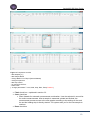
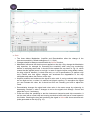
§ Valve: The valves are in standard position unchecked. Be carefully when changing this
function.
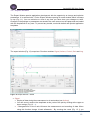
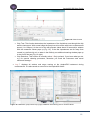
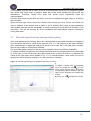
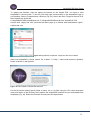
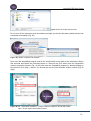
§ X Y: Selects the real (X) or imaginary (Y) part of the signal for recording. It can be verified
by using the Actions function. The normal signal with X positive or Y negative is shown in
Fig. 12.
§ Load: This function affects the measurement function in the main window. With the
unchecked box it is possible to measure a sample which is already loaded in the
instrument by a previous measurement or a manually loaded sample.
§ Rinse: This action influences the initial Rinsing process when starting the instrument and
software. The first Rinsing has to be performed before measurement. Only uncheck this
box, if you have to restart the software for special reasons and if you have a sample
already loaded.
§ More details about the fluidic and the manual use of the pump and valves are explained in
the Ampha Z30 user manual.
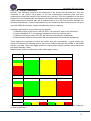
Default settings and parameters are
- Level: 0.1
- X positive or Y negative
- Pump unchecked, counter-clockwise
- Pump speed – dependent from selected tubing set and chip type (set S 20rpm Achip; set M 40rpm B-chip/80rpm C-chip; set L 60rpm D-chip/300rpm E-chip)
- Valves unchecked
- Load and Rinse function checked
- Signal plot – Amplitude at 10 V and time frame 15x10-4 s
- Gain – 3 Modulation / 6 Amplifier / 2 Demodulation.
These settings are loaded by starting AmphaSoft. Any changes are saved to the user account on
the laptop and are loaded with the AmphaSoft to any user. To prevent any trouble - work with
default and special application templates.
AMPHASYS AG s TECHNOPARK® Lucerne s Platz 4 s CH-6039 Root D4 s Switzerland s phone +41 41 541 91 20 s [email protected] s www.amphasys.com
14