1
Acquirer Testing
TIP Testing for the Authorization or Financial Messages
PayPass–M/Chip Transaction
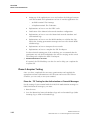
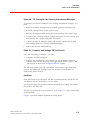
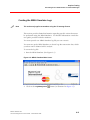
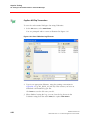
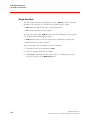
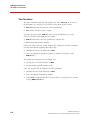
To save the card-terminal dialogue data using TcMonitor:
1. In the File menu, select Save File As.
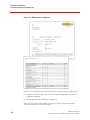
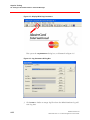
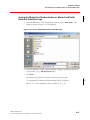
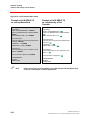
You are prompted with a screen as illustrated in Figure 4.14
Figure 4.14—Enter TcMonitor Log Filename
2. Type in an appropriate filename, using the naming conventions in
Appendix A (e.g. MC_PPC01_t02_s01.dat). This ensures you have an
individual card-terminal log per test.
Click Save to save the file onto your PC.
3. When finished saving the log, you can clear the log shown in the
TcMonitor using from the menu View, the option Clear Screen.
4-20
©2007 MasterCard
November 2007 • Terminal Integration Process Guide


























![FRONIUS IG US [42,0410,1089]](http://vs1.manualzilla.com/store/data/005774043_1-689bd6c2a055f0ab88c64924d7fd22c0-150x150.png)