1
SOUND AND MUSIC
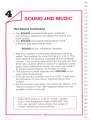
The Sound Command
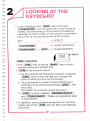
• The SOUND command tells your computer
everything it needs to know about the sound you
want to play.
• The SOUND command is followed by three
numbers that describe the note:
SOUND voice, note value, duration
• The first number in the sound command refers to
voice. The number for voice can be a 1, 2 or 3. The
Commodore 16 sound is produced by two different
voices, 1 for the first voice and 2 for the second. The
third voice option refers to voice 2's capacity to pro
duce noice rather than a tone. You can use voice 3
to create sound effects like thunder or wind.
• The second number after the word SOUND is the
note value (frequency).
• This can be any number from 0 to 1023. It tells your
Commodore 16 how low- or high-pitched a note
to play.
• As the numbers get larger, the notes get higher. The
highest values (in the 1023 neighborhood) are not
audible to the human ear.
Note: With voice 3, noise is "white" (static)
only in the frequency range of 600-940. You
can use register value outside this range to
create interesting sound effects.
46,