1
2
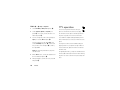
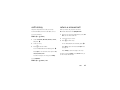
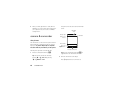
Scroll to Keypad Lock Setting and press s.
with the volume keys, muting your phone, turning on
3
Scroll to Timed and press s.
Bluetooth™ power, or activating the music player.
4
Scroll to 2 Seconds, 4 Seconds, or 8 Seconds, and
press s.
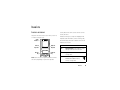
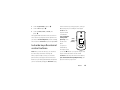
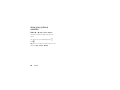
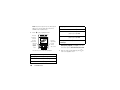
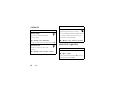
To lock the side
keys and external
control buttons,
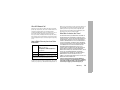
The keypad will be locked whenever it is at the home
press and hold the
screen and no keys are pressed for the period of time
smart/speaker-
you selected. To unlock the phone, enter the four-digit
phone key on the
unlock code in the Enter Lock Code entry area and press Done.
left side of the
Smart/Speakerphone Key
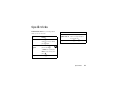
EV
11:10am
Mon 05/15/08
phone.
lock side keys & external
control buttons
If you press a
locked side key
when flip is closed,
Note: When you lock the side keys, you can still use
you see the 0 indicator. If you open the flip, the side
the volume keys to dismiss an incoming call.
keys are unlocked and can be used as normal.
When your phone’s flip is closed, you can lock the
To unlock the side keys and external control buttons,
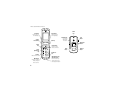
phone’s side keys (see page 2) and external control
press and hold the smart/speakerphone key, then
buttons (see your Getting Started Guide). This prevents
press the volume keys up or down.
you from accidentally changing the Master Volume setting
basics
15