1
Serial 7-Segment Display
2010.05.17
Overview
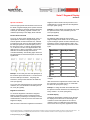
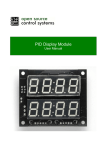
The Serial 7-Segment Display turns the thirteen pins
necessary to control a 4-digit 7-segment display into
just one or three. The display will give you full control
of all digits, decimal points, the colon and the
apostrophe. At the heart of the display is an
ATMega328 which both listens to the serial
commands and controls the 7-segment display.
To display a blank digit send the special character 'x'
(0x78).
Example: To Display '42'
(Blank followed by 42 followed by blank) send (0x78)
(0x04)(0x02)(0x78).
NOTE: You must always send your data in 4-byte
packets
Features
•
•
•
•
•
•
4 digit alpha-numeric display with serial or
SPI interface
Display numbers, most letters, and a few
special characters.
Individual control of decimal points,
apostrophe, and colon.
Selectable brightness.
Baud rate and brightness values retained in
non-volatile memory.
Individual segment control for each digit.
Interface Specifications
The Serial 7-Segment Display can be controlled in
one of two ways: (1) serial TTL communication or (2)
SPI serial communication. Regardless of which
method you use to communicate with the display, you
must always send your display data in 4-byte packets,
and special commands in 2-byte packets.
Displaying Numbers
The first byte you send will correspond to the left-most
digit on the display, the second byte corresponds to
the second digit and so on.
The display can represent all numbers 0-9 and letters
A-F. To display a number, you can send either the
binary or ASCII representation.
Example: To Display '12AB'
The user can send numbers in binary representation:
(0x01)(0x02)(0x0A)(0x0B)
ASCII representation: (0x31)(0x32)(0x41)(0x42)
Any combination of the two will work as well.
© 2010 SparkFun Electronics, Inc. All Rights Reserved. Product features, specifications, system requirements and availability are subject to change without notice. Serial
7-Segment Display (COM-09230) is a trademark of SparkFun Electronics, Inc. All other trademarks contained herein are the property of their respective owners.
Serial7SegmentDisplay_DS_092705
1
Serial 7-Segment Display
2010.05.17
Special Commands
There are eight special commands that can be sent to
the Serial 7-Segment Display. Each special command
consists of sending a command character followed by
a data byte. After sending a special command, the
characters previously on the display will be restored.
brightness value is written into the processor’s nonvolatile memory, so it will retain the same brightness
level upon power cycling.
Example: to set the display to its dimmest level, send
the special character, 0x7A, followed by 254. So
send: (0x7A)(0xFE)
Decimal Point Command
Baud rate control
To turn on or off any of the decimal points, colons, or
apostrophes on the Serial 7-Segment Display, first
send the special command character 0x77, followed
by a data byte. Each of the six least significant bits in
the data byte represent one decimal point (or two in
the case of the colon); a 1 will turn the decimal point
on, a 0 will turn it off. The most significant bits in the
data byte has no effect on the display. The two colon
LEDs are connected internally and cannot be
controlled individually. The following figure shows the
bit representation for each decimal point; 0 is the least
significant bit.
By default the UART baud rate of the Serial 7Segment Display will be 9600. This can be adjusted
by first sending the special command character 0x7F,
followed by a binary number between 0 and 6. The
table below shows corresponding baud rates to data
bytes:
Example: To turn solely the colon and apostrophe on,
first send the special character 0x77. The 4th and 5th
bits in the data byte should be 1, everything else
should be 0, the byte would look like: 00110000. So,
send: (0x77)(0x30).
To turn the colon and apostrophe off, send the special
character, 0x77, and set all bits in the data byte to 0.
So, send: (0x77)(0x00).
Brightness Command
To control the brightness of the Serial 7-Segment
Display, first send the special command character
0x7A, followed by a data byte. The data byte can be a
number between 0 and 254; the lower the number the
brighter the display.
After the screen receives the brightness command the
Baud Rate
Data Byte Value
2400
0
4800
1
9600
2
14400
3
19200
4
38400
5
57600
6
If the data byte is not between 0 and 6 nothing will be
changed.
After the baud rate is adjusted the value is written into
the processors non-volatile memory, so it will retain
the same rate upon power cycling.
Example: to change the baud rate to 4800 first enter
the special command character 0x79, followed by the
binary number 1. So, send: (0x7F)(0x01)
3.4 Reset Display
Sending the reset display command, 0x76, will clear
the display and set the cursor to the first digit. This
command is useful if the position of the cursor is
unknown. There is no data byte for this command,
and it can be sent at any time, regardless of cursor
© 2010 SparkFun Electronics, Inc. All Rights Reserved. Product features, specifications, system requirements and availability are subject to change without notice. Serial
7-Segment Display (COM-09230) is a trademark of SparkFun Electronics, Inc. All other trademarks contained herein are the property of their respective owners.
Serial7SegmentDisplay_DS_092705
2
Serial 7-Segment Display
2010.05.17
position.
3.5 Single Character Control
4. Hardware Specifications
Single character control allows you to control each
LED of each digit individually. Four special
commands are used for single character control, one
for each digit: 0x7B controls digit 1, 0x7C controls
digit 2, 0x7D controls digit 3, and 0x7E controls digit
4. The special command will be followed by one data
byte. Similar to decimal point control, each bit in the
data byte represents a single LED; a 1 will turn the
digit on, a 0 will turn it off. The most significant bit of
the data byte has no effect on the display.
There are two methods of sending serial data to the
Serial 7-Segment Display, TTL level serial
communication or SPI.
The following figure shows the bit representation for
each decimal point; 0 is the least significant bit:
Example: To illuminate the B, E, and G segments of
the third digit, first send the digit 3 single character
control command (0x7D) followed by a data byte with
the 1st, 4th and 6th bits set (0x52). So, send: (0x7D)
(0x52)
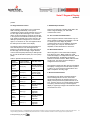
Table 3: Special Command Summary
Special
Command
Command Byte
(ASCII Character)
Data Byte Value
Decimal
Point
Control
0x77 (“w”)
Each bit controls
individual Decimal
points
Brightness
Control
0x7A (“z”)
0-254, higher
numbers mean
dimmer display
Baud Rate
Control
0x7F (DEL)
0-6
Reset
Display
0x76 (“v”)
NONE
Digit 1
Control
0x7B (“{“)
Each bit controls
individual
segments
Digit 2
Control
0x7C (“|”)
Each bit controls
individual
segments
Digit 3
Control
0x7D (“}”)
Each bit controls
individual
segments
Digit 4
Control
0x7E (“~”)
Each bit controls
individual
segments
4.1 TTL Level Serial Communication
When using this method of communication only one
wire is needed to interface with the display – RX. RX
is a serial input of the display. By default,
communications will occur at 9600bps, with 8 data
bits, no parity, and 1 stop bit. The baud rate is
adjustable, as discussed above in section 3.3.
4.2 SPI Communications
When using SPI to communicate with the display,
three wires are used – MOSI, CSN, SCK. CSN,
selects the display in a multiple slave SPI bus, SCK is
the serial data clock, and MOSI is the data line
between the master and slave. MOSI, CSN and SCK
are all inputs. The Serial 7-Segment Display is
configured to be the SPI slave.
The maximum speed of the SPI clock input is 250kHz.
The display is configured to use SPI mode 0 (CPOL =
0, CPHA = 0), so the clock line should idle low and
data is sampled on the rising edge.
5. Electrical Characteristics
The backbone of the Serial 7-Segment Display is
Atmel's ATMega168, and as such, most of the
electrical specifications are derived from that. The
display can be powered at anywhere between 2.6 to
5.5V, however, there is no on-board voltage regulator,
so anything outside that range could damage the
display. A logical high voltage on all serial lines should
not exceed VCC+0.5 V.
© 2010 SparkFun Electronics, Inc. All Rights Reserved. Product features, specifications, system requirements and availability are subject to change without notice. Serial
7-Segment Display (COM-09230) is a trademark of SparkFun Electronics, Inc. All other trademarks contained herein are the property of their respective owners.
Serial7SegmentDisplay_DS_092705
3