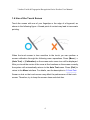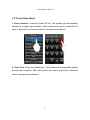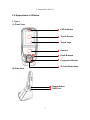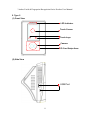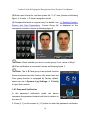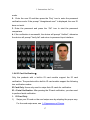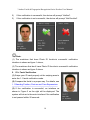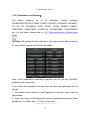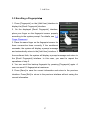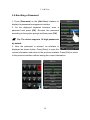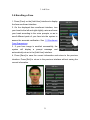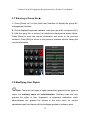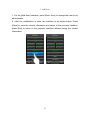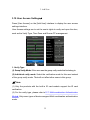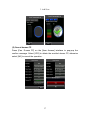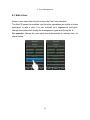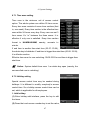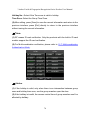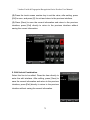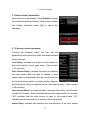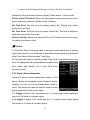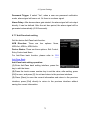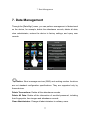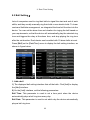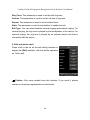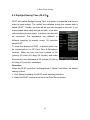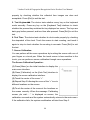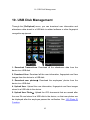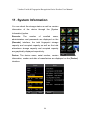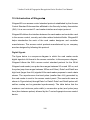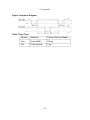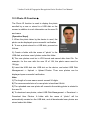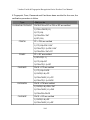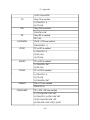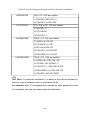
1
3 inches Facial & Fingerprint Recognition Series Product User Manual Contents Table of Contents 1. Instructions for Use ................................................................ 1 1.1 Standing Position, Posture and Face Expressions ............. 1 1.2 Enrollment Face Expressions.............................................. 2 1.3 Finger Placement« ............................................................. 3 1.4 Use of the Touch Screen..................................................... 4 1.5 Touch Operations ................................................................ 5 1.6 Appearance of Device ......................................................... 7 1.7 Main Interface .................................................................... 10 1.8 Verification Modes ............................................................. 12 1.8.1 Fingerprint Verification« ............................................. 12 1.8.2 Face Verification ......................................................... 14 1.8.3 Password Verification.................................................. 16 1.8.4 ID Card Verification« .................................................. 17 1.8.5 Combination Verification« .......................................... 19 2. Main Menu .............................................................................. 21 3. Add User................................................................................. 24 3.1 Entering a User ID ............................................................. 25 3.2 Entering a Name................................................................ 26 3.3 Enrolling a Fingerprint« .................................................... 27 3.4 Enrolling a Password......................................................... 29 3.5 Enrolling an ID card« ........................................................ 30 3.6 Enrolling a Face................................................................. 31 3.7 Entering a Group No.« ..................................................... 32 3.8 Modifying User Rights ....................................................... 32 3.9 Enroll Photo« .................................................................... 34 I Contents 3.10 User Access Settings« ................................................... 35 4. User Management ................................................................. 38 4.1 Edit a User ......................................................................... 39 4.2 Delete a User..................................................................... 40 4.3 Query a User ..................................................................... 41 5. Communication Settings...................................................... 42 5.1 Communication Settings.................................................... 43 5.2 WIFI Configuration« ......................................................... 45 5.3 Wiegand Output«.............................................................. 48 5.3.1 Wiegand 26bits Output Description........................... 49 5.3.2 Wiegand 34bits Output Description........................... 50 5.3.3 Customized Format..................................................... 52 5.4 Wiegand Input« ................................................................ 56 6. System Settings .................................................................... 57 6.1 General Parameters .......................................................... 58 6.2 Interface Parameters ......................................................... 58 6.3 Fingerprint Parameters«................................................... 59 6.4 Face Parameters ............................................................... 61 6.5 Log Settings....................................................................... 62 6.6 Shortcut Definitions............................................................ 63 6.7 Access Settings« .............................................................. 66 6.7.1 Time zone setting........................................................ 67 6.7.2 Holiday setting............................................................. 67 6.7.3 Group time zone setting.............................................. 69 6.7.4 Unlock Combination Setting ....................................... 71 6.7.5 Access control parameter ........................................... 73 II Contents 6.7.6 Duress Alarm Parameters........................................... 74 6.7.7 AntiPass back setting................................................. 75 6.8 Update ............................................................................... 76 7. Data Management.................................................................. 77 7.1 Query Record .................................................................... 78 7.2 SMS« ................................................................................ 80 7.2.1 Set a Short Message .................................................. 80 7.2.2 View a Short Message ................................................ 84 7.3 Work Code......................................................................... 86 7.3.1 Add a work code ......................................................... 86 7.3.2 Edit and delete a work code ....................................... 87 7.3.3. Edit and delete a work code ...................................... 87 8. Date/Time Setting .................................................................. 88 8.1 Set Date/Time.................................................................... 88 8.2 Bell Setting« ..................................................................... 89 8.3 Daylight Saving Time (DLST)«......................................... 91 9. Auto Test ................................................................................ 93 10. USB Disk Management ....................................................... 95 11. System Information............................................................. 96 12. Appendix .............................................................................. 97 12.1 T9 Input Instructions ........................................................ 97 12.2 USB.................................................................................. 99 12.3 9digit Enrollment Number............................................... 99 12.4 Introduction of Wiegand« ............................................. 100 12.5 Photo ID Function«....................................................... 102 III Contents 12.6 Work Code«.................................................................. 103 12.7 Multicombination Authentication Mode« ..................... 103 12.8 AntiPass Back« ........................................................... 107 12.9 Statement on Human Rights and Privacy ......................110 12.10 EnvironmentFriendly Use Description.........................112 IV 1. Instructions for Use 1. Instructions for Use 1.1 Standing Position, Posture and Face Expressions 1. Recommended standingdistance from device: For users 56 feet tall (1.55m1.85m) we recommend users stand about 2 feet (0.5m) from the wall. When viewing your image on the device display window, step away if your image appears too bright. Step closer if your image appears too dark. 2. Recommended face Expressions vs. poor Expressions: 3. Recommended Posture (pose) vs. poor Posture (pose): ? Note: During enrollment and verification, try to have a relaxed unstrained face expression and stand upright. 1 3 inches Facial & Fingerprint Recognition Series Product User Manual 1.2 Enrollment Face Expressions During the enrollment, position your head such way that your face appears in the center of the device display window, and follow the voice prompts "Focus eyes inside the green box". The user needs to move forward and backward to adjust the eyes position during the face registration. The enrollment face expressions as follows: 2 1. Instructions for Use 1.3 Finger Placement« Recommended fingers: The index finger, middle finger or the ring finger is recommended; the thumb and little finger are not recommended (because they are usually clumsy when pressing on the fingerprint collection screen). 1. Proper finger placement The finger must be flat to the surface and centered on the fingerprint sensor. 2. Improper finger placement Not flat to the surface Offcenter Offcenter Slanting Please enroll and verify your fingerprint by using the proper finger placement mode. We shall not be held accountable for any consequences arising out of the degradation in verification performance due to improper user operations. We shall reserve the right of final interpretation and revision of this document. 3 3 inches Facial & Fingerprint Recognition Series Product User Manual 1.4 Use of the Touch Screen Touch the screen with one of your fingertips or the edge of a fingernail, as shown in the following figure. A broad point of contact may lead to inaccurate pointing. When the touch screen is less sensitive to the touch, you can perform a screen calibration through the following menu operations. Press [Menu] > [Auto Test] > [Calibration] on the screen and a cross icon will be displayed. After you touch the center of the cross at five locations on the screen correctly, the system will automatically returns to the Auto Test menu. Press [Exit] to return to the Menu interface. For details, see the description in 9. Auto Test. Smear or dust on the touch screen may affect the performance of the touch screen. Therefore, try to keep the screen clean and dustfree. 4 1. Instructions for Use 1.5 Touch Operations 1. Enter numbers: Press the [User ID] key. The system will automatically display the number input interface. After entering the user ID, press [OK] to save or press [X] to cancel and return to the previous interface. 2. Enter Text: Press the [Name] key. The system will automatically display the text input interface. After entering the user name, press [X] to save and return to the previous interface. 5 3 inches Facial & Fingerprint Recognition Series Product User Manual 3. Modify parameters: Press the default value of a parameter and the system will automatically switch to another value of this parameter. J Note: The Enroll Fingerprint, User Access and 1: G is optional function, only some machines have. 6 1. Instructions for Use 1.6 Appearance of Device 1. Type 1 (1) Front View LED Indicator Touch Screen Touch keys Camera Push Buttons Fingerprint Sensor ID Card Swipe Area (2) Side View Reset Button USB Port 7 3 inches Facial & Fingerprint Recognition Series Product User Manual 2. Type 2 (1) Front View LED Indicator Touch Screen Touch keys Camera ID Card Swipe Area (2) Side View USB Port 8 1. Instructions for Use 3. Type 3 (1) Front View LED Indicator Touch Screen Touch Keys Camera Push Buttons ID Card Swipe Area (2) Side View Reset Button USB Port 9 3 inches Facial & Fingerprint Recognition Series Product User Manual 1.7 Main Interface v Date v Time v Attendance Status v 1:1 Switch Key v Menu ① Date: The current date is displayed. ②Screen Shortcut Keys: Press these shortcut keys to display the attendance status. Users can customize the function of each shortcut key. For details, see 6.6 Shortcut Definitions. ③Time: The current time is displayed. Both 12hour and 24hour time systems are supported. ④ Attendance Status: The current attendance status is displayed. ⑤1:1Switch Key: By pressing this key, you can switch to the 1:1verification modes, and enter the digital input interface. 10 1. Instructions for Use ⑥ Menu: You can enter the main menu by pressing this key. J Note: 1. The Enroll Fingerprint, User Access, Door Bell Button and 1:1 Switch Button is an optional function, some machines have these function. 2. The 1: G is an optional function. If you need this function, please consult our commercial representatives or foresale technical support personal. 11 3 inches Facial & Fingerprint Recognition Series Product User Manual 1.8 Verification Modes 1.8.1 Fingerprint Verification« 1. 1: N fingerprint verification The terminal compares current fingerprint collected by the fingerprint collector with all fingerprint data on the terminal. (1) To enter the fingerprint verification mode. The device automatically distinguishes face and fingerprint verification, just pressing finger on the collector. Shall be fingerprint authentication mode. (2) Press your finger on the fingerprint sensor by adopting the proper finger placement. For details, see 1.3 Finger Placement. (3) If the verification is successful, the device will prompt “Verified”. (4) If the verification is not successful, the device will prompt “Please try again”. 2. 1:1 fingerprint verification In the 1:1 fingerprint verification mode, the device compares current fingerprint collected through the fingerprint sensor with that in relation to the user ID entered through the keyboard. Adopt this mode only when it is difficult to recognize the fingerprint. 12 1. Instructions for Use (1) Press [1:1] on the screen or [1:1] button to enter the 1:1 fingerprint recognition mode. (2) Enter User ID or Group No., then press the "Fingerprint” icon to enter the 1:1 fingerprint recognition mode. If the prompt “Unregistered user!” is displayed, the user ID does not exist. (3) Press your finger on the fingerprint sensor by adopting the proper finger placement. For details, see 1.3 Finger Placement. (4) If the verification is successful, the device will prompt “Verified”, otherwise the device will prompt “Please try again”. 13 3 inches Facial & Fingerprint Recognition Series Product User Manual 1.8.2 Face Verification 1. 1: N Face Verification« The terminal compares current face image collected by the camera with all face data on the terminal. (1) The device automatically distinguishes face and fingerprint verification. (2) Compare the facial in a proper way. For details, see 1.1 Standing Position, Posture and Face Expressions. Comparison of interface display the current image collected by the camera, an interface as shown in Figure 1 on the right will be displayed. (3) If the verification is successful, an interface as shown in Figure 2 on the right will be displayed. 2. 1:1 face verification In the 1:1 face verification mode, the device compares current face collected through the camera with that in relation to the user ID entered through the keyboard. Adopt this mode only when it is difficult to recognize the face. (1) Press [1:1] on the screen button to enter the 1:1 recognition mode. (2) Enter User ID, then press the "1:1 Face" icon to enter 1:1 face recognition mode. If the prompt "Unregistered user!" is displayed, the user ID does not exist. 14 1. Instructions for Use (3) Compare the face in a proper way. For details, see 1.1 Standing Position, Posture and Face Expressions. (4) If the verification is successful, the device will prompt "Verified". The system will return to the main interface if the verification is not passed within 20 seconds. 3. 1: G Face Verification« When you open the 1: G Verify function, then you can make 1: G facial verification. For detail please see 6.5 Log Settings. Current group No. (Valid group number is 15) is displayed on the facial recognition interface. Users in current group can perform facial comparison directly. Users of another group can perform facial comparison only after entering the group No. or selecting it using the shortcut key. And the system will set the group entered or selected by users to be the current group instantly. (1) Press [1:1/1: G] on the screen to enter the 1: G recognition mode. 15 3 inches Facial & Fingerprint Recognition Series Product User Manual (2) Enter user Group No. and then press the "1: G” icon (shown as following figure 1) to enter 1: G facial recognition mode. (3) Compare the facial in a proper way. For details, see 1.1 Standing Position, Posture and Face Expressions . Current Group No. is displayed on the comparison interface, shown as following figure 2. J Note: Check whether you are in current group; if not, return to Step 1. (4) If the verification is successful, shown as following figure 3. J Note: The 1: G Face group is an optional function. Some machines have this function. But some have not. Face group function is untapped by Factory default, users can set in SystemLog Settings1: G Verify to open this function. 1.8.3 Password Verification In the password verification mode, the device compares the password entered with that in relation to the user ID. 1. Press [1:1] on the screen or [1:1] button to enter the password verification 16 1. Instructions for Use mode. 2. Enter the user ID and then press the "Key” icon to enter the password verification mode. If the prompt “Unregistered user!” is displayed, the user ID does not exist. 3. Enter the password and press the “OK” icon to start the password comparison. 4. If the verification is successful, the device will prompt “Verified”, otherwise the device will prompt “Verify fail” and return to password input interface. 1.8.4 ID Card Verification« Only the products with a builtin ID card module support the ID card verification. The products with a builtin ID card module support the following two verification modes: ID Card Only: Users only need to swipe their ID cards for verification. ID + Facial Verification: After passing the ID card verification, you also need to perform facial verification. 1. ID Card Only 1) Swipe your ID card on the card swipe area by adopting the proper way. For the card swipe area, see 1.6 Appearance of Device. 17 3 inches Facial & Fingerprint Recognition Series Product User Manual 2) If the verification is successful, the device will prompt “Verified”. 3) If the verification is not successful, the device will prompt “Not Enrolled”. J Note: (1) The machines that have Photo ID function’s successful verification interface is shown as figure 1 above; (2) The machines that don’t have Photo ID function’s successful verification interface is shown as figure 2 above. 2. ID + Facial Verification (1) Swipe your ID card properly at the swiping area to enter the 1:1 facial verification mode. (2) Compare the facial in a proper way. For details, see 1.1 Standing Position, Posture and Face Expressions. (3) If the verification is successful, an interface as shown in Figure 3 on the right will be displayed. The system will return to the main interface if the verification is not passed within 20 seconds. 18 1. Instructions for Use 1.8.5 Combination Verification« The device supports up to 20 verification modes, including FACE&PIN/FP/RF/PW、 FP&PW、 FP&RF、 FACE&FP、 FACE&PW、 FACE&RF、 FP、PW、RF、FACE&PIN、FP/RF、PW/RF、FP/PW、PW&RF、PIN&FP、 FP&PW&RF、PIN&FP&PW、FP&RF/PIN、FACE&FP&RF、FACE&FP&PW etc. For the detail, please refer to 12.7 Multicombination Authentication Mode. J Note: RF means ID card verification. Only the products with the builtin ID card module support the ID card verification. Here is the combination verification operation; we will use the FACE&FP verification for an example. If you verify the fingerprint first and then the face, the operations are as follows. 1. The default main interface is the fingerprint verification mode, see the figure below. 2. Press your finger on the fingerprint sensor by adopting the proper finger placement. For details, see 1.3 Finger Placement. 19 3 inches Facial & Fingerprint Recognition Series Product User Manual 3. If the verification is successful, the device will enter the 1:1 face recognition mode. Compare the face in a proper way. For details, see 1.1 Standing Position, Posture and Face Expressions. 4. If the verification is successful, the device will prompt “Verified”. The system will return to the main interface if the verification is not passed within 20 seconds. Otherwise, the FACE&FP combination verification can perform such as FACE (1: N) + FP, PIN + FACE (1:1) + FP, PIN + FP (1:1) + FACE etc. The operation is similar to the procedure introduced before. 20 2. Main Menu 2. Main Menu There are two types of rights respectively granted to two types of users: the Ordinary users and administrators. Ordinary users are only granted the rights of face, fingerprint, password or card verification, while administrators are granted access to the main menu for various operations apart from having all the privileges granted to ordinary users. Press [Menu] on the initial interface to access the main menu, as shown in the following figure: The main menu includes nine sub menus: Add User: Through this submenu, you can add a new user and input the information on the device, including the user ID«, name, fingerprint«, face, card«, password, rights, group No. « and user access«. User Mgt.: Through this submenu, you can browse the user information stored on the device, including the user ID, name, fingerprint«, face, card«, 21 3 inches Facial & Fingerprint Recognition Series Product User Manual password, rights, group No«. and user access«. Here you can also add, modify or delete a user’s information. Comm.: Through this submenu, you can set related parameters for communication between the device and PC, including the IP address, gateway, subnet mask, baud rate«, device No. and communication password. System: Through this submenu, you can set systemrelated parameters, including the basic parameters, interface parameters, fingerprint«, face and attendance parameters, Keyboard definitions, Access settings«, firmware update etc. to enable the device to meet the user’s requirements to the greatest extent in terms of functionality and display. Data Mgt.: Through this submenu, you can perform management of data stored on the device, for example, deleting the attendance records, all data, clear administrator, restore to factory settings and query records. Date/Time: Through this submenu, you can set the alarm time and duration, or set the Bell. Auto Test: This submenu enables the system to automatically test whether functions of various modules are normal, including the screen, sensor, voice, face, keyboard, clock tests and screen calibration. Dn/Upload: Through this submenu, you can download user information and attendance data stored in the device through a USB disk to related software or other fingerprint recognition equipment. 22 2. Main Menu Sys Info.: Through this submenu, you can browse the records and device information. Any user can access the main menu by pressing the [Menu] key if the system does not have an administrator. After administrators are configured on the device, the device needs to verify the administrators’ identity before granting them access to the main menu. To ensure device security, it is recommended to set an administrator when using the terminal initially. For detailed operations, see 3.8 Modifying User Right. 23 3 inches Facial & Fingerprint Recognition Series Product User Manual 3. Add User Press [Add] on the [User Mgt.] interface to display the [Add User] interface as shown below. User ID: Enter a user ID. 1 to 9 digits user IDs are supported by default. Name: Enter a user name. 12 characters user names are supported by default. Fingerprint«: Enroll a user’s fingerprint and the device displays the number of enrolled fingerprints. A user can enroll 10 fingerprints at maximum. Password: Enroll a user’s password. The device supports 18 digit passwords by default. Face: Enroll a user’s face. Group No.«: Setting in the group of user. Role: Set the rights of a user. A user is set to ordinary user by default and can also be set to administrator. Ordinary users are only granted the rights of face, fingerprint or password verification, while administrators are granted access to the main menu for various operations apart from having all the privileges granted to ordinary users. Photo«: Enroll a user’s photo. During user verification is success; the user’s photo is displayed on screen. User Access«: Set the lock control and access control parameters. 24 3. Add User 3.1 Entering a User ID The device automatically allocates an ID starting from 1 for every user in sequence. If you use the ID allocated by the device, you may skip this section. 1. Press [User ID] on the [Add User] interface to display the user ID management interface. ? Tip: The user ID can be modified during initial enrollment, but once enrolled, it cannot be modified. 2. On the displayed keyboard interface, enter a user ID and press [OK]. If the message “The user ID already exists!” is displayed, enter another ID. ? Tip: The device supports 1 to 9 digits user IDs by default. If you need to extend the length of current user ID numbers, please consult our commercial representatives or technical presales. 3. After the user ID is entered, press [Save] to save the current information and return to the previous interface. Press [Exit] to return to the previous interface without saving the current information. 25 3 inches Facial & Fingerprint Recognition Series Product User Manual 3.2 Entering a Name Use T9 input method to enter the user name through the keyboard. 1. Press [Name] on the [Add User] interface to display the name input interface. 2. On the displayed keyboard interface, enter a user name and press [X]. For details of operations on the keyboard interface, see 12.1 T9 Input Instructions. 3. After the user name is entered, press [Save] to save the current information and return to the previous interface. Press [Exit] to return to the previous interface without saving the current information. ? Tip: The device supports the 1 to 12 characters names by default. 26 3. Add User 3.3 Enrolling a Fingerprint« 1. Press [Fingerprint] on the [Add User] interface to display the [Enroll Fingerprint] interface. 2. On the displayed [Enroll Fingerprint] interface, place your finger on the fingerprint sensor properly according to the system prompt. For details, see 1.3 Finger Placement. 3. Place the same finger on the fingerprint sensor for three consecutive times correctly. If the enrollment succeeds, the system will display a prompt message and automatically return to the [Add User] interface. If the enrollment fails, the system will display a prompt message and return to the [Enroll Fingerprint] interface. In this case, you need to repeat the operations of step 2. 4. You can enroll the backup fingerprint by pressing [Fingerprint] again. A user can enroll 10 fingerprints at maximum. 5. Press [Save] to save the current information and return to the previous interface. Press [Exit] to return to the previous interface without saving the current information. 27 3 inches Facial & Fingerprint Recognition Series Product User Manual 28 3. Add User 3.4 Enrolling a Password 1. Press [Password] on the [Add User] interface to display the password management interface. 2. On the displayed keyboard interface, enter a password and press [OK]. Reenter the password according to the system prompt and then press [OK]. ? Tip: The device supports 18 digit passwords by default. 3. After the password is entered, an interface is displayed as shown below. Press [Save] to save the current information and return to the previous interface. Press [Exit] to return to the previous interface without saving the current information. 29 3 inches Facial & Fingerprint Recognition Series Product User Manual 3.5 Enrolling an ID card« 1. Press [Card] on the [Add User] interface to display the [Enroll Card] interface. 2. The [Punch Card!] interface pops up as shown below. Swipe your ID card properly in the swiping area. For details, see 1.6 Appearance of Device. 3. If the card passes the verification, the device will display a prompt message “Read Successfully! Card No.: **********”, and returns to the [Add User] interface. 4. Press [Save] to save the current information and return to the previous interface. Press [Exit] to return to the previous interface without saving the current information. J Note: 3 inches Facial & Fingerprint Recognition support Mifare card function. It is an option function, if you want to customize the Mifare card function, please consult our commercial representatives or presales technical support engineers. 30 3. Add User 3.6 Enrolling a Face 1. Press [Face] on the [Add User] interface to display the face enrollment interface. 2. On the displayed face enrollment interface, turn your head to the left and right slightly, raise and lower your head according to the voice prompts, so as to enroll different parts of your face into the system to assure the accurate verification. See 1.2 Enrollment Face Expressions. 3. If your face image is enrolled successfully, the system will display a prompt message and automatically return to the [Add User] interface. 4. Press [Save] to save the current information and return to the previous interface. Press [Exit] to return to the previous interface without saving the current information. 31 3 inches Facial & Fingerprint Recognition Series Product User Manual 3.7 Entering a Group No.« 1. Press [Group No.] on the [Add User] interface to display the group No. management interface. 2. On the displayed keyboard interface, enter your group No. and press [OK]. 3. After the group No. is entered, an interface is displayed as shown below. Press [Save] to save the current information and return to the previous interface. Press [Exit] to return to the previous interface without saving the current information. 3.8 Modifying User Rights J Note: There are two types of rights respectively granted to two types of users: the ordinary users and administrators. Ordinary users are only granted the rights of face, fingerprint, or password verification, while administrators are granted the access to the main menu for various operations apart from having all the privileges granted to ordinary users. 32 3. Add User 1. On the [Add User] interface, press [Role: User] to change the user to an administrator. 2. After the modification is done, the interface is as shown below. Press [Save] to save the current information and return to the previous interface; press [Exit] to return to the previous interface without saving the current information. 33 3 inches Facial & Fingerprint Recognition Series Product User Manual 3.9 Enroll Photo« If you had enrolled your photo in the system, the system will display your enrolled photo in addition to your ID and name after you pass the verification. 1. Press [Photo] on the [Add User] interface to display the photo enrollment interface. 2. On the photo enrollment interface, stand naturally in front of the screen. For details, see 1.1 Standing Position, Posture and Face Expressions . Press [Capture] to capture the photo. 3. After taking the photo, press [Exit] to return to the previous interface. 4. After the photo is taken, press [Save] to save the current information and return to the previous interface; press [Exit] to return to the previous interface without saving the current information. 34 3. Add User 3.10 User Access Settings« Press [User Access] on the [Add User] interface to display the user access settings interface. User Access settings are to set the user’s rights to verify and open the door, such as the Verify Type, Time Zone and Duress FP management. 1. Verify Type (1) Group Verify Mode: If the user uses the group verify mode that he belong to. (2) Individual verify mode: Select the verification mode for this user instead of the group verify mode. That will not affect other users in this group. ? Note: (1) Only the products with the builtin ID card module support the ID card verification. (2) For the verify type, please refer to12.7 Multicombination Authentication Modeê.Only some types of devices support Multicombination authentication mode. 35 3 inches Facial & Fingerprint Recognition Series Product User Manual 2. Time Zone (1) Group Time Zone: If the user uses the group time zone that he belong to. (2) Individual time zone: Select the time zone of this user instead of the group time zone. That will not affect other users in the group. 3. Duress FP User can register a new duress fingerprint or cancel registered duress fingerprints. If a finger is registered duress fingerprints. When compare it, will trigger the duress alarm signal. If cancel the duress fingerprints, does not delete the fingerprints data, still can use the fingerprints process normal comparison. Duress FP management: (1) Register Duress FP Press [Reg. Duress FP] on the [User Access] interface to display the [Enroll Fingerprint] interface. On the displayed [Enroll Fingerprint] interface, place your finger on the fingerprint sensor properly according to the system prompt. For details, see 1.3 Finger Placement. 36 3. Add User (2) Cancel duress FP Press [Can. Duress FP] on the [User Access] interface to poppup the confirm message. Select [YES] to delete the enrolled duress FP, otherwise select [NO] to cancel the operation. 37 3 inches Facial & Fingerprint Recognition Series Product User Manual 4. User Management Browse the user information, including the user ID, name, fingerprint«, face, ID card«, password, rights, group No.« and user access settings« through this interface. To add, edit or delete the basic information of users. Press [User Management] on the main menu interface to display the user management interface. This user is an administrator. ? Note: The users are listed in alphabetical order by last name. If you press a user name, you can access the editing interface of this user to edit or delete the related user’s information. 38 4. User Management 4.1 Edit a User Press a user name from the list to enter the [User Info] interface. The User ID cannot be modified, and the other operations are similar to those performed in add a user. You can reenroll your fingerprint« and face, change your password, modify the management rights and Group No.« For example: Change the user rights from Administrator to ordinary user. As shown below. 39 3 inches Facial & Fingerprint Recognition Series Product User Manual 4.2 Delete a User On the [User Info] interface, you can delete all or partial user information. 1. Press [Delete] to delete a user. 2. On the displayed interface, click [YES] to delete the current user or [NO] to return to the previous interface. 3. On the [User Info] interface, press [Name], [Fingerprint], [Face] or [Password] to delete the related user information and to reenroll the new information follow the device prompt. 40 4. User Management 4.3 Query a User To facilitate administrators to locate a user quickly from a large number of enrolled users, the device enables to query by “User ID”. User ID Query: 1. Press [Query] on the [User Management] interface to display the User ID query interface. 2. Enter the user ID on the displayed interface, and click [OK] to locate the cursor on the desired user. 41 3 inches Facial & Fingerprint Recognition Series Product User Manual 5. Communication Settings You can set related parameters for the communication between the device and PC, including the IP address, Gateway, Subnet Mask, Baud Rate«, Device ID, and Comm Key. J Note: The comm. (RS232/RS485), WIFI、Wiegand In and Wiegand Out are optional function, only some machines have these functions. 42 5. Communication Settings 5.1 Communication Settings IP Address: The IP address is 192.168.1.201 by default and can be changed as required. Subnet Mask: The subnet mask is 255.255.255.0 by default and can be changed as required. Gateway: The gateway is 0.0.0.0 by default and can be changed as required. (RS232/RS485)ê, you need to check the following settings: RS232ê: This parameter is communication. If the RS232 parameter to “ON”. RS485ê: This parameter is communication. If the RS485 parameter to “ON”. used to enable or disable the RS232 communication cables are used, set this used to enable or disable the RS485 communication cables are used, set this Baud Rateê: This parameter is used to set the baud rate for the communication between the device and the PC. It includes five options: 9600, 19200, 38400, 57600, and 115200. The higher baud rate is recommended for the RS232 communication to achieve high speed communication, while the lower baud rate is recommended for the RS485 communication to achieve stable lowspeed communication. 43 3 inches Facial & Fingerprint Recognition Series Product User Manual USB232ê: Decide whether use USB to communicate or not, that is to say if you use the USB communication, and then selected the item as "Yes". Otherwise as "No". Device ID: This parameter is used to set the ID of device from 1 to 254. If the RS232/RS485 communication is adopted, you need to enter the device ID on the software communication interface. Comm. Key: To enhance the security of attendance data, you can set a password for the connection between the device and PC. Once the password is set, you can connect the PC with the device to access the attendance data only after entering the correct password. The default password is 0 (that is, no password). Once a password is set, you need to enter this password before connecting the PC software with the device; otherwise, the connection is unsuccessful. 1 to 6 digits passwords are supported. Considering the massive data including the fingerprint and face templates stored in the device, it is recommended to transfer the data between the device and PC over network to enhance the transfer speed. 44 5. Communication Settings 5.2 WIFI Configuration« 1. Available WLANs Available WLANs around a mobile phone can be searched. Select Available WLAN to enter the Available WLAN interface and click Refresh, then the available WLANs around the mobile phone are listed on the interface, as well as their signal strengthen. As shown in the third of the preceding figures, a user can search its wireless route and set a password. For other settings, see the "WIFI Configuration" in the following section. The password must be the same as that of the wireless route so that the mobile phone can access to the WLAN. Complete setting and click save button, the machine will connect to the software automatically.The following figure shows the initial interface when the mobile phone accesses to the WLAN: 45 3 inches Facial & Fingerprint Recognition Series Product User Manual 2. WIFI Configuration Before the mobile phone is accessed to the WLAN, other physical components of the 802.11 network are required, including access points, distribute systems, and wireless media. In addition, the service set identifier (ESSID) must be available. Network ID: specifies the network identification of the wireless network to be accessed. (Letters are casesensitive.) Local IP address: If the 802.11 wireless network is not configured with the function of dynamic host configuration protocol (DHCP), enter the Manual IP Designation interface and input an IP address, subnet mask, and gateway address. Otherwise, dynamically designate an IP address. Password: The password must be the same as that of the router so that the mobile phone can access to the WIFI. IP address: When the setting of a local IP address is in manual mode, designate and input a correct IP address, subnet mask, and gateway address on the Manual IP Designation interface. The designated IP address is the IP address of 46 5. Communication Settings a mobile phone in the wireless network, and does not have any relationship with comm. WIFI IP can not share the same network segment with the machine IP. Subnet mask and gateway: The subnet mask and gateway address of the designated IP address must be designated and input. Operation Description 1) Set SSID Select WIFI Configuration to enter the WIFI Configuration interface. Click the inputting button of the Network ID and input the network ID after starting the T9 inputting method editor (IME). The network ID must be provided for identification. 2) Set a local IP address Select a mode for designating a local IP address. The IP address is designated in manual or DHCP mode. 3) Set a password Click the inputting button of the password and input a password after 47 3 inches Facial & Fingerprint Recognition Series Product User Manual starting the T9 IME. 4) Designate an IP address When the setting of local IP addresses is in manual mode, designate and input a correct IP address, subnet mask, and gateway address on the Manual IP designation interface. The designated IP address is the IP address of a mobile phone in the wireless network, and does not have any relationship with comm. After an IP address is designated, click Save and return to the WIFI Configuration interface. After performing the preceding procedures, click Save and goes back to the previous interface. 5.3 Wiegand Output« Wiegand Format: The system has two builtin formats Wiegand 26bits and Wiegand 34bits, and also supports the format customization function to meet individualized requirements. Failed ID: Refers to the value output by the system upon verification failure. The output format is subject to the setting of “Wiegand Format”. The default value scope of Failed ID is 065535. Site Code: The site code is used for a customized Wiegand format. The site code is similar to the device ID, but the site code is customizable and can be duplicated among different devices. The default value scope of the Site Code is 0255. Pulse Width: Refers to the width of the Wiegand pulse in microseconds. The default value scope of the pulse width is 11000. Pulse Interval: Refers to the interval of the Wiegand pulse in microseconds. 48 5. Communication Settings The default value scope of the pulse width is 110000. Output: Refers to the contents output upon successful verification. You can select the “User ID” or “Card Number” as the output. 5.3.1 Wiegand 26bits Output Description The system has a builtin Wiegand 26bits format. Press [Wiegand Format], and select “Standard Wiegand 26bits”. The composition of the Wiegand 26bits format contains 2 parity bits and 24 bits for output contents (“User ID” or “Card Number”). The binary code of 24bits represent up to 16,777,216 (0–16,777,215) different values. 1 2 25 26 Even parity User ID/Card Number Odd parity bit Definition of Fields: Field Meaning Even parity bit Judged from bit 2 to bit 13. The even parity bit is 1 if the character has an even number of 1 bit; otherwise, the even parity bit is 0. User ID/ Card User ID/Card Number (Card Code, 0–16777215) Number (bit 2bit Bit 2 is the Most Significant Bit (MSB). 25) Odd parity bit Judged from bit 14 to bit 25. The odd parity bit is 1 if the character has an even number of 1 bit; otherwise, the odd parity bit is 0. For example, for a user with the user ID of 12345, the enrolled card number is 0013378512 and the failed ID is set to 1. 1. When the output is set to “User ID”, the Wiegand output is as follows upon 49 3 inches Facial & Fingerprint Recognition Series Product User Manual successful verification: 0 0 0 0 0 0 0 0 0 0 0 1 1 0 0 0 0 0 0 1 1 1 0 0 1 1 Even parity bit User ID = Binary code of 12345 Odd parity bit 2. When the output is set to “Card Number”, the Wiegand output is as follows upon successful verification: 1 1 1 0 0 1 1 0 0 0 0 1 0 0 0 1 1 1 1 0 1 0 0 0 0 0 Even parity bit User ID = Binary code of 0013378512 Odd parity bit 3. The Wiegand output is as follows upon verification failure: 0 0 0 0 0 0 0 0 0 0 0 0 0 0 0 0 0 0 0 0 0 0 0 0 1 0 Even parity bit Failed ID = Binary code of 1 Odd parity bit ? Note: If the output contents exceed the scope allowed for the Wiegand format, the last several bits will be adopted and first several bits are automatically discarded. For example, the user ID 888 888 888 is 110 100 111 110 110 101 111 000 111 000 in binary format. Wiegand26 only supports 24 bits, that is, it only outputs the last 24 bits, and first 6 bits “110 100” are automatically discarded. 5.3.2 Wiegand 34bits Output Description The system has a builtin Wiegand 34bits format. Press [Wiegand Format], and select “Standard Wiegand 34bits”. The composition of the Wiegand 34bits format contains 2 parity bits and 32 bits for output contents (“User ID” or “Card Number”). The binary code of 32bits represent up to 4,294,967,296 (0–4,294,967,295) different values. 50 5. Communication Settings 1 2 33 34 EvenParityBit User ID/Card Number Odd parity bit Table 2 Definition of Fields Field Meaning Even parity bit Judged from bit 2 to bit 17. The even parity bit is 1 if the character has an even number of 1 bit; otherwise, the even parity bit is 0. User ID/Card User ID/Card Number (Card Code, 0–4,294,967,295) Number (bit 2bit Bit 2 is the Most Significant Bit (MSB). 33) Odd parity bit Judged from bit 18 to bit 33. The odd parity bit is 1 if the character has an even number of 1 bit; otherwise, the odd parity bit is 0. For example, for a user with the user ID of 123456789, the enrolled card number is 0013378512 and the failed ID is set to 1. 1. When the output is set to “User ID”, the Wiegand output is as follows upon successful verification: 0 0 0 0 0 0 1 1 1 0 1 0 1 1 0 1 1 1 1 0 0 1 1 0 1 0 0 0 1 0 1 0 1 1 Even parity bit User ID = Binary code of 123456789 Odd parity bit 2. When the output is set to “Card Number”, the Wiegand output is as follows upon successful verification: 0 0 0 0 0 0 0 0 0 1 1 0 0 1 1 0 0 0 0 1 0 0 0 1 1 1 1 0 1 0 0 0 0 1 Even parity bit User ID = Binary code of 0013378512 Odd parity bit 3. The Wiegand output is as follows upon verification failure: 51 3 inches Facial & Fingerprint Recognition Series Product User Manual 0 0 0 0 0 0 0 0 0 0 0 0 0 0 0 0 0 0 0 0 0 0 0 0 0 0 0 0 0 0 0 0 1 0 Even parity bit Failed ID = Binary code of 1 Odd parity bit 5.3.3 Customized Format Apart from the two builtin formats Wiegand 26bits and Wiegand 34bits, the system also supports the format customization function to meet individualized requirements. The customized format consists of two character strings: the Card Format bits and Parity Format bits. These two character strings need to be defined separately. Card Format bits define the number of binary bits output by Wiegand as well as the meaning of each bit. The data bits output by Wiegand can be a card number (C), site code (s), facility code (f), manufacturer code (m) and parity bits (p). Parity Format bits define the check mode of each bit in data bits and ensure the correctness of data bits during transfer through the parity check. The parity bits can be set to odd check (o), even check (e) and both odd check and even check (b). There is a onetoone correspondence relationship between the data bits and parity bits. For example, the Wiegand26 can be customized as follows: Definition of Card Format bits: pssssssssccccccccccccccccp Definition of Parity Format bits: eeeeeeeeeeeeeooooooooooooo ? Note: Wiegand26 consists of 26 bits. The first bit is the even parity bit of th bits 2 to 13; the 26 bit is the odd parity bit of bits 14 to 25; the second to the ninth bits are the site code; the 10 th to the 25 th bits are the card number. 52 5. Communication Settings For details about the Wiegand protocol, see 12.4 Introduction of Wiegand. To customize Wiegand format, proceed as follows: (1) Select [Define Format] and the [Set] key is then enabled. (2) Press [Set] to display the [User Define Format] interface, as shown in the following figure: (3) Click the entry box below “Card Format” to display the following interface: Display Input Display the Numb Cancel Input Backspace Confirm Input Clear Input Characters used to define Card Format bits and their meanings: c: Indicates the card number, that is, the output contents, it can be set to User ID/Card Number through menu operations. f: Indicates the facility code which is 0 by default. It is not configurable. To modify it, please contact the equipment supplier. m: Indicates the manufacturer code which is 0 by default. It is not configurable. To modify it, please 53 3 inches Facial & Fingerprint Recognition Series Product User Manual contact the equipment supplier. p: Indicates the parity position. s: Indicates the site code which can be set from 0 to 255 by default. (4) Click the entry box below “Parity Format” to display the following interface: Characters used to define Parity Format bits and their meanings: o: Indicates the odd check, that is, there is an odd number of 1’s in the bit sequence (including one parity bit). For example, for 1000110(0), the parity bit is 0 and there are already three 1’s. After 0 is suffixed to 1000110, there is still an odd number of 1’s. e: Indicates the even check, that is, there is an even number of 1’s in the bit sequence (including one parity bit). For example, for 1000110(1), the parity bit is 1 and there are already three 1’s. After 1 is suffixed to 1000110, there is an even number of 1’s. b: Indicates both odd check and even check. For example, Definitions of several universal Wiegand formats. Wiegand34 Card Format bits: pccccccccccccccccccccccccccccccccp Parity Format bits: eeeeeeeeeeeeeeeeeooooooooooooooooo Note: Wiegand34 consists of 34 bits. The first bit is the even parity bit of bits 2 to 17; the 34 th bit is the odd parity bit of bits 18 to 33; the second to the ninth th th bits are the site code; the 10 to the 25 bits are the card number. Wiegand37a Card Format bits: pmmmmsssssssssssscccccccccccccccccccp Parity Format bits: oeobeobeobeobeobeobeobeobeobeobeobeoe Note: Wiegand37a consists of 37 bits. The first bit is the odd parity bit of bits 54 5. Communication Settings 3, 4, 6, 7, 9, 10, 12, 13, 15, 16, 18, 19, 21, 22, 24, 25, 27, 28, 30, 31, 33, 34 and 36; the 37 th bit is the odd parity bit of bits 2, 4, 5, 7, 8, 10, 11, 13, 14, 16, 17, 19, 20, 22, 23, 25, 26, 28, 29, 31, 32, 34 and 35; bits 4, 7, 10, 13, 16, 19, 22, 25, 28, 31 and 34 participate in both odd and even parity check. Bits 2 to 5 are manufacturer code; bits 6 to 17 are the site code; bits 18 to 36 are the card number. Wiegand37 Card Format bits: pmmmffffffffffssssssccccccccccccccccp Parity Format bits: eeeeeeeeeeeeeeeeeeooooooooooooooooooo Note: Wiegand37 consists of 37 bits. The first bit is the even parity bit of bits 2 th to 18; the 34 bit is the odd parity bit of bits 19 to 36; the second to the fourth bits are the manufacturer code; the 5 th to the 14 th bits are facilitate code; the 15 th to the 20 th bits are the site code; the 21 st to the 36 th bits are the card number. Wiegand50 Card Format bits: pssssssssssssssssccccccccccccccccccccccccccccccccp Parity Format bits: eeeeeeeeeeeeeeeeeeeeeeeeeooooooooooooooooooooooooo Note: Wiegand50 consists of 50 bits. The first bit is the even parity bit of bits 2 th th to 25; the 50 bit is the odd parity bit of bits 26 to 49; the second to the 16 bits are the site code; the 17 th to the 49 th bits are the card number. 55 3 inches Facial & Fingerprint Recognition Series Product User Manual 5.4 Wiegand Input« Wiegand Format: The system has two builtin formats Wiegand 26bits and Wiegand 34bits, and also supports the format customization function to meet individualized requirements. About the Wiegand format, please refer to 5.3 Wiegand Output. Bit counts: Wiegand data digit length. Pulse width: Pulse width is 100 microseconds by default, which can be adjusted from 20 to 800. Pulse interval: It is 900 microseconds by default, which can adjusted between 200 and 20000. Input: Content contained in Wiegand input signal, including User ID or card number. 56 6. System Settings 6. System Settings Through the [System] menu, you can set systemrelated parameters, including the General, Display, Fingerprint«, Face, Log settings, Shortcut Def, Access Control Set«, and Firmware Update, to enable the device to meet user requirements to the greatest extent in terms of functionality and display. 57 3 inches Facial & Fingerprint Recognition Series Product User Manual 6.1 General Parameters Keyboard Clicks: This parameter is used to set whether to generate beep sound in response to every keyboard touch. Select “ON” to enable the beep sound, and select “OFF” to mute. Voice Prompts: This parameter is used to set whether to play voice prompts during the operation of the device. Select “ON” to enable the voice prompt, and select “OFF” to mute. Volume: This parameter is used to adjust the volume of voice prompts. 6.2 Interface Parameters Language: This parameter is used to display the current language used by the device. For multilingualcapable devices, you can switch between different languages through this parameter. Then you should restart the device. Toolbar: This parameter is used to display the style of the shortcut keys on the initial interface. It can be set to “Auto Hide” and “Permanent Display”. By selecting “Auto Hide”, you can manually display or hide the toolbar. By 58 6. System Settings selecting “Permanent Display”, you can permanently display the toolbar on the initial interface. Sleep Time (S): This parameter is used to specify a period after which the device is put in sleep mode if no operation within this period. You can wake up the device from sleep by pressing any key or touching the screen. Numerical range in 1 ~ 30 minutes, the factory default for 3 minutes. 6.3 Fingerprint Parameters« 1: 1 Threshold: This parameter is used to set the threshold of matching between the current fingerprint and the fingerprint template enrolled in the device in the 1:1 verification mode. If the similarity between the current fingerprint and the fingerprint template enrolled in the device is larger than this threshold, the matching is successful; otherwise, the matching is not successful. 1: N Threshold: This parameter is used to set the threshold of matching between the current fingerprint and the fingerprint template enrolled in the device in the 1: N verification mode. If the similarity between the current fingerprint and the fingerprint template enrolled in the device is larger than 59 3 inches Facial & Fingerprint Recognition Series Product User Manual this threshold, the matching is successful; otherwise, the matching is not successful. The recommended thresholds are as follows: (FRR) (FAR) Threshold 1: N 1: 1 High Low 45 25 Medium Medium 35 15 Low High 25 10 Fingerprint Image: This parameter is used to set whether to display the fingerprint image on the screen during fingerprint enrollment or comparison. It has four options: Show for Enroll: Display the fingerprint on the screen in enrolling process. Show for Match: Display the fingerprint on the screen in verification process. Always Show: Display the fingerprint on the screen in enrolling and verifying process. Never Show: Never display the fingerprint on the screen in any case. 60 6. System Settings 6.4 Face Parameters 1: 1 Threshold: This parameter is used to set the threshold of matching between the current face and the face template enrolled in the device in the 1:1 verification mode. If the similarity between the current face and the face template enrolled in the device is larger than this threshold, the matching is successful; otherwise, the matching is not successful. The valid value scope is 70120. The higher the threshold, the lower the FAR and the higher the FRR are, and vice versa. 1: N Threshold: This parameter is used to set the threshold of matching between the current face and the face template enrolled in the device in the 1: N verification mode. If the similarity between the current face and the face template enrolled in the device is larger than this threshold, the matching is successful; otherwise, the matching is not successful. The valid value scope is 80120. The higher the threshold, the lower the FAR and the higher the FRR are, and vice versa. The recommended thresholds are as follows: FRR FAR Threshold 1: N 1:1 High Low 85 80 Medium Medium 82 75 Low High 80 70 Exposure: This parameter is used to set the exposure value of the camera. Quality: This parameter is used to set a quality threshold for the face images obtained. The device accepts the face images and processes them by adopting the face algorithm when their quality is higher than the threshold; otherwise, it filters these face images. 61 3 inches Facial & Fingerprint Recognition Series Product User Manual J Note: Improper adjustment of the Exposure and Quality parameters may severely affect the performance of the device. Please adjust the Exposure parameter only under the guidance of the aftersales service personnel from our company. 6.5 Log Settings Log Alert: When the available space is insufficient to store the specified number of attendance records, the device will automatically generate an alarm (Value scope: 199). Dup. Punch Period (m): If a user’s attendance record already exists and the user punches in again within the specified period (unit: minute), the second attendance record will not be stored (Value scope: 160 minutes). Card Onlyê: If this parameter is set to “YES”, you pass the verification only after card verification. If this parameter is set to “NO”, you need to verify your face or fingerprint after card verification. Face interval: According your need to set it. Then default value is o, namely don’t have interval. 62 6. System Settings 1: G Verifyê: Select it as YES or NO, namely set whether or not start this function. 6.6 Shortcut Definitions Define touch screen functional shortcut keys. For the device with face grouping function (MENUSystemLog Settings1: G Verify), the definition method of shortcut keys is described as follows: 1.Set shortcut keys The method to set shortcut keys is described as follows: (1) Click the Shortcut Def. item to display the list of the existing shortcut keys; click the shortcut key to modify, as shown in figure 1. Enter the edit screen, and click Function box, as shown in figure 2. Enter the Function screen, and the user can select desired settings for the type of the shortcut keys according to practical needs, such as 15 groups of faces(Enable Group Verify Function), undefined ,status ,workcode and SMS. 63 3 inches Facial & Fingerprint Recognition Series Product User Manual (2) The user can set the shortcut key as status key; click the Status, as shown in figure 3 above; enter the edit screen of the status key, as shown in figure 1 below; click the Label box, as shown in figure 2 below; enter the Label screen, as shown in figure 3 below; click the row of the label (six options for the status) to change it to the corresponding label; the user can modify the label of the status key according to practical needs. (3) The Code cannot be modified; it is changed accordingly with the selected label of the status key. Select Auto switch, and select “On”, as shown in figure 1 below. 64 6. System Settings (4) Click the time box after “week”, as shown in figure 2 above, to enter the time setting screen, as shown in figure 3 above. Click the key on the touch screen to set the time; click [OK] to save and return to the edit screen. (5) After the setting is completed, click [Save] to save the setting and return to the Shortcut Def. screen. 2. Use shortcut keys Click on the initial interface, and the related status and function keys are displayed on the right corner of the interface for use. 65 3 inches Facial & Fingerprint Recognition Series Product User Manual 6.7 Access Settings« Access control settings are to set user’s open door time zone, control lock and set related device parameters. It is not enabled by factory default, you can click [MENU][System][Display][Enable access], select YES or NO. To unlock, the enrolled user must accord with the following conditions: 1. The current unlock time should be in the effective time of the user time zone or group zone. 2. The group where the user is must be in access control (or in the same access control with other group, to open the door together). The new enrolled user is under the first group by default, and use the No. 1 group time zone, the No. 1 access control group. The new enrolled user is in unlocking state (if you have modified the related settings of access control, the system will be changed with the modification). 66 6. System Settings 6.7.1 Time zone setting Time zone is the minimum unit of access control option. The whole system can define 50 time zones. Every time zone consists of seven time sections (that is, one week). Every time section is the effective time zone within 24 hours every day. Every user can set 3 time zones. It’s “or” between the three zones. It is effective if only one is satisfied. Every time section format is HH:MMHH:MM, namely, accurate to minute. If end time is smaller than start time (23:57 23:56), the whole day is forbidden. If end time is bigger than start time (00:00 23:59), it is effective section. Effective time zone for user unlocking: 00:0023:59 or end time is bigger than start time. ? Notice: System default time zone 1 as whole day open (namely, the new enrolled user is unlocking). 6.7.2 Holiday setting Special access control time may be needed during holidays. It is different to modify everybody’s access control time. So a holiday access control time can be set, which is applicable for all employees. 1. Add holiday: (1) Enter holiday add interface, press the key to edit the items. (2) Press the touch screen number key to set the value, 67 3 inches Facial & Fingerprint Recognition Series Product User Manual after setting, press [OK] to save, and press [X] for exit and return to the previous interface. (3) Press [Save] to save the current information and return to the previous interface; press [Exit] directly to return to the previous interface without saving the current information. 2. Edit holiday Select the holiday to be edited and enter the edit interface. The edit operation is similar to add holiday. After editing, press [Save] to save and return to the previous interface. ? Notice: If holiday access control time is set, user’s open door time zone during holiday is subject to the time zone here. 68 6. System Settings 3. Delete holiday Select the holiday to be deleted. Press [Delete] to popup the confirm interface as follows. Select [Yes] to delete this holiday, otherwise select [No] to cancel the operation. 6.7.3 Group time zone setting Grouping is to manage employees in groups. Employees in group use group time zone by default. Group members can also set user time zone. Every group can hold three time zones. The new enrolled user belongs to Group 1 by default and can also be allocated to other groups. 1. Add group time zone (1) Enter the Add Group interface; press the key to edit the items. Code: Enter the number edit interface to set the value. VerType: Select the Group Verify Type. 69 3 inches Facial & Fingerprint Recognition Series Product User Manual Holiday No.: Select if the Time zone is valid in holiday. Time Zone: Select the Group Time Zone. (2) After editing, press [Save] to save the current information and return to the previous interface; press [Exit] directly to return to the previous interface without saving the current information. ? Note: (1) RF means ID card verification. Only the products with the builtin ID card module support the ID card verification. (2) For Multicombination verification, please refer to 12.7 Multicombination Authentication Mode. ? Notice: (1) If the holiday is valid, only when there is an intersection between group zone and holiday time zone, can the group member open the door. (2) If the holiday is invalid, the access control time of group member won’t be affected by holiday. 70 6. System Settings 2. Edit group time zone Press the line to be edited, and enter the edit interface. After editing, press [Save] to save the current information and return to the previous interface; press [Exit] directly to return to the previous interface without saving the current information. 3. Delete group time zone Select the line to be deleted. Press [Delete] to popup the confirm interface as follows. Select [Yes] to delete this holiday, otherwise select [No] to cancel the operation. 6.7.4 Unlock Combination Setting Make various groups into different access controls to achieve multiverification and improve security. An access control can be made up of 5 groups at most. 1. Add Unlock Combination (1) Enter holiday add Combination Setting interface, press the key to edit the items. 71 3 inches Facial & Fingerprint Recognition Series Product User Manual (2) Press the touch screen number key to set the value, after setting, press [OK] to save, and press [X] for exit and return to the previous interface. (3) Press [Save] to save the current information and return to the previous interface; press [Exit] directly to return to the previous interface without saving the current information. 2. Edit Unlock Combination Select the line to be edited. Press the item directly to enter the edit interface. After editing, press [Save] to save the current information and return to the previous interface; press [Exit] directly to return to the previous interface without saving the current information. 72 6. System Settings 3. Delete Unlock Combination Select the line to be deleted. Press [Delete] to popup the confirm interface as follows. Select [Yes] to delete this holiday, otherwise select [No] to cancel the operation 6.7.5 Access control parameter Through the [Access] menu, you can set the parameters of the electronic locks and related access control devices. Lock Delay: Indicates the duration for the device to place the electric lock in open state. (Value scope: 110 seconds) Door Sensor Delay: Indicates the delay for checking the door sensor after the door is opened. If door sensor state is inconsistent with the normal state set by the door sensor switch, an alarm will be triggered, and this period of time is regarded as the “door sensor delay”. (Value scope: 199 seconds) Door Sensor Mode: Includes the None, Normally Open (NO), and Normally Closed (NC) modes. “None” indicates that the door sensor switch is not used. “NO” indicates that the door sensor is open in the normal state. “NC” indicates that the door sensor is closed in the normal state. Alarm Delay: Indicates the duration from the detection of the door sensor 73 3 inches Facial & Fingerprint Recognition Series Product User Manual exception to the generation of alarm signal. (Value scope: 199 seconds) Failure Alarm Threshold: When the failed press times reach the set times, alarm signal will come out (effective value: 19 times). NC Time Zone: Set time zone for access control NC. Nobody can unlock during this time zone. NO Time Zone: Set time zone for access control NO. The lock is always in valid state during this time zone. Valid in Holiday: Define time zone for NO or NC. Whether the time zone set in holiday time zone is valid. ? Notice: 1. If the Time Zone of normally open or normally closed has been set, please switch door sensor to no, otherwise it will produce alarm signal during Normal close Time Zone or Normal open Time Zone. 2. If the normally open or normally closed Time Zone is not defined yet by the time, the equipment will prompt that you to define the Time Zone, and transfer you to the Time Zone interface to add. 6.7.6 Duress Alarm Parameters There are duress alarm parameters setting in the device. When an employee comes across a duress situation, he can use the set duress alarm mode to verify. The device will open the door as usual, but the alarm signal will be sent to the alarm. 1: 1 Trigger: if select “Yes”, when user use 1: 1 match mode, alarm signal will come out. Or there is no alarm signal. 1: N Trigger: if select “Yes”, when user use 1: N match mode, alarm signal will come out. Or there is no alarm signal. 74 6. System Settings Password Trigger: If select “Yes”, when a user use password verification mode, alarm signal will come out. Or there is no alarm signal. Alarm Delay: After duress alarm gets started, the alarm signal will not output directly. It can be defined. After the set time period, the alarm signal will be generated automatically (0255 seconds). 6.7.7 AntiPass back setting Set the device AntiPass back function. APB Direction: There are four options: None, APBOut, APBIn, APBOut/In. Device Status: There are three options: Exit Control, Entry Control and None. For AntiPass back function, please refer to 12.8 AntiPass Back. AntiPass back setting operation: (1) Enter AntiPass back setting interface, press the key to edit the items. (2) Press the touch screen number key to set the value, after setting, press [OK] to save, and press [X] for exit and return to the previous interface. (3) Press [Save] to save the current information and return to the previous interface; press [Exit] directly to return to the previous interface without saving the current information. 75 3 inches Facial & Fingerprint Recognition Series Product User Manual 6.8 Update You can upgrade the device firmware by using the upgrade file in the USB disk through this function. If you need the firmware upgrade file, please contact our technical support personnel. Generally the firmware upgrade is not recommended. 76 7. Data Management 7. Data Management Through the [Data Mgt.] menu, you can perform management of data stored on the device, for example, delete the attendance records, delete all data, clear administrator, restore the device to factory settings, and query user records. J Notice: Short message services (SMS) and working number functions are not standard configuration specifications. They are supported only by these devices. Delete Transactions: Delete all the attendance records. Delete All Data: Delete all the information of enrolled personnel, including their fingerprints, face images and attendance records. Clear Administrator: Change all administrators to ordinary users. 77 3 inches Facial & Fingerprint Recognition Series Product User Manual Restore to Factory Settings: Restore all parameters on the device to factory settings. SMSê: Operators can write public or personal short messages and display them for designated persons at designated time. In addition, operators can prepare short messages in advance. Working numberê: Operators can set one or multiple working numbers for an employee according to the type of his job. The working numbers can be used to calculate his attendance and salary. J Notice: The employee information and attendance records will not be deleted during restoration to factory settings. 7.1 Query Record After checkin successfully, the employee’s attendance records are saved in the device. You can easily query these attendance records. User ID: Enter the user ID of the employee to query. If this field is left blank, you can query the attendance records of all the employees. If you enter a user ID, you can query the attendance records of this employee. Query Time Period: Select a time period to query, including the customized time period, yesterday, this week, last week, this month, last month, and all time periods. Start and End: When you select a customized time period, you need to input a start time and an end time. When you select other options for the time period, the start and end time will be automatically adjusted to the related time. After setting the query conditions, press [Query] and the records that meet the specified query conditions will be displayed on screen. 78 7. Data Management Select the row where the desired record is located, you can query the detailed information of this record. For example, press User ID and enter the edit interface, input the ID number and press [Query], the query result will display as below. 79 3 inches Facial & Fingerprint Recognition Series Product User Manual 7.2 SMS« Short messages are similar to announcements and notices. Operators can write a short message according to the contents to be announced in advance, and display the short message on the screen during a designated period. Short messages are classified into public and personal short messages. If a short message is configured as public, it will be automatically displayed on the minutes within a designated period; alternatively, users can use the shortcut keys (can be set in the keyboard definition) to view it. If a short message is configured as personal, the employee who receives it can view it after his attendance information is verified. 7.2.1 Set a Short Message 1. Add a short message a) Select Short Message > Add on the Data Management interface to enter the interface shown in the following figure: Start: means the time when the short message takes effect. Valid: means that the short message is only displayed within a validity 80 7. Data Management period. Type: Reserved: means that the short message is prepared in advance but not configured as personal or public. Personal: means that the short message can only be read by a specific person. Public: means that the short message can be read by all people. b) As shown in the following figures, click the short message input area, start the T9 IME, and input SMS contents. For the inputting method, see the attachment 1 "Operation Description of T9 Inputting Method".". c) Click Start or Valid to start the configuration interface shown in the following figures: 81 3 inches Facial & Fingerprint Recognition Series Product User Manual Press the number key to input values to be set, and click OK to save the settings and return to the previous interface. d) Click Type to switch the types of a short message, including personal, public, and reserved. The following figure shows the personal type: e) Click Hand out SMS to start the Hand out SMS interface. As shown in the following figures, by clicking the name of an employee, the employee is Checked and the short message will be handed out to him: 82 7. Data Management f) As shown in the following figures, click Done to save the settings and return the previous interface. After that, click Save to store the short message and goes back to the previous interface. Then the new short message is displayed on the interface. 2. Edit a short message Click the message to be edited in the SMS interface. The procedure of editing a short message is the same as that of adding 83 3 inches Facial & Fingerprint Recognition Series Product User Manual a short message. 3. Delete a short message By clicking Delete on the Edit interface, the short message to be deleted is removed. In addition, any information related to the message is deleted at the same time. 7.2.2 View a Short Message Ø View a public short message On the initial interface, public short messages are automatically displayed on the minutes Alternatively, the public short messages can be viewed by clicking the shortcut keys on the interface, as shown in the following figures. For detailed setting methods, see 6.6 Shortcut Definitions. 84 7. Data Management After the viewing is finished, click Return to exit the View interface and return the initial interface. Ø View a personal short message After a user is authorized, his short message will be displayed, as shown in the following figure: 85 3 inches Facial & Fingerprint Recognition Series Product User Manual 7.3 Work Code Easy for users quickly deal with data of distinguish different situation. Please click [System][Shortcut Definitions][Undefine], select [Workcode] and save, can opening working code function. For detail operation in [Data Management][Workcode]. Can edit, add, delete and query. 7.3.1 Add a work code 1. Press [Add] on the WorkCode interface to display the [Add] interface as figures below: No.: A digital code of the work code. Label: The meaning of the work code. 2. Press the corresponding entry button of [No.] on the [Add] interface display the No. entry interface. On this interface, enter a No. 3. Press the corresponding entry button of [Label] on the Workacode interface to display the text entry interface. On this interface, enter a label of work code. (See 12.1 T9 Input Instructions) 86 7. Data Management 7.3.2 Edit and delete a work code 1. Press the row of a work code on the WorkCode interface to display the [Edit] interface. 2. To edit this work code, enter a new No. and label with the same operation steps as described in “Add a work code”. 3. To delete this work code, press [Delete]. 4. On the displayed prompt interface, press <YES> to confirm the deletion of this work code, and press <NO> to cancel the deletion operation. 7.3.3. Edit and delete a work code Press [Delete] on the WorkCode interface, display the keyboard interface, prompt you want to query code, to enter the Number, and then click OK. 87 3 inches Facial & Fingerprint Recognition Series Product User Manual 8. Date/Time Setting 8.1 Set Date/Time The date and time of the device must be set accurately to ensure the accuracy of attendance time. 1. Press [Menu] on the initial interface to display the main menu interface. 2. Press [Time/Date] on the main menu interface to display the time setting interface. 3. Select the desired date and time by pressing the parameter. For the time format, there are 10 formats to select from. Both 12hour and 24hour time systems are supported. 4. Press [Save] to save the current information and return to the previous interface. Press [Exit] to return to the previous interface without saving the current information. 88 8. Date/Time Setting 8.2 Bell Setting« Lots of companies need to ring their bells to signal the start and end of work shifts, and they usually manually ring their bells or use electric bells. To lower costs and facilitate management, we integrated the time bell function into the device. You can set the alarm time and duration for ringing the bell based on your requirements, so that the device will automatically play the selected ring tone and triggers the relay at the alarm time, and stop playing the ring tone after the set duration. Each device can be added with 15 alarm bells at most. Press [Bell] on the [Date/Time] menu to display the bell setting interface, as shown in figure below. 1. Add a bell 1) The displayed bell setting interface lists all the bells. Click [Add] to display the [Add] interface. 2) On the [Add] interface, set the following parameters: Bell Time: This parameter is used to set a time point when the device automatically plays a bell ring tone every day. Bell Date: This parameter is used to set which day the device automatically plays a bell ring tone. 89 3 inches Facial & Fingerprint Recognition Series Product User Manual Ring Tone: This parameter is used to set the bell ring tone. Volume: This parameter is used to set the volume of ring tone. Repeat: This parameter is used to set the alarm times. State: This parameter is used to set whether to enable the bell. Bell Type: You can select between internal ringing and external ringing. For internal ringing, the ring tone is played by the loudspeaker of the device. For external ringing, the ring tone is played by an external electric bell that is connected with the device. 2. Edit and delete a bell Press a bell in the list on the bell setting interface to display the [Edit] interface, with the similar operation as “Add a bell”. ? Notice: Only some models have this function. If you need it, please contact our business representative or technician. 90 8. Date/Time Setting 8.3 Daylight Saving Time (DLST)« DLST, also called Daylight Saving Time, is a system to prescribe local time in order to save energy. The unified time adopted during the system date is called “DLST”. Usually, the time will be one hour forward in summer. It can make people sleep early and get up early. It can also reduce lighting to save power. In autumn, the time will be recovered. The regulations are different in different countries. At present, nearly 110 countries adopt DLST. To meet the demand of DLST, a special option can be customized on our RF Card Time & Attendance recorder. Make the time one hour forward at XX (minute) XX (hour) XX (day) XX (month), and make the time one hour backward at XX (minute) XX (hour) XX (day) XX (month) if necessary. Operation: Select the DLST mode first. Including Mode 1, Mode 2 and None, the default setting is None. 1. Click [None] to display the DLST mode selecting interface. 2. Select the DLST mode and return to the Date/Time interface: 91 3 inches Facial & Fingerprint Recognition Series Product User Manual 3. Click [DST settings], enter the DLST edit interface. Mode1 Mode2 4. After setting, click [Save] to complete and return. 92 9. Auto Test 9. Auto Test The auto test enables the system to automatically test whether functions of various modules are normal, including the screen, sensor, voice, face, keyboard and clock tests. 1. Test Screen: The device automatically tests the display effect of the color TFT display by displaying full color, pure white and pure black and checks whether the screen displays properly. You can continue the test by touching the screen or exit it by pressing [Exit]. 2. Test Fingerprint«: The device automatically tests whether the fingerprint sensor works properly by checking whether the fingerprint images are clear and acceptable. When the user places his/her finger on the sensor, the collected fingerprint image is displayed on the screen in realtime. Press [Exit] to exit the test. 3. Test Voice: The device automatically tests whether the voice files are complete and the voice quality is good by playing the voice files stored in the device. You can continue the test by touching the screen, 4. Test Face: The device automatically tests whether the camera works 93 3 inches Facial & Fingerprint Recognition Series Product User Manual properly by checking whether the collected face images are clear and acceptable. Press [Exit] to exit the test. 5. Test Keyboardê: The device tests whether every key on the keyboard works normally. Press any key on the [Keyboard Test] interface to check whether the pressed key matches the key displayed on screen. The keys are darkgray before pressed, and turn blue after pressed. Press [Exit] to exit the test. 6. Test Time: The device tests whether its clock works properly by checking the stopwatch of the clock. Touch the screen to start counting, and touch it again to stop to check whether the counting is accurate. Press [Exit] to exit the test. 7. Screen Calibration: You can perform all the menu operations by touching the screen with one of your fingers or a touch pen. When the touch screen is less sensitive to the touch, you can perform a screen calibration through menu operations. The Screen Calibration Operation: (1) Press [Menu] on the initial interface to display the main menu interface. (2) Press [Calibration] on the [Auto Test] interface to display the screen calibration interface. (3) Touch the center of the cross “+”. (4) Repeat Step 3 following the move of the “+” icon to different locations on the screen. (5) Touch the center of the cross at five locations on the screen correctly. When the message “Calibrating screen, pls wait……” is displayed on screen, the calibration succeeds and the system automatically returns to the main menu. If the calibration fails, the system recalibration will start from Step 3. 94 10. USB Disk Management 10. USB Disk Management Through the [Dn/Upload] menu, you can download user information and attendance data stored in a USB disk to related software or other fingerprint recognition equipment. 1. Download Transactions: Download all the attendance data from the device to a USB disk. 2. Download User: Download all the user information, fingerprints and face images from the device to a USB disk. 3. Download user photosê: Download the employees’ photos from the device to a USB disk. 4. Upload User: Upload the user information, fingerprints and face images stored in a USB disk to the device. 5. Upload User Photoê: Upload the JPG documents that are named after the user IDs and stored in a USB disk to the device, so that user photos can be displayed after the employee passes the verification. See 12.5 Photo ID Function. 95 3 inches Facial & Fingerprint Recognition Series Product User Manual 11. System Information You can check the storage status as well as version information of the device through the [System Information] option. Records: The number of enrolled users, administrators and passwords are displayed on the [Records] interface; the total fingerprint storage capacity and occupied capacity as well as the total attendance storage capacity and occupied capacity are graphically displayed respectively. Device: The device name, serial number, version information, vendor and date of manufacture are displayed on the [Device] interface. 96 12. Appendix 12. Appendix 12.1 T9 Input Instructions The device supports to input English characters, numbers and symbols. Press related button to input text. For example, press [Name] to display the text input interface, as shown in the figure: ①Keyboard Area ②Text Display Area ③Text List Area ④Exit ⑤Delete ⑥Enter ⑦Space ⑨Character/Englis ⑩Upper/Lower 97 3 inches Facial & Fingerprint Recognition Series Product User Manual To enter a name, proceed as follows: 1. Press [Name] on the [Add] interface, as shown in figure below. 2. Enter the letter characters, and a list of characters in relation to the letter is presented in the text display area. 3. If the desired character is displayed in the text display area, press this character. And this character is at the same time displayed on the [Name] button. Enter next character by repeating Step 2. 4. After finishing the entry of name, press [X] to exit the keyboard interface and return to the previous interface. 98 12. Appendix 12.2 USB 1. USB Host Fingerprint device may be used as USB host to exchange data with external Udisk. The data transmission speed is quick, the traditional fingerprint device only supports the RS232, RS485 or Ethernet way for data transmission, when as a result of physical condition limit, data quantity big, and the data transmission cost quite long time. But the USB data transmission is quicker than any of the former transmission mode, may complete downloading data by U disk in a short period of time, like this greatly enhances the efficiency. The operational steps of USB Host equipment please refer to 10. USB Disk Management. 2. USB Client Fingerprint device will be as removable storage devices and fingerprint device data will transfer to a PC via connectedly USB cable. When the fingerprint device is as a USB Client, the fingerprint device communication settings menu will have USB communications options. Please refer to 5. Communication Settings for details. 12.3 9digit Enrollment Number The standard user IDs supported by the FRT for user enrollment are 5 digits long (ranging between 1 and 65534). In practice, customers may require user IDs with digits more than 5 digits. We can customize devices supporting 9digit user IDs to meet your needs. 99 3 inches Facial & Fingerprint Recognition Series Product User Manual 12.4 Introduction of Wiegand« Wiegand26 is an access control standard protocol established by the Access Control Standard Subcommittee affiliated to the Security Industry Association (SIA). It is a noncontact IC card reader interface and output protocol. Wiegand26 defines the interface between the card reader and controller used in the access control, security and other related industrial fields. Wiegand26 helps standardize the work of the card reader designers and controller manufacturers. The access control products manufactured by our company are also designed by following this protocol. Digital Signals The figure below is a sequence diagram in which the card reader sends digital signals in bit format to the access controller. In this sequence diagram, Wiegand follows the SIA’s access control standard protocol for the 26bit Wiegand card reader (one pulse time ranges between 20 us and 100 us, and the pulse jump time ranges between 200us and 20ms). Data1 and Data0 are high level (larger than Vol) signals till the card reader prepares to send a data stream. The asynchronous lowlevel pulse (smaller than Vol) generated by the card reader is sent to the access control panel (The sawtooth wave as shown in Figure below) through Data1 or Data0. Data1 and Data0 pulses will neither overlap nor be generated synchronously. The table below lists the maximum and minimum pulse width (a consecutive pulse) and pulse jump time (time between pulses) allowed by the F series fingerprint access control device. 100 12. Appendix Figure: Sequence Diagram Table: Pulse Time Symbol Definition Typical Value of Reader Tpw Pulse Width 100 µs Tpi Pulse Interval 1 ms 101 3 inches Facial & Fingerprint Recognition Series Product User Manual 12.5 Photo ID Function« The Photo ID function is used to display the photo enrolled by a user or stored in a USB disk on the screen in addition to such information as the user ID and name. [Operation Steps] 1. When the photo taken by the device is used, the photo can be displayed upon successful verification. 2. To use a photo stored in a USB disk, proceed as follows: 1) Create a folder with the name of “photo” in the USB disk, and store users' photos under this folder. 2) The user photos must be in JPG format and named after their IDs. For example, for the user with the user ID of 154, the photo name must be 154.jpg. 3) Insert the USB disk into USB slot on the device, and select USB Disk Management > Upload > Upload Photos. Then user photos can be displayed upon successful verification. Note: 1) The length of a user name cannot exceed 24 digits. 2) The recommended size of a user photo is less than 64k bit. 3) The uploaded new user photo will overwrite the existing photo in related to the user ID. 4) To download user photos, select USB Disk Management > Download > Download User Photos. A folder with the name of “photo” will be automatically created on the USB disk, and all downloaded user photos are stored under this folder. 102 12. Appendix 12.6 Work Code« [Function Description] The concept of work code is introduced to facilitate the software to handle the verification records according to different cases. For example, we define “1” for eating, “2” for seeing a doctor and “3” for smoking, and input corresponding value when performing a specific action. In this way, the software can easily differentiate among events 1, 2 and 3. [Operation Description] You can set the "Work Code" by selecting Menu → Data Management. For details, please refer to 7.3 Work Code. 12.7 Multicombination Authentication Mode« Besides this function only is owned by the fingerprint access control machine that has been appointed, most of the fingerprint machines only have two ways to verify by fingerprint and password, we provide a personal or group Multicombination Authentication Mode for high security Access control area, verification type main include five elements that are User Number (PIN), Fingerprint (FP), Face (FACE), Password (PW) and RF card (RF), which can combine into multicombination. J Note: The RF card is used for ID card verification, the function of ID card verification only is validity in the machine which ID card function is provided with. These symbols illustrate what follow the table different means. ● "/" is or ●"+" follow next operation ● "&" is and ● FACE (Face) ● FP (fingerprint) ● PWD (Password) ● RF (RF card) ● PIN (user ID) 103 3 inches Facial & Fingerprint Recognition Series Product User Manual If Fingerprint, Face, Password and Card have been enrolled for the user, the verification procedure is follow. Type What you do FACE&PIN/FP/PW/RF FACE+PIN or RF or PW or RF are verified 1) PIN++FACE(1:1) 2) FP(1:N) 3) PIN+PW+“OK” 4) RF(1:N) FP&PW FP + PW are verified 1) FP(1:N)+PW+“OK” 2) PIN+FP(1:1)+PW+“OK” 3) PIN+PW+“OK”+FP FP&RF FP + RF are verified 1) RF+FP(1:1) 2) FP(1:N)+RF 3) PIN+FP(1:1)+RF FACE&FP FACE + FP are verified 1) FP(1:N)+FACE 2) FACE(1:N)+FP 3) PIN+FACE(1:1)+FP 4) PIN+FP(1:1)+FACE FACE&PW FACE + PW are verified 1) FACE(1:N)+PW+“OK” 2) PIN+FACE(1:1)+PW 3) PIN+PW+FACE FACE&RF FACE + RF are verified 1) FACE(1:N)+RF 2) PIN+FACE(1:1)+RF 104 12. Appendix 3) RF(1:N)+FACE FP Only FP is verified. 1) PIN+FP(1:1) 2) FP(1:N) PW Only PW is verified PIN+PW+“OK” RF Only RF is verified RF(1:N) FACE&PIN FACE + PIN are verified PIN+FACE(1:1) FP/RF FP or RF is verified 1) PIN+FP(1:1) 2) RF(1:N) 3) FP(1:N) PW/RF FP or RF is verified 1) PIN+PW+“OK” 2) RF(1:N) FP/PW FP or PW is verified 1) PIN+FP(1:1) 2) FP(1:N) 3) PIN+PW+“OK” PIN&FP PIN + FP are verified PIN+FP(1:1) FP&PW&RF FP + PW + RF are verified 1) FP(1:N)+PW+“OK”+RF 2) PIN+FP(1:1)+PW+“OK”+RF 3) RF(1:N)+PW+“OK”+FP 4) PIN+ PW+“OK”+FP(1:1)+RF 105 3 inches Facial & Fingerprint Recognition Series Product User Manual PIN&FP& PW PIN + FP + PW are verified 1) PIN+PW+“OK”+FP(1:1) 2) PIN+FP(1:1)+PW+“OK” FP & RF/PIN FP + PIN, or FP + RF are verified 1) RF+FP(1:1) 2) FP(1:N)+RF 3) PIN+FP(1:1) FACE&FP&RF FACE + FP + RF are verified 1) FACE(1:N)+FP+RF 2) FP+FACE(1:1)+RF 3) RF(1:N)+FACE+FP 4) PIN+FP(1:1)+FACE+RF 5) PIN+FACE(1:1)+FP+RF FACE&FP&PW FACE + FP + PW are verified 1) FACE(1:N) +PW+“OK”+FP 2) FP+PW+“OK”+FACE(1:1) 3) PIN+FP(1:1) +PW+“OK”+FACE 4) PIN+FACE(1:1) +PW+“OK”+FP 5) PIN+PW+“OK”+FP+FACE J Note: For combined verification, it is better to enroll all the elements in need for using verification mode, or verification will fail. For example: User “A” use fingerprint for enrollment, while password is used for verification, then the user cannot pass the verification. 106 12. Appendix 12.8 AntiPass Back« [Overview] Sometimes, some illegal people follow the other one into the gate, which will cause the security problems. To prevent such risks, this function is enabled. The In record must match the Out record, or the gate won’t open. This function needs two machines to work together. One is installed inside of the door (master machine hereinafter), the other is installed outside of the door (slave machine hereinafter). Wiegand signal communication is adopted between the two machines. [Working principle] The master machine has Wiegand In and slave machine has Wiegand Out functions. Connect Wigand Out of slave machine to Wiegand In of master machine. Wiegand output from slave machine must not own machine ID. The number sent to master machine from slave machine must be found in the master machine. [Function] Judge whether it is antipass back according to user’s recent inout record. In 107 3 inches Facial & Fingerprint Recognition Series Product User Manual record and out record must be matched. This machine supports out, in, or outin antipass back. When the master machine is set as “out antipass back”, if user wants to come in and go out normally, his recent record must be “in”, or he cannot go out. Any “out” attempt will be refused by “antipass back” function. For example, a user’s recent record is “in”, his second record can be “out” or “in”. His third record is based on his second record. Out record and in record must match.(Notice: If customer has no record before, then he can come in but cannot go out). When the master machine is set as “in antipass back”, if the user wants to come in and go out normally, his recent record must be “out”, or he cannot go out. Any out record will be “antipass back refused” by the system. (Notice: If the customer has no former record, then he can go out, but cannot come in). When the master machine is set as “outin antipass back”, if the user wants to come in and go out normally, if his recent record is “out” and “in”, then his next record must be “in” and “out”. [Operation] 1. Select model Master machine: The machine with Wiegand in function, except for F10 reader. Slave machine: The machine with Wiegand Out function. 2. Menu setting Antipass back There are four options: in/out antipass back, out antipass back, in antipass back, and none. Out antipass back: Only user’s last record is inrecord, can the door be open. In antipass back: Only user’s last record is outrecord, can the door be open. 108 12. Appendix Device status: There are three options: Controlin, controlout and none Controlin: When it is set, the verified records on the device are inrecords. Controlout: When it is set, the verified records on the device are outrecords. None: When it is set, close the device’s antipass back function. 3. Modify device’s Wiegand output format When the two devices are communicating, only the Wiegand signals without device ID are received. Enter device menu> communication option>Wiegand option or enter software > basic setting > device management > Wiegand, to modify "defined format” as “wiegand26 without device ID". 4. Enroll user The user must be on master machine and slave machine at the same time, and user PIN must be the same. Therefore, it is necessary to enroll user on master machine and slave machine at the same time. 5. Connection instruction Wiegand communication is adopted for master machine and slave machine. Refer to the following for connection: Master Slave IND0 <> WD0 IND1 <> WD1 GND <> GND 109 3 inches Facial & Fingerprint Recognition Series Product User Manual 12.9 Statement on Human Rights and Privacy Dear Customers: Thank you for choosing the hybrid biometric products designed and manufactured by us. As a worldrenowned provider of biometric technologies and services, we pay much attention to the compliance with the laws related to human rights and privacy in every country while constantly performing research and development. We hereby make the following statements: 1. All of our fingerprint recognition devices for civil use only collect the characteristic points of fingerprints instead of the fingerprint images, and therefore no privacy issues are involved. 2. The characteristic points of fingerprints collected by our products cannot be used to restore the original fingerprint images, and therefore no privacy issues are involved. 3. We, as the equipment provider, shall not be held legally accountable, directly or indirectly, for any consequences arising due to the use of our products. 4. For any dispute involving the human rights or privacy when using our products, please contact your employer directly. Our fingerprint products for police use, or development tools support the collection of the original fingerprint images. As for whether such a type of fingerprint collection constitutes an infringement of your privacy, please contact the government or the final equipment provider. We, as the original equipment manufacturer, shall not be held legally accountable for any infringement arising thereof. The law of the People’s Republic of China has the following regulations regarding the personal freedom: 110 12. Appendix 1. Unlawful arrest, detention or search of citizens of the People's Republic of China is prohibited; infringement of individual privacy is prohibited. 2. The personal dignity of citizens of the People's Republic of China is inviolable. 3. The home of citizens of the People's Republic of China is inviolable. 4. The freedom and privacy of correspondence of citizens of the People's Republic of China are protected by law. At last we stress once again that biometrics, as an advanced recognition technology, will be applied in a lot of sectors including ecommerce, banking, insurance and legal affairs. Every year people around the globe suffer from great loss due to the insecurity of passwords. The biometric products actually provide adequate protection for your identity under a high security environment. 111 3 inches Facial & Fingerprint Recognition Series Product User Manual 12.10 EnvironmentFriendly Use Description The Environment Friendly Use Period (EFUP) marked on this product refers to the safety period of time in which the product is used under the conditions specified in the product instructions without leakage of noxious and harmful substances. The EFUP of this product does not cover the consumable parts that need to be replaced on a regular basis such as batteries and so on. The EFUP of batteries is 5 years. Names and Concentration of Toxic and Hazardous Substances or Elements Toxic and Hazardous Substances or Elements Parts Name Pb Hg Cd Cr6+ PBB PBDE Chip resistor × ○ ○ ○ ○ ○ Chip capacitor × ○ ○ ○ ○ ○ Chip inductor × ○ ○ ○ ○ ○ Chip diode × ○ ○ ○ ○ ○ ESD components × ○ ○ ○ ○ ○ Buzzer × ○ ○ ○ ○ ○ Adapter × ○ ○ ○ ○ ○ Screws ○ ○ ○ × ○ ○ ○: Indicates that this toxic or hazardous substance contained in all of the homogeneous materials for this part is below the limit requirement in SJ/T113632006. ×: Indicates that this toxic or hazardous substance contained in at least one of the homogeneous materials for this part is above the limit requirement in SJ/T113632006. Note: 80% of the parts in this product are manufactured with nonhazardous environmentfriendly materials. The hazardous substances or elements contained cannot be replaced with environmentfriendly materials at present due to technical or economical constraints. 112