1
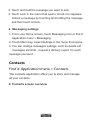
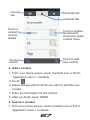
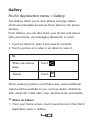
Gallery Find it: Application menu > Gallery The Gallery offers you to view photos and play videos which are preloaded as well as those taken by the phone camera. From Gallery, you can also share your photos and videos with your friends, via messaging, Bluetooth, or email. 1. Touch an album to open it and view its contents. 2. Touch a picture or a video in an album to view it. To Share via various Touch ways Delete Touch When viewing a picture, touch Menu key, some additional options will be available to you, such as delete, slideshow, edit, rotate left, rotate right, crop, set picture as, and details. Share an Album 1. From your Home screen, touch Launcher icon, then find it: Application menu > Gallery. 40