1
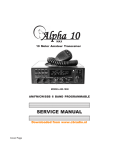
Alpha 10
MAX
10 Meter Amateur Transceiver
MODEL AM-1000
AM/FM/CW/SSB 6 BAND PROGRAMMABLE
1234567890123456789012345678901212345678901234567890123456789012123456789012345678901
1234567890123456789012345678901212345678901234567890123456789012123456789012345678901
1234567890123456789012345678901212345678901234567890123456789012123456789012345678901
1234567890123456789012345678901212345678901234567890123456789012123456789012345678901
1234567890123456789012345678901212345678901234567890123456789012123456789012345678901
1234567890123456789012345678901212345678901234567890123456789012123456789012345678901
1234567890123456789012345678901212345678901234567890123456789012123456789012345678901
USER’S MANUAL
1234567890123456789012345678901212345678901234567890123456789012123456789012345678901
1234567890123456789012345678901212345678901234567890123456789012123456789012345678901
1234567890123456789012345678901212345678901234567890123456789012123456789012345678901
1234567890123456789012345678901212345678901234567890123456789012123456789012345678901
1234567890123456789012345678901212345678901234567890123456789012123456789012345678901
1234567890123456789012345678901212345678901234567890123456789012123456789012345678901
1234567890123456789012345678901212345678901234567890123456789012123456789012345678901
Cover Page
GENERAL SPECIFICATIONS
General
Frequency Range 28.000 Mhz—30.105 Mhz (Programmable)
Frequency Bands A/B/C/D/E/F
Channel 1-40 (60) Channels (programmable) in each band
Frequency Control Phase-Locked-Loop Synthesizer
Frequency Step 10Hz - 100Hz - 1KHz - 10KHz
Frequency Tolerance 0.005%
Frequency Stability 0.001%
Temperature Range -30 deg to +50 deg C
Microphone 4 Pin Dynamic; with push-to-talk (CH-UP/DN/ASQ)
Input Voltage DC 13.8V normal, 15.9V max; 11.7V min
Transmit: AM full mod 5-7Amp
Receiver: Squelched 0.6Amp
SSB 21-25W PEP output 6-7Amp
Size = 8”W x 10”D x 2.75”H
Weight 4 Lbs (65.25 oz)
Antenna Connector UHF,SO239
Copyright (C) 2010 - www.alpha10radio.com
Inside Cover
INDEX
* General Specifications
* What’s In The Box?
* Microphone Controls
* Display Window Functions
* Front Panel Controls
* General Controls
* Function Controls
* Programming Via PC
* Transmitter Specifications
* Receiver Specifications
Index Page
What’s in the Box?
Microphone Controls
AQ
PTT
CH - DOWN/UP
MIC
AQ
Same as ASQ (Automatic Squelch Control on front panel)
Mic Wiring
Same as Cobra - Ranger - Galaxy - Connex - etc.
See Warning Below to Avoid Radio Damage!
(Mic Wiring)
Pin 1 = Ground
Pin 3 = Xmt
Pin 2 = Mic
Pin 4 = Up/Dn
WARNING! Pin 4 has +5VDC for Mic Buttons
When using Alternative Mic (RK56b - 636L etc.)
Cut Pin 4 Wire on Mic Plug to Avoid Damage to the Radio!
Page 1
Display Window
7 Digit Frequency Display: Displays Frequency and other information.
FUNC: Appears after pressing the FUNC key.
AQ: Automatic Squelch Control: (Activated for AM/FM Only).
RB: Roger Beep Appears when RB is activated.
NB/ANL: Noise Blanker and Automatic Noise Limited shown when On.
BP: Beep Function - When activated, will beep when any key is pressed.
ECHO: Echo/Timing - Shown when Echo Function is On.
VOIC: Voice Chip Function is Not Present in this Model.(Only on VHF/UHF)
HI-CUT: Shown when Activated - Lowers Audio Tone - Noise Reduction
DW: Shown when Dual Watch Feature is Activated.
10K: Shown when +10 KHz Feature is Activated.
EMG: EMG Feature is On - Changes to Emergency Freq.(Programmable)
SWR: Appears when SWR Feature is On.
SRF: Indicates whether S Meter or RF Out Feature is Activated.
SC: Scan is Active when SC is Displayed.
PA CW AM FM USB LSB: Indicated Mode of Operation.
Page 2
Front Panel Controls
FUNC RB NB/ANL DW
SCN +10 SWR EMG
ALL MODE DISPLAY
VOL SQ ECHO RF GAIN/PWR
Notes:
BAND
MODE
T/R
CLARIFIER
1-60
CH
Roger Beep - Programmable Tone Frequency and Length.
Clarifier - Push Control for Tuning Offset - Programmable Step Tuning.
General Controls:
VOL
SQ
E-TONE
RF GAIN
RF PWR
CLARIF
CHAN
FUNC
RB
NB/ANL
DW
SCAN
+10 Khz
SWR
EMG
DISP
TX/RX
CH DIS
Volume Control (Inner) - Adjusts Audio volume
Squelch Control (Outer) - Adjusts Squelch level
Echo & Timing - Controls Echo level and Repeat level
RF Gain (Inner) - Controls Receive Gain Level
RF Power - Sets RF Transmit Power Level
Clarifier - Sets Fine Tuning Level of Channel Selected (See Notes)
Channel Selector - Selects 1 - 60 Channels (Programmable)
Function Button - Selects Control Function Marked in Blue
Roger Beep - Turns End of Transmission Beep On/Off (See Notes)
Noise Blanker - Automatic Noise Limiter - Selects Feature On/Off
Dual Watch - Watches Priority Ch Regardless of Chan Selected
Scan Mode - When Squelch is ON, scans ALL channels 1 - 40 (60)
+10 Khz Switch - Shifts Frequency Up 10 Khz Above Freq. Shown
SWR Switch - Displays the Standing Wave Ratio of Antenna System.
EMG - Emergency Frequency (Programmable Frequency of Choice)
Large Backlit Display - Displays All Radio Functions Selected
TX/RX LED - LED Changes Colors with Receive and Transmit
Channel Display - LED Displays Current Channel of Operation
Function Controls:
Function Button controls the features marked in Blue under the control button.
Press the “FUNC” button and immediately press the desired feature button to
perform the task. For instance, if you wanted to turn on the HI CUT feature to
tone down the speaker. Press “FUNC”, then press “+10 Khz/HI CUT” button to
enable HI CUT.
The “FUNC” button can also be used to program many other features of the
radio. These features will be covered in greater detail later in this manual.
Page 3
Function Programmability:
The “FUNC” button controls the features marked in Blue under the control
button. The “FUNC” button also opens the programmable features of the radio
via a control menu. The programmable features of this radio can be set by
Computer, or by manually entering the Function Menu.
To open the Programming Mode via the Function Menu, Press and Hold the
“FUNC” key for 2 seconds. Press the “FUNC” key again and again to select the
different programmable features. Example: Press and Hold the “FUNC” key for
2 seconds and the “FUNC” icon will apear on the display. Press the “FUNC” key
again and the “STP” menu will indicate the Frequency Tuning Step of 10 Khz. By
turning the Channel Selector, the step tuning will change to the desired
frequency steps.
Press the “FUNC” key again to select another item. Change setting with the
Channel Selector. After 5 seconds of no activity the new setting will be saved in
memory. The Display will show each Option and Setting to the right side.
STP (Step Tuning Programming) or (Frequency Tuning Step)
This menu is to set tuning step while adjusting CLARIFIER knob
Options Available: 10HZ 100HZ 1KHZ 10KHZ (Default: 10HZ)
CLA (CLARIFIER) Mode Setting (Default: RT)
This menu is to set functions of the CLARIFIER knob. Options are as follows:
+ FIN: Fine Tuning. When this option is selected, users can Only Fine Tune
the Receive Frequency by rotating the CLARIFIER knob.
Option “1” will appear on the LCD.
+ RT: When this option is selected, users can adjust Both Transmit and
Receive. Option “2” will appear on the LCD.
+ T When this option is selected, users can Only adjust the Transmit
frequency., Option “3” icon will appear on the LCD.
PUS (PUSH Function Setting)
This menu is to set functions of the PUSH knob. Options are as follows:
+ COA: When this option is selected, PUSH and turn CLARIFIER knob to
adjust COARSE tuning. Option “2” will appear on far left of the LCD.
+ T: When this option is selected, PUSH and turn CLARIFIER knob to change
Only the Transmit Frequency. Option “3” will display on the far left of the LCD.
Page 4
+ STP: When selected, PUSH function will change Frequency Tuning Step
of the CLARIFIER knob. Press In on the Clarifier knob and the frequency
step setting will blink. (Default: is STP)
Change as desired.
ASQ (Automatic Squelch Control) (Same as AQ on Mic) Default is OFF
TOT (Transmit Time-Out-Timer)
Sets the TOT timer. When the mic is keyed longer than the TOT time set,
the radio will stop transmitting on that single keyup.
The speaker will emit a prompt until the PTT key is released and keyed
again. This setting keeps the radio from being keyed up for long periods
of time and heating up the Final Transistors.
Options: 30-600s Step: 30s (measured in seconds)
Default: 180s
SC Scanning Type Selection (Default is SQ)
Sets Scan Mode. Options are as follows:
+ SQ: When SQ is selected, scan would stop when a valid signal is
detected. The radio would resume scanning after signal disappears for 5
seconds.
+ TI: When TI is selected, scan would stop when a valid signal is
detected. The radio would resume scanning 5 seconds later, whether
signal disappears or not.
TSR (Transmit SWR Protection)
Sets whether to enable Transmit SWR Protection function or not.
+ ON: When ON is selected, the radio will detect the SWR of antenna.
Once the SWR is beyond the SWR setting, the radio will not transmit
The speaker will emit warning prompt. Then, “HI S” will display on the
LCD to remind you that the antenna SWR is too high.
+ OFF: When OFF is selected, SWR Protection function is disabled.
NOTE: To protect the radio from long transmissions under high SWR, the
radio will automatically start SWR Protection once the SWR Value is
higher than 20:1. (Default: ON) (SWR=<10:1)
* TDC (Power Supplied Voltage Protection)
This menu is to choose whether to enable Power Suppy Voltage
Protection function or not.
Page 5
DISP (Default is TF)
Sets the content displayed on the LCD on transmit.
+
+
+
+
TF: When TF is selected, LCD displays transmit frequency on transmit.
SR: When SR is selected, LCD displays SWR value (Ex: “1.2” on LCD).
BAT: When BAT is selected, LCD displays DC Voltage (Ex “13.8DC” on LCD).
TOT: When TOT is selected, LCD displays TOT remaining (Ex: 170”on LCD).
RBF (ROGER BEEP Frequency Setting) (Default is 1050 KHz)
Sets Roger Beep Frequency. (300KHz—3KHz. Shift step is 10Hz).
RBT (ROGER BEEP Holding Time) (Default: 500ms)
Sets Roger Beep Holding Time, (50ms - 1000ms). Shift step is 50ms.
CFR (CW Side Tone Frequency) (Default: 1050Hz)
Sets CW Side Tone Frequency. (300Hz- 3KHz) Shift step is 10Hz.
TON (Transmitting Single-Tone Frequency) (Default: 1050Hz)
Sets Transmit Single-Tone Frequency. (300Hz -3KHz). Shift step is 10Hz.
PROGRAMMING VIA PC
The Alpha 10 “Max” Can also be programmed via a Computer using an
Optional USB Cable and Software. Programming via Computer allows
more flexibility by offering the option to change Operating Frequencies
and Channel Spacing. Of course, all other programmable settings can
also be set via the software.
The USB Cable plugs into a small Programming Jack inside the Radio.
The Software is Windows Based and comes with Drivers to support the
cable.
Optional USB Cable & CD
Model: AM-10USB
Page 6
RADIO SPECIFICATIONS
TRANSMITTER
Power Output AM/FM/CW: 12W
SSB: 21W(PEP)
Modulation High and low level class B
Amplitude Modulation: AM
Varied Capacitance Frequency Modulation: FM
Inter-modulation Distortion SSB: 3rd order, more than -25dB; 5th order,
more than -35dB
SSB Carrier Suppression 55dB
Unwanted Sideband 50dB
Frequency Response AM and FM: 450 to 2500HZ
Output Impedance 50ohms, unbalanced
RECEIVER
Sensitivity SSB: 0.25¼V for 10dB(S+N)/N at greater than 1/2W-audio.
AM:1.0¼V for 10 dB(S+N)/N at greater than 1/2W audio.
FM: 1.0 ¼V for 20 dB (S+N)/N at greater than 1/2W audio.
Selectivity AM/FM:6dB@3KHz,50dB @9KHz
SSB: 6 [email protected],60dB @3.3KHz
Image Rejection More than 65dB
IF Freq. AM/FM: 10.695 MHz 1st IF, 455 KHz 2nd IF SSB: 10.695 MHz
Adjacent-Channel Rejection 60dB AM/FM &70 dB SSB
RF Gain Control 45 dB adjustable for optimum signal reception
Automatic Gain Control (AGC)
Less than 10 dB change in audio for inputs 10 to 100,000 microvolt.
Squelch Adjustable; threshold less than 0.5 ¼V.
Automatic Squelch Control(only AM/FM) 0.5 ¼V
ANL Switchable Noise Blanker RF type, effective on AM/FM and SSB
Audio Output Power 4 watts into 8 ohms
Frequency Response 300 to 2800 Hz
Built-in Speaker 8 ohms, round. 8 ohms.
Page 7
Features:
* 6 Band Programmable Frequency Range (28.000 - 30.000 Mhz)
* PA - CW - AM - FM - USB - LSB Modes
* Backlit Controls for Low Light or Night Driving!
* Large EL LCD Display shows All Modes of Operation.
* 7 Digit Frequency EL Lighted Display.
* Automatic Squelch Control - Auto Adjusts for Best Level.
* One Button Channel Scan - Scans All Channels for Activity.
* Channel Up/Down Buttons on Mic for One Hand Operation.
* Emergency Preset Button for Quick Access.
* Dual Watch Button Simultaneously Monitors Two Channels.
* Roger Beep with Programmable Tone and Length.
* 2 Digit LED Channel Display (40 or 60 Channel Programmable)
* Echo and Timing Controls - Programmable ON or Disabled.
* Side Mounted 4 Pin Mic Plug (Standard Cobra Mic Will Work)
* Hi Tech Automatic Noise Limiter/Noise Blanker Circuitry.
* Aluminum Rear Heat Sink Handles Heat of Dual MosFet Finals.
* +10 Khz Switch - Hi Cut Tone Control - Transmit Time Out Timer.
* Programmable Channel Scan List - Programmable Add/Delete CH.
* Programmable Clarifier Tuning Controls - Fine and Coarse.
* Built In SWR Meter - Variable RF Power - Display On/Off Features.
* Programmable via Computer - Requires Optional Cable & Software
* Limited 90 Day Warranty
Copyright (C) 2010 - www.alpha10radio.com
WARNING!
Users of this radio device must have a valid FCC license to transmit!
U.S. Federal Communications Commission (Ref. CFR 47 - Sec. 97)
Any modification or misuse of this device violating any law is the sole
responsibility of the user and no other liability shall be assumed!
Back Cover