1
Podrcznik dla XCSoar
3. USER INTERFACE
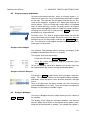
For the Altair version in the default mode, the rotary knob performs
the following functions:
Outer knob counter-clockwise : Zoom in
Outer knob clockwise : Zoom out
Inner knob counter-clockwise : (No function assigned)
Outer knob clockwise : (No function assigned)
Knob button press : Clear status message or acknowledge airspace warning
In dialogue forms, the rotary knob in Altair performs the role of the
cursor and enter keys:
Outer knob counter-clockwise : Up cursor
Outer knob clockwise : Down cursor
Inner knob counter-clockwise : Left cursor
Inner knob clockwise : Right cursor
Knob button press : Enter key
For Altair, the buttons along the edge of the display can be used
as alternate ways of navigating in dialogues. The F4 key (directly
above the rotary knob) can be used as an alternate ENTER key
(instead of pressing the rotary knob) in dialogues. The F6 and F7
keys (directly to the right of the rotary knob) can be used to select
the next or previous page in multi-page dialogues.
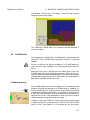
Dynamic menu labels
Certain menu items have dynamic labels to make it clearer what
happens when the menu item is selected. Furthermore, items that
are not available are greyed out to indicate that selecting the menu
item will not do anything.
The convention used for dynamic menu labels is for the labels to
display the action that will be performed once the menu item is
selected. For example “Lights On” will turn the lights on, and the
menu will be updated to display “Lights Off”, which would then if
pressed turn the lights off. This convention is used throughout
XCSoar.
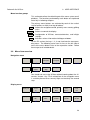
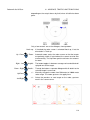
A selection of key dynamic menu items is presented below:
Next Turnpoint
: Greyed out if the task is cleared, or if the active turnpoint
is the finish. If the currently active turnpoint is the turnpoint
prior to the finish, this displays “Waypoint finish”.
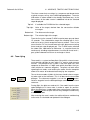
Previous Turnpoint
: Greyed out if the task is cleared, or if the active turnpoint
is the start and there are no multiple start points. If there
are multiple start points and the active turnpoint is the start,
then this displays “Cycle start” to allow selection between
the various start points. If the active turnpoint is the first
turnpoint after the start, this displays “Waypoint Start”.
31