1
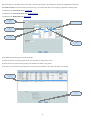
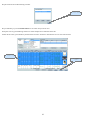
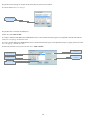
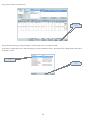
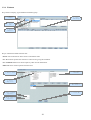
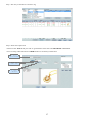
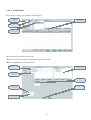
Step 2:Add the relevant fields and click 'OK'.
•'From' specifies the location from where the Bulk Jewelry is to be subtracted.
•'To' location specifies where the Finished Jewelry is added to.
•Comments field can be used to input the payment terms or any other relevant information.
•Other ref can be used to input the supplier's bill no.
3. Select / Add
'Dept/Locn'
1. Select 'Date'
2. Select
'Dept/Locn'
4. Select
'Rate Profile'
7. Click 'OK'
5. Enter comments
(optional)
6. Enter other ref
(optional)
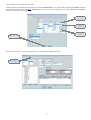
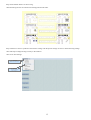
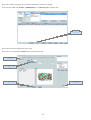
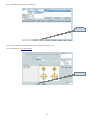
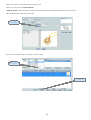
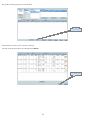
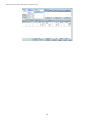
Step 3:After selecting the group we can add items one by one.
1. Click
'Add Item'
2