1
E
N
G
L
I
S
H
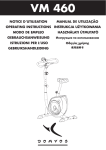
VM 460 METER
SWITCHING ON
To switch on the computer, press any key or start cycling.
KEY FUNCTIONS
MODE :
Press "MODE" to select the display of
the function you want to see appear
on the main screen. The selected
function flickers in the lower field.
SET (SETTINGS) :
Use this key and "Mode" to set the
Time, Distance, Calories or Pulse.
RESET (ZERO RESET) :
Use this key and the MODE key to
reset the Time, Distance, Calories or
Pulse to "0". Keep the “Reset” key
pressed for 4 seconds to reset all the
functions to “0”.
RECOVERY (RECUPERATION) :
Press this key after your exercise,
place both hands on the 2 pulsation
sensors for a minute and the monitor
will display your heart-rate recovery
status on a one minute “recovery”
rate.
FUNCTIONS / SCREEN DISPLAY
STOP :
Displays as soon as you stop pedaling. Indicates that the console does
not receive a signal from the pedals.
DISTANCE :
Accumulates the distances covered during the exercise from 0 to 9999
km (miles for products sold in the US). You can preset the distance to
cover during the training before exercising. The setting is done in the
same way as for the length of the exercise. (Incrementing per 0.5 km
or miles)
SCAN :
Displays as soon as you start pedaling. The main screen’s display
automatically passes on each function for 6 seconds: speed => RPM
=> time (length) => distance (covered) => calories (lost) => pulse (pulsations).
CALORIES :
Accumulates the total calories lost during the exercise from 0 to 9999
km (miles for products sold in the US). You can preset the number of
calories to lose during the training before exercising. The setting is
done in the same way as for the length of the exercise. (Incrementing
per 10 calories)
SPEED :
Displays the present speed. From 0.00 to 99.9 km/h (or miles/h for
products sold in the US)
PULSE (pulsations) :
instantly indicates your heart-rate (in heartbeats per Minute) when you
place your hands on the 2 pulsation sensors. You can also set the
heart-rate not to be overshot during your exercise (from 30 to 240
PPM). If you overshoot the frequency, the monitor’s alarm starts ringing.
CAUTION: the pulsation sensors issue estimations; they can in no
case be considered as medical implements.
RPM :
Displays the present pedaling rate (in rpm). The rate and speed
display passes from one to the other every 6 seconds throughout the
exercising.
TIME :
Adds up the total length of the exercise from 00:00 to 99:59. You can
preset the training length before exercising: with the MODE key, select
the TIME window, and by pressing the SET key you can set the length
of the exercise minute by minute from 0 to 99 minutes. Start the exercise, and the countdown begins. As soon as your time aim is reached,
the monitor’s alarm rings for 8 seconds. If you choose to continue
exercising, the time will start incrementing immediately.
CHARACTERISTICS OF THE RECUPERATION FUNCTION :
Press the Recovery key after having done your training.
Place both hands on the pulsation sensors; the counter displays one minute (00:60) and starts a countdown. The computer measures your heartrate frequency during that minute and displays your heart-rate frequency’s recuperation status after that minute. The LCD screen displays the following: F1, F2, F3, F4, F5 or F6.
F1: Your physical condition is above average.
F3: You have a good physical condition.
F6: Reduce your training resistance level the next time, exercise at a lower resistance level for the next 30 to 60 days.
CAUTION: this is an estimation and should not be taken as a medical caution.
19