1
Quantum / SWIMMING CONCEPT
1
INTRODUCTION
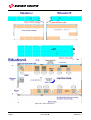
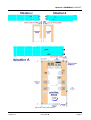
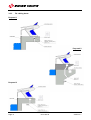
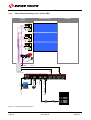
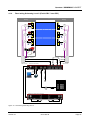
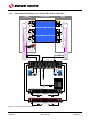
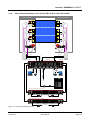
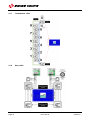
An aquatic timing system can either be laid out with either “mobile” cabling or as an “in-deck”
installation. In an “in-deck” installation the cabling to the various components is accomplished
using wherever possible conduit, cableways, or cable trays installed in the concrete slab or below
deck. This means that the scene of the Start is clear of all of all clutter, in line with FINA
recommendations.
http://www.fina.org-
FACILITIES RULES
http://www.fina.org/H2O/index.php?option=com_content&view=category&id=88:facilitiesrules&Itemid=184&layout=default
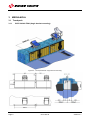
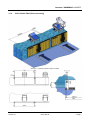
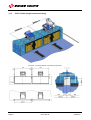
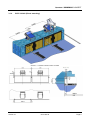
The easiest way to accomplish this is to have a basement “walk around” situation. This allows all
the cabling to be off the deck, end wall or bulkhead and permits the installation of the lane
speakers inside the starting blocks. This is certainly the preferred configuration, which facilitates a
safer, quicker set-up so the system can be more “plug and play” like. Moreover, starting blocks
can be easily removed between competitions without modifying the permanent wiring.
This type of configuration also permits the installation of an ODB lane interface in a secure dry
location. The advantage of this is that all the swimming lanes are addressed individually over a
separate cable to each lane.
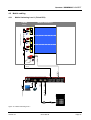
There are two ways in which to use back-up system:
1. Semi-Automatic mode, 1, 2 or 3 pushbuttons.
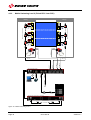
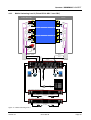
2. Automatic mode, in which case the touchpad and relay platforms are connected in parallel
on the primary and secondary systems.
Note: this requires the use of a back-up high-speed video system and is typically used at
very high level meets.
1.1
Cable for Timing
The cables are of the "electric control" type, non-twisted but shielded. Stranded conductor cable
was chosen for ease of installation and connection. Shielding is a necessary precaution.
Cable recommended type: 6 x 0.5mm2, Ø ext. 9mm max. (4 x 20 AWG). Swiss Timing Ltd will not
warrant the performance of the system if the minimum specifications are not adhered to.
Version 4.1
0017.509.02
Page 1