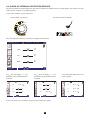
1
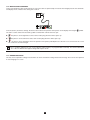
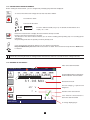
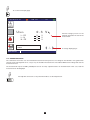
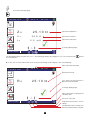
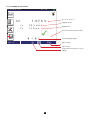
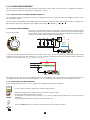
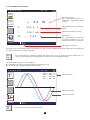
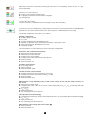
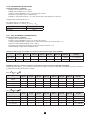
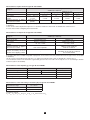
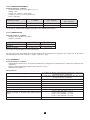
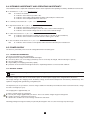
3.4.3. CONFIGURING THE MEASUREMENT Before starting the measurement, you can configure it by modifying the parameters displayed: To choose the nominal test voltage UN: 50, 100, 250, 500 or 1000 V. To activate the alarm. To deactivate the alarm. k Ω 0500.0 MΩ To set the alarm threshold (see §3.17). As default, the threshold is set to R (kW) = UN / 1 mA. Before the measurement: to display the measurements already recorded. During or after the measurement: to record it. The direction of the arrow indicates whether you can make a reading (arrow pointing out) or a recording (arrow pointing in). The percentage indicates the quantity of memory already used. 6% Once the parameters have been defined, you can start the measurement. Keep the TEST button pressed until the measurement is stable. The measurement stops when the TEST button is released. TEST Before disconnecting the leads or starting another measurement, wait a few seconds for the UN voltage to be zéro. 3.4.4. READING OF THE RESULT Value of the alarm threshold. 11-22-2013 10:47 500 kΩ - - .- Hz The bargraph provides a rapid quantitative indication of the insulation. 3 1 . 0 6 MΩ 2% Measurement result. 577 V The test voltage UN is present and dangerous. 7 s Duration of the measurement. Press TEST until the measurement is stable Case where the measurement is above the alarm threshold. INSULATION To change display pages. 18