1
INTREPID User Manual
Library | Help | Top
INTREPID system parameters and install.cfg (R07)
3
| Back |
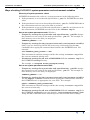
Ways of setting INTREPID system parameters and environment variables
Hierarchy of system parameter values
INTREPID determines the value of a system parameter in the following order:
1
If the parameter is set in the task specification (.job) file, INTREPID uses that
value.
2
If the parameter is not set in the task specification (.job) file, INTREPID looks in
the environment and uses any value that is set there.
3
If the parameter is not set in the task specification (.job) file and also not set in
the environment, INTREPID uses the value in the install.cfg file.
How to set system parameters under Windows
•
Temporary settings for a particular task specification (.job) file: Assign
the parameter a new value in the task specification (.job) file. For example, to
force memory use to the disk, you might put:
INTREPID_MEMORY = 10
•
Temporary settings for the current session only (environment variable):
(Only if you are launching INTREPID tools using commands) Use the set
command before typing the command that launches the INTREPID tool. For
example:
set INTREPID_FAST_POINTS = YES
This environment variable setting overrides the setting in install.cfg within
the current command window only.
•
Permanent settings for all uses of INTREPID: Edit the install.cfg file in
the INTREPID config directory
For example, c:\Program Files\intrepid\config.
How to set system parameters under UNIX
•
Temporary settings for a particular task specification (.job) file: Assign
the parameter a new value in the task specification (.job) file. For example, to
force memory use to the disk, you might put:
INTREPID_MEMORY = 10
•
Temporary settings for the current session only (environment variable):
Use the export or setenv command before typing the command that launches
the INTREPID tool, as appropriate for your shell. For example:
export INTREPID_FAST_POINTS=YES
This environment variable setting overrides the setting in install.cfg within
the current session only.
•
Library | Help | Top
Permanent settings for all uses of INTREPID: Edit the install.cfg file in
the INTREPID config directory (for example, /usr/intrepid/config). Note:
Using the set commands before launching a tool will override these settings.
© 2012 Intrepid Geophysics
| Back |