1
CATC
BTTracer Protocol Analyzer User’s Manual
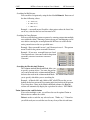
Menu
Connectors ...
SW Version 2.20
Function
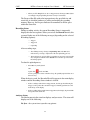
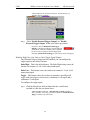
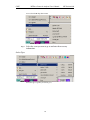
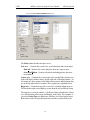
Opens a dialog box for the output connectors on the back of the
UPAS. There are two options:
Default Configuration - Causes the analyzer to output a low voltage
output signal for use by another device such as an oscilloscope. See
“External Input Signals” on page 103 for further explanation.
Output Radio Data - Causes the analyzer to output radio signals
through External Output connectors. If you place your mouse pointer
over the Output Radio Data option, a tool tip will provide a detailed
explanation of this option’s function.
System
Configuration>>
BT004MA/BT005MA
BT1.1 (Supports
BTTrainer)
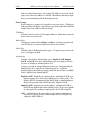
Puts BTTracer in Bluetooth 1.1 mode. This modes supports the
Bluetooth 1.1 specification. BTTrainer will function in this mode.
BT004MA/BT005MA
BT1.2 (BTTracer
only)
Puts BTTracer in Bluetooth 1.2 mode - ie in a mode that supports the
recording and displaying of traffic that is supported by the Bluetooth
1.2 specification. This mode does not support BTTrainer.
Analyzer
Allows the operator to reset the Analyzer or update the BusEngine
and Firmware.
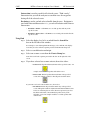
Record
Start
Causes the Analyzer to begin recording Bluetooth activity.
Stop
Causes the Analyzer to stop recording.
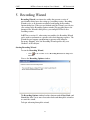
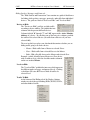
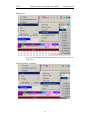
Recording Mode
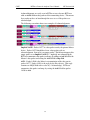
Presents a drop-down menu with options for setting the analyzer's
recording mode:
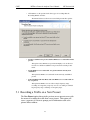
Piconet Recording Mode -- Causes BTTracer to monitor and record
piconet traffic. BTTracer records the traffic data as specified in the
Recording Options, then uploads the data as a Trace file when the
recording is complete.
Inquiry Recording Mode -- Causes BTTracer to perform an inquiry
to detect and record Bluetooth devices within range. After completing
the recording, BTTracer uploads the trace to the PC and saves it as a
Trace file.
BTTrainer Recording Mode -- Causes BTTrainer Bluetooth
Generator application to run. If BTTrainer is not running, this menu
item is disabled.
IUT:HCI Recording Mode -- Configures the system to exclusively
record HCI traffic from IUTs. This recording mode bypasses the
analyzer: HCI traffic from the IUT is recorded directly by the
analyzer software without going through the analyzer.
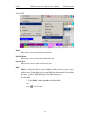
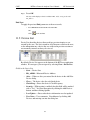
BT Neighborhood
Inquiry
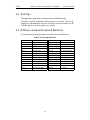
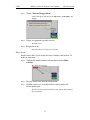
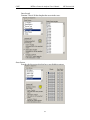
Displays Bluetooth Address & clock frequency for devices in range.
The expected Bluetooth clock frequency is 3200 Hz +/- 250 ppm.
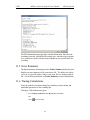
Report
File Information
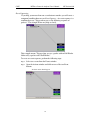
Details such information about the recording as number of packets
and triggering setup.
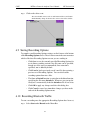
Error Summary
Displays an error summary of the current trace file & allows you to go
to a specific packet, and save the error file to a uniquely named file.
34