1
5.3.11 Sound Player
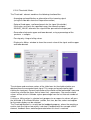
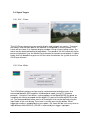
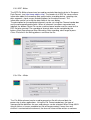
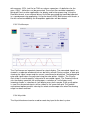
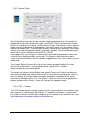
The Sound-Player element can be used for triggered playback of a short audio-file.
Supported file formats include wav, mp3, voc and aiff. The file could contain sound
effects or reward tones of about 1 to 20 seconds length. The element is not suited for
longer music files because of long loading / conversion times (use the Media Player
element for longer files). The input-ports control starting of the sound (on), the current
volume (vol) and the playback speed / toneheight (speed). The sound will be played
when the on input is different from INVALID_VALUE.
If the option play only changes is selected, the sound will be played only once if the
value of the on input-port does not change. The Repeat Interval can be used to
select a minimum duration until the sound is triggered next time, thus a pause can be
introduced.
The Sample Buffer Size sets the size for the internal playback buffer, this value
affects the audio latency / system performance. Using values < 4096 is
recommended for accurate playback.
The ranges for volume (Input-Range) and speed (Center and Factor) are obtained
from the connected input signals and can be set manually by changing the values in
the user dialog. The reverse option changes speedup or slowdown of the sound
when the speed input values rise. The Center - value sets the value for playback at
original speed and the Factor - value sets the gain for speed-changes.
5.3.12 TCP – Sender
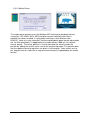
The TCP-Sender element can be used to transfer signal channels via network, using
the neuroserver software by Rudi Cilibrasi. To establish connection, a neuroserver
has to be running on a known host computer in the network or on the local host. (see
http://openeeg.sourceforge.net/doc/sw/NeuroServer).
BrainBay - User Manual
page 36 / 47