1
3. About the Tool
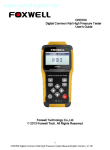
CRD700 is specially designed for fast and accurate diagnosis of fault in
common rail systems. It represents the state of art technology for
measuring the pressure in common rail systems.
3.1 Tester Controls
A. LCD Display - shows menus, test results and operation tips.
B. Back Key – cancels an action and returns to previous screen or level.
C. Printing Key– it’s used to send the test result to the printer if needed.
With the wireless printing module, the user can print the test data
without the action to connect it to a printer.
D.OK Key - confirms an action or movement and goes to next level,
and saves test data.
E. Wireless Receiver Key - is used to send data to a PC using the
Foxwell wireless receiver.
F. Left / Right Scroll Key – Checks the maximum pressure and actual
pressure when operating the dynamic pressure test.
G. Up / Down Key - moves selection up/down when testing.
I. Engine Key – To quick start the engine when the users operate the
max high pressure test.
9
CRD700 Digital Common Rail High Pressure Tester Manual English Version_V1.00