1
Taking Pictures Continuously
143
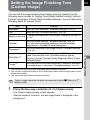
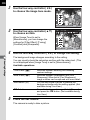
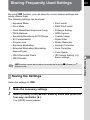
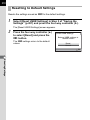
Continuous Shooting
Pictures can be taken continuously while the shutter release button is held
down.
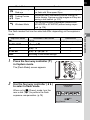
This camera has the following two types of continuous shooting.
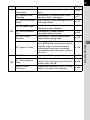
Continuous
Shooting (Hi)
When [JPEG Recorded Pixels] is set to W and [JPEG
Quality] is C, pictures are taken continuously at
approximately 5.2 frames per second. Up to 40 frames
can be shot in one sequence.
h
Continuous
Shooting (Lo)
When [JPEG Recorded Pixels] is set to W and [JPEG
Quality] is C, pictures are taken continuously at
approximately 3.3 frames per second. Pictures can be
taken continuously until the SD Memory Card is full.
When the file format is [RAW], up to 15 frames (PEF) for g (Continuous
Shooting (Hi)) or up to 17 frames (PEF) for h (Continuous Shooting (Lo)) can
be taken continuously.
1
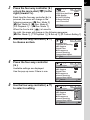
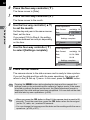
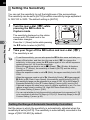
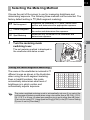
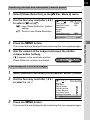
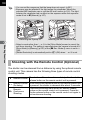
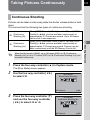
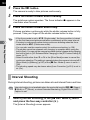
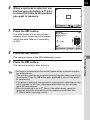
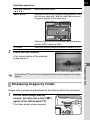
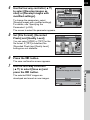
Press the four-way controller (2) in Capture mode.
The [Drive Mode] screen appears.
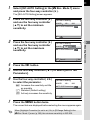
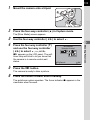
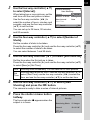
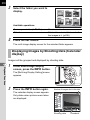
2
Use the four-way controller (45)
to select g.
Drive Mode
Single Frame Shooting
MUP
MENU Cancel
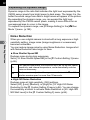
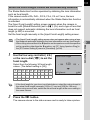
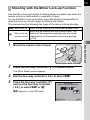
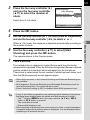
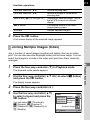
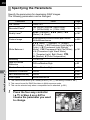
3
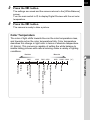
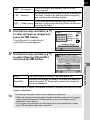
Press the four-way controller (3)
and use the four-way controller
(45) to select g or h.
OK OK
Drive Mode
Continuous Shooting (Hi)
MUP
MENU Cancel
OK OK
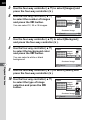
4
Shooting Functions
g