1
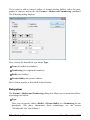
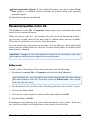
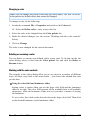
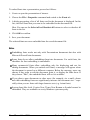
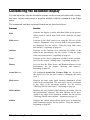
You can edit objects created with the Equation Editor by double-clicking on them. Following a double-click, the Equation Editor is restarted and the formula object is opened in it. After you make the desired changes, simply close the Equation Editor again. Moreover, you can change the properties of an Equation Editor object by selecting the object with a single mouse click and then invoking the Object > Properties command. Information from the creators of the Equation Editor The SoftMaker Equation Editor is a special version of the MathType program from Design Science. If you make frequent use of formulas in your documents, you might find that MathType itself is even better suited to your needs than the SoftMaker Equation Editor. While just as easy to use as the Equation Editor, MathType has a number of additional functions that can help you be more productive and create more complex formulas. MathType is available in English, French, German, and other languages. You can obtain information about the purchase of MathType from your software distributor or directly from Design Science. Design Science, Inc. 140 Pine Avenue, 4th Floor Long Beach, CA 90802 USA Phone (USA): Fax (USA): +1 (562) 432-2920 (for international customers) +1 (800) 827-0685 (for customers within the USA and Canada) +1 (562) 432-2857 E-mail (English): Internet: [email protected] www.dessci.com Tables The tables feature provides you with the capability to lay out certain parts of your slide in a tabular form to make them more legible. In this section, you will find detailed information on working with tables. The following topics are covered: Inserting a table Editing tables Selecting table cells and cell contents 154 Working with objects Manual Presentations 2016