1
4 DIAGNOSTICS
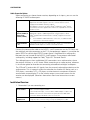
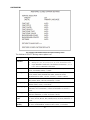
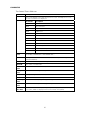
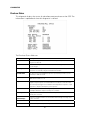
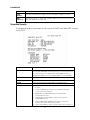
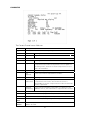
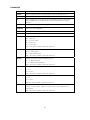
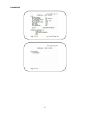
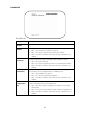
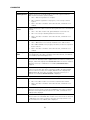
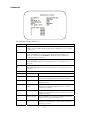
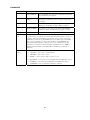
The Interface Status fields are:
Field
Description
DOCSIS Tuner & Xmitter
Indicates if enabled; indicates if active
1394 I/O Device
Indicates if enabled; indicates if active
USB I/O Device
Indicates if enabled; indicates if active
Ethernet Device
Indicates if enabled; indicates if active
Parallel Port
Indicates if enabled; indicates if active
IR Xmit
Indicates if enabled; indicates if active
Hard Drive Status
Indicates if enabled; indicates if active
Smart Card
Indicates if enabled; indicates if active
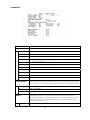
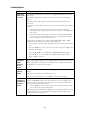
HDMI™ Port
If a device is connected to the HDMI™ port only, the following
diagnostics display to help troubleshoot the HDMI™ interface.
They all display N/A if no device is connected to the HDMI™
port, or the value is invalid or cannot be retrieved.
•
Device Connected — Indicates whether a device is
connected to the HDMI™ port—Yes or No.
•
Repeater — Indicates whether the connected device is a
repeater — Yes or No.
•
Video Xmission (transmission) — Indicates whether the
DCX3200 is transmitting video over the HDMI™ port —
Not Active or Active.
•
HDCP Enabled — Indicates whether the DCX3200 is using
HDCP to encrypt video transmitted over the HDMI™ link
— Yes or No. If the Video Xmission status is Not Active,
the HDCP Enabled status is No.
•
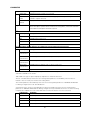
Output Format — Indicates the timing format of the video
sent through HDMI:
o
1920 x 1080I — 1920 pixels wide by 1080 pixels high,
interlaced
o
1280 x 720P — 1280 pixels wide by 720 pixels high,
progressive
o
720 x 480P — 720 pixels wide by 480 pixels high,
progressive
o
720 x 480I — 720 pixels wide by 480 pixels high,
interlaced
o
640 x 480P — 640 pixels wide by 480 pixels high,
progressive
o
Aspect Ratio — Indicates the aspect ratio of the video
sent through HDMI™ — 4:3 or 16:9
54