Download The Workspace

Transcript
Chapter 1. Introduction
Welcome to the FlowTraq user manual. This document contains in-depth information on installing,
configuring, and effectively using the powerful and valuable features available in FlowTraq.
FlowTraq is a full-fidelity flow collector designed to combine the tasks of network monitoring, security,
and forensics in one powerful, fast, and easy-to-use suite. In FlowTraq, you can view flow traffic from
routers, managed switches, and other network devices.
FlowTraq was designed to flexibly meet the requirements of large enterprise, government, and small
business in one product. Key features include:
• FlowTraq is compatible with all common network flow formats: NetFlow version 1, 5, 7, and 9;
sFlow; cFlow; jFlow; IPFIX over TCP and UDP; and CISCO NSEL (ASA Firewall Events).
• FlowTraq is fully IPv6 capable.
• FlowTraq stores all the flow records it receives compactly and retrieves them with full fidelity. It
never aggregates data and only discards the least-recent information in its database when the database
becomes full, making years of full forensic recall feasible.
• FlowTraq provides the most powerful filtering technology in the industry, so you can quickly locate
even small anomalies in the busy networks. See the section called “Filtering” for more information.
• FlowTraq help identify issues quickly with a configurable Dashboard. See Chapter 7, The Dashboard
for more information.
• FlowTraq can generate alerts and send notifications via email, syslog over UDP, a command line
interface, or the Dashboard. See Chapter 11, Alerts and Notifications for more information.
• FlowTraq can generate custom reports on a user-specified schedule. See Chapter 9, Scheduled Reports
for more information.
• FlowTraq includes an extensive API and a full set of command line tools for scripting and web
deployments. See Chapter 13, Command Line Interface for more information.
• FlowTraq has an interactive query mode specifically designed to help you get a handle on your network or perform forensic investigation after an incident. See Chapter 8, Interactive Reports (Workspaces) for more information.
• FlowTraq includes Flow Exporter, a software agent for sniffing a network interface and generating
NetFlow. See the section called “Using Flow Exporter” for more information.
• FlowTraq can export results in a variety of standard formats, including PDF for printing and CSV
for further processing.
• FlowTraq can be deployed in the datacenter, in the cloud, or on the workstation at your desk.
Whether you are monitoring your network border, or are securing your key servers, FlowTraq will
collect and store flow records of your network traffic.
This user manual was designed to help you get the best possible value out of your FlowTraq installation.
System Overview
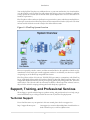
A FlowTraq installation consists of an instance of FlowTraq Server and one or more instances of FlowTraq Client. Because FlowTraq is a networked application, you can access the system from anywhere
on your network.
1