1
Philips 9750 - User Manual
Chapter 2: Introducing the Philips 9750
This chapter introduces the Philips 9750 through a series of graphics and explains the symbols on the LCD
display.
Graphic
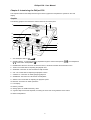
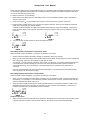
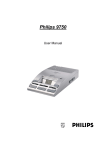
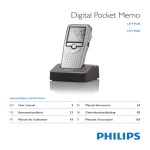
The following graphics show the device and the names of the various parts.
14
13
15
12
1
11
2
10
9
3
4
5
8
7
1: Auto-backspace switch (
6
).
2: Speaker selector - for switching between playback through the external microphone (
) or the built-in loudspeakers ( ).
(
), the headphones
3: DOWNLOAD: When the device is connected to the PC, this button activates the download function.
4: TONE: The control slider for adjusting the playback tone.
5: SKIP/FWD: The button for Fast Forward and Skip Forward.
6: VOL: The control slider for adjusting the playback volume.
7: STOP/PLAY: The button for starting/stopping playback.
8: SKIP/BACK: The button for Fast Rewind and Skip Back.
9: SPEED: The control slider for adjusting the playback speed.
10: DELETE: The button for delete operations.
11: LCD display.
12: Memory card slot.
13: Storage space for additional memory cards.
14: Jog Dial: Skip Forward and Skip Back, accessing the menu and moving between menu entries.
15: Built-in loudspeakers.
2