1
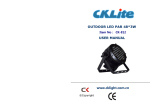
Instruction Manual
OUTDOOR LED PAR
3W*48
Thank you very much for choosing our product. For safety purpose,
please read this manual carefully before your operation. This manual
included installation and using information. Please install and operate it
according to this manual.
-1-
Indexing
Part 1 Product (GENERAL)
1.1--PRODUCT INTRODUCTION..............................................….........2.
1.2--PRODUCT FEATURES.....................................................................2.
1.3--TECHNICAL SPECIFICATIONS............................................ ........3.
1.4--PHOTOMETRIC DATA....................................................................4
1.5--SAFETY WARNING..........................................................................5
PART 2 INSTALLATION.......................................................................7.
2.1--MOUNTING.......................................................................................7
2.2--SETTING UP WITH A DMX512 CONTROLLER...........................7.
2.2-1--DMX512 ADDRESSING WITHOUT IP ADDRESSING.............7
2.2-2--DMX512 ADDRESSING WITH IP ADDRESS.............................8
2.2-3-- DMX Channel instruction…………………………………….…10
PART 3 DISPLAY PANEL OPERATION...........................................11
3.1-- D i s p l a y p a n e l m e n u i n s t r u c t i o n ...........................................11
3.2--DMX512 address set (DMX).............................................................11
3.3-- IP address set (IP)……................................................... ..................11
3.4
Auto-program parameters set(AUTO) ......................... .................11
3.5-- S c e n e E d i t ( E D I T) .................................................................12
3.6-- Master / Salve machine set HOST/SLAVE............................ ...........13
3.7-- D i s p l a y M e n u i n s t r u c t i o n ( g e n e r a l ) ......................... ..........14
-1-
- 14 -
Part 1 Product
1.1 Product introduction
Th i s p r o d u c t i s d e s i gn e d f o r O u t d o o r u s e . S u i t a b l e
a p p l i c a t i o n s i n c l u d e w a s h o r e f f e c t l i gh t i n g fo r a r c h i t e c t u r a l ,
s t a g e o r n i gh t c l u b a p p l i c a t i o n s . Th i s p r o d u c t c a n a l s o b e
i n s t a l l e d fo r u s e i n s i g n a g e a n d a d ve r t i s i n g u s i n g t h e
d yn a m i c fu n c t i o n s a v a i l a b l e wi t h D M X 5 1 2 c o n t r o l . D i r e c t
i n p u t o f D M X 5 1 2 s i gn a l a l l o w s t h e u n i t s t o b e c o n t r o l l e d
f r o m a n y D M X 5 1 2 c o n t r o l l e r . Th i s p r o d u c t c a n b e o p e r a t e d
a s a s i n gl e u n i t o r i n mu l t i p l e u n i t s fo r l a r ge a p p l i c a t i o n s .
Th e s p e c i a l l y d e ve l o p e d c o n t r o l l e r t h a t a l l o w s t h e
product
to
be
controlled
independent
of
the
DMX512
c o n t r o l l e r e n a b l e s t h e u s e r t o c r e a t e a n d e d i t a wi d e r a n g e o f
custom
p r o gr a m s .
All
p r o gr a m s
can
be
touch-button
d i s p l a ye d o r s c h e d u l e d t o S T A R T a n d E N D a t s c h e d u l e d
t i m e s . Wh e n p r o g r a m s h a ve b e e n c r e a t e d o r e d i t e d i n t h e
c o n t r o l l e r , i t i s a l s o p o s s i b l e t o t r i g g e r t h e s e p r o gr a m s
u s i n g t h e D M X I N f u n c t i o n wh e n c o n n e c t e d t o a D M X 5 1 2
controller.
1.2 Product Features
O p t i c a l s ys t e m : 1 - 2 5 6 gr a d e s e l e c t r i c a d j u s t a b l e , m i n i
w i t h i n 1 0 0 ms
Strobe: Same step speed adjustable strobe, random
electric strobe, pulse strobe.
- 13 -
-2-
O pe r at i o n
mo d e :
channels),
Standard
Intelligent
IP
DMX512
s i gn a l
addressing
(9
PART 3 Display Panel Operation
separately,
Intelligent IP group addressing
D i s pl ay p a ne l : 4 - LE D d i gi t a l d i s p l a y D M X a d d r e s s
c o d e , t e s t o r p l a y a u t o - p r o gr a m s .
A ut o- mo d e :
74
preset
color
c h a n ge
p r o gr a m s .
7
p r o gr a m p a r a m e t e r s c h a n ge a b l e b y D M X c o n s o l e
M a s t e r / S l a v e mo d e w i t h o u t D M X c o n s o l e
Set white balance via software to guarantee same bright color
Self-check
inside
temperature
of
lighting
fixture.
Overheat
auto-protection.
1.3
Technical Specifications
Voltage: AC90-259v, 50/60Hz
AC230V--0.6A,
AC115V—1.2A
IP rating: IP66
Power: 150W
Light Source: 48 *3W LED lamp
Red 12pcs, Green 12pcs, Blue 12pcs, Cool White 12pcs
Lifespan: around 100,000 hours
Beam angle: 30 º(Optional 16º、25º、35º、45º)
Net Weight:
:5.5Kg
Size: 250 x 220 x 300mm
-3-
- 12 -
1.4 Dimension
2.2-3 DMX Channel instruction
Channel
Function & Effect
0~255%
DMX Value
CH1
Dimmer
0-255
CH2
RED
CH3
GREEN 0~255%
0-255
CH4
BLUE 0~255%
0-255
CH5
WHITE 0-255%
0-255
CH6
COLOR MACRO (7 preset color effect)
0-255
CH7
Strobe
0-255
CH8
Strobe speed
0-255
CH9
IP ADDRESS0 – 50groups
0~255%
0-255
- 11 -
0-127 128-255
-4-
1.5 Construction
Any DMX address in the range from 001 to 500 may be used.
2.2-2 DMX512 ADDRESSING WITH IP ADDRESS
Connect the DMX512 controller to the units in series
Each unit has 9 DMX channels so the DMX Addresses should
increase by increments of 9 (e.g. 1,10,19,28...)
Each DMX Address may be used as many times as required.
Any DMX address in the range from 001 to 500 may be used.
Each DMX address may carry up to 64 separate IP address..IP should
be set in the menu on each unit in ascending values (i.e. 1, 2, 3...)
-5-
IP addresses are accessible from Ch9 on the DMX512 controller.
- 10 -
PART 2 INSTALLATION
1.6 Photometric Data
2.1 Mounting:
2.1-1 Hanging
The LED PAR can be mounted in a hanging position using the supporting
bracket. The bracket should be secured to the mounting truss or structure
using a standard mounting clamp. Please note that when hanging the unit a
safety cable should also be used
.
2.1-2 Upright
The LED PAR can be mounted in an upright or sitting position using the
supporting brackets.
NOTE:
The LED MODULE can be mounted at any angle and in any position. It is
possible to further adjust the angle of the LEDMODULE using the two
adjustment knobs located on the side of the fixture.
2.2 SETTING UP WITH A DMX512 CONTROLLER
2.2-1 DMX512 ADDRESSING WITHOUT ID ADDRESSING
Connect the DMX512 controller to the units in series.
Each unit has 9 DMX channels so the DMX Addresses should
increase by increments of 9 (e.g. 1,10,19,28...)
The ID address has not been set so therefore when using the controller
CH8 must be inactive (CH8=0).
Each DMX Address may be used as many times as required.
-9-
-6-
secure.
1.7 Safety Warning
If there is any malfunction of the equipment, contact your distributor
IMPORTANT:
immediately.
ALWAYS READ THE USER MANUAL BEFORE OPERATION.
When transferring the product, it is advisable to use the original packaging
PLEASE CONFIRM THAT THE POWER SUPPLY STATED ON
in which the product left the factory.
THE PRODUCT IS THE SAME AS THE MAINS POWER
Shields, lenses or ultraviolet screens shall be changed if they have become
SUPPLY IN YOUR AREA.
damaged to such an extent that their effectiveness is impaired.
--This product must be installed by a qualified professional.
The lamp (LED) shall be changed if it has become damaged or thermally
--Always operate the equipment as described in the user manual.
deformed.
--A minimum distance of 0.5m must be maintained between the equipment
and combustible surface.
--The product must always be placed in a well ventilated area.
--Always make sure that the equipment is installed securely.
--DO NOT stand close to the equipment and stare directly into the LED light
source.
--Always disconnect the power supply before attempting and maintenance.
--Always make sure that the supporting structure is solid and can support the
combined weight of the products.
--The earth wire must always be connected to the ground.
--Do not touch the power cables if your hands are wet.
ATTENTION:
This product left the place of manufacture in perfect condition. In order to
maintain this condition and for safe operation, the user must always follow
the instructions and safety warnings described in this user manual.
Avoid shaking or strong impacts to any part of the equipment.
Make sure that al parts of the equipment are kept clean and free of dust.
Always make sure that the power connections are connected correct and
-7-
-8-