1
Command Reference
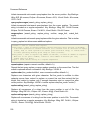
fold-collapse-all-current ()
Collapse the current fold point completely Key Bindings: Wing IDE: Alt-Page_Up;
Brief: Alt-Page_Up; VI/VIM: Alt-Page_Up; Eclipse: Alt-Page_Up; Emacs: Alt-Page_Up;
Visual Studio: Alt-Page_Up; OS X: Command-fold-collapse-current ()
Collapse the current fold point Key Bindings: VI/VIM: z c; Eclipse: Ctrl-fold-collapse-more-clicked ()
Collapse the clicked fold point one more level
fold-collapse-more-current ()
Collapse the current fold point one more level Key Bindings: Wing IDE: Alt-Up; Brief:
Alt-Up; VI/VIM: Alt-Up; Eclipse: Alt-Up; Emacs: Alt-Up; Visual Studio: Alt-Up; OS X:
Command-_
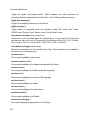
fold-expand-all ()
Expand all fold points in the current file Key Bindings: Wing IDE: Alt-End; Brief:
Alt-End; VI/VIM: Alt-End; Eclipse: Alt-End; Emacs: Alt-End; Visual Studio: Alt-End; OS
X: Command-Ctrl-*
fold-expand-all-clicked ()
Expand the clicked fold point completely
fold-expand-all-current ()
Expand the current fold point completely Key Bindings: Wing IDE: Alt-Page_Down;
Brief: Alt-Page_Down; VI/VIM: Alt-Page_Down; Eclipse: Alt-Page_Down; Emacs:
Alt-Page_Down; Visual Studio: Alt-Page_Down; OS X: Command-*
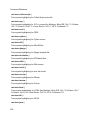
fold-expand-current ()
Expand the current fold point Key Bindings: VI/VIM: z o; Eclipse: Ctrl-+
fold-expand-more-clicked ()
Expand the clicked fold point one more level
fold-expand-more-current ()
Expand the current fold point one more level Key Bindings: Wing IDE: Alt-Down; Brief:
Alt-Down; VI/VIM: Alt-Down; Eclipse: Alt-Down; Emacs: Alt-Down; Visual Studio:
Alt-Down; OS X: Command-+
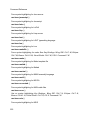
fold-toggle ()
195